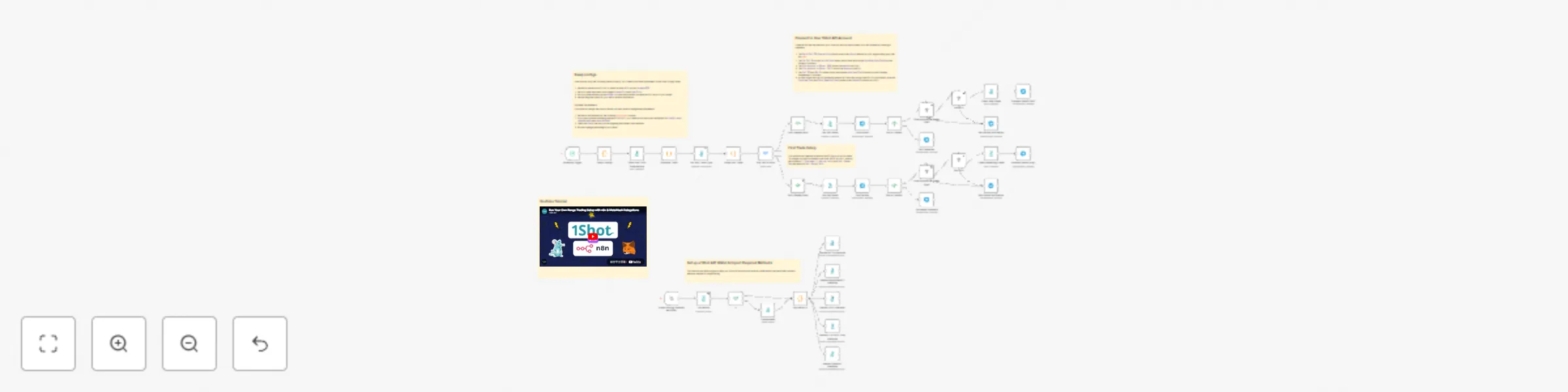
Automated range trading with Uniswap V3, Telegram alerts & MetaMask delegation

Workflow preview

Workflow preview
100%
Automated range trading with Uniswap V3, Telegram alerts & MetaMask delegation preview
Open on n8n.io

Important notice

This workflow is provided as-is. Please review and test before using in production.

1. Workflow Overview

Simple Range Trading w/ Uniswap V3 This workflow will monitor the price of a token trading pair (default is ETH USDC) and automatically buy into ETH or sell into USDC base...

Best for

  • Crypto Trading automation workflows
  • advanced n8n builders looking for reusable templates

Tools used

n8n-nodes-base.code, n8n-nodes-1shot.oneshot, n8n-nodes-base.scheduletrigger, n8n-nodes-base.stickynote, n8n-nodes-base.switch, n8n-nodes-base.telegram, n8n-nodes-base.if, n8n-nodes-1shot.oneshotsynch

Source and attribution

This workflow is cataloged by N8N Workflows and links back to its original n8n.io source page by 1Shot API.

Original n8n.io source

1.1 Workflow description

Title
Automated range trading with Uniswap V3, Telegram alerts & MetaMask delegation
Workflow name
Automated range trading with Uniswap V3, Telegram alerts & MetaMask delegation

Simple Range Trading w/ Uniswap V3

This workflow will monitor the price of a token trading pair (default is ETH - USDC) and automatically buy into ETH or sell into USDC based on a price window configured by the user.

Additionally, the workflow will notify the user on Telegram before a trade is executed, giving the user 1 minute to cancel the trade before the workflow proceeds.

Transaction are executed via MetaMask's Delegation Framework, so trades are fully non-custodial, you retain full control of your assets at all times.

Check out the YouTube tutorial for a full walkthrough.

Maintain Complete Trading Control with MetaMask Delegations

With the MetaMask Delegation Framework, you never relinquish control of your funds to any 3rd party, not even 1Shot API. Furthermore, with this workflow, you have full control of your trading parameters and the assets you trade against. Lastly, by running your own trading setup, you can bypass fees incurred through centralized exchanges or hosted frontends that reduce your profitability.

Human-in-the-Loop with Telegram Notifiactions

This workflow uses Telegram to send you real-time updates on whats happening with your trades. Specifically, the Telegram human-in-the-loop node is used to give you a change to cancel trades before they happen or immediately approve them.

Setup

  1. Create a free 1Shot API account, and create an API key.
  2. Import the workflow into your n8n portal.
  3. Create a credential for the 1Shot API nodes to communicate with your 1Shot API account.
  4. Trigger the sub-workflow to generate an Arbitrum server wallet and import all required smart contract methods.
  5. Point the 1Shot API nodes at the appropriate smart contract methods in you 1Shot API account.
  6. Create a Telegram credential for notifications & input the chatID of your Telegram bot.
  7. Set your desired trading price range in the Swap Configs node.
  8. Start your trading workflow.

1.2 Logical Blocks

This catalog entry is organized from the workflow JSON. The node-level section below shows the executable blocks available for review before importing the template.

2. Block-by-Block Analysis

Block 1 - Calculate TWAP

Type / Role
n8n-nodes-base.code - code
Config choices
Version 2

Block 2 - Fetch Pool TWA Observations

Type / Role
n8n-nodes-1shot.oneShot - oneShot
Config choices
Version 1

Block 3 - Schedule Trigger

Type / Role
n8n-nodes-base.scheduleTrigger - scheduleTrigger
Config choices
Version 1.2

Block 4 - Sticky Note1

Type / Role
n8n-nodes-base.stickyNote - stickyNote
Config choices
Version 1

Block 5 - Sticky Note2

Type / Role
n8n-nodes-base.stickyNote - stickyNote
Config choices
Version 1

Block 6 - Swap Configs

Type / Role
n8n-nodes-base.code - code
Config choices
Version 2

Block 7 - Sticky Note4

Type / Role
n8n-nodes-base.stickyNote - stickyNote
Config choices
Version 1

Block 8 - Sticky Note5

Type / Role
n8n-nodes-base.stickyNote - stickyNote
Config choices
Version 1

Block 9 - Buy, Sell or Hold

Type / Role
n8n-nodes-base.switch - switch
Config choices
Version 3.2

Block 10 - Confirm Buy

Type / Role
n8n-nodes-base.telegram - telegram
Config choices
Version 1.2

Block 11 - Purchase Cancelled

Type / Role
n8n-nodes-base.telegram - telegram
Config choices
Version 1.2

Block 12 - Buy or Cancel?

Type / Role
n8n-nodes-base.if - if
Config choices
Version 2.2

Block 13 - Check Remaining Funds

Type / Role
n8n-nodes-1shot.oneShot - oneShot
Config choices
Version 1

Block 14 - Confirm Sell

Type / Role
n8n-nodes-base.telegram - telegram
Config choices
Version 1.2

Block 15 - Sell or Cancel?

Type / Role
n8n-nodes-base.if - if
Config choices
Version 2.2

Block 16 - Sell Cancelled

Type / Role
n8n-nodes-base.telegram - telegram
Config choices
Version 1.2

Block 17 - Give Approval to Router (Sell)

Type / Role
n8n-nodes-1shot.oneShotSynch - oneShotSynch
Config choices
Version 1

Block 18 - Give Approval to Router (Buy)

Type / Role
n8n-nodes-1shot.oneShotSynch - oneShotSynch
Config choices
Version 1

Block 19 - Buy ETH

Type / Role
n8n-nodes-1shot.oneShotSynch - oneShotSynch
Config choices
Version 1

Block 20 - Sell ETH

Type / Role
n8n-nodes-1shot.oneShotSynch - oneShotSynch
Config choices
Version 1

Block 21 - Success Details (Sell)

Type / Role
n8n-nodes-base.telegram - telegram
Config choices
Version 1.2

Block 22 - Success Details (Buy)

Type / Role
n8n-nodes-base.telegram - telegram
Config choices
Version 1.2

Block 23 - Buy Failure Notification

Type / Role
n8n-nodes-base.telegram - telegram
Config choices
Version 1.2

Block 24 - Sell Failure Notification

Type / Role
n8n-nodes-base.telegram - telegram
Config choices
Version 1.2

Showing the first 24 of 42 workflow blocks. Download the JSON for the full node graph.

3. Summary Table

Workflow Automated range trading with Uniswap V3, Telegram alerts & MetaMask delegation
Complexity advanced
Nodes 42
Categories Crypto Trading
Author 1Shot API
Published 09 Sept 2025

4. Reproducing the Workflow from Scratch

  1. 1. Download the workflow JSON

    Use the JSON export at /data/workflows/8427/8427.json as the source template for this automation.

  2. 2. Import the template into n8n

    Open n8n, import the downloaded JSON, and review each node before activating the workflow.

  3. 3. Configure credentials and variables

    Replace placeholder credentials, API keys, webhook URLs, account IDs, and environment-specific values with your own settings.

  4. 4. Test with sample data

    Run the workflow manually or in a staging workspace, inspect node output, and confirm downstream systems receive the expected data.

  5. 5. Activate and monitor

    Enable the workflow only after testing, then monitor executions, errors, and rate limits during the first production runs.

5. General Notes & Resources

Review imported nodes carefully before activation. This catalog entry is intended to help you inspect the workflow structure, understand required services, and find related templates faster.

Node names, credentials, schedules, webhook paths, and external service limits may need adjustment for your workspace.

Frequently asked questions

What does Automated range trading with Uniswap V3, Telegram alerts & MetaMask delegation do?

Simple Range Trading w/ Uniswap V3 This workflow will monitor the price of a token trading pair (default is ETH USDC) and automatically buy into ETH or sell into USDC base...

What do I need before importing this workflow?

Review the workflow JSON, configure any required credentials in n8n, and test the automation in a safe workspace before using it in production.

Can I customize this workflow?

Yes. Use the block-by-block analysis and the downloadable JSON to inspect each node, then adjust credentials, prompts, schedules, filters, or destinations for your Crypto Trading use case.