Automated CRM deal stage updates with Stripe & Google Sheets

Workflow preview

Workflow preview
100%
Automated CRM deal stage updates with Stripe & Google Sheets preview
Open on n8n.io

Important notice

This workflow is provided as-is. Please review and test before using in production.

1. Workflow Overview

Description: Keep your CRM always up to date by automatically syncing closed deals from Stripe into Google Sheets. This n8n workflow fetches all paid invoices, finds matching customer records in yo...

Best for

  • CRM automation workflows
  • intermediate n8n builders looking for reusable templates

Tools used

n8n-nodes-base.scheduletrigger, n8n-nodes-base.stickynote, n8n-nodes-base.googlesheets, n8n-nodes-base.httprequest, n8n-nodes-base.splitout, n8n-nodes-base.code

Source and attribution

This workflow is cataloged by N8N Workflows and links back to its original n8n.io source page by Rahul Joshi.

Original n8n.io source

1.1 Workflow description

Title
Automated CRM deal stage updates with Stripe & Google Sheets
Workflow name
Automated CRM deal stage updates with Stripe & Google Sheets

Description:

Keep your CRM always up to date by automatically syncing closed deals from Stripe into Google Sheets. This n8n workflow fetches all paid invoices, finds matching customer records in your CRM tracking sheet, removes duplicates, marks the deal as “Closed,” and updates the sheet in real time—eliminating manual updates and ensuring your sales pipeline reflects actual revenue.

What This Template Does

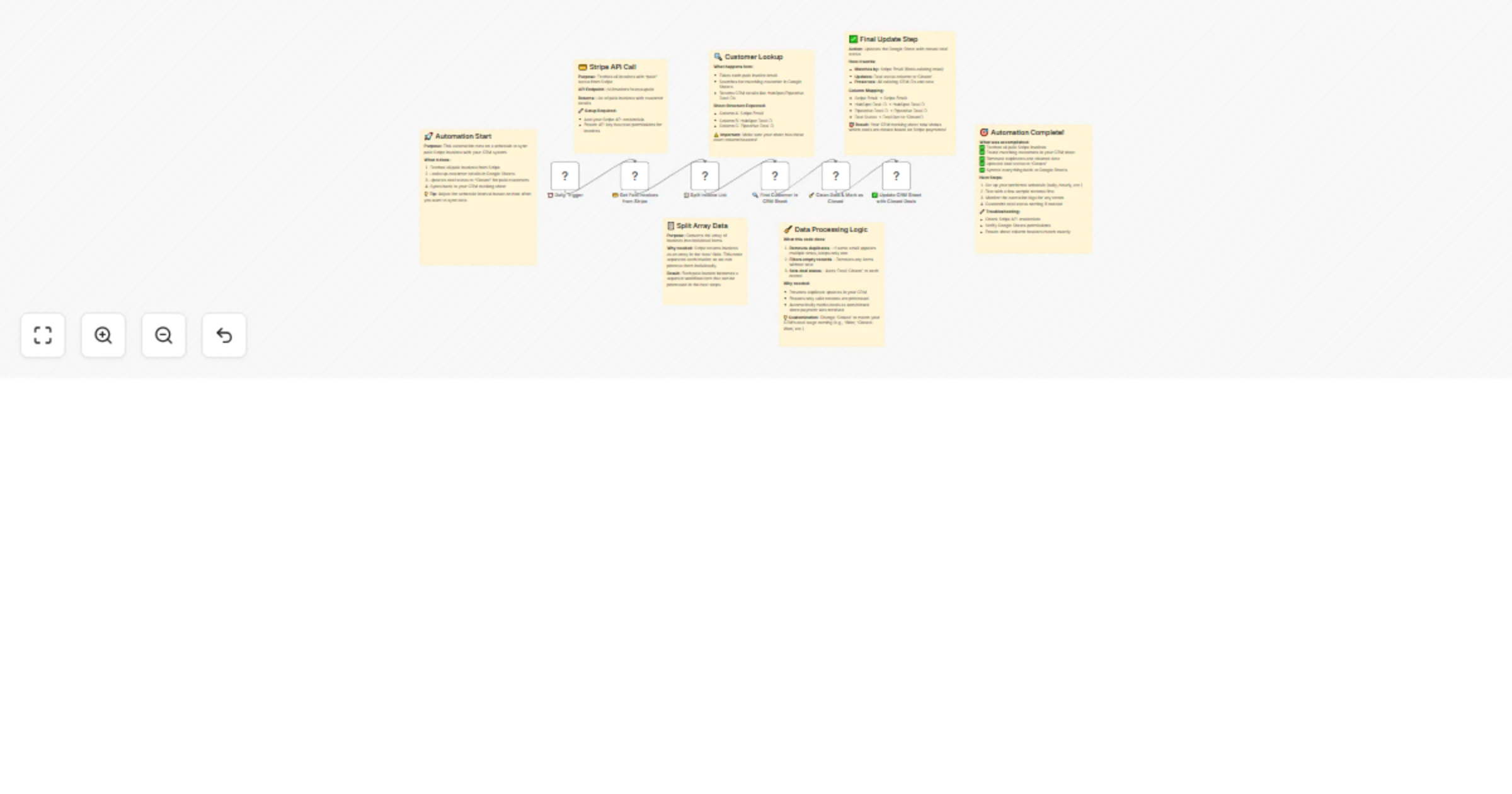
  • ⏰ Scheduled Trigger (Cron): Runs automatically at your chosen frequency (daily/hourly) to check Stripe for new paid invoices.
  • 💳 Fetch Paid Invoices from Stripe: Calls the Stripe API to retrieve all invoices with status = “paid.”
  • 📋 Split Invoice Array: Breaks down the list of paid invoices into individual records for easier processing.
  • 🔍 Find Customer in CRM Sheet: Looks up each Stripe customer email against your Google Sheets CRM tracker to fetch HubSpot/Pipedrive Deal IDs.
  • 🧹 Clean Data & Mark as Closed (Code Node): Removes duplicates, filters out empty rows, and tags deals with status = “Closed” (customizable to “Won” or your CRM’s terminology).
  • ✅ Update CRM Sheet with Closed Deals: Updates your Google Sheet by matching records via Stripe Email and marking them as closed while preserving existing CRM IDs.
  • 📈 Full Sync Summary: At the end, your CRM sheet reflects all customers who have completed payments in Stripe, ensuring your pipeline and revenue reporting stay aligned.

Required Integrations

✅ Stripe API Credentials (for fetching paid invoices) ✅ Google Sheets OAuth2 API (for reading/writing CRM records)

Ideal Use Cases

💼 Automatically close deals when payment is received 📊 Keep CRM pipeline metrics aligned with Stripe transactions 🧑‍💼 Sync sales & finance teams on deal status 🏢 Perfect for SaaS, e-commerce, or agencies handling recurring payments

Why This Template is Powerful

✔ Removes manual CRM updates ✔ Prevents duplicate or missed records ✔ Ensures instant revenue recognition in CRM ✔ Easy to extend to HubSpot, Pipedrive, or Zoho

1.2 Logical Blocks

This catalog entry is organized from the workflow JSON. The node-level section below shows the executable blocks available for review before importing the template.

2. Block-by-Block Analysis

Block 1 - ⏰ Daily Trigger

Type / Role
n8n-nodes-base.scheduleTrigger - scheduleTrigger
Config choices
Version 1

Block 2 - Sticky Note

Type / Role
n8n-nodes-base.stickyNote - stickyNote
Config choices
Version 1

Block 3 - 🔍 Find Customer in CRM Sheet

Type / Role
n8n-nodes-base.googleSheets - googleSheets
Config choices
Version 1

Block 4 - Sticky Note1

Type / Role
n8n-nodes-base.stickyNote - stickyNote
Config choices
Version 1

Block 5 - 💳 Get Paid Invoices from Stripe

Type / Role
n8n-nodes-base.httpRequest - httpRequest
Config choices
Version 4.2

Block 6 - Sticky Note2

Type / Role
n8n-nodes-base.stickyNote - stickyNote
Config choices
Version 1

Block 7 - 📋 Split Invoice List

Type / Role
n8n-nodes-base.splitOut - splitOut
Config choices
Version 1

Block 8 - Sticky Note3

Type / Role
n8n-nodes-base.stickyNote - stickyNote
Config choices
Version 1

Block 9 - 🧹 Clean Data & Mark as Closed

Type / Role
n8n-nodes-base.code - code
Config choices
Version 2

Block 10 - Sticky Note4

Type / Role
n8n-nodes-base.stickyNote - stickyNote
Config choices
Version 1

Block 11 - ✅ Update CRM Sheet with Closed Deals

Type / Role
n8n-nodes-base.googleSheets - googleSheets
Config choices
Version 4.6

Block 12 - Sticky Note5

Type / Role
n8n-nodes-base.stickyNote - stickyNote
Config choices
Version 1

Block 13 - Sticky Note6

Type / Role
n8n-nodes-base.stickyNote - stickyNote
Config choices
Version 1

3. Summary Table

Workflow Automated CRM deal stage updates with Stripe & Google Sheets
Complexity intermediate
Nodes 13
Categories CRM
Author Rahul Joshi
Published 26 Sept 2025

4. Reproducing the Workflow from Scratch

  1. 1. Download the workflow JSON

    Use the JSON export at /data/workflows/8951/8951.json as the source template for this automation.

  2. 2. Import the template into n8n

    Open n8n, import the downloaded JSON, and review each node before activating the workflow.

  3. 3. Configure credentials and variables

    Replace placeholder credentials, API keys, webhook URLs, account IDs, and environment-specific values with your own settings.

  4. 4. Test with sample data

    Run the workflow manually or in a staging workspace, inspect node output, and confirm downstream systems receive the expected data.

  5. 5. Activate and monitor

    Enable the workflow only after testing, then monitor executions, errors, and rate limits during the first production runs.

5. General Notes & Resources

Review imported nodes carefully before activation. This catalog entry is intended to help you inspect the workflow structure, understand required services, and find related templates faster.

Node names, credentials, schedules, webhook paths, and external service limits may need adjustment for your workspace.

Frequently asked questions

What does Automated CRM deal stage updates with Stripe & Google Sheets do?

Description: Keep your CRM always up to date by automatically syncing closed deals from Stripe into Google Sheets. This n8n workflow fetches all paid invoices, finds matching customer records in yo...

What do I need before importing this workflow?

Review the workflow JSON, configure any required credentials in n8n, and test the automation in a safe workspace before using it in production.

Can I customize this workflow?

Yes. Use the block-by-block analysis and the downloadable JSON to inspect each node, then adjust credentials, prompts, schedules, filters, or destinations for your CRM use case.