Automated AI product photography and Instagram post generator (Deepseek/Segmind)

Workflow preview

Workflow preview
100%
Automated AI product photography and Instagram post generator (Deepseek/Segmind) preview
Open on n8n.io

Important notice

This workflow is provided as-is. Please review and test before using in production.

1. Workflow Overview

Automatically generate professional grade product photography and ready to use Instagram posts using the power of AI, delivered straight to your Telegram for approval. Setup is incredibly simple: A...

Best for

  • Content Creation automation workflows
  • Multimodal AI automation workflows
  • advanced n8n builders looking for reusable templates

Tools used

n8n-nodes-base.scheduletrigger, n8n-nodes-base.set, @n8n/n8n-nodes-langchain.outputparserstructured, @n8n/n8n-nodes-langchain.lmchatopenai, @n8n/n8n-nodes-langchain.agent, n8n-nodes-base.httprequest, n8n-nodes-base.telegram, n8n-nodes-base.code

Source and attribution

This workflow is cataloged by N8N Workflows and links back to its original n8n.io source page by Tianyi.

Original n8n.io source

1.1 Workflow description

Title
Automated AI product photography and Instagram post generator (Deepseek/Segmind)
Workflow name
Automated AI product photography and Instagram post generator (Deepseek/Segmind)

Automatically generate professional-grade product photography and ready-to-use Instagram posts using the power of AI, delivered straight to your Telegram for approval.

Setup is incredibly simple: All you need is your product image URL and a API key from Segmind.


Who is this for?

This template is ideal for:

  • E-commerce store owners looking to create high-quality product visuals affordably (The estimated cost is approximately $0.10 per product photography and accompanying Instagram post).
  • Dropshippers needing unique product images to stand out.
  • Social Media Managers & Marketers seeking to automate content creation for platforms like Instagram.
  • Small Businesses wanting professional marketing assets without the high cost or effort.
  • Anyone needing consistent, eye-catching product photos and social media captions on a regular schedule.

What problem is this workflow solving?

Creating professional product images is often expensive and time-consuming, requiring photographers, studios, and editing time. Consistently generating fresh and engaging social media content, especially for visual platforms like Instagram, adds another layer of complexity and effort. This workflow eliminates these bottlenecks by automating both high-quality image generation and relevant caption creation, freeing up your time and budget.


What this workflow does:

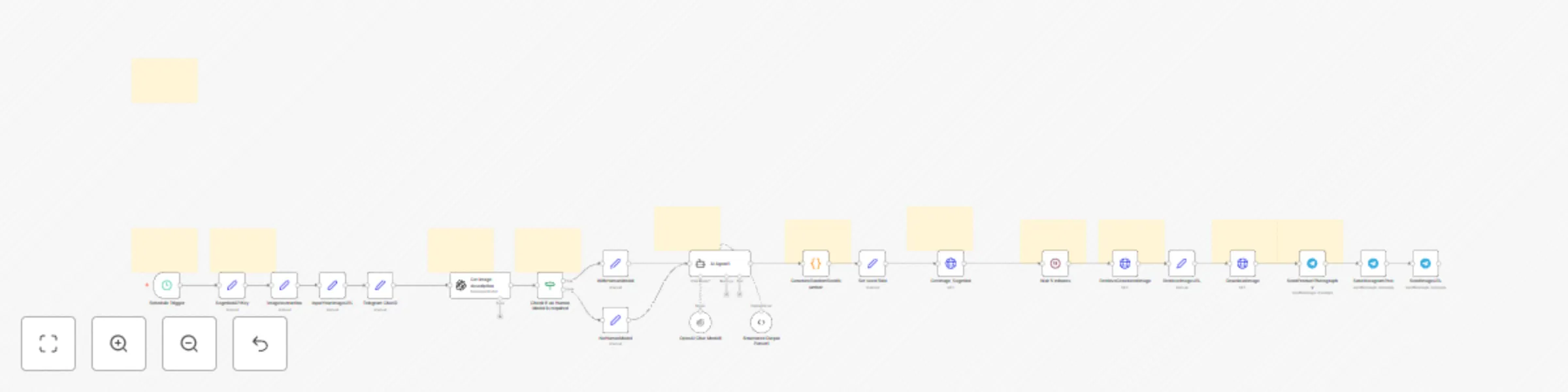
This n8n workflow automates the entire process on a schedule you define (e.g., every hour, every day):

  1. Scheduled Start: Triggers automatically based on your chosen time interval (e.g., every hour).
  2. Product Analysis: Takes your input product image URL and uses AI (GPT) to understand the product details.
  3. AI Prompt Generation: Based on the product analysis and your preference (whether to include a human model or not), it uses AI (Deepseek) to craft a sophisticated prompt specifically for generating professional product photography via Segmind.
  4. Instagram Post Creation: Simultaneously, the AI (Deepseek) generates an engaging Instagram post caption, complete with relevant hashtags, tailored to your product.
  5. AI Image Generation: Sends the product image, the generated prompt, and product details to the Segmind API to create a brand new, studio-quality product photograph.
  6. Telegram Validation: Downloads the newly generated product photo and sends both the photo and the generated Instagram post text directly to your specified Telegram chat. This allows you to quickly review and approve the content before using it.

Setup: Get Running in Minutes!

This workflow is designed for maximum ease of setup:

  1. Get Segmind API Key: Sign up or log in to Segmind and grab your API key here: https://cloud.segmind.com/console/api-keys
  2. Enter API Key: In the n8n workflow, click on the SegmindAPIKey node and paste your copied API key into the Value field.
  3. Enter Product Image URL: Click the InputYourImageURL node and paste the web address (URL) of your product image into the Value field.
  4. (Optional) Human Model Preference: Click the ImageInstruction node. Set the HumanModel value to true if you want a human model potentially included in the photo, or false if you want the product showcased alone or in a setting.
  5. Set Your Schedule: Click the Schedule Trigger node. Define how often you want the workflow to run (e.g., under Interval, set 1 and select Hours from the dropdown for hourly runs).
  6. Configure Telegram: Make sure you have a Telegram Bot credential configured in n8n. Then, in the SendProductPhotography and SendInstagramPost nodes, enter the correct Chat ID for where you want to receive the validation messages. [A video guidance is made to help you with telegram setup]
  7. Activate Workflow: Toggle the workflow to "Active" in the top right corner of n8n.

That's it! The workflow will now automatically generate and send product photos and Instagram posts to your Telegram at your defined interval.


How to customize this workflow:

While the default setup works great, you can easily tweak it:

  • Photography Style: Modify the main prompt within the AI Agent1 node to guide the AI towards a specific aesthetic (e.g., "minimalist background," "bright natural lighting," "dark moody atmosphere").
  • Instagram Post Tone: Adjust the instructions within the AI Agent1 node to change the style or focus of the generated Instagram captions.
  • Schedule: Change the trigger interval in the Schedule Trigger node anytime.
  • AI Models: Experiment by changing the selected models in the OpenAI, OpenAI Chat Model1 (Deepseek).

Category:

Marketing, Social Media, E-commerce, Automation, AI, Content Creation, Product Photography

1.2 Logical Blocks

This catalog entry is organized from the workflow JSON. The node-level section below shows the executable blocks available for review before importing the template.

2. Block-by-Block Analysis

Block 1 - Schedule Trigger

Type / Role
n8n-nodes-base.scheduleTrigger - scheduleTrigger
Config choices
Version 1.2

Block 2 - InputYourImageURL

Type / Role
n8n-nodes-base.set - set
Config choices
Version 3.4

Block 3 - Structured Output Parser1

Type / Role
@n8n/n8n-nodes-langchain.outputParserStructured - outputParserStructured
Config choices
Version 1.2

Block 4 - ImageInstruction

Type / Role
n8n-nodes-base.set - set
Config choices
Version 3.4

Block 5 - WithHumanModel

Type / Role
n8n-nodes-base.set - set
Config choices
Version 3.4

Block 6 - NoHumanModel

Type / Role
n8n-nodes-base.set - set
Config choices
Version 3.4

Block 7 - OpenAI Chat Model1

Type / Role
@n8n/n8n-nodes-langchain.lmChatOpenAi - lmChatOpenAi
Config choices
Version 1.2

Block 8 - AI Agent1

Type / Role
@n8n/n8n-nodes-langchain.agent - agent
Config choices
Version 1.7

Block 9 - SegmindAPIKey

Type / Role
n8n-nodes-base.set - set
Config choices
Version 3.4

Block 10 - RetrieveGeneratedImage

Type / Role
n8n-nodes-base.httpRequest - httpRequest
Config choices
Version 4.2

Block 11 - RetrieveImageURL

Type / Role
n8n-nodes-base.set - set
Config choices
Version 3.4

Block 12 - DownloadImage

Type / Role
n8n-nodes-base.httpRequest - httpRequest
Config choices
Version 4.2

Block 13 - SendProductPhotography

Type / Role
n8n-nodes-base.telegram - telegram
Config choices
Version 1.2

Block 14 - SendInstagramPost

Type / Role
n8n-nodes-base.telegram - telegram
Config choices
Version 1.2

Block 15 - GenerateRandomSeedNumber

Type / Role
n8n-nodes-base.code - code
Config choices
Version 2

Block 16 - Sticky Note

Type / Role
n8n-nodes-base.stickyNote - stickyNote
Config choices
Version 1

Block 17 - Sticky Note1

Type / Role
n8n-nodes-base.stickyNote - stickyNote
Config choices
Version 1

Block 18 - Sticky Note2

Type / Role
n8n-nodes-base.stickyNote - stickyNote
Config choices
Version 1

Block 19 - Sticky Note3

Type / Role
n8n-nodes-base.stickyNote - stickyNote
Config choices
Version 1

Block 20 - Sticky Note4

Type / Role
n8n-nodes-base.stickyNote - stickyNote
Config choices
Version 1

Block 21 - Sticky Note5

Type / Role
n8n-nodes-base.stickyNote - stickyNote
Config choices
Version 1

Block 22 - Sticky Note6

Type / Role
n8n-nodes-base.stickyNote - stickyNote
Config choices
Version 1

Block 23 - Sticky Note7

Type / Role
n8n-nodes-base.stickyNote - stickyNote
Config choices
Version 1

Block 24 - Sticky Note8

Type / Role
n8n-nodes-base.stickyNote - stickyNote
Config choices
Version 1

Showing the first 24 of 34 workflow blocks. Download the JSON for the full node graph.

3. Summary Table

Workflow Automated AI product photography and Instagram post generator (Deepseek/Segmind)
Complexity advanced
Nodes 34
Categories Content Creation, Multimodal AI
Author Tianyi
Published 21 Apr 2025

4. Reproducing the Workflow from Scratch

  1. 1. Download the workflow JSON

    Use the JSON export at /data/workflows/3633/3633.json as the source template for this automation.

  2. 2. Import the template into n8n

    Open n8n, import the downloaded JSON, and review each node before activating the workflow.

  3. 3. Configure credentials and variables

    Replace placeholder credentials, API keys, webhook URLs, account IDs, and environment-specific values with your own settings.

  4. 4. Test with sample data

    Run the workflow manually or in a staging workspace, inspect node output, and confirm downstream systems receive the expected data.

  5. 5. Activate and monitor

    Enable the workflow only after testing, then monitor executions, errors, and rate limits during the first production runs.

5. General Notes & Resources

Review imported nodes carefully before activation. This catalog entry is intended to help you inspect the workflow structure, understand required services, and find related templates faster.

Node names, credentials, schedules, webhook paths, and external service limits may need adjustment for your workspace.

Frequently asked questions

What does Automated AI product photography and Instagram post generator (Deepseek/Segmind) do?

Automatically generate professional grade product photography and ready to use Instagram posts using the power of AI, delivered straight to your Telegram for approval. Setup is incredibly simple: A...

What do I need before importing this workflow?

Review the workflow JSON, configure any required credentials in n8n, and test the automation in a safe workspace before using it in production.

Can I customize this workflow?

Yes. Use the block-by-block analysis and the downloadable JSON to inspect each node, then adjust credentials, prompts, schedules, filters, or destinations for your Content Creation, Multimodal AI use case.