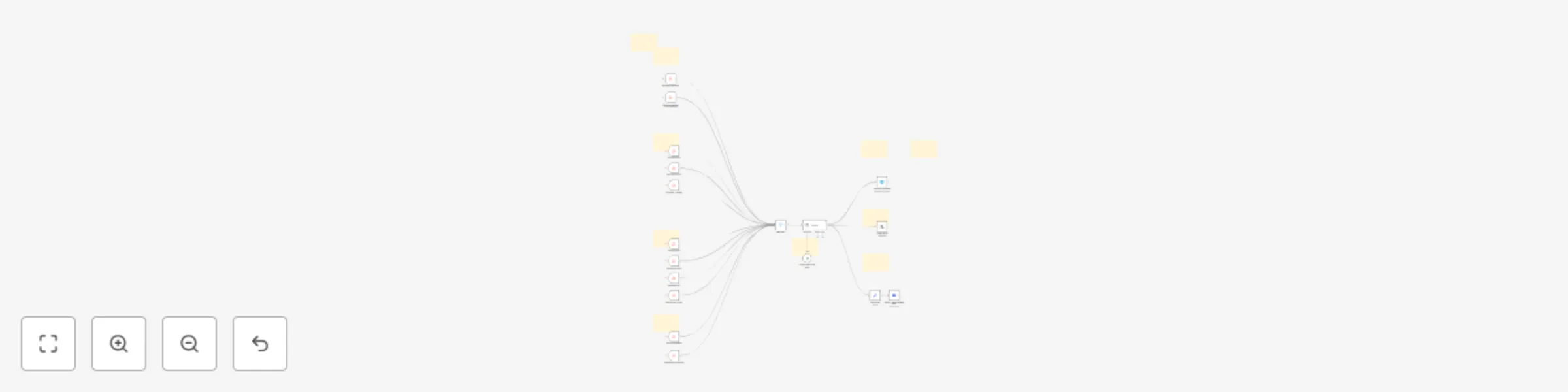
Automated 24/7 crypto news alerts to X, Telegram & Discord (Gemini powered)

Workflow preview

Workflow preview
100%
Automated 24/7 crypto news alerts to X, Telegram & Discord (Gemini powered) preview
Open on n8n.io

Important notice

This workflow is provided as-is. Please review and test before using in production.

1. Workflow Overview

Purpose & Audience This workflow delivers real time crypto news alerts to X, Discord and Telegram, providing instant updates to help you stay ahead in the fast moving world of cryptocurrency. Desig...

Best for

  • Crypto Trading automation workflows
  • AI Summarization automation workflows
  • advanced n8n builders looking for reusable templates

Tools used

@n8n/n8n-nodes-langchain.agent, @n8n/n8n-nodes-langchain.lmchatgooglegemini, n8n-nodes-base.stickynote, n8n-nodes-base.rssfeedreadtrigger, n8n-nodes-base.filter, n8n-nodes-base.telegram, n8n-nodes-base.discord, n8n-nodes-base.set

Source and attribution

This workflow is cataloged by N8N Workflows and links back to its original n8n.io source page by Malik Hashir.

Original n8n.io source

1.1 Workflow description

Title
Automated 24/7 crypto news alerts to X, Telegram & Discord (Gemini powered)
Workflow name
Automated 24/7 crypto news alerts to X, Telegram & Discord (Gemini powered)

Purpose & Audience

This workflow delivers real-time crypto news alerts to X, Discord and Telegram, providing instant updates to help you stay ahead in the fast-moving world of cryptocurrency. Designed specifically for crypto traders, community managers, market analysts, content creators, and anyone needing reliable, up-to-the-minute crypto news. It’s ideal for keeping your audience engaged with timely, well-formatted news, or for making swift trading decisions based on the latest headlines.

What the Workflow Does

  • Aggregates Crypto News: Continuously fetches the latest news from popular crypto news sources, ensuring 24/7 monitoring with zero downtime.
  • Interprets and Formats Alerts: Processes raw news items, applies relevant interpretation, and transforms them into user-friendly, actionable alerts.
  • Adds Visual Enhancements: Each alert is boosted with emojis and structured formatting, making the info engaging and instantly scannable.
  • Multi-Platform Delivery: Instantly sends these news summaries to X, Discord channels and Telegram groups, so your team or community never misses a critical update.

Who Is This For?

  • Crypto Traders: Make timely, informed decisions with real-time updates pushed straight to your preferred platform.
  • Community Owners & Moderators: Keep your crypto community engaged and informed without manual curation.
  • Market Analysts: Track the pulse of the market efficiently and without distraction.
  • Content Creators: Use automated news as inspiration for posts, newsletters, or videos.
  • Crypto Enthusiasts: Anyone eager to follow breaking developments in the crypto sector.

How to Set Up

  1. Import the Workflow: Download the workflow and import it into your n8n environment.
  2. Set Up X, Discord & Telegram Nodes: Discord: Connect your Discord account for sending alerts. Telegram: Link your Telegram bot and specify channel/group details. X: Connect your X account for real time post alerts. Note: Step by step guide is provided for setup with workflow file.
  3. Customize Formatting: Tailor the message templates in the workflow to match your branding, including emoji selection and styling.
  4. Test & Launch: Confirm proper message delivery to your X, Discord and Telegram channels. Tweak formatting if necessary for maximum readability.
  5. Run 24/7: Activate the workflow for always-on crypto news monitoring—no manual input required.

Key Benefits

  • Stay first to know about crucial crypto events, alerts, and breaking regulatory news.
  • Save time with automated curation and delivery—no more switching between feeds and apps.
  • Boost engagement in your trading group, crypto server, or Telegram community with visually enhanced, timely updates.

1.2 Logical Blocks

This catalog entry is organized from the workflow JSON. The node-level section below shows the executable blocks available for review before importing the template.

2. Block-by-Block Analysis

Block 1 - AI Agent

Type / Role
@n8n/n8n-nodes-langchain.agent - agent
Config choices
Version 1.9

Block 2 - Google Gemini Chat Model

Type / Role
@n8n/n8n-nodes-langchain.lmChatGoogleGemini - lmChatGoogleGemini
Config choices
Version 1

Block 3 - Sticky Note3

Type / Role
n8n-nodes-base.stickyNote - stickyNote
Config choices
Version 1

Block 4 - Sticky Note4

Type / Role
n8n-nodes-base.stickyNote - stickyNote
Config choices
Version 1

Block 5 - Sticky Note5

Type / Role
n8n-nodes-base.stickyNote - stickyNote
Config choices
Version 1

Block 6 - RSS Blockchain

Type / Role
n8n-nodes-base.rssFeedReadTrigger - rssFeedReadTrigger
Config choices
Version 1

Block 7 - RSS Bitcoinist

Type / Role
n8n-nodes-base.rssFeedReadTrigger - rssFeedReadTrigger
Config choices
Version 1

Block 8 - RSS News BTC

Type / Role
n8n-nodes-base.rssFeedReadTrigger - rssFeedReadTrigger
Config choices
Version 1

Block 9 - RSS Cointelegraph

Type / Role
n8n-nodes-base.rssFeedReadTrigger - rssFeedReadTrigger
Config choices
Version 1

Block 10 - Date Filter

Type / Role
n8n-nodes-base.filter - filter
Config choices
Version 2.2

Block 11 - RSS News - Messari

Type / Role
n8n-nodes-base.rssFeedReadTrigger - rssFeedReadTrigger
Config choices
Version 1

Block 12 - RSS News Glassnode

Type / Role
n8n-nodes-base.rssFeedReadTrigger - rssFeedReadTrigger
Config choices
Version 1

Block 13 - RSS Feed FX Crypto

Type / Role
n8n-nodes-base.rssFeedReadTrigger - rssFeedReadTrigger
Config choices
Version 1

Block 14 - RSS News Platinum Crypto Academy

Type / Role
n8n-nodes-base.rssFeedReadTrigger - rssFeedReadTrigger
Config choices
Version 1

Block 15 - RSS News Bitcoin

Type / Role
n8n-nodes-base.rssFeedReadTrigger - rssFeedReadTrigger
Config choices
Version 1

Block 16 - RSS News Utoday

Type / Role
n8n-nodes-base.rssFeedReadTrigger - rssFeedReadTrigger
Config choices
Version 1

Block 17 - RSS News Decrypt Feed

Type / Role
n8n-nodes-base.rssFeedReadTrigger - rssFeedReadTrigger
Config choices
Version 1

Block 18 - Sticky Note1

Type / Role
n8n-nodes-base.stickyNote - stickyNote
Config choices
Version 1

Block 19 - Sticky Note2

Type / Role
n8n-nodes-base.stickyNote - stickyNote
Config choices
Version 1

Block 20 - Sticky Note6

Type / Role
n8n-nodes-base.stickyNote - stickyNote
Config choices
Version 1

Block 21 - Sticky Note8

Type / Role
n8n-nodes-base.stickyNote - stickyNote
Config choices
Version 1

Block 22 - Send a text message

Type / Role
n8n-nodes-base.telegram - telegram
Config choices
Version 1.2

Block 23 - Discord - Send Message Node

Type / Role
n8n-nodes-base.discord - discord
Config choices
Version 2

Block 24 - Edit Fields1

Type / Role
n8n-nodes-base.set - set
Config choices
Version 3.4

Showing the first 24 of 28 workflow blocks. Download the JSON for the full node graph.

3. Summary Table

Workflow Automated 24/7 crypto news alerts to X, Telegram & Discord (Gemini powered)
Complexity advanced
Nodes 28
Categories Crypto Trading, AI Summarization
Author Malik Hashir
Published 25 Jul 2025

4. Reproducing the Workflow from Scratch

  1. 1. Download the workflow JSON

    Use the JSON export at /data/workflows/6434/6434.json as the source template for this automation.

  2. 2. Import the template into n8n

    Open n8n, import the downloaded JSON, and review each node before activating the workflow.

  3. 3. Configure credentials and variables

    Replace placeholder credentials, API keys, webhook URLs, account IDs, and environment-specific values with your own settings.

  4. 4. Test with sample data

    Run the workflow manually or in a staging workspace, inspect node output, and confirm downstream systems receive the expected data.

  5. 5. Activate and monitor

    Enable the workflow only after testing, then monitor executions, errors, and rate limits during the first production runs.

5. General Notes & Resources

Review imported nodes carefully before activation. This catalog entry is intended to help you inspect the workflow structure, understand required services, and find related templates faster.

Node names, credentials, schedules, webhook paths, and external service limits may need adjustment for your workspace.

Frequently asked questions

What does Automated 24/7 crypto news alerts to X, Telegram & Discord (Gemini powered) do?

Purpose & Audience This workflow delivers real time crypto news alerts to X, Discord and Telegram, providing instant updates to help you stay ahead in the fast moving world of cryptocurrency. Desig...

What do I need before importing this workflow?

Review the workflow JSON, configure any required credentials in n8n, and test the automation in a safe workspace before using it in production.

Can I customize this workflow?

Yes. Use the block-by-block analysis and the downloadable JSON to inspect each node, then adjust credentials, prompts, schedules, filters, or destinations for your Crypto Trading, AI Summarization use case.