M

Malik Hashir

30
Workflows

Workflows by Malik Hashir

Workflow preview: Crypto volume change Discord alerts (5-20%) with CoinGecko (Top 1000 coins)
Free advanced

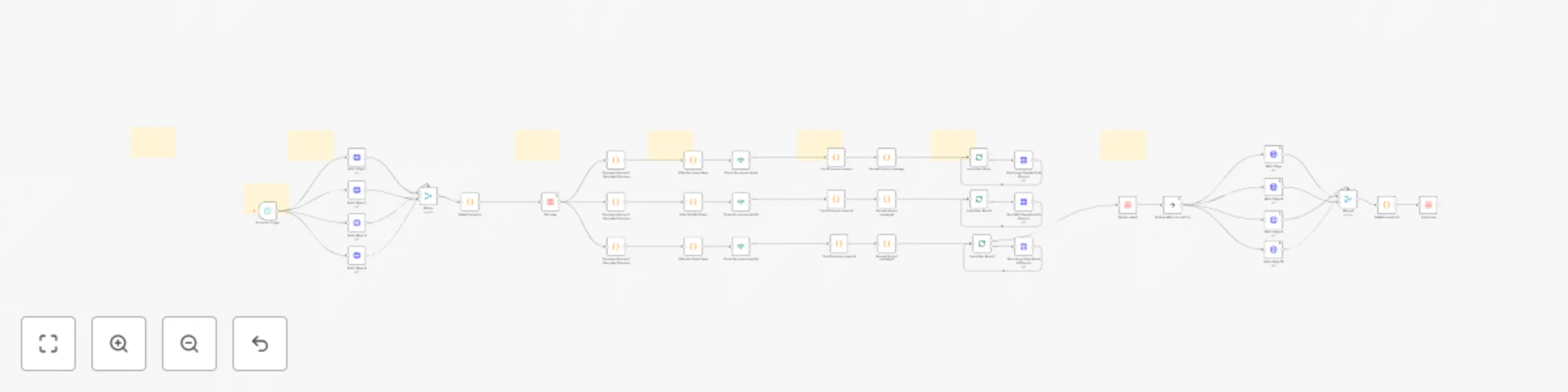
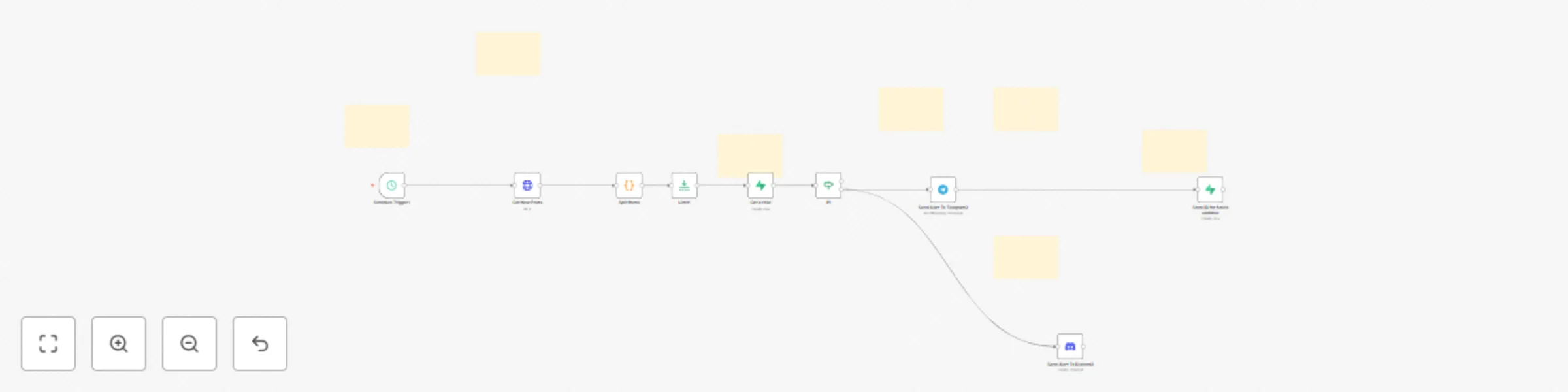
Crypto volume change Discord alerts (5-20%) with CoinGecko (Top 1000 coins)

# Purpose and Audience This professional-grade n8n workflow automation is designed for crypto traders, investors, and market analysts who need real-time volume change alerts across different market cap segments. Whether you're day trading, swing trading, or conducting market research, this workflow keeps you informed of significant volume movements that often precede major price action. ## What It Does This automated system monitors the top 1,000 cryptocurrencies and sends detailed Discord notifications when significant volume changes are detected. The workflow intelligently segments coins into three market cap tiers: - Large Cap (>$1B): Alerts on volume changes >5% - Mid Cap ($100M-$1B): Alerts on volume changes >10% - Small Cap (<$100M): Alerts on volume changes >20% Each alert includes comprehensive data: previous vs. current volume, volume change percentage and dollar amount, current price, 24h price change, market cap, volume/market cap ratio, and market cap rank. The system automatically filters out stablecoins and low-volume noise to ensure you only receive actionable alerts. ## How It Works The workflow operates on a 2-hour schedule (fully customizable) and executes the following process: 1. Data Collection: Fetches fresh market data for 1,000 cryptocurrencies from CoinGecko API across 4 paginated requests 2. Volume Analysis: Compares current volume against previously stored data to calculate percentage changes 3. Tier Filtering: Segments coins by market cap and applies appropriate volume change thresholds 4. Alert Generation: Identifies top 20 volume movers per tier and formats rich Discord embeds with detailed metrics 5. Data Management: Automatically deletes old data and stores new baseline data for the next execution cycle 6. Discord Delivery: Sends formatted alerts to your Discord channel with embedded guides explaining how to interpret the signals The workflow includes built-in intelligence to handle rate limits, batch processing for Discord's 10-embed limit, and comprehensive error handling. ## Who Is It For - Active cryptocurrency traders seeking early volume spike signals - Portfolio managers monitoring multiple market cap segments - Market researchers tracking crypto market dynamics - Trading communities wanting automated alert systems - Discord servers focused on crypto trading and analysis ## How to Setup Please watch the provided setup tutorial for complete step-by-step instructions. Setup time is approximately 15-20 minutes and requires: - n8n instance (self-hosted or cloud) - CoinGecko API key (https://www.coingecko.com/en/api) - Discord webhook URL - Basic familiarity with n8n interface The tutorial covers API configuration, Discord webhook setup, data table initialization, and schedule customization.

M
Malik Hashir
Crypto Trading
20 Dec 2025
18
0
Workflow preview: Automate Google My Business responses with Gemini AI and Google Sheets tracking
Free advanced

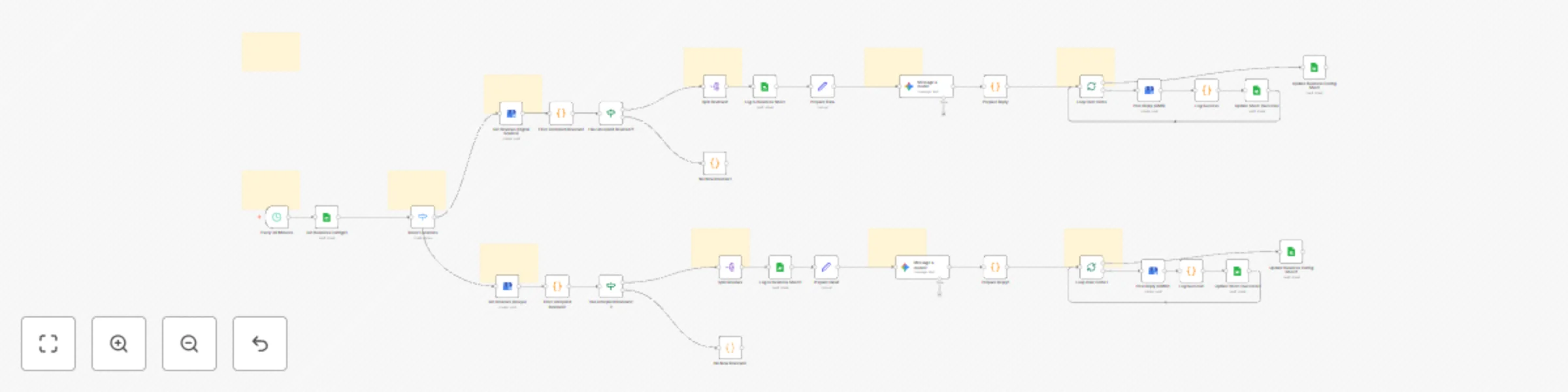
Automate Google My Business responses with Gemini AI and Google Sheets tracking

# Purpose & Audience This workflow is designed for digital marketing agencies, local business owners, and reputation management professionals who need to respond to Google My Business reviews promptly and professionally across multiple business locations. **Perfect for:** - Agencies managing 2-50+ client locations - Multi-location business owners - Reputation management teams - Marketing professionals seeking automation **Problems it solves:** - Manual review monitoring is time-consuming - Inconsistent response quality and tone - Delayed responses hurt local SEO rankings - Difficult to scale across multiple locations ## What It Does This automated system monitors your Google My Business locations every 30 minutes and: - ✅ Fetches new reviews from multiple GMB locations automatically - ✅ Generates personalized AI replies using Google Gemini, matching your brand voice and tone - ✅ Posts responses directly to GMB without manual intervention - ✅ Logs everything to organized Google Sheets for tracking and reporting - ✅ Handles multiple businesses with separate processing pipelines - ✅ Prevents duplicate replies by filtering already-responded reviews ## Key Features: - Customizable reply tone per business (professional, friendly, casual, etc.) - Business-specific context for more relevant responses - Automatic execution tracking and audit logs - Scalable architecture for unlimited locations - No duplicate replies - smart filtering system ## How It Works **High-Level Flow:** 1. **Trigger**: Workflow runs automatically every 30 minutes 2. **Configuration**: Reads business settings from a Google Sheet (location IDs, tone, context) 3. **Route**: Directs each business to its dedicated processing branch 4. **Fetch**: Retrieves all reviews from Google My Business 5. **Filter**: Identifies reviews without replies 6. **Generate**: Uses AI to create personalized responses matching your brand tone 7. **Post**: Publishes replies to Google My Business 8. **Track**: Logs all activity to Google Sheets with timestamps **Smart Features:** - Parallel processing for multiple businesses - Context-aware AI that understands your business - Automatic logging for compliance and reporting - Graceful handling when no new reviews exist ## How to Setup **Prerequisites** Before setting up this workflow, you'll need: 1. n8n Instance (Cloud or self-hosted) 2. Google Gemini API Key (Free tier available at ai.google.dev) 3. Google OAuth Credentials for: Google Sheets API, Google Business Profile API ## Setup Instructions 📘 Complete step-by-step setup tutorial included with the json file. The comprehensive setup guide covers: - Creating and configuring your Google Sheets - Connecting Google My Business API - Setting up Google Gemini integration - Configuring business-specific settings - Testing and troubleshooting - Adding additional business locations - Customizing AI reply prompts Simply follow the included setup tutorial video for easy configuration. Average setup time: 20 minutes.

M
Malik Hashir
Ticket Management
5 Dec 2025
57
0
Workflow preview: Generate local business leads with Google Places API & website email scraping
Free advanced

Generate local business leads with Google Places API & website email scraping

# Purpose & Audience This workflow automates the process of finding and collecting contact information for local businesses in any city or region. Built entirely with free-tier APIs, it eliminates the need for expensive scraping services while delivering professional-quality lead generation results. Perfect for agencies, freelancers, sales teams, and entrepreneurs who need to build targeted prospect lists without breaking the bank or dealing with complex scraping tools. ## What It Does This comprehensive automation workflow: 1. Searches Google Places for businesses by type and location (restaurants, gyms, salons, etc.) 2. Retrieves up to 60 businesses per city using built-in pagination across 3 pages 3. Extracts complete business details: name, address, phone, website, rating, and description 4. Scrapes business websites to find email addresses automatically 5. Handles edge cases gracefully: businesses without websites, failed scrapes, or missing data 6. Batches API requests with intelligent rate limiting to respect Google's quotas 7. Makes clean CSV files available for download with all collected data ready for outreach 8. (Optional) Sends results/csv via email automatically when scraping completes ## Who Is It For? Ideal Users: - Marketing Agencies building prospect lists for local business campaigns - Sales Teams targeting specific industries in multiple cities - Freelancers offering services to local businesses (web design, SEO, consulting) - Entrepreneurs researching competitors or potential partners - Recruiters finding company contact information - Event Organizers building vendor or sponsor lists ## Use Cases: 1. Build email lists for cold outreach campaigns 2. Research local market competitors 3. Find potential clients in specific industries 4. Gather vendor contact information 5. Create business directories 6. Market research and analysis ## Expected Results **Per Search:** 60 businesses maximum (with pagination) 70-85% will have websites 40-60% websites will contain email addresses Processing time: ~5-10 minutes per city/search ## Monthly Capacity/Quota (Free Tier): - Places API: 150 requests per day ( = ~5,000 per month) to stay within the free tier - Places API (New): 300 autocomplete requests per day ( = ~10,000 per month), 300 GetPlace requests per day ( = ~10,000 per month) ## Key Features: ✅ Form-based input for easy use (no coding required) ✅ Pagination support for maximum results (60 per search) ✅ Smart email extraction with false-positive filtering ✅ Fallback handling for businesses without websites ✅ Rate limiting to stay within free API tiers (see the Quota for awareness) ✅ Batch processing for efficient execution ✅ CSV export for immediate use in CRMs

M
Malik Hashir
Lead Generation
30 Nov 2025
134
0
Workflow preview: Automated lead nurturing with Gemini AI, Telegram, and Gmail reply detection
Free advanced

Automated lead nurturing with Gemini AI, Telegram, and Gmail reply detection

# Purpose and Audience This n8n workflow automates the entire lead nurturing process from initial contact through a 3-email follow-up sequence, with intelligent reply detection and personalized AI-generated content. It's designed to save sales teams countless hours while maintaining a personal touch in every interaction. ## What It Does This workflow orchestrates a comprehensive lead management system that: 1. Captures leads via Telegram: Sales agents submit lead information (name, company, email, notes) through a Telegram bot after phone calls 2. Generates personalized emails: Uses AI (Google Gemini) to create contextually relevant, personalized emails based on conversation notes and sequence position 3. Sends automated follow-ups: Delivers a 3-email nurture sequence with strategic timing (initial email, 24-hour follow-up, final follow-up) 4. Tracks engagement: Monitors email opens and replies in real-time 5. Detects responses: Automatically checks Gmail daily for lead replies and stops the sequence when detected 6. Updates lead status: Maintains accurate lead status throughout the journey (active → 2nd follow-up sent → 3rd follow-up sent → replied) 7. Provides real-time notifications: Sends Telegram alerts to agents when emails are sent, replies are received, or sequences complete 8. Stores all communications: Archives email content and metadata in a structured data table for reference and analysis The workflow intelligently adapts email tone and content based on sequence position—warm and conversational for first contact, value-adding for second follow-up, and brief yet respectful for the final touchpoint. ## Who Is It For This workflow is perfect for: - Sales teams managing multiple leads and needing consistent follow-up without manual effort - Small businesses looking to professionalize their outreach without hiring additional staff - Account executives who want to focus on conversations rather than email scheduling - Founders and solopreneurs juggling sales alongside other responsibilities - Marketing agencies managing client outreach campaigns - Anyone who has promising leads but struggles with timely, personalized follow-up ## How to Setup Prerequisites Before implementing this workflow, ensure you have: - Telegram Bot (for lead submission and notifications) - SMTP Connection (for sending emails) - Gmail Node Connection (for reply detection) - Data Table with the following columns: name email company notes status emailSequenceNumber lastSentDate first_email_content first_email_sbjct second_email_content second_email_sbjct third_email_content third_email_sbjct (Table name: leads_test) - Gemini API Key (for AI-powered email generation) ## Setup Instructions Once you have all prerequisites ready, follow the provided setup tutorials for complete setup and configuration.

M
Malik Hashir
Lead Nurturing
29 Nov 2025
53
0
Workflow preview: Automatically add watermarks to images with Telegram Bot and ImageKit.io
Free advanced

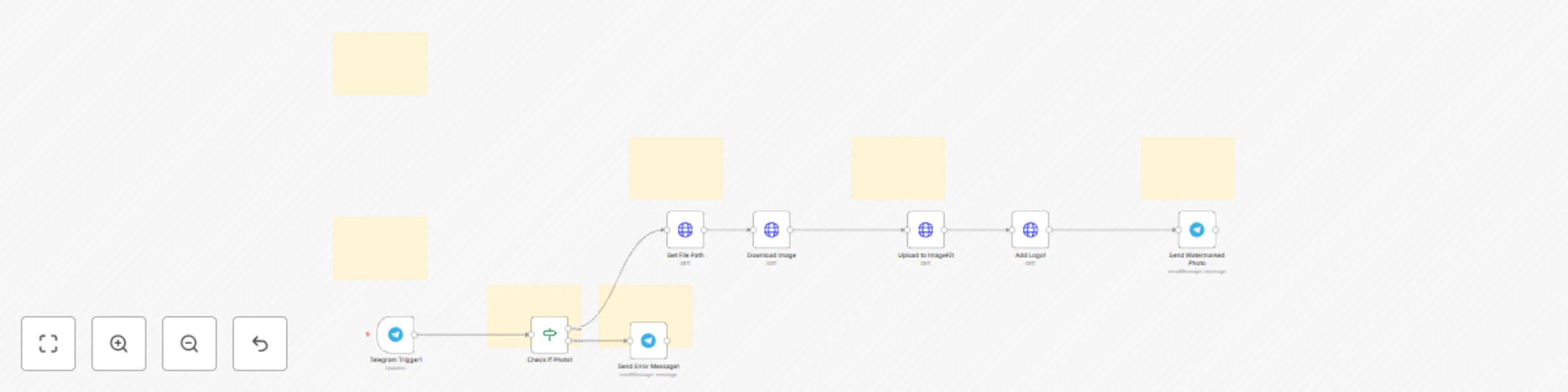
Automatically add watermarks to images with Telegram Bot and ImageKit.io

# Purpose and Audience This n8n workflow creates an automated Telegram bot that adds watermarks to images. When users send photos to the bot, it automatically processes them by applying a logo overlay and returns the watermarked version. The workflow is designed for content creators, businesses, or individuals who need a quick, automated way to brand their images without manual editing software. ## 1. How It Works The workflow operates through a series of connected steps: - Message Reception: A Telegram trigger listens for incoming messages from users - Image Validation: The system checks whether the message contains a photo; if not, it sends a friendly error message asking the user to send an image - Image Retrieval: When a photo is detected, the workflow fetches the file path from Telegram's servers and downloads the full-resolution image - Upload & Watermarking: The downloaded image is uploaded to ImageKit.io, where a transformation is applied to overlay a logo watermark at 70% opacity - Delivery: The watermarked image is automatically sent back to the user via Telegram The entire process happens in seconds, providing users with instant watermarked images through a simple chat interface. ## 2. Who Is It For This workflow is ideal for: - Social media managers who need to quickly brand images before posting - Small business owners protecting their product photos with company logos - Content creators who want an easy way to watermark their work on the go - Marketing teams requiring consistent branding across visual content - Photographers offering quick preview watermarking for client galleries - Anyone looking for a mobile-friendly, automated watermarking solution without installing desktop software The bot requires minimal technical knowledge to use—simply send an image and receive it back watermarked—making it accessible to non-technical users while being built on a powerful automation platform.

M
Malik Hashir
Content Creation
26 Nov 2025
23
0
Workflow preview: Telegram trading bot assistant | LLM powered trading bot for crypto/forex
Free advanced

Telegram trading bot assistant | LLM powered trading bot for crypto/forex

## Purpose & Audience This n8n workflow telegram bot is designed for crypto, forex and stock traders, quantitative analysts, and AI enthusiasts who want to explore how different Large Language Models (LLMs) perform in real-world trading scenarios. Inspired by nof1.ai's Alpha Arena, where AI models compete with real capital to prove their trading capabilities, this template lets YOU run your own AI trading experiments—testing which "brain" generates the most profitable signals for BTCUSD (it can do technical analysis on any forex/crypto with any of the 5000+ assets available at Twelve Data) and other assets. Whether you're a day trader seeking automated technical analysis, a researcher comparing LLM performance, or simply curious about AI-driven trading—this workflow provides a sophisticated, customizable trading assistant powered by your choice of AI model. ## What It Does? 1. Generates disciplined trading signals (BUY/SELL/NO_SIGNAL) with precise entry price, stop loss, and take profit levels for crypto assets (default: BTCUSD) 2. Performs real-time technical analysis using 200 hourly candles—calculates RSI, MACD, Bollinger Bands, ATR, support/resistance, Fibonacci levels, and more 3. Enforces strict risk management with 1.5x ATR stop losses and minimum 1:2 risk-reward ratios 4. Acts as an intelligent telegram trading assistant that answers questions about indicators, market conditions, strategies, and provides educational guidance 5. Supports multiple AI models (LLM swapping)—test Google Gemini, OpenAI GPT-4/5, Claude Sonnet/Opus, DeepSeek, Qwen, Groq, or local models (Ollama) 6. Includes detailed reasoning for every signal with 10-15 sentences citing specific data points, confidence scores, and exit plans 7. Handles context-aware conversations with mongo db memory node recent chat context or follow-up questions. ## 🧪 Experimental Nature - Important Disclaimer This is an EXPERIMENTAL trading tool. Performance varies significantly across different LLM models. Based on nof1.ai's live trading competition results (at the time of template creation): 1. DeepSeek V3.1 showed +47% returns (highest performer) 2. Qwen 3 Max achieved +35% returns 3. Claude Sonnet 4.5 delivered +13% returns 4. GPT-5 experienced -74% returns (lowest performer) Your mileage will vary. The same prompt can produce drastically different results depending on: 1. Which AI model you use (the "brain" matters!) 2. Market conditions during testing 3. Your risk management discipline 4. Assets volatility and liquidity We strongly recommend: 1. Test with paper trading first (simulated trades, no real money) 2. Experiment with multiple LLMs to find which performs best for your strategy 3. Compare signals across models before executing trades 4. Always validate signals manually—AI is a tool, not a replacement for judgment 5. Never risk more than you can afford to lose This template is for educational/informational purposes. Trading involves substantial risk of loss. Past AI performance does not guarantee future results. ## Who Is It For? - Crypto & Forex traders who want AI-assisted technical analysis and signal generation for BTC, ETH, SOL, and other assets - Quant researchers exploring how different LLMs handle quantitative trading tasks - AI enthusiasts curious about practical applications of models like DeepSeek, Qwen, Claude, and GPT in financial markets - Algorithm developers who want a foundation to build more sophisticated trading systems - Educators & students learning about algorithmic trading, technical analysis, or AI agent workflows ## Key Features ✅ Real-time market data integration via TwelveData API (5000+ crypto/forex/stock pairs supported) ✅ Swap AI models in minutes—compare Gemini vs Claude vs DeepSeek vs GPT performance ✅ Disciplined risk management—never suggests trades without proper stop losses ✅ Educational trading assistant—explains indicators, answers strategy questions ✅ Extensible architecture—easily add MongoDB memory, multi-timeframe analysis, alerts ✅ No recurring fees—pay only for LLM API usage (DeepSeek costs ~$0.001 per signal!) ✅ Asset-agnostic—switch from BTC to ETH to SOL by changing 2 parameters ✅ Production-ready foundation—includes comprehensive sticky note documentation for expansion ## How to Set Up? 1. Import the workflow into your n8n instance and review the included sticky notes (comprehensive setup guide included) 2. Choose your AI model—connect credentials for Gemini, OpenAI, Anthropic, DeepSeek, or others (switching models takes 60 seconds) 3. Test in chat mode—ask "Analyze BTCUSD for a trade" and evaluate the signal quality 4. Experiment with different LLMs—run the same analysis with 2-3 models and compare outputs That's it! Start chatting with your AI telegram trading assistant, test signals, and discover which "brain" works best for your trading style. The workflow includes detailed sticky notes with instructions for swapping models and modifying memory context window length. ## What You'll Need 1. n8n instance (cloud or self-hosted) 2. TwelveData API key (free tier included in template—800 requests/day) 3. LLM API credentials (choose one or more): - Google Gemini API (free tier available) - OpenAI API (GPT-4/GPT-4o) - Anthropic API (Claude Sonnet/Opus) - DeepSeek API (ultra-cheap, strong performer per nof1.ai) - Groq API (fast inference, free tier) - Local Ollama (completely free, runs on your hardware) 4. Telegram Bot Credentials 5. MongoDB Account (Free Version) ## Performance Expectations 1. Signal Generation Speed: 15-45 seconds (depends on LLM) 2. API Cost Per Signal: $0.001 - $0.05 (DeepSeek cheapest, GPT-4 most expensive) 3. Accuracy: Highly variable—60-80% directional accuracy possible with right model + market conditions 4. Best Use Case: Confirming your own analysis, backtesting strategies, learning technical analysis 5. Remember: This is NOT a get-rich-quick scheme. It's a sophisticated tool for traders who understand technical analysis and want AI assistance in processing market data faster than humanly possible.

M
Malik Hashir
Crypto Trading
3 Nov 2025
149
0
Workflow preview: Cryptocurrency volume/mCap screener - automated trading alerts to Discord
Free advanced

Cryptocurrency volume/mCap screener - automated trading alerts to Discord

# Purpose & Audience This n8n workflow template is designed for cryptocurrency traders, investors, and market analysts who want to automate the process of detecting unusual trading activity across 1,250+ cryptocurrencies. By continuously monitoring volume-to-market-cap ratios and price movements, the workflow delivers real-time alerts directly to your Discord server—helping you catch potential breakouts, pump schemes, or high-impact market events before they become mainstream news. ## What It Does 1. Monitors 1,250+ cryptocurrencies from CoinGecko every 4 hours for unusual trading patterns 2. Calculates volume-to-market-cap ratios to identify coins with abnormally high trading activity (>30% ratio or >$100M volume with significant price movement) 3. Ranks and filters the top volume alerts based on trading intensity 4. Sends beautifully formatted Discord embeds with coin metrics, price changes, market cap, and direct CoinGecko links 5. Provides context with educational information about what volume/MCap ratios mean and trading warnings ## Who Is It For - Day traders and scalpers seeking early signals for high-volatility opportunities - Market analysts who want automated surveillance of unusual market activity across hundreds of coins - Discord community managers looking to provide valuable trading insights to their members - Anyone interested in catching potential pumps, breakouts, or news-driven price movements before the crowd Setup once and let it run 24/7. The workflow automatically scans the market every 4 hours and only sends alerts when something significant is detected. Customize the alert thresholds, add more coins, or adjust the schedule to fit your trading style. No coding required—just connect your CoinGecko API and Discord webhook, and you're ready to catch the next big move! ## How to Set Up 1. Obtain a free CoinGecko API key and create a Discord webhook for your server 2. Import the workflow and add your API credentials 3. Customize alert thresholds and update frequency to match your trading preferences 4. That's it—receive real-time volume alerts for potential trading opportunities automatically ### Preview: [Please click here for preview.](https://go.screenpal.com/watch/cTl66OnYot4)

M
Malik Hashir
Crypto Trading
1 Nov 2025
64
0
Workflow preview: Track crypto market gainers & losers with CoinGecko and Discord bot
Free advanced

Track crypto market gainers & losers with CoinGecko and Discord bot

# Purpose Automate cryptocurrency market monitoring by tracking top 24-hour gainers and losers from 1750+ coins, delivering professional Discord (optional Telegram, Slack etc) updates with rich embeds and real-time data. ## How It Works This intelligent workflow fetches comprehensive cryptocurrency data from CoinGecko's API across multiple pages, processes thousands of coins to identify the most significant market movers, and automatically posts formatted updates to your Discord server. The system filters, ranks, and presents data in an easily digestible format with detailed coin information, price metrics, and visual indicators. ## Who Is It For - Crypto Community Managers running Discord servers - Trading Groups & Investment Communities - Crypto Influencers & Content Creators - DeFi Projects & DAOs monitoring market trends - Crypto Enthusiasts wanting automated market insights ## Setup Overview 1. Obtain API keys from CoinGecko 2. Configure Discord bot credentials with proper permissions 3. Set your server and channel IDs 4. Import the workflow and connect the nodes 5. Test and schedule automatic execution ## Value Proposition - 💰 Cost Savings: Eliminate manual market monitoring - save 5-10 hours weekly - ⏰ Time Efficiency: Automated data collection and reporting - 🚀 Community Engagement: Keep your community informed with timely updates - 📈 Market Awareness: Stay ahead of market trends without constant manual checking - 🔧 Scalable Solution: Handles 1750+ coins effortlessly, easily expandable **Perfect for:** Crypto communities, trading groups, market analysts, and anyone needing automated cryptocurrency market intelligence delivered directly to Discord with professional formatting and real-time insights.

M
Malik Hashir
Crypto Trading
18 Oct 2025
48
0
Workflow preview: AI-powered social media ad creation with website scraping for FB, IG & Pinterest
Free advanced

AI-powered social media ad creation with website scraping for FB, IG & Pinterest

## Purpose & Audience This workflow empowers marketing teams, agencies and solopreneurs to instantly generate on-brand, platform-optimized social media ads — without designers or complex setup. ### Perfect for: - Running performance marketing campaigns - A/B testing ad creatives - Scaling content for multiple platforms - Non-technical users who want AI-powered design ## Key Features **Smart Prompt Engineering:**  – Scrapes your provided landing page to auto-extract brand voice, offers, and content  – Use Gemini AI to craft Ideogram-optimized prompts **Multi-Platform Ad Generation:** Facebook, Instagram & Pinterest.  – Supports 7 formats:   • Facebook Feed (1200x630)   • Facebook Story (1080x1920)   • Instagram Feed (1080x1080)   • Instagram Story & Reel (1080x1920)   • Pinterest Pin (1000x1500)   • Pinterest Story (1080x1920) **Powered by Ideogram v3 Turbo (Replicate):**  – Public, affordable, around 33 images for $1  – Understands layout, branding, and text placement  – ~$0.03/image with $1 free credit **Delivers Directly to Slack:**  – Get all generated ads in your team channel with auto-captions (platform, offer, context) ## How It Works (Step-by-Step) 1. **User fills out a simple form with:**  – Business context, offer, brand colors, platform, and desired ad sizes  – Additional Features: Landing page URL + toggle to scrape & enhance prompt with AI 2. **If enabled, the workflow:**  – Scrapes your website using Firecrawl  – Sends content + form data to Gemini to generate a professional Ideogram prompt 3. **For each selected dimension, the workflow:**  – Calls Ideogram v3 Turbo on Replicate with the correct aspect ratio  – Downloads the image from the response URL 4. **All ads are uploaded to Slack with rich captions for easy review & sharing** ## How to Set Up **Get a Replicate API Token** 1. Sign up at replicate.com 2. Replace YOUR_REPLICATE_API_TOKEN in all 7 HTTP Request nodes **Create a Slack App** 1. Go to api.slack.com/apps → “Create New App” 2. Add files:write scope → Install to workspace 3. Add as OAuth2 credential in n8n **Set Up Firecrawl** 1. Get API key at firecrawl.dev 2. Create a Header Auth credential with: Authorization: Bearer YOUR_FIRECRAWL_TOKEN Activate the workflow and share the Form Trigger URL with your team! ## Value Proposition - Go from idea to ad in 60 seconds — no design skills, no designers, no information sharing, no hassle. - This workflow saves hours of manual design work, ensures brand consistency, and leverages cutting-edge AI — all while costing less than $5 for 100 ads. - Ideal for agile marketing teams who need speed, quality, and scalability. ## Available Models: Customization Option If you’re comfortable with low-code tools and want to use any other model from the hundreds available at Replicate (https://replicate.com/explore), you’re welcome to do so. Simply update your "POST" request to match the specific schema of the chosen model, and you’re all set. Don’t worry about the schema details—Replicate provides clear, easy-to-follow documentation for each model. Some models are free with limited quotas, while others require payment. Overall, it offers the most comprehensive library of image models available.

M
Malik Hashir
Content Creation
9 Oct 2025
307
0
Workflow preview: Generate social media ad images for FB/IG/Pinterest with Google Gemini Imagen
Free advanced

Generate social media ad images for FB/IG/Pinterest with Google Gemini Imagen

## **Purpose & Audience** Perfect for **marketing teams, agencies, solopreneurs, and e-commerce brands** who need fast, professional-quality ad creatives — without hiring designers or using Canva. This workflow automates image generation for Facebook, Instagram, and Pinterest using **Google’s Imagen 3.0** (via Gemini API). ## **What It Does** 1. Presents a user-friendly form to collect: - Business context - Offer/message - Brand colors - Target platform (FB/IG/Pinterest) - Desired ad dimensions (7 formats supported) 2. Uses **Google Gemini’s Imagen 3.0 model** to generate platform-optimized images 3. Delivers each image directly to your **Telegram chat** with clear captions ✅ Supports **7 ad formats**: - Facebook Feed (1200×630) - Facebook Story (1080×1920) - Instagram Feed (1080×1080) - Instagram Story & Reel (1080×1920) - Pinterest Pin (1000×1500) - Pinterest Story (1080×1920) ## **How to Set Up** 1. **Get a Google Gemini API key** at [ai.google.dev](https://ai.google.dev/) (enable Imagen API) 2. **Create a Telegram bot** via [@BotFather](https://t.me/BotFather) and note your **Bot Token + Chat ID** 3. In n8n: - Import this workflow - Add **Google Gemini credentials** (use your API key) - Add **Telegram credentials** (use your Bot Token) - Replace `={{ $json.telegramChatId }}` in Telegram nodes with your actual **numeric Chat ID** 4. Activate the workflow and share the **Form Trigger URL** with your team! 💡 **Pro Tip**: Enhance prompts in Gemini nodes with style keywords (e.g., “minimalist”, “vibrant”, “corporate”) for better results. ✨ **100% free to use** — only pay for Google Imagen API usage. Telegram delivery is free forever.

M
Malik Hashir
Content Creation
8 Oct 2025
145
0
Workflow preview: Real-time crypto price bot for Telegram with Gemini AI & CoinGecko
Free intermediate

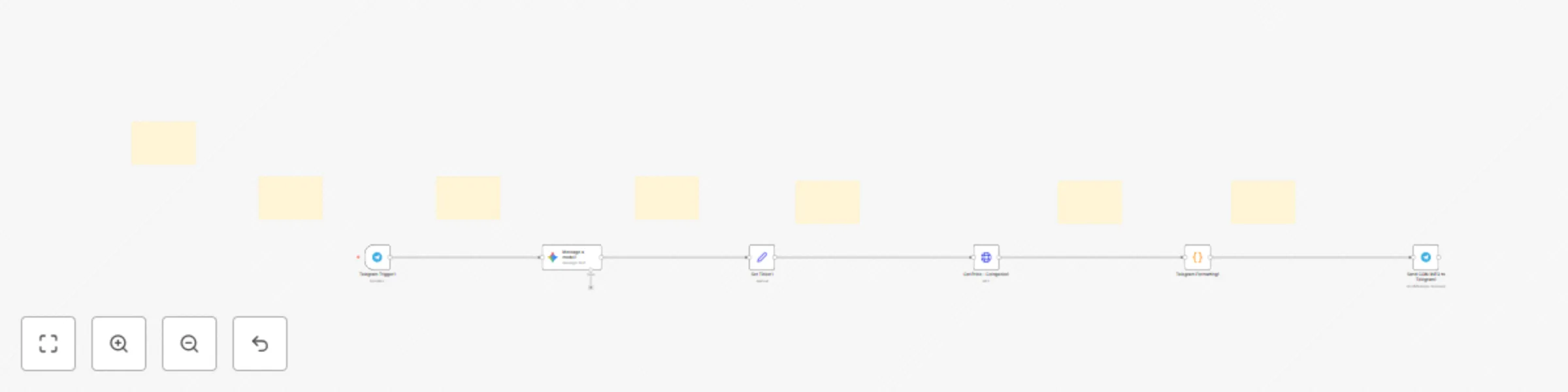
Real-time crypto price bot for Telegram with Gemini AI & CoinGecko

# Purpose Transform your Telegram into a powerful cryptocurrency price tracker! This n8n workflow creates an intelligent Telegram bot that instantly fetches and beautifully formats real-time crypto market data. Simply send any cryptocurrency ticker symbol, and get comprehensive market information in seconds. ## Who Is This For? Perfect for: - Crypto traders and investors who need quick price checks - Portfolio managers tracking multiple cryptocurrencies - Automation enthusiasts building custom bot solutions - Teams needing shared crypto price information - Developers learning n8n and bot automation - Content creators monitoring crypto markets No coding experience required! All code is pre-written and ready to use. ## What It Does This workflow creates a fully functional Telegram bot that: ✅ Intelligent Ticker Recognition - Uses Google Gemini AI to extract crypto symbols from natural language (understands "BTC", "$ETH", "Check Solana price", etc.) ✅ Real-Time Market Data - Fetches live data from CoinGecko API including: - Current price (6 decimal precision) - 24-hour high/low prices - Price change percentage with trend indicators (📈/📉) - Market capitalization and rank - 24-hour trading volume - All-time high (ATH) and all-time low (ATL) with percentage difference - Circulating and total supply - Last update timestamp - Direct link to CoinGecko page ✅ Beautiful Formatting - Professionally formatted messages with: - Emoji indicators for easy reading - Bold text for key metrics - Markdown formatting optimized for Telegram - Clean, mobile-friendly layout ✅ Instant Responses - Get market data in under 2 seconds ## Setup Guide **Prerequisites:** 1. n8n instance (cloud or self-hosted) 2. Telegram account 3. Google account (for Gemini AI) 4. CoinGecko account (free tier available) **Quick Setup (15 minutes):** **Step 1: Telegram Bot** - Open @BotFather on Telegram - Send /newbot and follow prompts - Copy your bot token - Add "Telegram API" credential in n8n **Step 2: Google Gemini AI** - Visit Google AI Studio - Generate free API key - Add "Google Gemini API" credential in n8n **Step 3: CoinGecko API** - Sign up at CoinGecko - Get your free Demo API key from Dashboard - Replace the API key in the HTTP Request node header - Free tier: 30 calls/minute, 10,000/month **Step 4: Import & Activate** - Import the workflow JSON into n8n - Configure the three credentials - Activate the workflow - Test by sending "BTC" to your bot! ## Features & Benefits **Key Features:** - AI-powered natural language processing - Real-time data from CoinGecko - Works with any Telegram client - Mobile-optimized formatting - Professional emoji-enhanced design - Direct links to detailed coin pages - Lightning-fast responses - Supports all CoinGecko-listed cryptocurrencies (14,000+) **Technical Highlights:** 1. Modular node structure (easy to customize) 2. Error handling built-in 3. Efficient API usage 4. Scalable architecture 5. Well-documented with sticky notes 6. Clean, maintainable code ## Use Cases 1. Personal Price Tracking - Quick market checks on your phone 2. Team Collaboration - Share bot in Telegram groups for team-wide access 3. Trading Signals - Integrate with your trading strategy workflows 4. Learning Tool - Study n8n automation and bot development 5. Client Services - Offer crypto price checking as a service 6. Portfolio Monitoring - Quick checks before trading decisions 7. Content Creation - Get accurate data for crypto content. ## API Limits & Scaling **Free Tier (Included):** - CoinGecko: 30 calls/min, 10,000/month - Gemini AI: Generous free quota - Telegram: Unlimited messages **Perfect for:** - Personal use: 100+ price checks daily - Small teams: 500+ checks daily - Moderate usage: Plenty of headroom Need more? Easy upgrade to CoinGecko Pro for higher limits. ## What's Included ✅ Complete n8n workflow (JSON) ✅ 7 comprehensive sticky notes with setup guides ✅ Pre-written, tested code ✅ All API integration configured ✅ Professional message formatting ✅ Direct links to all required services ✅ Example test messages ✅ Troubleshooting tips

M
Malik Hashir
Crypto Trading
3 Oct 2025
80
0
Workflow preview: Automated economic calendar PDF reports to Telegram via RapidAPI
Free advanced

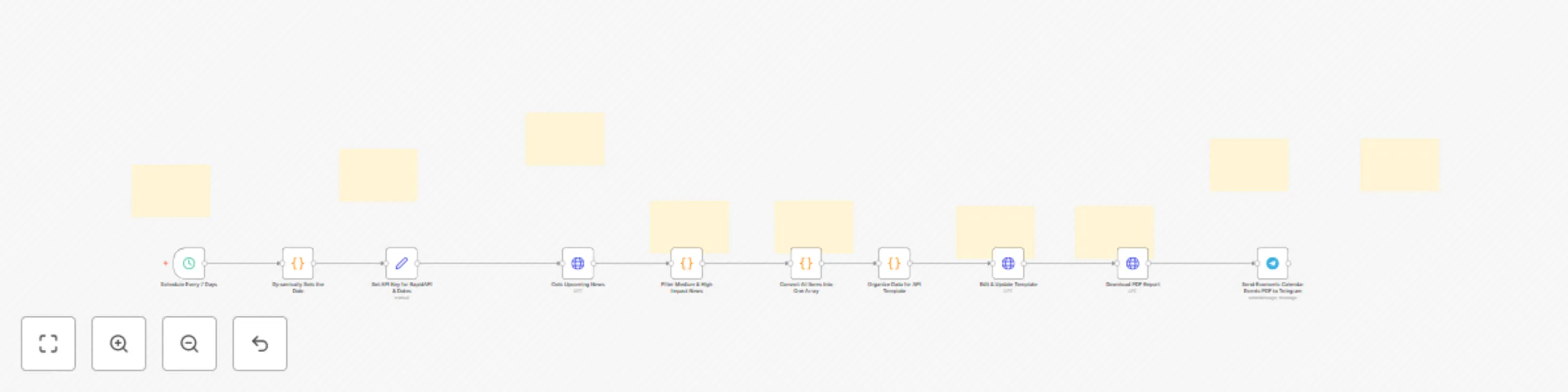
Automated economic calendar PDF reports to Telegram via RapidAPI

Stay ahead of the markets with this fully automated n8n workflow that delivers AI-generated economic calendar events PDF updates directly to your Telegram or Discord. Powered by the Economic Events Calendar API via RapidAPI, this workflow is perfect for traders, investors, and financial community managers who want timely notifications about high- and medium-impact global economic events—no coding required. ## Key Features 1. Automated PDF Generation: Receive medium and high impact upcoming economic calendar events schedule (for up to 7 days in future) straight to Telegram/Discord. 2. Flexible Scheduling: Default update interval is every 7 days, adjustable to any custom frequency. 3. Customizable Date Range: Easily set the window for economic event coverage (e.g., today to 7 days ahead). 4. No Coding Needed: Simple setup—just plug in your API keys and Telegram credentials. ## Who Is This For? Retail and professional traders Financial influencers and Telegram group admins Community managers seeking hands-off, real-time macroeconomic alerts ## Why Choose This Workflow? - Save Time: No more manual economic calendar checks. Get upcoming full week high and medium impact news events straight to your telegram in neatly formatted PDF. - Stay Informed: Instantly know about key market-moving events. - Easy Integration: Works out-of-the-box with n8n and Telegram. Get started today and never miss a critical economic event again! **PDF View:** ![image.png](fileId:2691)

M
Malik Hashir
Crypto Trading
28 Sep 2025
49
0
Workflow preview: Generate stock trading signals with Gemini 2.5 Pro & TwelveData via Telegram Bot
Free advanced

Generate stock trading signals with Gemini 2.5 Pro & TwelveData via Telegram Bot

# Purpose and Audience This n8n workflow template creates an intelligent stock technical analysis system that delivers professional-grade trading signals directly to your Telegram. Designed for retail traders, investors, and financial professionals who want to combine technical analysis with AI-powered insights for better market timing decisions. ## Who Is It For - Retail Traders: Looking to enhance their technical analysis with AI-driven insights - Swing Traders: Need reliable signals for entry and exit timing - Investment Professionals: Want automated technical screening for multiple stocks - Financial Enthusiasts: Interested in combining traditional TA with modern AI tools - Portfolio Managers: Seeking systematic approach to market timing ## How It Works The workflow operates as a comprehensive technical analysis engine: 1. Data Collection: Fetches real-time stock prices and 90-day historical data from TwelveData API 2. Technical Calculation: Computes key indicators including EMAs, RSI, ATR, and support/resistance levels 3. AI Analysis: Uses Google Gemini 2.5 Pro to analyze confluence of indicators and generate single, high-probability signals 4. Signal Generation: Produces clear BUY/SELL/NEUTRAL recommendations with specific entry, stop-loss, and take-profit levels 5. Delivery: Sends formatted analysis and interactive charts via Telegram bot 6. Risk Management: Includes built-in risk parameters and confidence scoring ## Setup Requirements 1. Create Telegram bot via BotFather 2. Set up Google Gemini credentials 3. Configure additional nodes as you see in the sticky notes 4. Deploy and test with stock symbols (e.g., "AAPL", "TSLA") **Note:** Complete setup guide is provided with the workflow file. ## Technical Indicators Used in Strategy **Core Indicators (1-Day Timeframe):** 1. EMA 50 & EMA 200: Trend direction and momentum confirmation 2. RSI (14-period): Momentum oscillator for overbought/oversold conditions 3. ATR (14-period): Volatility measurement for risk sizing 4. Support/Resistance: Dynamic levels calculated from 90-day price history. 5. Fibonacci Retracements: Additional confluence levels. ### Important Disclaimers - ⚠️ Analysis timeframe is set to 1-day by default - suitable for swing trading, not day trading - ⚠️ Not a get-rich-quick system - This tool provides technical analysis, not financial advice - ⚠️ Use with fundamental analysis - Technical signals work best when combined with fundamental research for timing entries and exits - ⚠️ Not recommended for isolated use - Always consider fundamentals, market conditions, news, and risk management ## Key Features - Single, clear signal per analysis (no conflicting recommendations; either buy or sell) - Built-in confidence scoring system - Automated chart generation and delivery - Support for any US stock ticker - Professional-grade risk management parameters ## Use Case Examples 1. Pre-market Analysis: Send "AAPL" stock ticker as a message to your telegram bot and get comprehensive technical analysis with 1 Day candlesticks chart 2. Swing Trading: Use signals to time entries on already-researched stocks 3. Portfolio Review: Analyze multiple positions for exit timing 4. Educational Tool: Learn technical analysis through AI explanations This template transforms complex technical analysis into accessible, actionable trading insights while maintaining professional risk management standards.

M
Malik Hashir
Crypto Trading
28 Sep 2025
353
0
Workflow preview: Crypto exchange listing & delisting alerts to Telegram, X, and Discord
Free advanced

Crypto exchange listing & delisting alerts to Telegram, X, and Discord

# Purpose and Audience This n8n workflow template is designed to provide real-time alerts on new cryptocurrency exchange listings and delistings. It caters especially to crypto traders, investors, and enthusiasts who want to stay ahead of market changes by receiving timely notifications about token availability across major exchanges like Binance, Bybit, Coinbase, OKX, Upbit, Bithumb, and Hyperliquid. The alerts are delivered via popular communication channels Telegram, X (formerly Twitter), and Discord, ensuring you never miss important updates. ## What It Does The workflow continuously tracks new token listings announcement from Binance, Bybit, Coinbase, Bithumb, OKX, Upbit, and Hyperliquid futures exchange. It also monitors delistings announcement from Binance, Bybit, OKX, Upbit, and Coinbase. When a new listing or delisting announcement is detected, it automatically sends instant alerts to your subscribed Telegram groups or channels, X accounts, and Discord servers, helping you react quickly to market changes. ## Who Is It For This workflow is perfect for crypto traders, portfolio managers, market analysts, and anyone active in cryptocurrency investment or community management. By automating the alert process, it saves time and ensures you receive critical exchange listing updates immediately on your preferred platforms without manual monitoring. ## How to Setup Complete video tutorial setup guide is included with the workflow file. The step-by-step guide walks you through configuring API credentials, connecting your Telegram, X, and Discord accounts, and customizing alert preferences to fit your needs.

M
Malik Hashir
Crypto Trading
4 Sep 2025
78
0
Workflow preview: Automate Trump Truth social monitoring with Telegram & Discord alerts
Free advanced

Automate Trump Truth social monitoring with Telegram & Discord alerts

This n8n workflow monitors Donald Trump’s Truth Social posts and sends alerts to Telegram & Discord on auto-pilot. Stay instantly updated with every new post, repost, or reply without delays. The workflow fetches posts, processes and filters for freshness, then sends formatted alerts to Telegram and Discord (X optional) for multi-channel alerts. Perfect for media professionals, financial markets professional, traders, political analysts, social media managers, and enthusiasts who want to keep pulse on Trump’s latest Truth Social activity using fully automated, hands-free alerts. Note: Complete setup support and guide included with the workflow file. ## Who This Template Is For - Media Professionals: Journalists and news outlets needing instant coverage of political developments - Financial Market Professionals: Traders and analysts monitoring Trump's statements that may impact markets - Political Analysts: Researchers tracking political messaging and communication patterns - Social Media Managers: Content creators who need to respond quickly to political developments - News Enthusiasts: Individuals who want immediate updates without constantly checking Truth Social ## How It Works 1. Automated Monitoring System Schedule Trigger: Runs every 30 seconds (customizable from 5 seconds to longer intervals) Continuous Operation: Works 24/7 without manual intervention 2. Data Processing & Filtering Post Extraction: Retrieves all new posts from Trump's Truth Social feed Content Processing: Parses posts, reposts, and replies into structured data Duplicate Prevention: Uses Supabase database to track already-sent posts and prevent spam Freshness Filter: Only sends alerts for genuinely new content 3. Multi-Channel Alert Distribution Telegram Integration: Sends formatted alerts to your specified Telegram channel or chat Discord Integration: Simultaneously posts updates to your Discord server/channel Customizable Formatting: Messages include "JUST IN:" prefix for immediate recognition Real-time Delivery: Alerts sent within seconds of post detection. This template transforms manual social media monitoring into a professional, automated alert system that ensures you're always informed of Trump's Truth Social activity across your preferred communication channels.

M
Malik Hashir
Content Creation
2 Sep 2025
81
0
Workflow preview: Generate daily Bitcoin on-chain metrics PDF report with NASDAQ data
Free intermediate

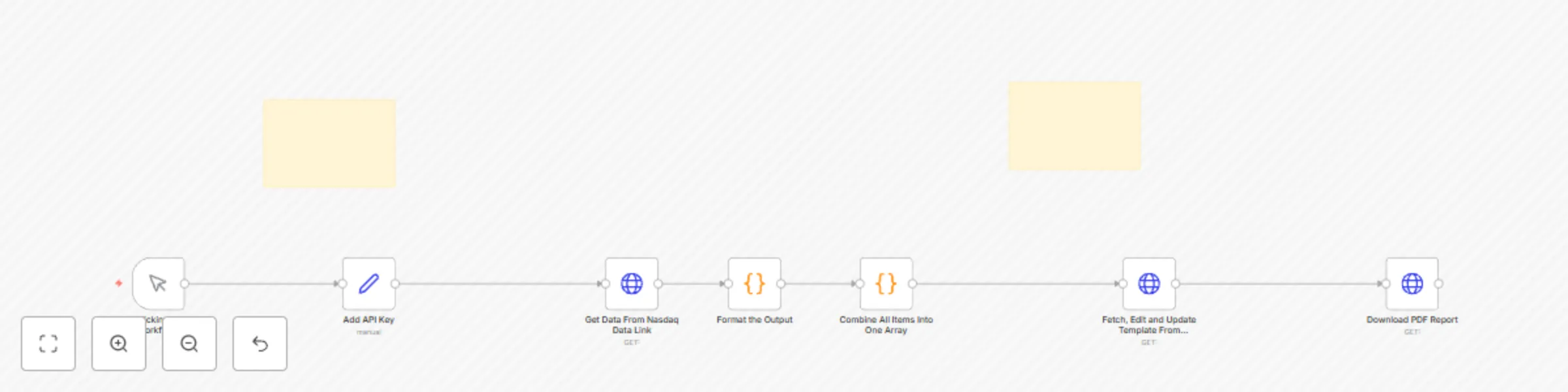
Generate daily Bitcoin on-chain metrics PDF report with NASDAQ data

# Purpose and Audience This n8n automation workflow is designed to generate a Bitcoin Daily On-Chain Metrics report in PDF format by fetching and transforming real-time blockchain data. It is ideal for cryptocurrency analysts, traders, investors, and blockchain enthusiasts who want to monitor Bitcoin's network activity, market valuation, and security metrics efficiently. ## What It Does The workflow automates the retrieval of Bitcoin blockchain data via the Nasdaq API, processes key on-chain metrics such as transaction volume, fees, market cap, hash rate, and mining difficulty, and dynamically populates a visually appealing PDF report template. It provides a clear snapshot of Bitcoin’s network health, adoption levels, and market dynamics based on the latest available data. ## Who Is It For This workflow is perfect for crypto analysts, financial data scientists, blockchain researchers, and investors who require automated, up-to-date, and detailed Bitcoin network reports. It serves those looking to integrate real-time crypto data into their decision-making, reporting, or portfolio management processes with minimal manual intervention. ## How to Setup 1. Import the provided n8n workflow into your n8n instance. 2. Configure API keys for Nasdaq data access and APITemplate.io for PDF generation within the workflow nodes. 3. Trigger the workflow manually or use schedule trigger node for automatic execution to fetch the previous day's Bitcoin on-chain metrics. 4. Review or download the generated PDF report containing all key Bitcoin metrics, including transaction volumes, market cap, miner revenue, hash rate, and more. Note: Step by step setup guide is inlcuded with the workflow file. ## Report Snapshot: ![image.png](fileId:2188)

M
Malik Hashir
Crypto Trading
25 Aug 2025
52
0
Workflow preview: Automated 24/7 crypto news alerts to X, Telegram & Discord (Gemini powered)
Free advanced

Automated 24/7 crypto news alerts to X, Telegram & Discord (Gemini powered)

# Purpose & Audience This workflow delivers real-time crypto news alerts to X, Discord and Telegram, providing instant updates to help you stay ahead in the fast-moving world of cryptocurrency. Designed specifically for crypto traders, community managers, market analysts, content creators, and anyone needing reliable, up-to-the-minute crypto news. It’s ideal for keeping your audience engaged with timely, well-formatted news, or for making swift trading decisions based on the latest headlines. ## What the Workflow Does - **Aggregates Crypto News:** Continuously fetches the latest news from popular crypto news sources, ensuring 24/7 monitoring with zero downtime. - **Interprets and Formats Alerts:** Processes raw news items, applies relevant interpretation, and transforms them into user-friendly, actionable alerts. - **Adds Visual Enhancements:** Each alert is boosted with emojis and structured formatting, making the info engaging and instantly scannable. - **Multi-Platform Delivery:** Instantly sends these news summaries to X, Discord channels and Telegram groups, so your team or community never misses a critical update. ## Who Is This For? - **Crypto Traders:** Make timely, informed decisions with real-time updates pushed straight to your preferred platform. - **Community Owners & Moderators:** Keep your crypto community engaged and informed without manual curation. - **Market Analysts:** Track the pulse of the market efficiently and without distraction. - **Content Creators:** Use automated news as inspiration for posts, newsletters, or videos. - **Crypto Enthusiasts:** Anyone eager to follow breaking developments in the crypto sector. ## How to Set Up 1. **Import the Workflow:** Download the workflow and import it into your n8n environment. 2. **Set Up X, Discord & Telegram Nodes:** Discord: Connect your Discord account for sending alerts. Telegram: Link your Telegram bot and specify channel/group details. X: Connect your X account for real time post alerts. Note: Step by step guide is provided for setup with workflow file. 3. **Customize Formatting:** Tailor the message templates in the workflow to match your branding, including emoji selection and styling. 4. **Test & Launch:** Confirm proper message delivery to your X, Discord and Telegram channels. Tweak formatting if necessary for maximum readability. 5. **Run 24/7:** Activate the workflow for always-on crypto news monitoring—no manual input required. ## Key Benefits - Stay first to know about crucial crypto events, alerts, and breaking regulatory news. - Save time with automated curation and delivery—no more switching between feeds and apps. - Boost engagement in your trading group, crypto server, or Telegram community with visually enhanced, timely updates.

M
Malik Hashir
Crypto Trading
25 Jul 2025
207
0
Workflow preview: Upload binary images to X (Twitter) from Google Drive or AI sources
Free intermediate

Upload binary images to X (Twitter) from Google Drive or AI sources

This workflow lets you post images to X (Twitter) by uploading binary image files obtained from any source, not just Google Drive. Whether you’re fetching images stored on Google Drive or working with AI image generation models that output images directly as binary files, you can integrate these binary files seamlessly into your n8n workflow. Simply download or receive the image as binary data, then pass it as the file parameter in the media upload node to X’s API. This flexible approach lets you automate posts with images generated on-demand by AI, pulled from cloud storage, or anywhere else you can access as binary data—giving you full control to design powerful, no-code social media automations that combine AI creativity with native X posting, all within n8n. ## How to Setup 1. Create Google Drive credentials (if you are using Google Drive for downloading binary files). If you are using any AI model, just connect your download file node before the "Upload Media" node. 2. Create OAuth 1 credentials by following the guide in the sticky notes. (Required: Consumer Key, Consumer Secret) 3. Create OAuth 2 credentials for the native X node within n8n. (Required: Client ID, Client Secret) ## Key Features - Only native n8n nodes—no external code or scripts needed. - Fully no-code: Uses only native, prebuilt n8n nodes visualized in an easy workflow. - Supports binary image files: Directly uploads any binary image data from Google Drive or AI generation nodes. - OAuth2 and OAuth1 ready: Straightforward setup for secure authentication with Google Drive and X.

M
Malik Hashir
Social Media
24 Jul 2025
127
0
Workflow preview: Weekly financial markets report: Generate with Gemini AI for Telegram & Discord
Free advanced

Weekly financial markets report: Generate with Gemini AI for Telegram & Discord

# Purpose & Overview This workflow is designed for market analysts, traders, and content creators who need a comprehensive, automated solution for generating weekly market intelligence reports. By aggregating and structuring news and forecasts across all major financial sectors, it streamlines the process of delivering actionable weekly insights for blogs, newsletters, and chat platforms. ## What the Workflow Does 1. Aggregates news and analysis from trusted sources for nine key market sections, ensuring broad and deep coverage. 2. Integrates economic calendar data for the upcoming week, providing a forward-looking preview of high-impact events. 3. Applies date and currency filters to ensure all data is current and relevant. 4. Compiles a structured Weekly Report ready for publication or distribution. ## Market Sections Covered **Last Week Recap:** Highlights and summarizes the most significant economic events and market moves from the previous week. **Week Ahead Forecast:** Outlines upcoming high-impact economic events and market expectations for the days ahead. **General Market Forecast:** Provides a broad outlook on global market sentiment and macroeconomic themes. **Gold Weekly Outlook:** Offers analysis and forecasts for the gold market, including technical and fundamental drivers. **Oil Weekly Outlook:** Delivers insights into oil price trends, supply/demand factors, and key geopolitical influences. **BTC Weekly Outlook:** Summarizes major developments and technical perspectives for Bitcoin. **ETH Weekly Outlook:** Covers Ethereum market trends, network updates, and technical analysis. **Indices Weekly Outlook:** Reviews and forecasts major stock indices, highlighting sector performance and risk sentiment. **Currency Pairs Outlook:** In-depth coverage of major FX pairs, including EURUSD, GBPUSD, AUDUSD and more. ## Key Features **Sub-Workflow for Economic Calendar:** Automatically fetches and integrates economic calendar updates for the next 4–5 days, enhancing the “Week Ahead” section with the latest data. **Customizable Filters:** Adjust date and currency parameters to tailor the report for any audience or market focus. **Multi-Platform Output:** The report is formatted for easy sharing as a blog post, newsletter, or direct updates to Telegram and Discord. **Note:** Platform-specific AI summarization nodes can be added to respect character limits (Telegram: 4000, Discord: 2000). ## Use Cases **Weekly Blog or Newsletter Updates:** Publish comprehensive market roundups and forecasts with minimal manual work. **Telegram & Discord Alerts:** Keep your trading community or team informed with structured, automated weekly updates. **Market Research & Strategy:** Use the report as a foundation for deeper analysis, trading plans, or client briefings. ## Setup & Delivery **Automated aggregation:** Set your preferred schedule and let the workflow collect, filter, and compile all relevant data. **Flexible output:** Adapt the workflow for different platforms and audiences as needed. ## How to Set Up A comprehensive step-by-step video and written guide is included with your subworkflow file. If you need further assistance, personalized setup support is also available. This workflow delivers a professional, all-in-one solution for staying ahead of the markets—saving you hours each week and ensuring your updates are always timely, comprehensive, and actionable.

M
Malik Hashir
Crypto Trading
17 Jul 2025
212
0
Workflow preview: Trading journal: log trades into Google Sheets via Telegram & Gemini AI
Free advanced

Trading journal: log trades into Google Sheets via Telegram & Gemini AI

# This smart AI-powered trading journal lets you easily log and update your trades using Telegram messages. Just send your trade details by text to your personal telegram bot, and the system will extract key information and save it in a Google Sheets journal for you. Simply send messages to your personal trade journal assistant (bot) on Telegram, and it will handle the rest. After some time, you can review your journal to reflect, learn, and improve your trading skills. ### The journal can record: 1. Asset or trading pair 2. Entry price 3. Stop loss 4. Take profit 5. Trade direction (buy/sell) 6. Additional trading notes ### It also allows you to update existing trades with: 1. Profit and loss after closing the trade 2. Additional notes such as strategy details ## 1. How it works: ### Trade Entry Example: **Send a message like:** "Hey, log my trade on Tesla with entry price 300, stop loss 280, and direction buy." **The AI will extract:** Asset or trading pair (e.g., Tesla) Entry price Stop loss (if provided) Take profit (if provided) Direction (buy/long or sell/short) Any additional notes (e.g., "EMA 20 crossed above EMA 50") **Trade ID:** After logging, you’ll receive a unique trade ID (e.g., "233hdsf") to keep for future updates to the trade entry (e.g add profit/loss upon trade close). ### Trade Update Example: **To update your trade with profit/loss or notes, send a message like:** "Hey, update my trade with profit of 300+ and add note: trade was closed after 7 days. Trade ID: 233hdsf." The system will locate your trade by ID and update the details accordingly. ## 2. Who is this for? Traders who want a simple, hands-free way to track and manage their trades without manual data entry. Perfect for individual traders, prop firms, or anyone who prefers using Telegram to interact with their trading journal. ## 3. How to use: 1. Create a Google Sheet with columns (ID (unique trade id auto generated for every trade), Asset/Pair, Entry Price, Stop Loss, Take Profit, Notes, Direction, Profit & Loss). 2. Send trade details via Telegram message. 3. Receive confirmation with a unique trade ID. 4. Use the trade ID for any future updates to the trade entry. All trades and updates are saved automatically in Google Sheets selected. ## 4. How to Set Up This Smart AI Trading Journal Workflow This section guides you through setting up the workflow that logs and updates your trades via Telegram messages, using AI to extract trade details and storing them in Google Sheets. 1. Telegram Bot Setup **Create a Telegram bot using @BotFather:** Send /newbot command. Choose a bot name and username. Copy the API token provided. **In n8n, create Telegram credentials:** Go to Credentials → Create new → Telegram API. Paste your bot API token. Use https://api.telegram.org as the base URL. Save the credentials. 2. Google Sheets Setup Create a Google Sheet to store your trade journal with columns (ID (unique trade id auto generated for every trade), Asset/Pair, Entry Price, Stop Loss, Take Profit, Notes, Direction, Profit & Loss). Note the Spreadsheet ID from the URL (e.g., 1DeKt3teOs3R8Js9Go4rdhJCLKisLByMkO6LSPd5Be4c). Make sure your sheet has columns like: ID, Asset/Pair, Entry Price, Stop Loss, Take Profit, Direction, Notes, Profit & Loss. **In n8n, create Google Sheets OAuth2 credentials:** Follow n8n Google Sheets docs to set up OAuth2 (https://docs.n8n.io/integrations/builtin/credentials/google/). Save the credentials. 3. AI Model Setup **Use Google Gemini (PaLM) or Groq AI models for NLP:** Sign up at Google AI Studio (https://aistudio.google.com/) or Groq Console (https://console.groq.com/). Create API credentials and get your API keys. **In n8n, create credentials for any of the one AI model:** Google Gemini API credentials. Groq API credentials. The workflow uses these AI nodes to parse Telegram messages and extract structured trade data.

M
Malik Hashir
Crypto Trading
9 Jul 2025
257
0
Workflow preview: Automated BTC & ETH market analysis alerts for Discord & Telegram with Gemini AI
Free advanced

Automated BTC & ETH market analysis alerts for Discord & Telegram with Gemini AI

# Purpose & Audience This n8n workflow template is crafted for cryptocurrency traders, analysts, and enthusiasts who want to automate professional-grade market update alerts for BTCUSD and ETHUSD pairs. By integrating multiple trusted news sources with advanced AI-driven sentiment analysis, the agent delivers concise, actionable, and richly formatted updates directly to your Discord or chat platform. Stay informed on price action, market drivers, technical setups, and sentiment shifts—without spending hours sifting through data. ## What It Does 1. Aggregates real-time news and analysis from leading crypto and financial platforms focused on BTCUSD and ETHUSD. 2. Filters and processes the latest headlines to ensure relevance and timeliness. 3. Uses a powerful language model (Google Gemini or OpenAI) to generate sentiment scores (bullish, bearish, neutral) and contextual summaries. 4. Produces structured, easy-to-digest market update alerts with key trading insights and technical levels. 5. Sends formatted alerts to your preferred Discord channel or chat group on your chosen schedule. ## Who Is It For? 1. Crypto traders seeking timely, AI-powered market intelligence to inform entry and exit decisions. 2. Analysts and portfolio managers needing automated sentiment summaries and trade ideas. 3. Crypto communities, prop firms, and brokers wanting to enrich their channels with professional market commentary. 4. Anyone looking for a hands-off, plug-and-play solution to monitor BTCUSD and ETHUSD market dynamics. ## Setup Once, Use Forever Deploy the workflow once and reuse it indefinitely. Easily duplicate and customize for additional pairs or channels. No coding needed, no recurring fees, and full control over update frequency and delivery. ## How to Set Up 1. Configure the currency pair filters for BTCUSD and ETHUSD within the workflow. 2. Connect your AI model credentials (Google Gemini or OpenAI) and Discord webhook or chat API. 3. Set your preferred alert schedule (daily, multiple times per day, or weekly). 4. Activate the workflow and start receiving professional crypto market alerts automatically. ## Output Alert Format & Key Sections Each alert is carefully structured with clear visually appealing sections to enhance readability and quick decision-making: **Topline Snapshot – 📈📊💡** Concise summary of recent price action and overall sentiment. **Market Drivers – 🌍⚖️📉📈** Key macroeconomic, regulatory, and ETF flow updates impacting BTC or ETH. **Technical Setup – 📏🔍📐🧭** Critical support/resistance levels, chart patterns, and technical bias. **Sentiment Scoreboard – 🟢🔴🟡⚖️** AI-derived sentiment on themes such as ETF flows, network activity, and market positioning. **Trade Ideas – 💰🎯📌📉📈** Actionable scenarios for breakouts, reversals, and range plays with entry/stop targets. **Key Headlines – 📰🗞️📆🧠** Selected impactful news headlines relevant to the current market context. **Summary & Watchpoints – 🧠🔎⏳📅📍** Final analysis, critical price levels to monitor, and upcoming events.

M
Malik Hashir
Crypto Trading
6 Jul 2025
231
0
Workflow preview: Real-time forex sentiment analysis & alerts with Gemini AI to Discord
Free advanced

Real-time forex sentiment analysis & alerts with Gemini AI to Discord

# Purpose & Audience Forex Market AI Analyst is an advanced n8n workflow template designed for Forex traders, analysts, prop firms, brokers, and trading communities who need real-time, actionable market intelligence. By combining multi-source news aggregation and AI-powered sentiment analysis, this workflow delivers both quick alerts and comprehensive sentiment reports for any currency pair—directly to your Discord or chat platform. Stay ahead of market shifts and reduce manual research with automated, context-rich updates. ## What It Does 1. Aggregates breaking news and analysis from top Forex and macroeconomic sources for your selected currency pair. 2. Filters news by recency and relevance, ensuring only the most current and impactful headlines are included. 3. Analyzes market sentiment (bullish, bearish, or neutral) using a state-of-the-art language model (LLM). 4. Summarizes key themes, technical levels, and economic drivers in a clear, structured format with visual cues. 5. Delivers updates to your chosen Discord channel or chat group, with two distinct modes: **Quick Alerts:** Fast, headline-focused updates for daily trading. **Full Reports:** Detailed, multi-section sentiment breakdowns for weekly or in-depth review. Customizable date filters let you control how recent news must be for inclusion in sentiment analysis. ## Who Is It For? - Forex traders seeking an edge with instant, unbiased market sentiment. - Analysts and prop firms needing reliable, automated news curation and structured reporting. - Brokers and trading communities looking to enrich their channels with high-quality, automated market insights. - Anyone who wants a “set it and forget it” solution for monitoring any FX pair—no coding required. ## Setup Once, Use Forever - Deploy the workflow once and use it for a lifetime. - Duplicate for as many currency pairs as you need—customize the news sources or filters as you wish. - No recurring fees, no complex setup, and you control the update frequency and delivery channels. ## How to Set Up 1. Select your currency pair and adjust the news filter settings as desired. 2. Connect your AI model (Google Gemini or OpenAI) and Discord (or other chat) credentials. 3. Choose your alert mode: quick daily alerts, full weekly reports, or both. 4. Set your preferred schedule for updates. 5. Go live: Receive real-time, actionable FX news and sentiment in your Discord or chat, automatically. Forex Market AI Analyst—the all-in-one workflow for automated Forex news, sentiment, and technical updates. Perfect for traders, analysts, teams, and anyone who values timely, structured market intelligence.

M
Malik Hashir
Crypto Trading
6 Jul 2025
341
0
Workflow preview: Send AI-enhanced economic calendar alerts to Telegram with Gemini-2.0-Flash
Free advanced

Send AI-enhanced economic calendar alerts to Telegram with Gemini-2.0-Flash

# Stay ahead of the markets with this fully automated n8n workflow that delivers real-time, AI-formatted economic calendar updates directly to your Telegram channel or group. Powered by the Economic Events Calendar API via RapidAPI, this workflow is perfect for traders, investors, and financial community managers who want timely notifications about high- and medium-impact global economic events—no coding required. ## Key Features - **Automated Alerts:** Receive upcoming economic calendar updates for the next 3 days (customizable window) straight to Telegram. - **AI-Enhanced Formatting:** Economic news are grouped by date and importance, with clear, emoji-rich summaries for maximum readability and engagement. - **Flexible Scheduling:** Default update interval is every 3 days, adjustable to daily or any custom frequency. - **Customizable Date Range:** Easily set the window for economic event coverage (e.g., today to 7 days ahead). - **No Coding Needed:** Simple setup—just plug in your API keys and Telegram credentials. ## How to Set Up **++Step 1:++ Get Your RapidAPI Key & Subscribe to the Economic Calendar Endpoint** 1. Visit RapidAPI (https://rapidapi.com/) and sign up for a free account (free plan includes limited requests per month). 2. After registering, click your profile icon in the top-right corner and select "User Settings". 3. From the left menu, choose "Applications". 4. Click on "default app" and copy your API Key. 5. Paste this key inside the workflow node labeled "Set API Key for RapidAPI & Dates" under the "x-rapidapi-key" field. **++Step 2:++ Connect Google Gemini (or OpenAI) Model** Add your Gemini API credentials in n8n for advanced AI formatting and structuring of economic updates. **++Step 3:++ Set Up Your Telegram Bot** 1. Create a bot with @BotFather, get your API token, and add it to n8n’s Telegram credentials. 2. Obtain your Telegram chat or group ID (use @RawDataBot for this). **++Step 4:++ Customize Date Range (Optional)** By default, the workflow fetches economic calendar updates for the next 3 days, but you can adjust it to any custom window (e.g., today to 7 days ahead). **++Step 5:++ Activate the Workflow** 1. Schedule how often you want news updates (default: every 3 days; can be as frequent as daily). 2. The workflow will automatically fetch, format, and send the latest economic calendar updates to your Telegram. ## Who Is This For? - Retail and professional traders - Financial influencers and Telegram group admins - Community managers seeking hands-off, real-time macroeconomic alerts ## Why Choose This Workflow? 1. Save Time: No more manual economic calendar checks. 2. Stay Informed: Instantly know about key market-moving events. 3. Easy Integration: Works out-of-the-box with n8n and Telegram. **Get started today and never miss a critical economic event again!**

M
Malik Hashir
Crypto Trading
29 Jun 2025
143
0
Workflow preview: Get IPO calendar alerts via Telegram with Finnhub API and Gemini AI
Free advanced

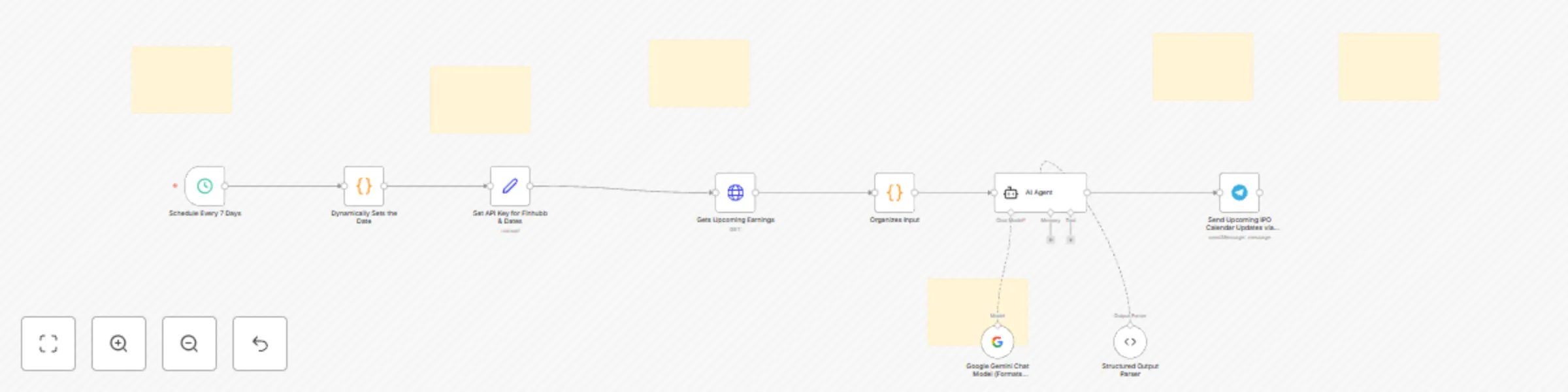
Get IPO calendar alerts via Telegram with Finnhub API and Gemini AI

# Get instant notifications about new US companies going public (IPOs) sent straight to your Telegram—easy setup, no programming skills needed. Perfect for investors, traders, and anyone interested in the latest stock market opportunities. ## Purpose & Audience This n8n workflow is designed for investors, financial analysts, and community managers who want real-time, structured US companies recent and upcoming IPO (Initial Public Offerings) updates directly to their Telegram channels or chats. It’s perfect for anyone running a financial community, managing a trading group, or investing in new companies for personal investment decisions. ## What It Does 1. Fetches recent and upcoming IPO calendar updates for US companies expected to be listed on US exchanges using the Finnhub API (free-tier), with a default window of the next 7 days (customizable to any date range). 2. Uses Google Gemini AI to automatically format and structure the calendar data into a clean, grouped, and enhanced message, including company names, tickers, total number of shares, total value of shares, and expected stock price (with intelligent scaling for billions/millions). 3. Sends the formatted IPO updates directly to your chosen Telegram chat or channel via a Telegram bot. (can be customised for email updates or any other preferred channel for updates) ## Who Is It For? Retail and professional investors Financial influencers and Telegram group admins Trading desk or community managers Anyone who wants hands-off, AI-powered IPO calendar alerts for US companies ## How to Set Up #### **Get Finnhub API Key:** - Sign up at https://www.finnhub.io and copy your API key. #### Connect Google Gemini (or OpenAI) Model: - Add your Gemini API credentials in n8n for advanced AI formatting and structuring of earnings updates. #### **Set Up Your Telegram Bot:** - Create a bot with @BotFather, get your API token, and add it to n8n’s Telegram credentials. - Obtain your Telegram chat or group ID (use @RawDataBot for this). #### **Customize Date Range (Optional):** - By default, the workflow fetches upcoming IPOs for the next 7 days, but you can adjust it to any custom window (e.g., today to 3 days in the future). #### **Activate the Workflow:** - Schedule how often you want updates (default: every 7 days; can be as frequent as daily). - The workflow will automatically fetch, format, and send the latest US IPO calendar updates to your Telegram. ## Key Features 1. No coding required—fully automated and customizable. 2. Handles Telegram’s message length limit by default. 3. AI-enhanced formatting for maximum readability and engagement. 4. Free to use with Finnhub’s free API tier.

M
Malik Hashir
Crypto Trading
29 Jun 2025
152
0