Block 1 - When chat message received
- Type / Role
- @n8n/n8n-nodes-langchain.chatTrigger - chatTrigger
- Config choices
- Version 1.3


 Early Deal
This workflow is provided as-is. Please review and test before using in production.
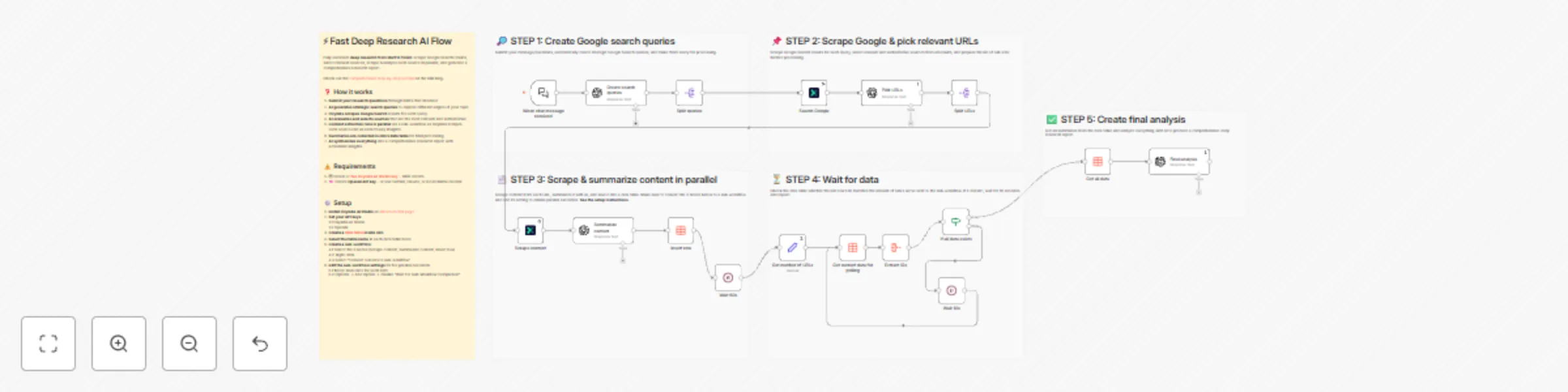
Fully automate deep research from start to finish: scrape Google Search results, select relevant sources, scrape & analyze each source in parallel, and generate a comprehensive research report. Who...
@n8n/n8n-nodes-langchain.chattrigger, n8n-nodes-oxylabs-ai-studio.oxylabsaistudio, n8n-nodes-base.splitout, n8n-nodes-base.set, n8n-nodes-base.datatable, n8n-nodes-base.if, n8n-nodes-base.aggregate, n8n-nodes-base.wait
This workflow is cataloged by N8N Workflows and links back to its original n8n.io source page by Vytenis.
Original n8n.io sourceThis workflow is for anyone who needs to research topics quickly and thoroughly: content creators, marketers, product managers, researchers, journalists, students, or anyone seeking deep insights without spending hours browsing websites. If you find yourself opening dozens of browser tabs to piece together information, this template will automate that entire process and deliver comprehensive reports in minutes.
See the complete step-by-step tutorial on the n8n blog.
Once you finish all these setup steps, you can run the workflow through n8n's chat interface. For example, send the following message:
I'm planning to build a wooden summer house and would appreciate guidance on the process. What are the key considerations I should keep in mind from planning through completion? I'm particularly interested in the recommended construction steps and which materials will ensure long-term durability and quality.
Feel free to modify the workflow to fit the scale and final output your project requires:
This catalog entry is organized from the workflow JSON. The node-level section below shows the executable blocks available for review before importing the template.
| Workflow | Automate web research & analysis with Oxylabs & GPT for comprehensive reports |
|---|---|
| Complexity | advanced |
| Nodes | 23 |
| Categories | Market Research, AI RAG |
| Author | Vytenis |
| Published | 04 Nov 2025 |
Use the JSON export at /data/workflows/10504/10504.json as the source template for this automation.
Open n8n, import the downloaded JSON, and review each node before activating the workflow.
Replace placeholder credentials, API keys, webhook URLs, account IDs, and environment-specific values with your own settings.
Run the workflow manually or in a staging workspace, inspect node output, and confirm downstream systems receive the expected data.
Enable the workflow only after testing, then monitor executions, errors, and rate limits during the first production runs.
Review imported nodes carefully before activation. This catalog entry is intended to help you inspect the workflow structure, understand required services, and find related templates faster.
Node names, credentials, schedules, webhook paths, and external service limits may need adjustment for your workspace.
Fully automate deep research from start to finish: scrape Google Search results, select relevant sources, scrape & analyze each source in parallel, and generate a comprehensive research report. Who...
Review the workflow JSON, configure any required credentials in n8n, and test the automation in a safe workspace before using it in production.
Yes. Use the block-by-block analysis and the downloadable JSON to inspect each node, then adjust credentials, prompts, schedules, filters, or destinations for your Market Research, AI RAG use case.