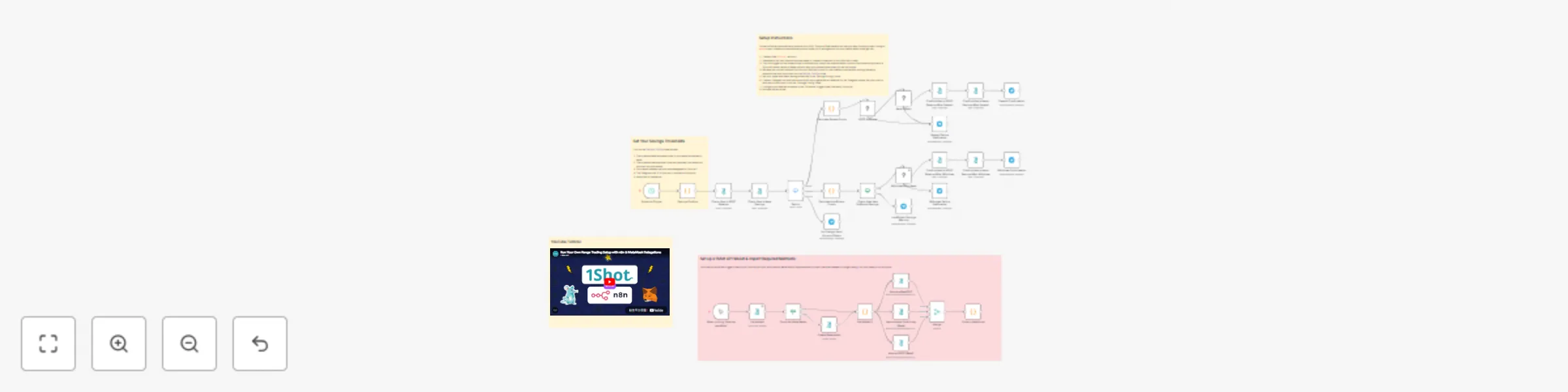
Automate USDC balance between wallet and Aave with 1Shot API & Telegram

Workflow preview

Workflow preview
100%
Automate USDC balance between wallet and Aave with 1Shot API & Telegram preview
Open on n8n.io

Important notice

This workflow is provided as-is. Please review and test before using in production.

1. Workflow Overview

Automated Savings with 1Shot API and Aave Protocol With the increasing popularity of stablecoins like USDC, its becoming easier to pay for every...

Best for

  • Crypto Trading automation workflows
  • advanced n8n builders looking for reusable templates

Tools used

n8n-nodes-base.scheduletrigger, n8n-nodes-base.code, n8n-nodes-base.telegram, n8n-nodes-1shot.oneshotsynch, n8n-nodes-1shot.oneshot, n8n-nodes-base.switch, n8n-nodes-base.stickynote, n8n-nodes-base.manualtrigger

Source and attribution

This workflow is cataloged by N8N Workflows and links back to its original n8n.io source page by 1Shot API.

Original n8n.io source

1.1 Workflow description

Title
Automate USDC balance between wallet and Aave with 1Shot API & Telegram
Workflow name
Automate USDC balance between wallet and Aave with 1Shot API & Telegram

Automated Savings with 1Shot API and Aave Protocol

With the increasing popularity of stablecoins like USDC, its becoming easier to pay for everyday items with crypto thanks to debit cards from issuers like MetaMask. These solutions work by processing payments on traditional payment rails then pulling the stablecoin out of your onchain account to cover the cost of the purchase.

One downside is that if a stablecoin like USDC is simply sitting in your onchain account, you are missing out on competitive savings rates offered by decentralized protocols like Aave. Often the APY offered by these onchain lending protocols is much higher than those offered by traditional banks while maintaining a low-risk profile for high-quality assets like USDC or mUSD.

Ideally your balance would automatically stay in something like Aave when you don't need it and automatically refill your onchain account used for payments when it gets low. This workflow, powered by 1Shot API, does just that. It also sends you real time Telegram notifications about your account balance and savings every time your account rebalances.

Aave Protocol

This workflow integrates the Aave lending protocol to generate savings APY on your excess USDC funds on the Base network. When your holdings in your primary Metamask smart account exceed a threshold you set, it will deposit them into the Aave Lending Pool. This results in your account receiving aBasUSDC, a deposit receipt token used to withdraw your savings at a later time. When your account drops below a refill-threshold you set, it will exchange the aBasUSDC back to USDC and put in back into your primary account so that you can spend it.

Setup Instructions

This workflow will automatically balance your USDC funds on Base network so that you keep funds you aren't using in Aave to earn interest and automatically move funds out of savings back into your wallet when funds get low.

  1. Create a free 1Shot API account.
  2. Generate an API key & secret and use these to create a credential for the 1Shot API node's.
  3. Click the trigger on the subworkflow to automatically import the required smart contract functions and provision a 1Shot API server wallet on Base that will relay your transactions when you are not online.
  4. Input the contract method IDs from 1Shot API into the "Savings Config" node.
  5. Set your saving thresholds in the "Savings Config" node.
  6. Create a Telegram bot and use the bot's API key to generate a credential for the Telegram nodes. Get your chat id with the bot and input it into the "Savings Config" node.
  7. Configure your desired schedule in the "Schedule" trigger node (like every 24 hours)
  8. Activate the workflow.

1.2 Logical Blocks

This catalog entry is organized from the workflow JSON. The node-level section below shows the executable blocks available for review before importing the template.

2. Block-by-Block Analysis

Block 1 - Schedule Trigger

Type / Role
n8n-nodes-base.scheduleTrigger - scheduleTrigger
Config choices
Version 1.2

Block 2 - Calculate Excess Funds

Type / Role
n8n-nodes-base.code - code
Config choices
Version 2

Block 3 - Deposit Confirmation

Type / Role
n8n-nodes-base.telegram - telegram
Config choices
Version 1.2

Block 4 - Calculate Insufficient Funds

Type / Role
n8n-nodes-base.code - code
Config choices
Version 2

Block 5 - Withdraw from Aave

Type / Role
n8n-nodes-1shot.oneShotSynch - oneShotSynch
Config choices
Version 1

Block 6 - Withdraw Confirmation

Type / Role
n8n-nodes-base.telegram - telegram
Config choices
Version 1.2

Block 7 - Savings Configs

Type / Role
n8n-nodes-base.code - code
Config choices
Version 2

Block 8 - Check User's Aave Savings

Type / Role
n8n-nodes-1shot.oneShot - oneShot
Config choices
Version 1

Block 9 - Check User's USDC Balance

Type / Role
n8n-nodes-1shot.oneShot - oneShot
Config choices
Version 1

Block 10 - Switch

Type / Role
n8n-nodes-base.switch - switch
Config choices
Version 3.2

Block 11 - No Change, Send Account Status

Type / Role
n8n-nodes-base.telegram - telegram
Config choices
Version 1.2

Block 12 - Insufficient Savings Warning

Type / Role
n8n-nodes-base.telegram - telegram
Config choices
Version 1.2

Block 13 - Deposit Failure Notification

Type / Role
n8n-nodes-base.telegram - telegram
Config choices
Version 1.2

Block 14 - Withdraw Failure Notification

Type / Role
n8n-nodes-base.telegram - telegram
Config choices
Version 1.2

Block 15 - Confirm User's USDC Balance After Withdraw

Type / Role
n8n-nodes-1shot.oneShot - oneShot
Config choices
Version 1

Block 16 - Confirm User's Aave Savings After Withdraw

Type / Role
n8n-nodes-1shot.oneShot - oneShot
Config choices
Version 1

Block 17 - Confirm User's USDC Balance After Deposit

Type / Role
n8n-nodes-1shot.oneShot - oneShot
Config choices
Version 1

Block 18 - Confirm User's Aave Savings After Deposit

Type / Role
n8n-nodes-1shot.oneShot - oneShot
Config choices
Version 1

Block 19 - Sticky Note4

Type / Role
n8n-nodes-base.stickyNote - stickyNote
Config choices
Version 1

Block 20 - List wallets

Type / Role
n8n-nodes-1shot.oneShot - oneShot
Config choices
Version 1

Block 21 - When clicking ‘Execute workflow’

Type / Role
n8n-nodes-base.manualTrigger - manualTrigger
Config choices
Version 1

Block 22 - Get Wallet ID

Type / Role
n8n-nodes-base.code - code
Config choices
Version 2

Block 23 - Assure aBasUSDC

Type / Role
n8n-nodes-1shot.oneShot - oneShot
Config choices
Version 1

Block 24 - Assure Aave: Pool Proxy (Base)

Type / Role
n8n-nodes-1shot.oneShot - oneShot
Config choices
Version 1

Showing the first 24 of 35 workflow blocks. Download the JSON for the full node graph.

3. Summary Table

Workflow Automate USDC balance between wallet and Aave with 1Shot API & Telegram
Complexity advanced
Nodes 35
Categories Crypto Trading
Author 1Shot API
Published 19 Sept 2025

4. Reproducing the Workflow from Scratch

  1. 1. Download the workflow JSON

    Use the JSON export at /data/workflows/8736/8736.json as the source template for this automation.

  2. 2. Import the template into n8n

    Open n8n, import the downloaded JSON, and review each node before activating the workflow.

  3. 3. Configure credentials and variables

    Replace placeholder credentials, API keys, webhook URLs, account IDs, and environment-specific values with your own settings.

  4. 4. Test with sample data

    Run the workflow manually or in a staging workspace, inspect node output, and confirm downstream systems receive the expected data.

  5. 5. Activate and monitor

    Enable the workflow only after testing, then monitor executions, errors, and rate limits during the first production runs.

5. General Notes & Resources

Review imported nodes carefully before activation. This catalog entry is intended to help you inspect the workflow structure, understand required services, and find related templates faster.

Node names, credentials, schedules, webhook paths, and external service limits may need adjustment for your workspace.

Frequently asked questions

What does Automate USDC balance between wallet and Aave with 1Shot API & Telegram do?

Automated Savings with 1Shot API and Aave Protocol With the increasing popularity of stablecoins like USDC, its becoming easier to pay for every...

What do I need before importing this workflow?

Review the workflow JSON, configure any required credentials in n8n, and test the automation in a safe workspace before using it in production.

Can I customize this workflow?

Yes. Use the block-by-block analysis and the downloadable JSON to inspect each node, then adjust credentials, prompts, schedules, filters, or destinations for your Crypto Trading use case.