Block 1 - Calculate TWAP
- Type / Role
- n8n-nodes-base.code - code
- Config choices
- Version 2


 Early Deal
This workflow is provided as-is. Please review and test before using in production.
This workflow contains community nodes that are only compatible with the self hosted version of n8n. Dollar Cost Averaging with Uniswap V3 This workflow lets you set up ...
n8n-nodes-base.code, n8n-nodes-1shot.oneshot, n8n-nodes-1shot.oneshotsynch, n8n-nodes-base.scheduletrigger, n8n-nodes-base.telegram, n8n-nodes-base.stickynote
This workflow is cataloged by N8N Workflows and links back to its original n8n.io source page by 1Shot API.
Original n8n.io sourceThis workflow contains community nodes that are only compatible with the self-hosted version of n8n.
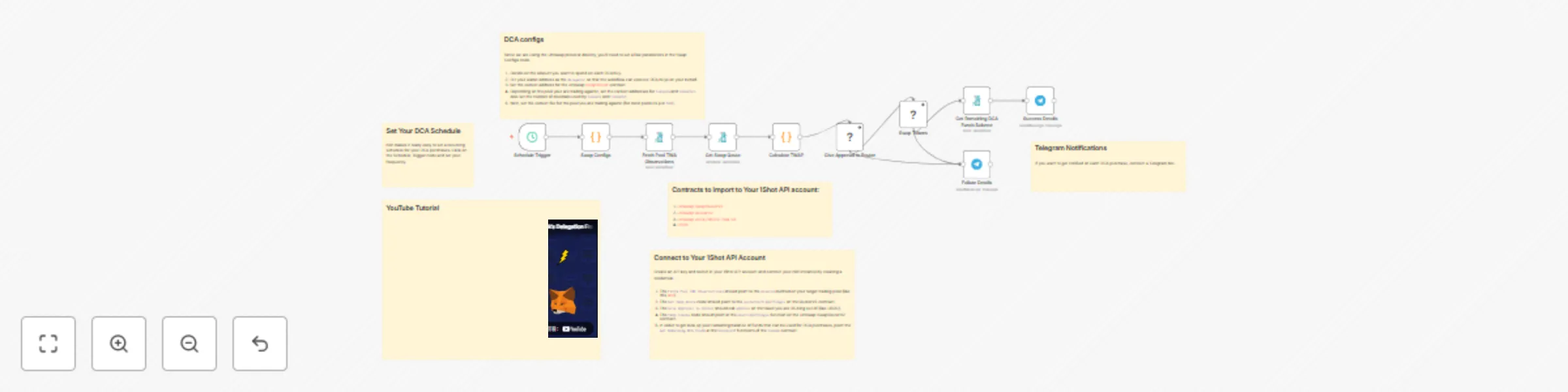
This workflow lets you set up an scheduled workflow to dollar cost average (DCA) into any token on a custom schedule using 1Shot API and the Uniswap V3 protocol. Choose your schedule input token and output token and optionally configure the workflow to send you notifications in Telegram everytime your workflow completes a swap.
You can watch the full end-to-end tutorial for this workflow on our YouTube channel.
Importantly, this workflow uses Metamasks Delegation Framework which lets you DCA from an account you custody whithout ever exporting your private key or giving up control of your assets.
approve function for the ERC-20 token you want to use to purchase your target asset (this should be the token0 or token1 of the pool you imported in step 2).Swap Configs node, set the amount of the in token you want to spend on each purchase - for example, if you are using USDC (which has 6 decimals) and you want to purchase $10 every purchase, then amountDCA should be 10000000. Also set the correct addresses for the SwapRouterV2, token0, token1 and fee of the pool you are using. You can configure a Telegarm bot to notifiy you everytime the workflow completes to send you a transaction has and you remaining balance in your purchasing funds.
This catalog entry is organized from the workflow JSON. The node-level section below shows the executable blocks available for review before importing the template.
| Workflow | Automate token purchases with dollar cost averaging on Uniswap V3 & 1Shot API |
|---|---|
| Complexity | advanced |
| Nodes | 16 |
| Categories | Crypto Trading, Multimodal AI |
| Author | 1Shot API |
| Published | 30 Aug 2025 |
Use the JSON export at /data/workflows/8044/8044.json as the source template for this automation.
Open n8n, import the downloaded JSON, and review each node before activating the workflow.
Replace placeholder credentials, API keys, webhook URLs, account IDs, and environment-specific values with your own settings.
Run the workflow manually or in a staging workspace, inspect node output, and confirm downstream systems receive the expected data.
Enable the workflow only after testing, then monitor executions, errors, and rate limits during the first production runs.
Review imported nodes carefully before activation. This catalog entry is intended to help you inspect the workflow structure, understand required services, and find related templates faster.
Node names, credentials, schedules, webhook paths, and external service limits may need adjustment for your workspace.
This workflow contains community nodes that are only compatible with the self hosted version of n8n. Dollar Cost Averaging with Uniswap V3 This workflow lets you set up ...
Review the workflow JSON, configure any required credentials in n8n, and test the automation in a safe workspace before using it in production.
Yes. Use the block-by-block analysis and the downloadable JSON to inspect each node, then adjust credentials, prompts, schedules, filters, or destinations for your Crypto Trading, Multimodal AI use case.