Automate TikTok video transcription with RapidAPI and Google Sheets

Workflow preview

Workflow preview
100%
Automate TikTok video transcription with RapidAPI and Google Sheets preview
Open on n8n.io

Important notice

This workflow is provided as-is. Please review and test before using in production.

1. Workflow Overview

TikTok Transcript Generator Overview This automated workflow extracts transcripts from TikTok videos by reading video URLs from a Google Sheet, calling the API via [TikTok Transcript Generator](htt...

Best for

  • Content Creation automation workflows
  • Multimodal AI automation workflows
  • advanced n8n builders looking for reusable templates

Tools used

n8n-nodes-base.googlesheets, n8n-nodes-base.httprequest, n8n-nodes-base.splitinbatches, n8n-nodes-base.wait, n8n-nodes-base.if, n8n-nodes-base.code, n8n-nodes-base.manualtrigger, n8n-nodes-base.stickynote

Source and attribution

This workflow is cataloged by N8N Workflows and links back to its original n8n.io source page by Evoort Solutions.

Original n8n.io source

1.1 Workflow description

Title
Automate TikTok video transcription with RapidAPI and Google Sheets
Workflow name
Automate TikTok video transcription with RapidAPI and Google Sheets

TikTok Transcript Generator

Overview

This automated workflow extracts transcripts from TikTok videos by reading video URLs from a Google Sheet, calling the API via TikTok Transcript Generator, cleaning the subtitle data, and updating the sheet with transcripts. It efficiently handles batches, errors, and rate limits to provide a seamless transcription process.

Key Features

  • Batch processing: Reads and processes multiple TikTok video URLs from Google Sheets.
  • Automatic transcript generation: Uses the TikTok Transcript Generator API on RapidAPI.
  • Clean subtitle output: Removes timestamps and headers for clear transcripts.
  • Error handling: Marks videos with no available transcript.
  • Rate limiting: Implements wait times to avoid API throttling on RapidAPI.
  • Seamless Google Sheets integration: Updates the same sheet with transcript results and statuses.

API Used

Google Sheet Columns

Column Name Description
Video Url URL of the TikTok video to transcribe
Transcript Generated transcript text (updated by workflow)
Generated Date Date when the transcript was generated (YYYY-MM-DD)

Workflow Nodes Explanation

Node Name Type Purpose
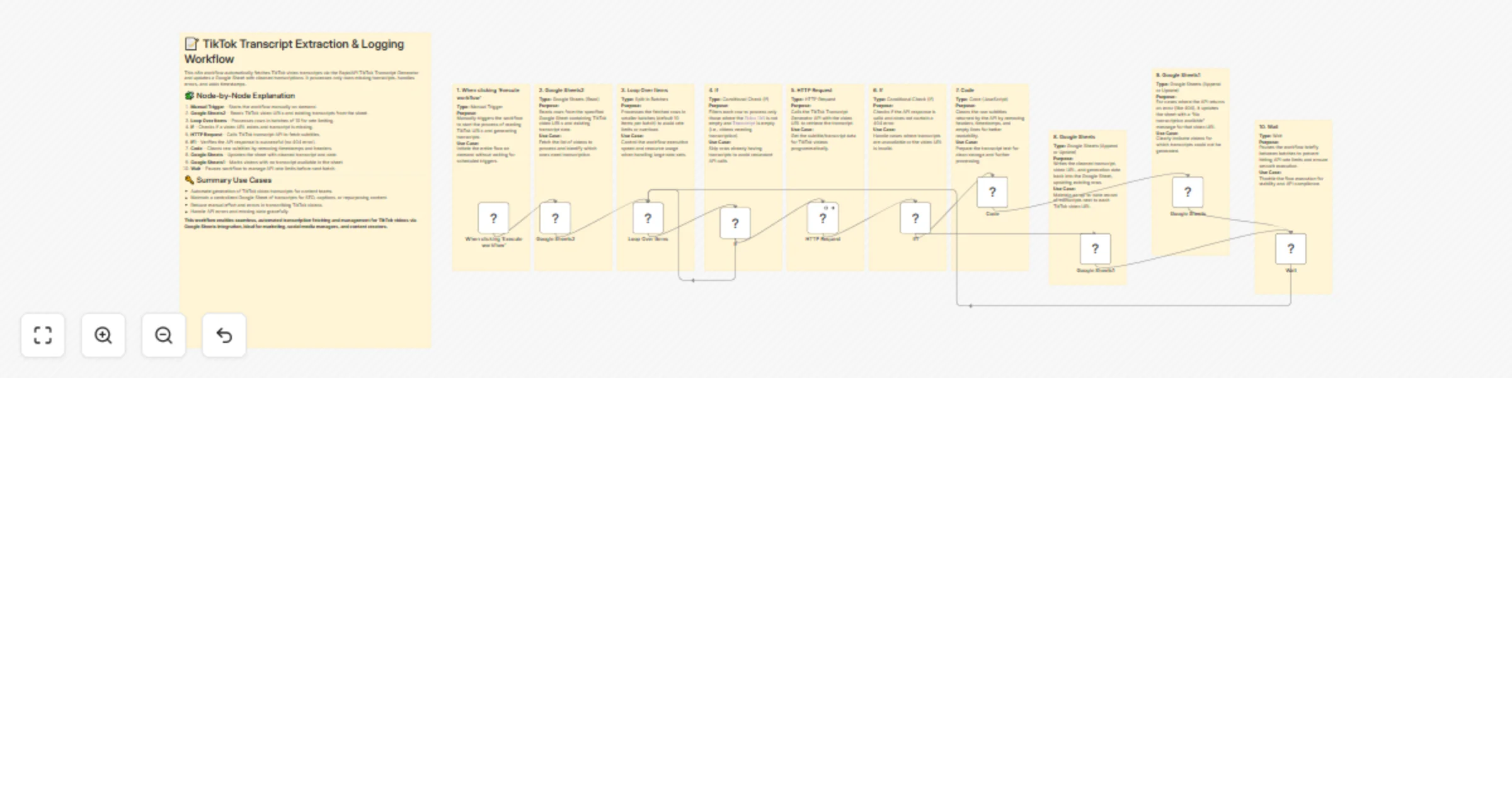
When clicking ‘Execute workflow’ Manual Trigger Manually starts the entire transcription workflow.
Google Sheets2 Google Sheets (Read) Reads TikTok video URLs and transcript data from Google Sheets.
Loop Over Items Split In Batches Processes rows in smaller batches to control execution speed.
If Conditional Check Filters videos needing transcription (URL present, transcript empty).
HTTP Request HTTP Request Calls the TikTok Transcript Generator API on RapidAPI to fetch transcripts.
If1 Conditional Check Checks for valid API responses (handles 404 errors).
Code Code (JavaScript) Cleans and formats raw subtitle text by removing timestamps.
Google Sheets Google Sheets (Update) Updates the sheet with cleaned transcripts and generation dates.
Google Sheets1 Google Sheets (Update) Updates sheet with “No transcription available” message on error.
Wait Wait Adds delay between batches to avoid API rate limits on RapidAPI.

Challenges Resolved

  • Manual Transcription Effort: Eliminates the need to manually transcribe TikTok videos, saving time and reducing errors.
  • API Rate Limits: Introduces batching and wait periods to avoid exceeding API usage limits on RapidAPI, ensuring smooth execution.
  • Incomplete or Missing Data: Filters out videos already transcribed and handles missing transcripts gracefully by logging appropriate messages.
  • Data Formatting Issues: Cleans raw subtitle data to provide readable, timestamp-free transcripts.
  • Data Synchronization: Updates transcripts back into the same Google Sheet row, maintaining data consistency and ease of access.

Use Cases

  • Content creators wanting to transcribe TikTok videos automatically.
  • Social media analysts extracting text data for research.
  • Automation enthusiasts integrating transcript generation into workflows.

How to Use

  1. Prepare a Google Sheet with the columns: Video Url, Transcript, and Generated Date.
  2. Connect your Google Sheets account in the workflow.
  3. Enter your RapidAPI key for the TikTok Transcript Generator API.
  4. Execute the workflow to generate transcripts.
  5. View transcripts and generated dates directly in your Google Sheet.

Try this workflow to automate your TikTok video transcriptions efficiently!

Create your free n8n account and set up the workflow in just a few minutes using the link below:

👉 Start Automating with n8n

Save time, stay consistent, and grow your LinkedIn presence effortlessly!

1.2 Logical Blocks

This catalog entry is organized from the workflow JSON. The node-level section below shows the executable blocks available for review before importing the template.

2. Block-by-Block Analysis

Block 1 - Google Sheets2

Type / Role
n8n-nodes-base.googleSheets - googleSheets
Config choices
Version 4.5

Block 2 - HTTP Request

Type / Role
n8n-nodes-base.httpRequest - httpRequest
Config choices
Version 4.2

Block 3 - Google Sheets

Type / Role
n8n-nodes-base.googleSheets - googleSheets
Config choices
Version 4.5

Block 4 - Loop Over Items

Type / Role
n8n-nodes-base.splitInBatches - splitInBatches
Config choices
Version 3

Block 5 - Wait

Type / Role
n8n-nodes-base.wait - wait
Config choices
Version 1.1

Block 6 - If

Type / Role
n8n-nodes-base.if - if
Config choices
Version 2.2

Block 7 - Code

Type / Role
n8n-nodes-base.code - code
Config choices
Version 2

Block 8 - If1

Type / Role
n8n-nodes-base.if - if
Config choices
Version 2.2

Block 9 - Google Sheets1

Type / Role
n8n-nodes-base.googleSheets - googleSheets
Config choices
Version 4.5

Block 10 - When clicking ‘Execute workflow’

Type / Role
n8n-nodes-base.manualTrigger - manualTrigger
Config choices
Version 1

Block 11 - Sticky Note

Type / Role
n8n-nodes-base.stickyNote - stickyNote
Config choices
Version 1

Block 12 - Sticky Note1

Type / Role
n8n-nodes-base.stickyNote - stickyNote
Config choices
Version 1

Block 13 - Sticky Note2

Type / Role
n8n-nodes-base.stickyNote - stickyNote
Config choices
Version 1

Block 14 - Sticky Note3

Type / Role
n8n-nodes-base.stickyNote - stickyNote
Config choices
Version 1

Block 15 - Sticky Note4

Type / Role
n8n-nodes-base.stickyNote - stickyNote
Config choices
Version 1

Block 16 - Sticky Note5

Type / Role
n8n-nodes-base.stickyNote - stickyNote
Config choices
Version 1

Block 17 - Sticky Note6

Type / Role
n8n-nodes-base.stickyNote - stickyNote
Config choices
Version 1

Block 18 - Sticky Note7

Type / Role
n8n-nodes-base.stickyNote - stickyNote
Config choices
Version 1

Block 19 - Sticky Note8

Type / Role
n8n-nodes-base.stickyNote - stickyNote
Config choices
Version 1

Block 20 - Sticky Note9

Type / Role
n8n-nodes-base.stickyNote - stickyNote
Config choices
Version 1

Block 21 - Sticky Note10

Type / Role
n8n-nodes-base.stickyNote - stickyNote
Config choices
Version 1

3. Summary Table

Workflow Automate TikTok video transcription with RapidAPI and Google Sheets
Complexity advanced
Nodes 21
Categories Content Creation, Multimodal AI
Author Evoort Solutions
Published 11 Jul 2025

4. Reproducing the Workflow from Scratch

  1. 1. Download the workflow JSON

    Use the JSON export at /data/workflows/5882/5882.json as the source template for this automation.

  2. 2. Import the template into n8n

    Open n8n, import the downloaded JSON, and review each node before activating the workflow.

  3. 3. Configure credentials and variables

    Replace placeholder credentials, API keys, webhook URLs, account IDs, and environment-specific values with your own settings.

  4. 4. Test with sample data

    Run the workflow manually or in a staging workspace, inspect node output, and confirm downstream systems receive the expected data.

  5. 5. Activate and monitor

    Enable the workflow only after testing, then monitor executions, errors, and rate limits during the first production runs.

5. General Notes & Resources

Review imported nodes carefully before activation. This catalog entry is intended to help you inspect the workflow structure, understand required services, and find related templates faster.

Node names, credentials, schedules, webhook paths, and external service limits may need adjustment for your workspace.

Frequently asked questions

What does Automate TikTok video transcription with RapidAPI and Google Sheets do?

TikTok Transcript Generator Overview This automated workflow extracts transcripts from TikTok videos by reading video URLs from a Google Sheet, calling the API via [TikTok Transcript Generator](htt...

What do I need before importing this workflow?

Review the workflow JSON, configure any required credentials in n8n, and test the automation in a safe workspace before using it in production.

Can I customize this workflow?

Yes. Use the block-by-block analysis and the downloadable JSON to inspect each node, then adjust credentials, prompts, schedules, filters, or destinations for your Content Creation, Multimodal AI use case.