Block 1 - Get row(s) in sheet
- Type / Role
- n8n-nodes-base.googleSheets - googleSheets
- Config choices
- Version 4.7


 Early Deal
This workflow is provided as-is. Please review and test before using in production.
Task Deadline Reminder Workflow (Today / 3 Day / 7 Day) Task deadline management manually is inefficient and leads to missed deadlines—especially when teams rely on spreadsheets and individual remi...
n8n-nodes-base.googlesheets, n8n-nodes-base.splitinbatches, n8n-nodes-base.if, n8n-nodes-base.scheduletrigger, n8n-nodes-base.stickynote, n8n-nodes-base.gmail
This workflow is cataloged by N8N Workflows and links back to its original n8n.io source page by Yuki Hirota.
Original n8n.io sourceTask deadline management manually is inefficient and leads to missed deadlines—especially when teams rely on spreadsheets and individual reminders.
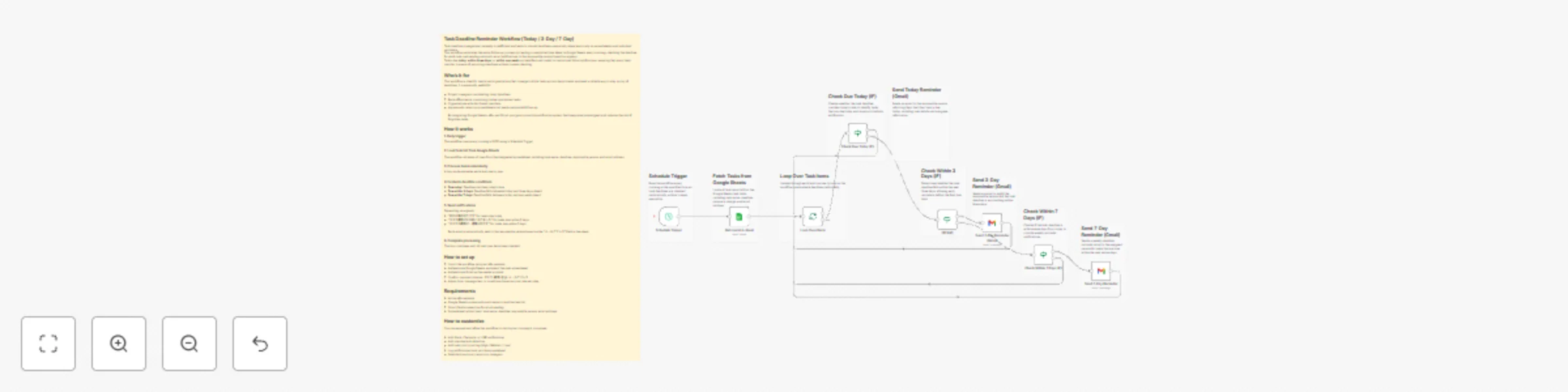
This workflow automates the entire follow-up process by reading a centralized task sheet in Google Sheets every morning, checking the deadline for each task, and sending automatic email notifications to the responsible person based on urgency.
Tasks due today, within three days, or within one week are identified and routed to customized Gmail notifications, ensuring that every team member is aware of upcoming deadlines without manual checking.
This workflow is ideal for teams and organizations that manage multiple tasks across departments and need a reliable way to stay on top of deadlines. It is especially useful for:
By integrating Google Sheets, n8n, and Gmail, you gain a proactive notification system that keeps everyone aligned and reduces the risk of forgotten tasks.
The workflow runs every morning at 9:00 using a Schedule Trigger.
The workflow retrieves all rows from the designated spreadsheet, including task name, deadline, responsible person, and email address.
A loop node evaluates each task one by one.
Depending on urgency:
Each email is automatically sent to the responsible person based on the “メールアドレス” field in the sheet.
The loop continues until all task rows have been checked.
You can expand and refine this workflow to match your company’s processes:
This workflow provides a flexible foundation for building a complete automated task governance system.
This catalog entry is organized from the workflow JSON. The node-level section below shows the executable blocks available for review before importing the template.
| Workflow | Automate task deadline reminders with Google Sheets and Gmail (Today/3-Day/7-Day) |
|---|---|
| Complexity | advanced |
| Nodes | 18 |
| Categories | Project Management |
| Author | Yuki Hirota |
| Published | 14 Nov 2025 |
Use the JSON export at /data/workflows/10825/10825.json as the source template for this automation.
Open n8n, import the downloaded JSON, and review each node before activating the workflow.
Replace placeholder credentials, API keys, webhook URLs, account IDs, and environment-specific values with your own settings.
Run the workflow manually or in a staging workspace, inspect node output, and confirm downstream systems receive the expected data.
Enable the workflow only after testing, then monitor executions, errors, and rate limits during the first production runs.
Review imported nodes carefully before activation. This catalog entry is intended to help you inspect the workflow structure, understand required services, and find related templates faster.
Node names, credentials, schedules, webhook paths, and external service limits may need adjustment for your workspace.
Task Deadline Reminder Workflow (Today / 3 Day / 7 Day) Task deadline management manually is inefficient and leads to missed deadlines—especially when teams rely on spreadsheets and individual remi...
Review the workflow JSON, configure any required credentials in n8n, and test the automation in a safe workspace before using it in production.
Yes. Use the block-by-block analysis and the downloadable JSON to inspect each node, then adjust credentials, prompts, schedules, filters, or destinations for your Project Management use case.