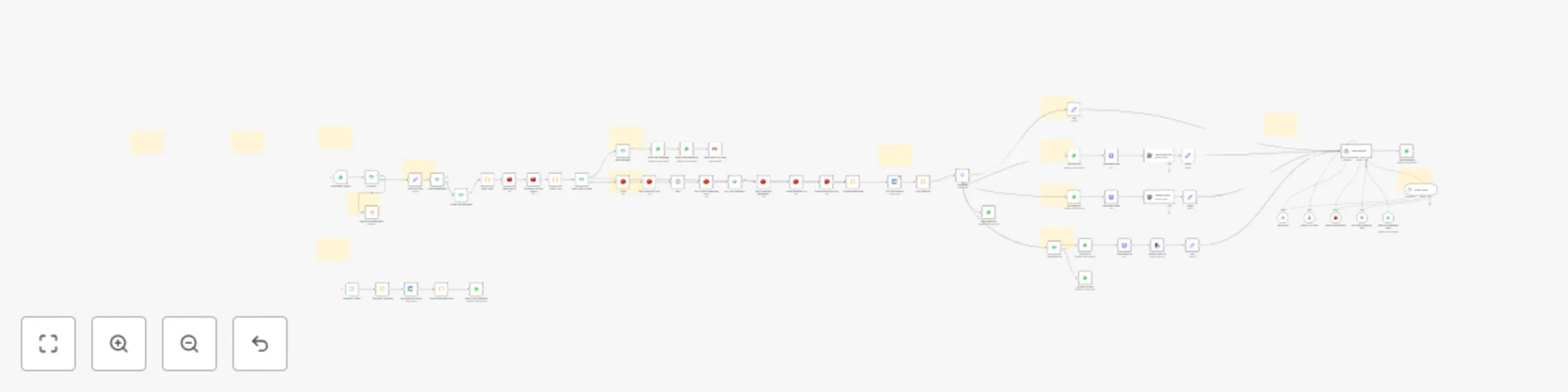
Automate salon appointment management with WhatsApp, GPT & Google Calendar

Workflow preview

Workflow preview
100%
Automate salon appointment management with WhatsApp, GPT & Google Calendar preview
Open on n8n.io

Important notice

This workflow is provided as-is. Please review and test before using in production.

1. Workflow Overview

Multi Agent AI WhatsApp Bot for Service Businesses Transform your salon/service business with this streamlined WhatsApp automation system featuring Claude integration, zero setup database managem...

Best for

  • Support Chatbot automation workflows
  • AI Chatbot automation workflows
  • advanced n8n builders looking for reusable templates

Tools used

n8n-nodes-base.whatsapptrigger, n8n-nodes-base.whatsapp, n8n-nodes-base.switch, n8n-nodes-base.set, n8n-nodes-base.redis, n8n-nodes-base.wait, n8n-nodes-base.if, n8n-nodes-base.code

Source and attribution

This workflow is cataloged by N8N Workflows and links back to its original n8n.io source page by Denis.

Original n8n.io source

1.1 Workflow description

Title
Automate salon appointment management with WhatsApp, GPT & Google Calendar
Workflow name
Automate salon appointment management with WhatsApp, GPT & Google Calendar

πŸ€–Multi-Agent AI WhatsApp Bot for Service Businesses

Transform your salon/service business with this streamlined WhatsApp automation system featuring Claude integration, zero-setup database management, and intelligent conversation handling.

How it works

  • Claude MCP Integration - Direct connection to Claude Sonnet 4 via Model Context Protocol
  • Streamlined 2-Agent System - Booking Agent and Admin Agent (simplified from 5 for better reliability)
  • GPT-5 Mini Primary with Gemini 2.5 Flash backup for cost-effective processing
  • Multi-Media Support - Handles text, voice (Whisper transcription), images, and PDFs with cost extraction
  • Smart Acknowledgments - "One moment...", "Let me check availability..." during processing
  • Rate Limiting & Spam Protection - Configurable limits (default: 100 msg/hour) with professional UX

Zero-Setup Database Management

  • Autonomous Airtable Creation - Bot creates all necessary tables automatically
  • Complete CRUD Operations - Create, edit, delete services and settings via WhatsApp
  • Dynamic Business Configuration - Modify hours, pricing, services conversationally
  • Friend Booking Support - "Book for my friend Sarah" functionality

Set up steps

  • WhatsApp Business API setup (detailed instructions included)
  • Airtable Base ID extraction (store in Redis or hardcode - recommended)
  • Google Calendar integration for scheduling
  • Redis for caching, rate limiting, and conversation memory
  • MCP Server deployment for Claude integration
  • Whatsapp for notifications

Key Features

  • Booking Limit Control - Default 6 appointments per customer (configurable in workflow)
  • Service Name Matching - GPT-5 Nano workflow for cost-optimized service recognition
  • 24-Hour Advance Reminders - Automatic WhatsApp reminders sent at 8 PM
  • Conversation Memory maintains context across interactions
  • Error Resilience with backup models and graceful failure handling

Perfect for salons, spas, clinics, consulting services, or any appointment-based business. Complete business setup happens through conversational commands - no manual database configuration required.

1.2 Logical Blocks

This catalog entry is organized from the workflow JSON. The node-level section below shows the executable blocks available for review before importing the template.

2. Block-by-Block Analysis

Block 1 - WhatsApp Trigger

Type / Role
n8n-nodes-base.whatsAppTrigger - whatsAppTrigger
Config choices
Version 1

Block 2 - Not supported

Type / Role
n8n-nodes-base.whatsApp - whatsApp
Config choices
Version 1

Block 3 - Input type

Type / Role
n8n-nodes-base.switch - switch
Config choices
Version 3.2

Block 4 - Set Initial Data

Type / Role
n8n-nodes-base.set - set
Config choices
Version 3.4

Block 5 - Set Processing Lock

Type / Role
n8n-nodes-base.redis - redis
Config choices
Version 1

Block 6 - Wait

Type / Role
n8n-nodes-base.wait - wait
Config choices
Version 1.1

Block 7 - Get Current Processing Lock

Type / Role
n8n-nodes-base.redis - redis
Config choices
Version 1

Block 8 - Am I the Processor?

Type / Role
n8n-nodes-base.if - if
Config choices
Version 2.2

Block 9 - Pop All Batched Messages

Type / Role
n8n-nodes-base.redis - redis
Config choices
Version 1

Block 10 - Delete Message List

Type / Role
n8n-nodes-base.redis - redis
Config choices
Version 1

Block 11 - Delete Processing Lock

Type / Role
n8n-nodes-base.redis - redis
Config choices
Version 1

Block 12 - Push

Type / Role
n8n-nodes-base.redis - redis
Config choices
Version 1

Block 13 - Is User Text Message?

Type / Role
n8n-nodes-base.if - if
Config choices
Version 2.2

Block 14 - Is Audio Message?

Type / Role
n8n-nodes-base.if - if
Config choices
Version 2.2

Block 15 - Combine Messages

Type / Role
n8n-nodes-base.code - code
Config choices
Version 2

Block 16 - Rate Limiter

Type / Role
n8n-nodes-base.code - code
Config choices
Version 2

Block 17 - Check Limit

Type / Role
n8n-nodes-base.code - code
Config choices
Version 2

Block 18 - Check Rate Limited

Type / Role
n8n-nodes-base.if - if
Config choices
Version 2.2

Block 19 - Redis Hourly

Type / Role
n8n-nodes-base.redis - redis
Config choices
Version 1

Block 20 - Increment Counter Hourly

Type / Role
n8n-nodes-base.redis - redis
Config choices
Version 1

Block 21 - Send Mesage?

Type / Role
n8n-nodes-base.if - if
Config choices
Version 2.2

Block 22 - Send Rate Limit Email

Type / Role
n8n-nodes-base.gmail - gmail
Config choices
Version 2.1

Block 23 - Send User Message

Type / Role
n8n-nodes-base.whatsApp - whatsApp
Config choices
Version 1

Block 24 - Send Owner Message

Type / Role
n8n-nodes-base.whatsApp - whatsApp
Config choices
Version 1

Showing the first 24 of 71 workflow blocks. Download the JSON for the full node graph.

3. Summary Table

Workflow Automate salon appointment management with WhatsApp, GPT & Google Calendar
Complexity advanced
Nodes 71
Categories Support Chatbot, AI Chatbot
Author Denis
Published 13 Jun 2025

4. Reproducing the Workflow from Scratch

  1. 1. Download the workflow JSON

    Use the JSON export at /data/workflows/4926/4926.json as the source template for this automation.

  2. 2. Import the template into n8n

    Open n8n, import the downloaded JSON, and review each node before activating the workflow.

  3. 3. Configure credentials and variables

    Replace placeholder credentials, API keys, webhook URLs, account IDs, and environment-specific values with your own settings.

  4. 4. Test with sample data

    Run the workflow manually or in a staging workspace, inspect node output, and confirm downstream systems receive the expected data.

  5. 5. Activate and monitor

    Enable the workflow only after testing, then monitor executions, errors, and rate limits during the first production runs.

5. General Notes & Resources

Review imported nodes carefully before activation. This catalog entry is intended to help you inspect the workflow structure, understand required services, and find related templates faster.

Node names, credentials, schedules, webhook paths, and external service limits may need adjustment for your workspace.

Frequently asked questions

What does Automate salon appointment management with WhatsApp, GPT & Google Calendar do?

Multi Agent AI WhatsApp Bot for Service Businesses Transform your salon/service business with this streamlined WhatsApp automation system featuring Claude integration, zero setup database managem...

What do I need before importing this workflow?

Review the workflow JSON, configure any required credentials in n8n, and test the automation in a safe workspace before using it in production.

Can I customize this workflow?

Yes. Use the block-by-block analysis and the downloadable JSON to inspect each node, then adjust credentials, prompts, schedules, filters, or destinations for your Support Chatbot, AI Chatbot use case.