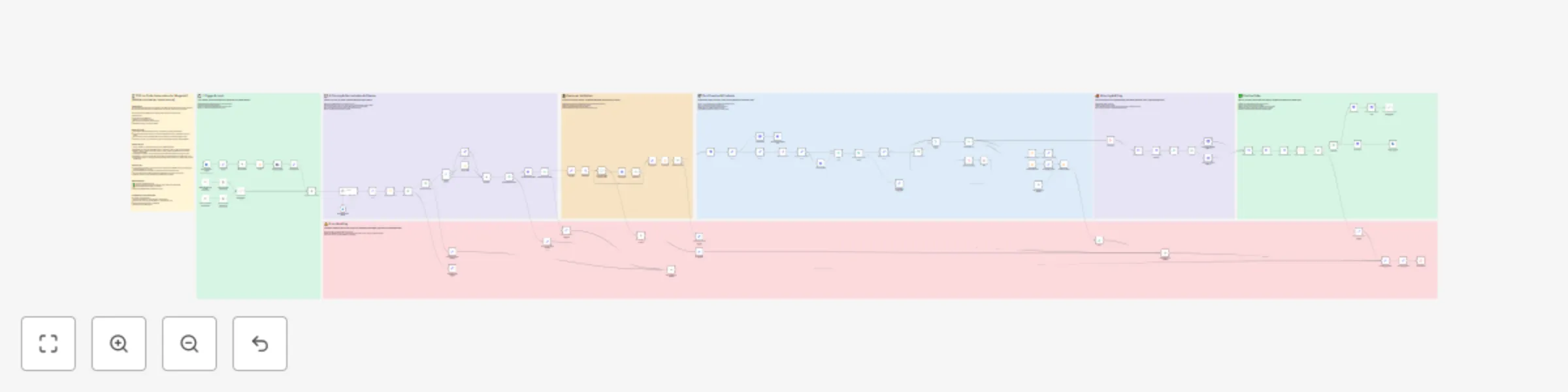
Automate PDF purchase orders to sales orders in Adobe Commerce with AI

Workflow preview

Workflow preview
100%
Automate PDF purchase orders to sales orders in Adobe Commerce with AI preview
Open on n8n.io

Important notice

This workflow is provided as-is. Please review and test before using in production.

1. Workflow Overview

PDF to Order Automation for Magento2 (Adobe commerce / open source) Description This n8n template demonstrates how to automatically process PDF purchase orders received via email and convert the...

Best for

  • CRM automation workflows
  • AI Summarization automation workflows
  • advanced n8n builders looking for reusable templates

Tools used

n8n-nodes-base.extractfromfile, n8n-nodes-base.httprequest, n8n-nodes-base.formtrigger, n8n-nodes-base.set, n8n-nodes-base.aggregate, n8n-nodes-base.code, @n8n/n8n-nodes-langchain.chattrigger, n8n-nodes-base.if

Source and attribution

This workflow is cataloged by N8N Workflows and links back to its original n8n.io source page by JKingma.

Original n8n.io source

1.1 Workflow description

Title
Automate PDF purchase orders to sales orders in Adobe Commerce with AI
Workflow name
Automate PDF purchase orders to sales orders in Adobe Commerce with AI

πŸ“„ PDF-to-Order Automation for Magento2 (Adobe commerce / open source)

Description

This n8n template demonstrates how to automatically process PDF purchase orders received via email and convert them into sales orders in Adobe Commerce (Magento 2) using Company Credit as the payment method.

This is especially useful for B2B companies receiving structured orders from clients by email.

Use cases include:

  • Automating incoming B2B orders
  • Reducing manual entry for sales teams
  • Ensuring fast order creation in Adobe Commerce
  • Reliable error handling and customer validation

Good to know

  • This workflow is tailored for Adobe Commerce, using the Company Credit payment method.
  • It requires that the customer already has an account in Adobe Commerce and is authorized to use Company Credit.
  • The same flow can be easily adapted for other payment methods (e.g. Purchase Order, Bank Transfer).
  • No third-party services are required aside from n8n and access to Adobe Commerce with API credentials.

How it works

  1. Trigger β†’ Monitors an email inbox for incoming emails with PDF attachments.
  2. Extract PDF β†’ Downloads the attached PDF and parses order data (e.g. SKU, quantity, customer reference).
  3. Validate Customer β†’ Checks if the sender matches an existing customer in Adobe Commerce and verifies Company Credit eligibility.
  4. Create Order β†’ Generates a new order in Magento using the extracted product data and Company Credit.
  5. Handle Errors β†’ Logs issues and can notify a designated channel (email, Slack, etc.) if something goes wrong.
  6. Optional Enhancements β†’ Add logging to Airtable, send confirmations to customers, or attach parsed order data to CRM entries.

How to use

  • A manual trigger is included as an example, but you can replace it with an IMAP Email Trigger, Gmail Trigger, or Webhook, depending on your setup.
  • Customize the PDF parser node to fit your specific document layout and field structure.
  • Configure Adobe Commerce API credentials in the HTTP nodes (or use environment variables).
  • Optionally connect error steps to Slack, Email, or dashboards for monitoring.

Requirements

  • βœ… n8n instance (self-hosted or cloud)
  • βœ… Adobe Commerce (Magento 2) instance with API access and Company Credit enabled
  • βœ… Structured PDF templates used by your customers
  • (Optional) Slack/Email/Airtable for notifications and logs

Customising this workflow

This workflow can be adapted for:

  • Other payment methods (e.g. Purchase Orders, Online Payment)
  • Magento open source ready. Just use your own payment method
  • Alternate order sources (e.g. uploading PDFs via a portal instead of email)
  • Parsing other document formats (e.g. CSV, Excel)
  • Direct integration into ERP systems

1.2 Logical Blocks

This catalog entry is organized from the workflow JSON. The node-level section below shows the executable blocks available for review before importing the template.

2. Block-by-Block Analysis

Block 1 - Extract from File

Type / Role
n8n-nodes-base.extractFromFile - extractFromFile
Config choices
Version 1

Block 2 - Create cart

Type / Role
n8n-nodes-base.httpRequest - httpRequest
Config choices
Version 4.2

Block 3 - On form submission

Type / Role
n8n-nodes-base.formTrigger - formTrigger
Config choices
Version 2.2

Block 4 - set Customer

Type / Role
n8n-nodes-base.set - set
Config choices
Version 3.4

Block 5 - set Quote Id

Type / Role
n8n-nodes-base.set - set
Config choices
Version 3.4

Block 6 - set Billing Address

Type / Role
n8n-nodes-base.httpRequest - httpRequest
Config choices
Version 4.2

Block 7 - estimate Shipping Methods

Type / Role
n8n-nodes-base.httpRequest - httpRequest
Config choices
Version 4.2

Block 8 - set Reference Number

Type / Role
n8n-nodes-base.httpRequest - httpRequest
Config choices
Version 4.2

Block 9 - set OpenAI

Type / Role
n8n-nodes-base.set - set
Config choices
Version 3.4

Block 10 - set Order Comment

Type / Role
n8n-nodes-base.httpRequest - httpRequest
Config choices
Version 4.2

Block 11 - get Payment Methods

Type / Role
n8n-nodes-base.httpRequest - httpRequest
Config choices
Version 4.2

Block 12 - Aggregate

Type / Role
n8n-nodes-base.aggregate - aggregate
Config choices
Version 1

Block 13 - check Companycredit

Type / Role
n8n-nodes-base.code - code
Config choices
Version 2

Block 14 - When chat message received

Type / Role
@n8n/n8n-nodes-langchain.chatTrigger - chatTrigger
Config choices
Version 1.1

Block 15 - Extract from File1

Type / Role
n8n-nodes-base.extractFromFile - extractFromFile
Config choices
Version 1

Block 16 - set Address

Type / Role
n8n-nodes-base.code - code
Config choices
Version 2

Block 17 - get Configurable

Type / Role
n8n-nodes-base.httpRequest - httpRequest
Config choices
Version 4.2

Block 18 - If companyCredit

Type / Role
n8n-nodes-base.if - if
Config choices
Version 2.2

Block 19 - Merge

Type / Role
n8n-nodes-base.merge - merge
Config choices
Version 3.1

Block 20 - set Express Shipping Method

Type / Role
n8n-nodes-base.httpRequest - httpRequest
Config choices
Version 4.2

Block 21 - Limit

Type / Role
n8n-nodes-base.limit - limit
Config choices
Version 1

Block 22 - set Standard Shipping Method

Type / Role
n8n-nodes-base.httpRequest - httpRequest
Config choices
Version 4.2

Block 23 - set Feedback

Type / Role
n8n-nodes-base.set - set
Config choices
Version 3.4

Block 24 - set Clean Articlenumber

Type / Role
n8n-nodes-base.set - set
Config choices
Version 3.4

Showing the first 24 of 96 workflow blocks. Download the JSON for the full node graph.

3. Summary Table

Workflow Automate PDF purchase orders to sales orders in Adobe Commerce with AI
Complexity advanced
Nodes 96
Categories CRM, AI Summarization
Author JKingma
Published 08 Sept 2025

4. Reproducing the Workflow from Scratch

  1. 1. Download the workflow JSON

    Use the JSON export at /data/workflows/8388/8388.json as the source template for this automation.

  2. 2. Import the template into n8n

    Open n8n, import the downloaded JSON, and review each node before activating the workflow.

  3. 3. Configure credentials and variables

    Replace placeholder credentials, API keys, webhook URLs, account IDs, and environment-specific values with your own settings.

  4. 4. Test with sample data

    Run the workflow manually or in a staging workspace, inspect node output, and confirm downstream systems receive the expected data.

  5. 5. Activate and monitor

    Enable the workflow only after testing, then monitor executions, errors, and rate limits during the first production runs.

5. General Notes & Resources

Review imported nodes carefully before activation. This catalog entry is intended to help you inspect the workflow structure, understand required services, and find related templates faster.

Node names, credentials, schedules, webhook paths, and external service limits may need adjustment for your workspace.

Frequently asked questions

What does Automate PDF purchase orders to sales orders in Adobe Commerce with AI do?

PDF to Order Automation for Magento2 (Adobe commerce / open source) Description This n8n template demonstrates how to automatically process PDF purchase orders received via email and convert the...

What do I need before importing this workflow?

Review the workflow JSON, configure any required credentials in n8n, and test the automation in a safe workspace before using it in production.

Can I customize this workflow?

Yes. Use the block-by-block analysis and the downloadable JSON to inspect each node, then adjust credentials, prompts, schedules, filters, or destinations for your CRM, AI Summarization use case.