J

JKingma

2
Workflows

Workflows by JKingma

Workflow preview: Auto-generate product descriptions with Azure OpenAI for Adobe Commerce/Magento
Free intermediate

Auto-generate product descriptions with Azure OpenAI for Adobe Commerce/Magento

# 🛍️ Automated Product Description Generation for Adobe Commerce (Magento 2) ## Description This n8n template demonstrates how to automatically generate **product descriptions** for items in **Adobe Commerce (Magento 2)** that are missing one. The workflow retrieves product data, converts raw attribute values (like numeric IDs) into **human-readable labels**, and passes the enriched product data to an **LLM** (Azure OpenAI by default). The LLM generates a compelling description, which is then saved back to Magento using the API. This ensures all products have professional descriptions without manual writing effort. **Use cases include:** - Auto-generating missing descriptions for catalog completeness. - Creating consistent descriptions across large product datasets. - Reducing manual workload for content managers. - Tailoring descriptions for SEO and customer readability. --- ## Good to know - All **attribute options** are resolved to human-readable labels before being sent to the LLM. - The flow uses **Azure OpenAI**, but you can replace it with **OpenAI, Anthropic, Gemini, or other LLM providers**. - The LLM prompt can be **customised** to adjust tone, length, SEO-focus, or specific brand style. - Works out-of-the-box with Adobe Commerce (Magento 2) APIs, but can be adapted for other ecommerce systems. --- ## How it works 1. **Get Product from Magento** - Retrieves a product that has no description. - Collects all product attributes. 2. **Generate Description with LLM** - Resolves attribute option IDs into **human-readable values** (e.g. `color_id = 23 → "Red"`). - Passes the readable product attributes to an **Azure OpenAI model**. - The LLM creates a clear, engaging product description. - The prompt can be customised (e.g. SEO-optimized, short catalog text, or marketing style). 3. **Save Description in Magento** - Updates the product via the **Magento API** with the generated description. - Ensures product data is enriched and visible in the webshop immediately. --- ## How to use - Configure your **Magento 2 API credentials** in n8n. - Replace the **Azure OpenAI** node with another provider if needed. - Adjust the **prompt** to match your brand’s tone of voice. - Run the workflow to automatically process products missing descriptions. --- ## Requirements - ✅ n8n instance (self-hosted or cloud) - ✅ Adobe Commerce (Magento 2) instance with API access - ✅ Azure OpenAI (or other LLM provider) credentials - (Optional) Prompt customisations for SEO or brand voice --- ## Customising this workflow This workflow can be adapted for: - **Other attributes**: Include or exclude attributes (e.g. only color & size for apparel). - **Different LLMs**: Swap Azure OpenAI for OpenAI, Anthropic, Gemini, or any supported n8n AI node. - **Prompt tuning**: Adjust instructions to generate shorter, longer, or SEO-rich descriptions. - **Selective updates**: Target only specific categories (e.g. electronics, fashion). - **Multi-language support**: Generate product descriptions in multiple languages for international shops. ---

J
JKingma
Content Creation
11 Sep 2025
240
0
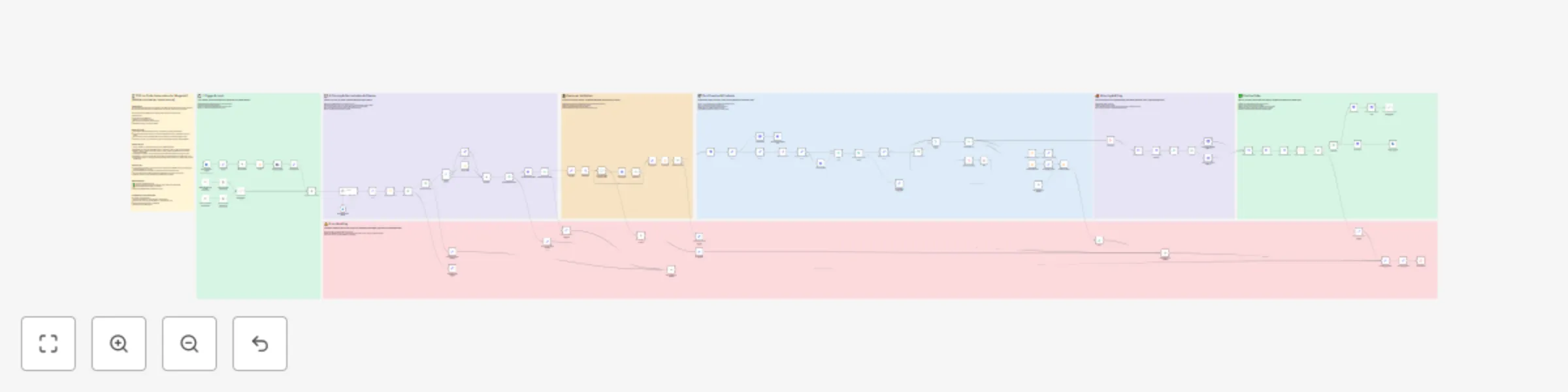
Workflow preview: Automate PDF purchase orders to sales orders in Adobe Commerce with AI
Free advanced

Automate PDF purchase orders to sales orders in Adobe Commerce with AI

# 📄 PDF-to-Order Automation for Magento2 (Adobe commerce / open source) ## Description This n8n template demonstrates how to automatically process **PDF purchase orders** received via email and convert them into **sales orders in Adobe Commerce (Magento 2)** using **Company Credit** as the payment method. This is especially useful for **B2B companies** receiving structured orders from clients by email. **Use cases include:** - Automating incoming B2B orders - Reducing manual entry for sales teams - Ensuring fast order creation in Adobe Commerce - Reliable error handling and customer validation --- ## Good to know - This workflow is tailored for **Adobe Commerce**, using the **Company Credit** payment method. - It requires that the customer already has an account in Adobe Commerce and is authorized to use Company Credit. - The same flow can be easily adapted for other payment methods (e.g. Purchase Order, Bank Transfer). - No third-party services are required aside from **n8n** and access to Adobe Commerce with API credentials. --- ## How it works 1. **Trigger** → Monitors an email inbox for incoming emails with PDF attachments. 2. **Extract PDF** → Downloads the attached PDF and parses order data (e.g. SKU, quantity, customer reference). 3. **Validate Customer** → Checks if the sender matches an existing customer in Adobe Commerce and verifies Company Credit eligibility. 4. **Create Order** → Generates a new order in Magento using the extracted product data and Company Credit. 5. **Handle Errors** → Logs issues and can notify a designated channel (email, Slack, etc.) if something goes wrong. 6. **Optional Enhancements** → Add logging to Airtable, send confirmations to customers, or attach parsed order data to CRM entries. --- ## How to use - A manual trigger is included as an example, but you can replace it with an **IMAP Email Trigger**, **Gmail Trigger**, or **Webhook**, depending on your setup. - Customize the **PDF parser** node to fit your specific document layout and field structure. - Configure **Adobe Commerce API credentials** in the HTTP nodes (or use environment variables). - Optionally connect error steps to **Slack**, **Email**, or **dashboards** for monitoring. --- ## Requirements - ✅ n8n instance (self-hosted or cloud) - ✅ Adobe Commerce (Magento 2) instance with API access and Company Credit enabled - ✅ Structured PDF templates used by your customers - (Optional) Slack/Email/Airtable for notifications and logs --- ## Customising this workflow This workflow can be adapted for: - Other payment methods (e.g. **Purchase Orders**, **Online Payment**) - Magento open source ready. Just use your own payment method - Alternate order sources (e.g. uploading PDFs via a portal instead of email) - Parsing other document formats (e.g. **CSV, Excel**) - Direct integration into **ERP systems** ---

J
JKingma
CRM
9 Sep 2025
474
0