Block 1 - 📋 Overview
- Type / Role
- n8n-nodes-base.stickyNote - stickyNote
- Config choices
- Version 1


 Early Deal
Description Automate patient pre arrival intake, AI risk assessment, and real time doctor alerts in one seamless healthcare workflow. This automation sends scheduled intake reminders before ...
n8n-nodes-base.stickynote, n8n-nodes-base.cron, n8n-nodes-base.googlecalendar, n8n-nodes-base.gmail, n8n-nodes-base.googlesheetstrigger, @n8n/n8n-nodes-langchain.agent, n8n-nodes-base.code, n8n-nodes-base.googlesheets
This workflow is cataloged by N8N Workflows and links back to its original n8n.io source page by Rahul Joshi.
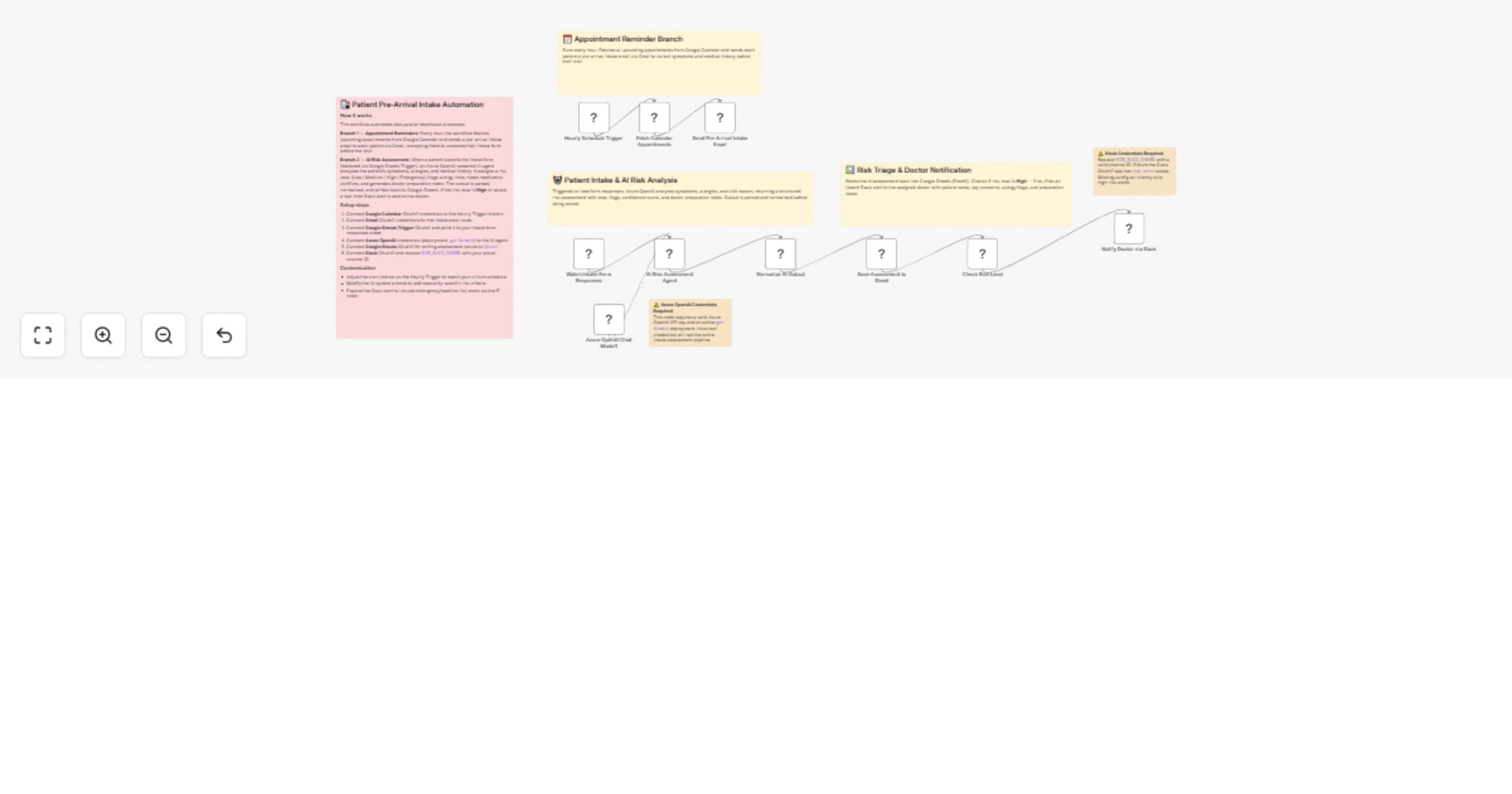
Original n8n.io sourceAutomate patient pre-arrival intake, AI risk assessment, and real-time doctor alerts in one seamless healthcare workflow. ⏰📧 This automation sends scheduled intake reminders before appointments, analyzes submitted patient data using AI, and flags high-risk cases instantly via Slack. Powered by Azure OpenAI, it evaluates symptoms, allergies, and medical history to generate structured risk levels and doctor preparation notes. Reduce manual triage work, improve patient safety, and ensure physicians are fully prepared before every visit. 🤖🚨
⏰ Runs hourly to fetch upcoming appointments from Google Calendar. 📧 Sends pre-arrival intake emails to patients via Gmail. 📊 Monitors new intake form submissions in Google Sheets. 🤖 Analyzes symptoms and medical history using Azure OpenAI (GPT-4o-mini). 🧹 Parses and normalizes structured AI output for consistency. 📝 Stores risk level and doctor notes back into Google Sheets. 🚨 Sends instant Slack alerts if a patient is classified as High risk.
✅ Automates pre-visit intake collection with zero manual follow-up ✅ Uses AI-powered risk triage to support clinical decision-making ✅ Flags high-risk or urgent cases instantly ✅ Reduces front-desk workload and manual screening time ✅ Improves patient safety through structured early assessment ✅ Ensures doctors are prepared before appointments begin
This catalog entry is organized from the workflow JSON. The node-level section below shows the executable blocks available for review before importing the template.
| Workflow | Automate patient intake and AI risk triage with Azure OpenAI, Google, and Slack |
|---|---|
| Complexity | advanced |
| Nodes | 16 |
| Categories | Document Extraction, AI Summarization |
| Author | Rahul Joshi |
| Published | 19 Feb 2026 |
Use the JSON export at /data/workflows/13520/13520.json as the source template for this automation.
Open n8n, import the downloaded JSON, and review each node before activating the workflow.
Replace placeholder credentials, API keys, webhook URLs, account IDs, and environment-specific values with your own settings.
Run the workflow manually or in a staging workspace, inspect node output, and confirm downstream systems receive the expected data.
Enable the workflow only after testing, then monitor executions, errors, and rate limits during the first production runs.
Review imported nodes carefully before activation. This catalog entry is intended to help you inspect the workflow structure, understand required services, and find related templates faster.
Node names, credentials, schedules, webhook paths, and external service limits may need adjustment for your workspace.
Description Automate patient pre arrival intake, AI risk assessment, and real time doctor alerts in one seamless healthcare workflow. This automation sends scheduled intake reminders before ...
Review the workflow JSON, configure any required credentials in n8n, and test the automation in a safe workspace before using it in production.
Yes. Use the block-by-block analysis and the downloadable JSON to inspect each node, then adjust credentials, prompts, schedules, filters, or destinations for your Document Extraction, AI Summarization use case.