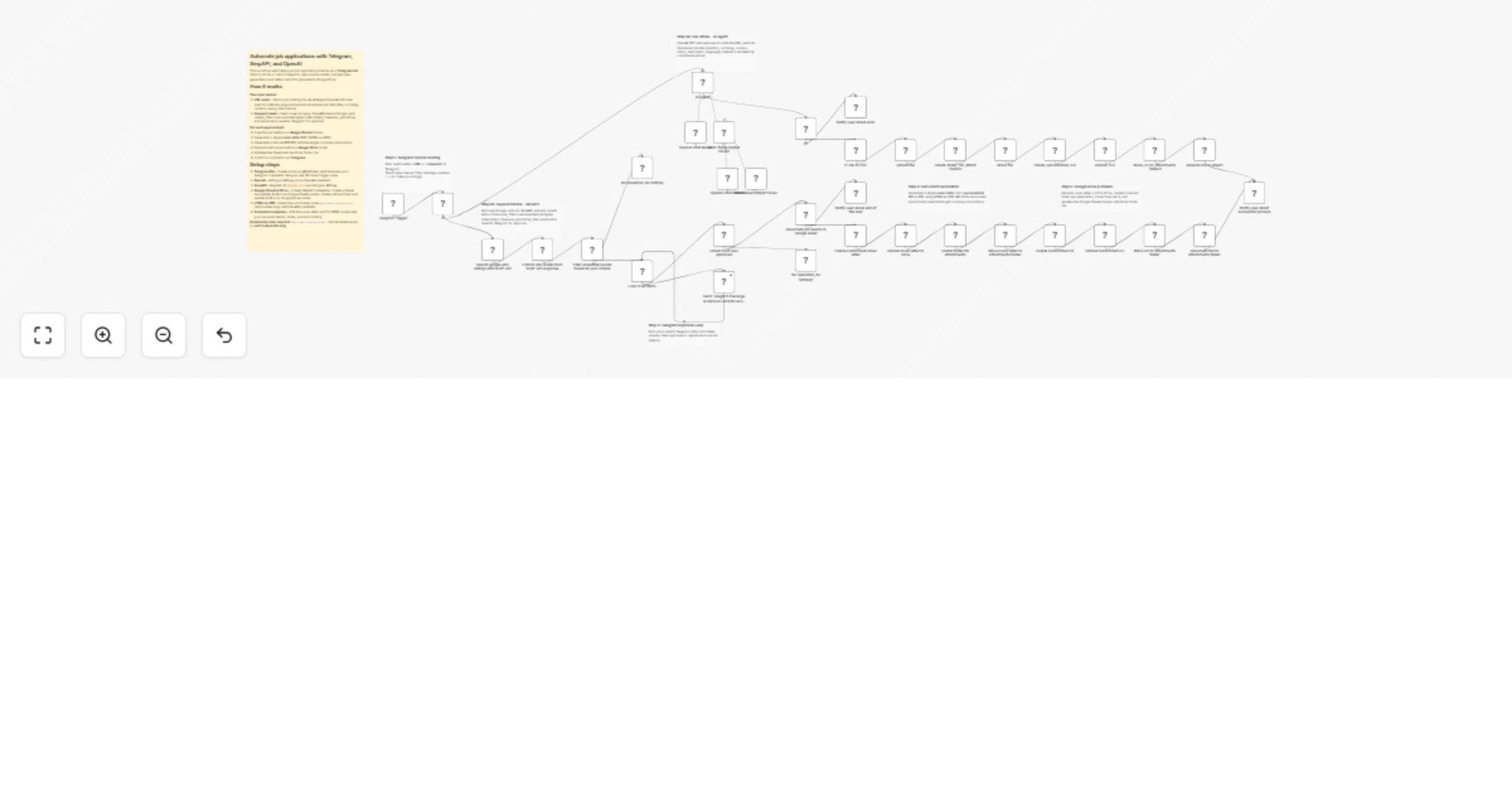
Automate job applications with Telegram, SerpAPI, and OpenAI

Workflow preview

Workflow preview
100%
Automate job applications with Telegram, SerpAPI, and OpenAI preview
Open on n8n.io

1. Workflow Overview

Who is this for? This workflow is for job seekers who want to automate their entire application pipeline — from discovering job postings to generating personalized cover letters, CVs, and organizin...

Best for

  • Personal Productivity automation workflows
  • AI Chatbot automation workflows
  • advanced n8n builders looking for reusable templates

Tools used

n8n-nodes-base.telegramtrigger, n8n-nodes-base.noop, n8n-nodes-base.code, n8n-nodes-serpapi.serpapi, n8n-nodes-base.if, n8n-nodes-base.splitinbatches, n8n-nodes-base.telegram, n8n-nodes-htmlcsstopdf.htmlcsstopdf

Source and attribution

This workflow is cataloged by N8N Workflows and links back to its original n8n.io source page by Feras Dabour.

Original n8n.io source

1.1 Workflow description

Title
Automate job applications with Telegram, SerpAPI, and OpenAI
Workflow name
Automate job applications with Telegram, SerpAPI, and OpenAI

Who is this for?

This workflow is for job seekers who want to automate their entire application pipeline — from discovering job postings to generating personalized cover letters, CVs, and organizing everything in Google Drive and Google Sheets. It is especially useful for professionals applying to many roles in parallel and who want a Telegram-based mobile-first experience.

What this workflow does

This n8n workflow turns your Telegram bot into a fully automated job application machine. It supports two input modes:

  • URL mode: Send a job posting URL via Telegram. An AI Agent (OpenAI with web search) visits the page, extracts structured job data (title, company, location, salary, description, language), and kicks off the document generation pipeline.
  • Keyword mode: Send a search keyword (e.g. "Data Analyst") via Telegram. The workflow queries Google Jobs via SerpAPI, parses the results, filters out irrelevant roles (internships, part-time, student jobs, etc.), and lets you approve or reject each match directly in Telegram.

For every approved job, the workflow:

  1. Logs all job details (title, company, links, salary, description) in a Google Sheets tracker
  2. Generates a localized cover letter as a styled PDF using an HTML-to-PDF API
  3. Generates a personalized CV as a styled PDF, dynamically tagged with the target position and company
  4. Uploads both documents to Google Drive into a dedicated folder per application
  5. Updates the Google Sheets row with the Drive folder link
  6. Sends a confirmation back to Telegram when done

How to set up

  1. Import the workflow into your n8n instance
  2. Configure credentials for:
  • Telegram Bot API (create a bot via BotFather)
  • OpenAI API (GPT model with web search capability)
  • SerpAPI (for Google Jobs search)
  • Google Sheets OAuth2
  • Google Drive OAuth2
  • HTML CSS to PDF API (htmlcsstopdf.com)
  1. Create a Google Sheet with the following columns: via, title, job_id, location, posted_at, salary, type, share_link, description, company, link1link10, application_platform_1application_platform_10, link_drive_ornder, status, Status-tracking
  2. Create a root folder in Google Drive for all your job application subfolders
  3. Update the Google Sheets document ID and Google Drive folder ID in the relevant nodes (search for YOUR_GOOGLE_SHEETS_ID and YOUR_GOOGLE_DRIVE_FOLDER_ID)
  4. Update the Telegram user ID in the Telegram Trigger node to restrict access to your account
  5. Customize the HTML templates in the cover letter and CV nodes with your own personal information, experience, and styling

Requirements

  • n8n instance (self-hosted or cloud)
  • Telegram Bot (via BotFather)
  • OpenAI API key
  • SerpAPI key
  • Google Sheets & Google Drive OAuth2 credentials
  • HTML CSS to PDF API account (community node: n8n-nodes-htmlcsstopdf)

Note: This workflow uses the community node n8n-nodes-htmlcsstopdf. It works on self-hosted n8n instances only. Install it via: Settings > Community Nodes > n8n-nodes-htmlcsstopdf.

How to customize

  • Cover letter text: Edit the HTML content in the cover letter nodes to match your writing style and experience
  • CV content: Edit the HTML in the CV nodes with your own work history, skills, certifications, and education
  • Filter criteria: Adjust the filter node to change which job types are filtered out (currently filters internships, part-time, student jobs, freelance, etc.)
  • Language detection: Copy the paths of steps 4 & 5 in different language
  • Styling: Modify the CSS in the HTML-to-PDF nodes to change the visual design of your cover letter and CV

1.2 Logical Blocks

This catalog entry is organized from the workflow JSON. The node-level section below shows the executable blocks available for review before importing the template.

2. Block-by-Block Analysis

Block 1 - Telegram Trigger

Type / Role
n8n-nodes-base.telegramTrigger - telegramTrigger
Config choices
Version 1.2

Block 2 - No Operation, do nothing

Type / Role
n8n-nodes-base.noOp - noOp
Config choices
Version 1

Block 3 - No Operation, do nothing1

Type / Role
n8n-nodes-base.noOp - noOp
Config choices
Version 1

Block 4 - Extract Job results from SERP-API response

Type / Role
n8n-nodes-base.code - code
Config choices
Version 2

Block 5 - Search google jobs listings with SERP-API

Type / Role
n8n-nodes-serpapi.serpApi - serpApi
Config choices
Version 1

Block 6 - Filter unwanted results based on your criteria

Type / Role
n8n-nodes-base.if - if
Config choices
Version 2.3

Block 7 - Loop Over Items

Type / Role
n8n-nodes-base.splitInBatches - splitInBatches
Config choices
Version 3

Block 8 - Send Telegram message & approval card for each job

Type / Role
n8n-nodes-base.telegram - telegram
Config choices
Version 1.2

Block 9 - Check if job was approved

Type / Role
n8n-nodes-base.if - if
Config choices
Version 2.2

Block 10 - Notify user about end of the loop

Type / Role
n8n-nodes-base.telegram - telegram
Config choices
Version 1.2

Block 11 - Create customized cover letter

Type / Role
n8n-nodes-htmlcsstopdf.htmlcsstopdf - htmlcsstopdf
Config choices
Version 1

Block 12 - Upload cover letter to Drive

Type / Role
n8n-nodes-base.googleDrive - googleDrive
Config choices
Version 3

Block 13 - Create folder for attachments

Type / Role
n8n-nodes-base.googleDrive - googleDrive
Config choices
Version 3

Block 14 - Move cover letter to attachments folder

Type / Role
n8n-nodes-base.googleDrive - googleDrive
Config choices
Version 3

Block 15 - Create customized CV

Type / Role
n8n-nodes-htmlcsstopdf.htmlcsstopdf - htmlcsstopdf
Config choices
Version 1

Block 16 - Upload customized CV

Type / Role
n8n-nodes-base.googleDrive - googleDrive
Config choices
Version 3

Block 17 - Move CV to attachments folder

Type / Role
n8n-nodes-base.googleDrive - googleDrive
Config choices
Version 3

Block 18 - Document link to attachments folder

Type / Role
n8n-nodes-base.googleSheets - googleSheets
Config choices
Version 4.7

Block 19 - Document job results in Google sheet

Type / Role
n8n-nodes-base.googleSheets - googleSheets
Config choices
Version 4.7

Block 20 - AI Agent

Type / Role
@n8n/n8n-nodes-langchain.agent - agent
Config choices
Version 3.1

Block 21 - OpenAI Chat Model

Type / Role
@n8n/n8n-nodes-langchain.lmChatOpenAi - lmChatOpenAi
Config choices
Version 1.3

Block 22 - Auto-fixing Output Parser

Type / Role
@n8n/n8n-nodes-langchain.outputParserAutofixing - outputParserAutofixing
Config choices
Version 1

Block 23 - OpenAI Chat Model1

Type / Role
@n8n/n8n-nodes-langchain.lmChatOpenAi - lmChatOpenAi
Config choices
Version 1.3

Block 24 - If

Type / Role
n8n-nodes-base.if - if
Config choices
Version 2.3

Showing the first 24 of 43 workflow blocks. Download the JSON for the full node graph.

3. Summary Table

Workflow Automate job applications with Telegram, SerpAPI, and OpenAI
Complexity advanced
Nodes 43
Categories Personal Productivity, AI Chatbot
Author Feras Dabour
Published 15 Mar 2026

4. Reproducing the Workflow from Scratch

  1. 1. Download the workflow JSON

    Use the JSON export at /data/workflows/14063/14063.json as the source template for this automation.

  2. 2. Import the template into n8n

    Open n8n, import the downloaded JSON, and review each node before activating the workflow.

  3. 3. Configure credentials and variables

    Replace placeholder credentials, API keys, webhook URLs, account IDs, and environment-specific values with your own settings.

  4. 4. Test with sample data

    Run the workflow manually or in a staging workspace, inspect node output, and confirm downstream systems receive the expected data.

  5. 5. Activate and monitor

    Enable the workflow only after testing, then monitor executions, errors, and rate limits during the first production runs.

5. General Notes & Resources

Review imported nodes carefully before activation. This catalog entry is intended to help you inspect the workflow structure, understand required services, and find related templates faster.

Node names, credentials, schedules, webhook paths, and external service limits may need adjustment for your workspace.

Frequently asked questions

What does Automate job applications with Telegram, SerpAPI, and OpenAI do?

Who is this for? This workflow is for job seekers who want to automate their entire application pipeline — from discovering job postings to generating personalized cover letters, CVs, and organizin...

What do I need before importing this workflow?

Review the workflow JSON, configure any required credentials in n8n, and test the automation in a safe workspace before using it in production.

Can I customize this workflow?

Yes. Use the block-by-block analysis and the downloadable JSON to inspect each node, then adjust credentials, prompts, schedules, filters, or destinations for your Personal Productivity, AI Chatbot use case.