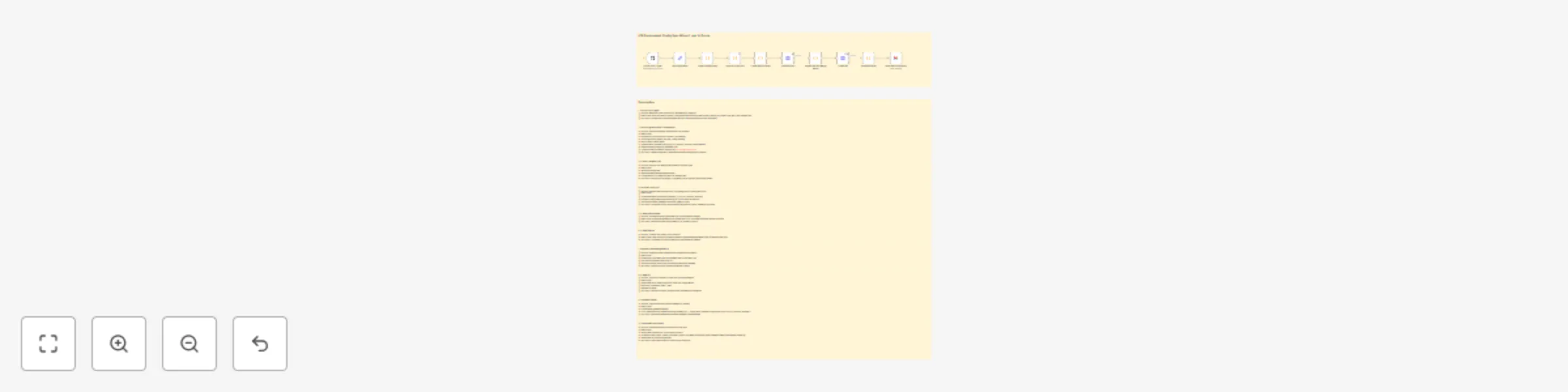
Automate iOS config sync: .env to Xcode with GitHub PRs and email notifications

Workflow preview

Workflow preview
100%
Automate iOS config sync: .env to Xcode with GitHub PRs and email notifications preview
Open on n8n.io

Important notice

This workflow is provided as-is. Please review and test before using in production.

1. Workflow Overview

iOS Environment Config Sync Wizard: .env to Xcode This workflow automatically detects changes to .env.staging files, compares them against iOS Xcode configuration files, creates pull requests to sy...

Best for

  • DevOps automation workflows
  • intermediate n8n builders looking for reusable templates

Tools used

n8n-nodes-base.code, n8n-nodes-base.set, n8n-nodes-base.gmail, n8n-nodes-base.httprequest, n8n-nodes-base.githubtrigger, n8n-nodes-base.stickynote

Source and attribution

This workflow is cataloged by N8N Workflows and links back to its original n8n.io source page by WeblineIndia.

Original n8n.io source

1.1 Workflow description

Title
Automate iOS config sync: .env to Xcode with GitHub PRs and email notifications
Workflow name
Automate iOS config sync: .env to Xcode with GitHub PRs and email notifications

iOS Environment Config Sync Wizard: .env to Xcode

This workflow automatically detects changes to .env.staging files, compares them against iOS Xcode configuration files, creates pull requests to sync values, and invalidates Xcode build caches when needed. It ensures consistency between environment files and iOS project configs while automating the propagation of changes across the codebase and notifying the team via email.

Quick Implementation Steps

  1. Import the workflow JSON into your n8n instance
  2. Set up credentials for GitHub and email
  3. Configure the webhook URL in your Git repository
  4. Customize configuration parameters in the "Set Configuration" node
  5. Activate the workflow

What It Does

The Environment Config Sync for iOS Xcode Projects workflow is designed to maintain consistency between environment configuration files and iOS project configuration files. When changes are made to .env.staging, the workflow automatically detects these changes, determines which iOS configuration files need to be updated, creates a new branch with those updates, and opens a pull request for review.

The workflow analyzes the differences between the environment file and iOS configs, identifies which values need to be synchronized, and applies these changes to the appropriate files. It also checks if any of the changed values require cache invalidation and handles this automatically. Finally, it sends a detailed email notification to the iOS team with information about the sync operation.

This automation reduces manual work, ensures consistency between configuration files, and helps prevent issues caused by mismatched environment settings across different parts of the iOS build system.

Who's It For

This workflow is ideal for:

  • iOS development teams managing environment-specific configurations
  • DevOps engineers responsible for maintaining Xcode project configuration consistency
  • Mobile app developers working with multiple environment configurations
  • Teams implementing CI/CD best practices for iOS applications
  • Organizations using environment files to manage build-time configurations for Xcode projects

Requirements

  • n8n instance (self-hosted or cloud)
  • GitHub repository with iOS project files
  • Email service (SMTP) for sending notifications
  • .env.staging file or similar environment configuration file
  • iOS configuration files (Info.plist, Config.xcconfig, etc.)

How It Works

  1. Webhook Trigger: The workflow starts when a push event occurs in the GitHub repository
  2. Configuration Setup: Sets up configurable parameters for file paths, branches, and notification settings
  3. File Change Detection: Checks if the .env.staging file was modified in the push
  4. Config Diff Analysis: Compares the .env.staging file with iOS Xcode configurations to identify differences
  5. Branch Creation: Creates a unique branch name and creates a new branch in the repository
  6. File Update Preparation: Prepares the updated content for each configuration file
  7. File Updates: Updates each configuration file in the new branch with the synced values
  8. PR Creation: Creates a pull request with all the configuration changes
  9. Cache Invalidation: Invalidates Xcode build cache if necessary based on changed keys
  10. Email Notification: Sends a detailed email notification about the completed sync operation

How To Set Up

Steps to Configure and Use

1. Import the Workflow

  • Import the provided JSON file into your n8n instance

2. Set Up Credentials

  • GitHub: Create a new credential with a GitHub personal access token with repo scope
  • Email: Create a new credential with your SMTP server details for sending emails

3. Configure GitHub Webhook

  1. Go to your GitHub repository settings
  2. Navigate to Webhooks and click "Add webhook"
  3. Set the Payload URL to the webhook URL from your n8n workflow
  4. Select "application/json" as the content type
  5. Choose "Let me select individual events" and select "Push events"
  6. Click "Add webhook"

4. Configure Parameters

Modify the parameters in the "Set Configuration" node to match your project structure:

  • envFilePath: Path to your environment file (default: ".env.staging")
  • configFiles: Array of iOS config files to update (default: ["Info.plist", "Config.xcconfig"])
  • targetBranch: Branch to create PRs against (default: "main")
  • cacheInvalidationKeys: Keys that trigger cache invalidation (default: ["API_KEY", "BUNDLE_VERSION", "ENVIRONMENT"])
  • prLabels: Labels to apply to created PRs (default: ["config-sync", "automated", "ios"])
  • emailTo: Email address for notifications (default: "[email protected]")

5. Configure Email Settings

  • In the "Send Email Notification" node, update the "fromEmail" parameter to match your sending email address
  • Ensure your SMTP credentials are properly configured in n8n

6. Activate the Workflow

  • Once all configurations are complete, activate the workflow
  • Test by making a change to your .env.staging file and pushing it to the repository

How To Customize

  • Add More Config Files: Update the configFiles parameter in the "Set Configuration" node to include additional iOS configuration files like .xcconfig files or project.pbxproj
  • Modify Cache Invalidation Logic: Update the cacheInvalidationKeys parameter to change which keys trigger cache invalidation
  • Customize PR Content: Edit the "Create PR" node to modify the PR title, body, or labels
  • Change Email Notifications: Update the "Send Email Notification" node to modify the email format, subject, or add additional recipients
  • Implement Actual Cache Invalidation: Modify the "Invalidate Cache" node to implement actual Xcode cache invalidation logic for your CI/CD system
  • Add More Environment Files: Extend the workflow to monitor additional environment files beyond .env.staging

Add‑ons

  1. Multi-Environment Support: Extend the workflow to handle multiple environment files (.env.development, .env.production) with different target branches and configurations
  2. Configuration Validation: Add validation steps to ensure that environment values match expected formats or patterns before creating PRs
  3. Automated PR Merging: Add logic to automatically merge PRs if all checks pass and no conflicts are detected
  4. Configuration History Dashboard: Integrate with a database to track configuration changes over time and provide analytics
  5. Team Approval Workflow: Add approval steps that require team members to review and approve configuration changes before PRs are created

Use Case Examples

  1. API Key Rotation: When security policies require rotating API keys, the workflow automatically updates all iOS configuration files with the new keys and invalidates the Xcode build cache to ensure the changes take effect immediately.
  2. Environment Promotion: When promoting configurations from staging to production, the workflow ensures that all iOS project files are consistently updated across the codebase, preventing deployment issues caused by mismatched configurations.
  3. Bundle Version Updates: When updating bundle versions in .env.staging for a new App Store release, the workflow automatically updates version strings in Info.plist files, ensuring version consistency for App Store submission.
  4. Feature Flag Management: When feature flags are added or modified in .env.staging, the workflow propagates these changes to Config.xcconfig files, ensuring that feature flags are consistently available throughout the iOS application.
  5. Multi-Target Projects: In projects with multiple iOS targets (e.g., app, extension, watchOS), the workflow can be extended to update configuration files across all targets when environment variables change, ensuring consistency throughout the application ecosystem.

Troubleshooting Guide

Issue Possible Cause Solution
Webhook not triggering Webhook URL not configured correctly in GitHub Verify the webhook URL is correctly copied and configured in your GitHub repository settings
Changes not detected .env.staging file path doesn't match configuration Check the envFilePath parameter in the "Set Configuration" node and ensure it matches your file structure
Branch creation fails GitHub token doesn't have sufficient permissions Ensure the GitHub personal access token has the "repo" scope and access to the target repository
File updates fail Config file paths don't exist in the repository Verify the configFiles parameter in the "Set Configuration" node matches actual file paths in your repository
PR creation fails Target branch doesn't exist or insufficient permissions Verify the targetBranch parameter matches an existing branch and the GitHub token has appropriate permissions
Email notifications not sent Email credentials not configured or incorrect Verify your SMTP credentials are correctly configured in n8n and the email address in the "Send Email Notification" node is valid
Cache invalidation not working Cache invalidation logic not implemented for your CI/CD system Modify the "Invalidate Cache" node to implement the appropriate Xcode cache invalidation mechanism for your CI/CD system
PRs created with no changes Diff logic not properly detecting differences Review the "Perform Config Diff" node and ensure it correctly identifies differences between environment and iOS config files
Workflow stops after file change detection Workflow logic error in code nodes Check the JavaScript code in the "Perform Config Diff" node for syntax errors or logic issues

Want to Customize ?

Need help setting up or customizing this Environment Config Sync for iOS Xcode Projects workflow? The n8n experts at WeblineIndia can assist you with:

  • Customizing the workflow to fit your specific iOS project structure
  • Integrating with additional tools and services in your CI/CD pipeline
  • Implementing advanced configuration validation and management
  • Setting up multi-environment support and promotion workflows
  • Training your team on iOS configuration management best practices

1.2 Logical Blocks

This catalog entry is organized from the workflow JSON. The node-level section below shows the executable blocks available for review before importing the template.

2. Block-by-Block Analysis

Block 1 - Check Changed Files

Type / Role
n8n-nodes-base.code - code
Config choices
Version 1

Block 2 - Perform Config Diff

Type / Role
n8n-nodes-base.code - code
Config choices
Version 1

Block 3 - Create Branch Name

Type / Role
n8n-nodes-base.code - code
Config choices
Version 1

Block 4 - Invalidate Cache

Type / Role
n8n-nodes-base.code - code
Config choices
Version 1

Block 5 - SetConfiguration

Type / Role
n8n-nodes-base.set - set
Config choices
Version 1

Block 6 - Prepare File and Merge Result

Type / Role
n8n-nodes-base.code - code
Config choices
Version 1

Block 7 - Send Email Notification

Type / Role
n8n-nodes-base.gmail - gmail
Config choices
Version 2.1

Block 8 - Create PR

Type / Role
n8n-nodes-base.httpRequest - httpRequest
Config choices
Version 4.2

Block 9 - Create Branch

Type / Role
n8n-nodes-base.httpRequest - httpRequest
Config choices
Version 4.2

Block 10 - Github Push Trigger

Type / Role
n8n-nodes-base.githubTrigger - githubTrigger
Config choices
Version 1

Block 11 - Sticky Note1

Type / Role
n8n-nodes-base.stickyNote - stickyNote
Config choices
Version 1

Block 12 - Sticky Note

Type / Role
n8n-nodes-base.stickyNote - stickyNote
Config choices
Version 1

3. Summary Table

Workflow Automate iOS config sync: .env to Xcode with GitHub PRs and email notifications
Complexity intermediate
Nodes 12
Categories DevOps
Author WeblineIndia
Published 08 Sept 2025

4. Reproducing the Workflow from Scratch

  1. 1. Download the workflow JSON

    Use the JSON export at /data/workflows/8391/8391.json as the source template for this automation.

  2. 2. Import the template into n8n

    Open n8n, import the downloaded JSON, and review each node before activating the workflow.

  3. 3. Configure credentials and variables

    Replace placeholder credentials, API keys, webhook URLs, account IDs, and environment-specific values with your own settings.

  4. 4. Test with sample data

    Run the workflow manually or in a staging workspace, inspect node output, and confirm downstream systems receive the expected data.

  5. 5. Activate and monitor

    Enable the workflow only after testing, then monitor executions, errors, and rate limits during the first production runs.

5. General Notes & Resources

Review imported nodes carefully before activation. This catalog entry is intended to help you inspect the workflow structure, understand required services, and find related templates faster.

Node names, credentials, schedules, webhook paths, and external service limits may need adjustment for your workspace.

Frequently asked questions

What does Automate iOS config sync: .env to Xcode with GitHub PRs and email notifications do?

iOS Environment Config Sync Wizard: .env to Xcode This workflow automatically detects changes to .env.staging files, compares them against iOS Xcode configuration files, creates pull requests to sy...

What do I need before importing this workflow?

Review the workflow JSON, configure any required credentials in n8n, and test the automation in a safe workspace before using it in production.

Can I customize this workflow?

Yes. Use the block-by-block analysis and the downloadable JSON to inspect each node, then adjust credentials, prompts, schedules, filters, or destinations for your DevOps use case.