Automate e-commerce return guides with email verification & QR codes

Workflow preview

Workflow preview
100%
Automate e-commerce return guides with email verification & QR codes preview
Open on n8n.io

Important notice

This workflow is provided as-is. Please review and test before using in production.

1. Workflow Overview

Verified Product Return Guide Generator A comprehensive n8n workflow template for automating e commerce return processes with fraud prevention and professional document generation. Description Who'...

Best for

  • Support Chatbot automation workflows
  • advanced n8n builders looking for reusable templates

Tools used

n8n-nodes-base.webhook, n8n-nodes-verifiemail.verifiemail, n8n-nodes-base.switch, n8n-nodes-base.stopanderror, n8n-nodes-base.set, n8n-nodes-base.code, n8n-nodes-base.merge, n8n-nodes-base.removeduplicates

Source and attribution

This workflow is cataloged by N8N Workflows and links back to its original n8n.io source page by Jitesh Dugar.

Original n8n.io source

1.1 Workflow description

Title
Automate e-commerce return guides with email verification & QR codes
Workflow name
Automate e-commerce return guides with email verification & QR codes

Verified Product Return Guide Generator

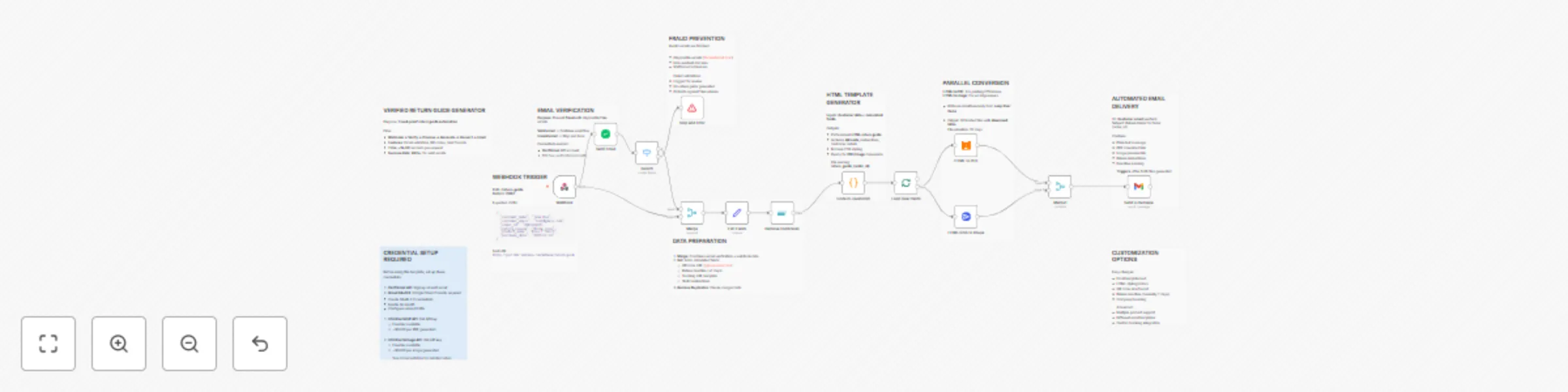
A comprehensive n8n workflow template for automating e-commerce return processes with fraud prevention and professional document generation.

Description

Who's It For

  • E-commerce businesses preventing fraudulent returns
  • Customer service teams automating return processing
  • Online retailers needing professional documentation
  • Dropshipping stores fighting chargeback abuse
  • SMB merchants reducing manual workload

How It Works

  • Captures return requests via Webhook from forms/apps
  • Validates customer emails with VerifiEmail to prevent fraud
  • Blocks disposable emails and non-existent domains
  • Generates QR codes for quick processing at drop-off points
  • Creates professional HTML return guides with branding
  • Converts to both PDF (printing) and PNG (email preview)
  • Calculates return deadlines automatically (7-day default)
  • Sends automated emails with download links to customers
  • Tracks return authorization with unique order IDs
  • Provides customer instructions and contact information
  • Offers: fraud prevention, dual formats, QR integration, automation

How to Set Up

  1. Connect your return form to Webhook (POST to https://[your-n8n-url]/webhook/return-guide)
  2. Sign up for VerifiEmail API (100 free verifications/month)
  3. Get HtmlCssToPdf and HtmlCssToImage API keys
  4. Configure Gmail OAuth2 via Google Cloud Console
  5. Set up all credentials in n8n: VerifiEmail, Gmail, PDF/Image APIs
  6. Customize HTML template colors and branding in Code node
  7. Test with sample data: {"customer_name": "Test User", "customer_email": "[email protected]", "order_id": "ORD123"}

Requirements

  • n8n instance (cloud or self-hosted)
  • API credentials: VerifiEmail (~$0.01/check), HtmlCssToPdf, HtmlCssToImage, Gmail OAuth2
  • Return form or e-commerce integration to send webhook data
  • Email delivery capability for customer notifications

Core Features

  • Email Fraud Detection: Blocks fake and disposable emails
  • Dual Format Output: PDF for printing, PNG for previews
  • QR Code Generation: Quick processing at shipping locations
  • Professional Templates: Branded HTML with modern styling
  • Automated Deadlines: 7-day return window calculation
  • Customer Communication: Plain text emails with download links

Use Cases & Applications

  • E-commerce Returns: Automate return authorization process
  • Customer Service: Reduce manual return guide creation
  • Fraud Prevention: Stop fake return attempts before processing
  • Brand Consistency: Professional documentation across all returns
  • Operational Efficiency: Handle high return volumes automatically

Key Benefits

  • Fraud Reduction: Email validation prevents 60%+ fake returns
  • Time Savings: Eliminates manual return guide creation
  • Professional Image: Branded documents improve customer experience
  • Cost Control: Prevents processing costs for invalid returns
  • Scalability: Handles unlimited return requests automatically

Customization Options

  • Adjust return deadline in Set node (default 7 days)
  • Modify HTML styling and colors in Code node
  • Change QR code size and format in Set node expressions
  • Edit email templates and company branding
  • Add tracking integration with shipping APIs
  • Customize validation rules for different email types

Technical Specifications

  • Execution Time: 15-30 seconds per return request
  • Success Rate: 95%+ for valid email addresses
  • File Sizes: PDF ~300KB, PNG ~120KB average
  • Retention: Files hosted 30 days on service providers
  • Rate Limits: Respects all API provider limitations

Cost Breakdown

  • VerifiEmail: $0.01 per email verification after free tier
  • PDF Generation: $0.001 per document
  • Image Generation: $0.001 per image
  • Gmail: Free (subject to Google's sending limits)
  • Estimated: $0.012 per return request after free tiers

Integration Examples

  • Shopify: Webhook from return app to n8n endpoint
  • WooCommerce: PHP form submission to webhook URL
  • Custom Forms: Direct POST request with customer data
  • Customer Portals: Integration via REST API calls

Sample Webhook Data

{
  "customer_name": "Jane Doe",
  "customer_email": "[email protected]",
  "order_id": "ORD123456",
  "return_reason": "Wrong size",
  "product_name": "Blue Cotton T-Shirt",
  "purchase_date": "2025-01-15"
}

Installation

  1. Import the workflow JSON file into your n8n instance
  2. Set up required credentials (see setup instructions above)
  3. Activate the workflow
  4. Test with sample data to ensure proper configuration

Important Disclaimers

  • Email validation accuracy depends on third-party service
  • Test thoroughly with your specific use case and volume
  • Monitor API quotas to avoid service interruptions
  • Backup processes recommended for critical return periods
  • Compliance: Ensure adherence to your return policy terms

Support

For issues with this template:

  1. Check n8n execution logs for detailed error messages
  2. Verify all API credentials are properly configured
  3. Test individual nodes to isolate problems
  4. Review the n8n community forums for similar issues

License

This template is provided as-is for educational and commercial use. Users are responsible for ensuring compliance with all applicable laws and service provider terms of use.

1.2 Logical Blocks

This catalog entry is organized from the workflow JSON. The node-level section below shows the executable blocks available for review before importing the template.

2. Block-by-Block Analysis

Block 1 - Webhook

Type / Role
n8n-nodes-base.webhook - webhook
Config choices
Version 2.1

Block 2 - Verifi Email

Type / Role
n8n-nodes-verifiemail.verifiEmail - verifiEmail
Config choices
Version 1

Block 3 - Switch

Type / Role
n8n-nodes-base.switch - switch
Config choices
Version 3.2

Block 4 - Stop and Error

Type / Role
n8n-nodes-base.stopAndError - stopAndError
Config choices
Version 1

Block 5 - Edit Fields

Type / Role
n8n-nodes-base.set - set
Config choices
Version 3.4

Block 6 - Code in JavaScript

Type / Role
n8n-nodes-base.code - code
Config choices
Version 2

Block 7 - Merge

Type / Role
n8n-nodes-base.merge - merge
Config choices
Version 3.2

Block 8 - Remove Duplicates

Type / Role
n8n-nodes-base.removeDuplicates - removeDuplicates
Config choices
Version 2

Block 9 - HTML to PDF

Type / Role
n8n-nodes-htmlcsstopdf.htmlcsstopdf - htmlcsstopdf
Config choices
Version 1

Block 10 - HTML/CSS to Image

Type / Role
n8n-nodes-htmlcsstoimage.htmlCssToImage - htmlCssToImage
Config choices
Version 1

Block 11 - Loop Over Items

Type / Role
n8n-nodes-base.splitInBatches - splitInBatches
Config choices
Version 3

Block 12 - Merge1

Type / Role
n8n-nodes-base.merge - merge
Config choices
Version 3.2

Block 13 - Send a message

Type / Role
n8n-nodes-base.gmail - gmail
Config choices
Version 2.1

Block 14 - Sticky Note

Type / Role
n8n-nodes-base.stickyNote - stickyNote
Config choices
Version 1

Block 15 - Sticky Note1

Type / Role
n8n-nodes-base.stickyNote - stickyNote
Config choices
Version 1

Block 16 - Sticky Note2

Type / Role
n8n-nodes-base.stickyNote - stickyNote
Config choices
Version 1

Block 17 - Sticky Note3

Type / Role
n8n-nodes-base.stickyNote - stickyNote
Config choices
Version 1

Block 18 - Sticky Note4

Type / Role
n8n-nodes-base.stickyNote - stickyNote
Config choices
Version 1

Block 19 - Sticky Note5

Type / Role
n8n-nodes-base.stickyNote - stickyNote
Config choices
Version 1

Block 20 - Sticky Note6

Type / Role
n8n-nodes-base.stickyNote - stickyNote
Config choices
Version 1

Block 21 - Sticky Note7

Type / Role
n8n-nodes-base.stickyNote - stickyNote
Config choices
Version 1

Block 22 - Sticky Note8

Type / Role
n8n-nodes-base.stickyNote - stickyNote
Config choices
Version 1

Block 23 - Credential Setup

Type / Role
n8n-nodes-base.stickyNote - stickyNote
Config choices
Version 1

3. Summary Table

Workflow Automate e-commerce return guides with email verification & QR codes
Complexity advanced
Nodes 23
Categories Support Chatbot
Author Jitesh Dugar
Published 26 Sept 2025

4. Reproducing the Workflow from Scratch

  1. 1. Download the workflow JSON

    Use the JSON export at /data/workflows/8942/8942.json as the source template for this automation.

  2. 2. Import the template into n8n

    Open n8n, import the downloaded JSON, and review each node before activating the workflow.

  3. 3. Configure credentials and variables

    Replace placeholder credentials, API keys, webhook URLs, account IDs, and environment-specific values with your own settings.

  4. 4. Test with sample data

    Run the workflow manually or in a staging workspace, inspect node output, and confirm downstream systems receive the expected data.

  5. 5. Activate and monitor

    Enable the workflow only after testing, then monitor executions, errors, and rate limits during the first production runs.

5. General Notes & Resources

Review imported nodes carefully before activation. This catalog entry is intended to help you inspect the workflow structure, understand required services, and find related templates faster.

Node names, credentials, schedules, webhook paths, and external service limits may need adjustment for your workspace.

Frequently asked questions

What does Automate e-commerce return guides with email verification & QR codes do?

Verified Product Return Guide Generator A comprehensive n8n workflow template for automating e commerce return processes with fraud prevention and professional document generation. Description Who'...

What do I need before importing this workflow?

Review the workflow JSON, configure any required credentials in n8n, and test the automation in a safe workspace before using it in production.

Can I customize this workflow?

Yes. Use the block-by-block analysis and the downloadable JSON to inspect each node, then adjust credentials, prompts, schedules, filters, or destinations for your Support Chatbot use case.