Automate cybersecurity incident response with Claude AI, VirusTotal and Slack

Workflow preview

Workflow preview
100%
Automate cybersecurity incident response with Claude AI, VirusTotal and Slack preview
Open on n8n.io

1. Workflow Overview

This workflow automates end to end cybersecurity incident response by ingesting alerts from multiple sources, enriching threat intelligence, assessing severity with Claude AI, executing containment...

Best for

  • SecOps automation workflows
  • AI Summarization automation workflows
  • advanced n8n builders looking for reusable templates

Tools used

n8n-nodes-base.stickynote, n8n-nodes-base.webhook, n8n-nodes-base.code, n8n-nodes-base.httprequest, n8n-nodes-base.merge, @n8n/n8n-nodes-langchain.agent, @n8n/n8n-nodes-langchain.lmchatanthropic, n8n-nodes-base.if

Source and attribution

This workflow is cataloged by N8N Workflows and links back to its original n8n.io source page by Oneclick AI Squad.

Original n8n.io source

1.1 Workflow description

Title
Automate cybersecurity incident response with Claude AI, VirusTotal and Slack
Workflow name
Automate cybersecurity incident response with Claude AI, VirusTotal and Slack

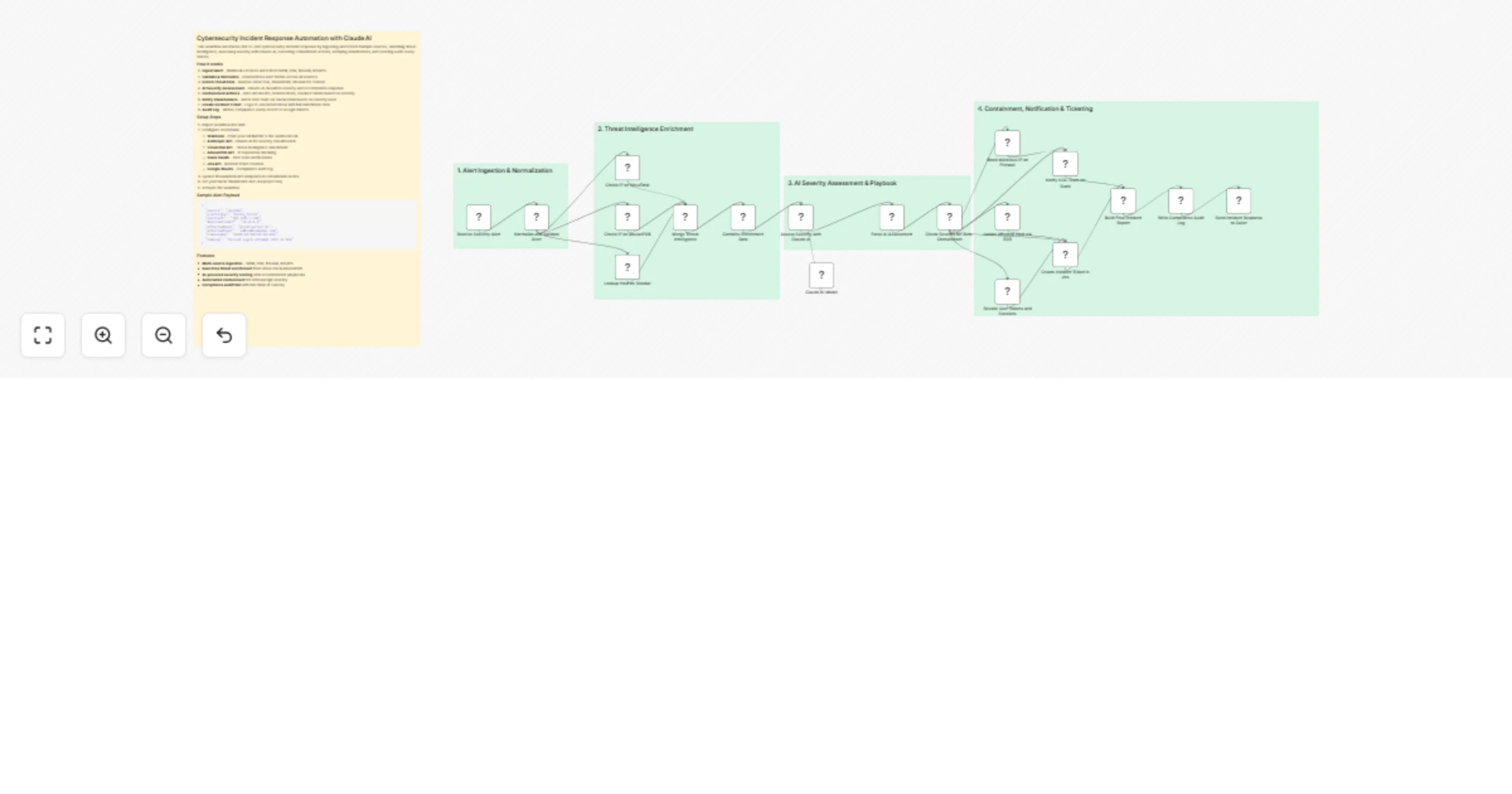
This workflow automates end-to-end cybersecurity incident response by ingesting alerts from multiple sources, enriching threat intelligence, assessing severity with Claude AI, executing containment actions, notifying stakeholders, and creating audit-ready tickets.

How it works

  1. Ingest Alert - Webhook receives alerts from SIEM, EDR, firewall, IDS/IPS
  2. Validate & Normalize - Standardizes alert format across all sources
  3. Enrich Threat Intel - Queries VirusTotal, AbuseIPDB, Shodan for context
  4. AI Severity Assessment - Claude AI classifies severity and recommends response
  5. Containment Actions - Auto-blocks IPs, isolates hosts, revokes tokens based on severity
  6. Notify Stakeholders - Alerts SOC team via Slack/email based on severity level
  7. Create Incident Ticket - Logs to Jira/ServiceNow with full enrichment data
  8. Audit Log - Writes compliance-ready record to Google Sheets

Setup Steps

  1. Import workflow into n8n
  2. Configure credentials:
  • Webhook - Point your SIEM/EDR to the webhook URL
  • Anthropic API - Claude AI for severity classification
  • VirusTotal API - Threat intelligence enrichment
  • AbuseIPDB API - IP reputation checking
  • Slack OAuth - SOC team notifications
  • Jira API - Incident ticket creation
  • Google Sheets - Compliance audit log
  1. Update firewall/EDR API endpoints in containment nodes
  2. Set your Slack channel IDs and Jira project key
  3. Activate the workflow

Sample Alert Payload

{
 "source": "splunk",
 "alertType": "brute_force",
 "sourceIP": "192.168.1.100",
 "destinationIP": "10.0.0.5",
 "affectedHost": "prod-server-01",
 "affectedUser": "[email protected]",
 "timestamp": "2025-02-22T10:30:00Z",
 "rawLog": "Failed login attempt x50 in 60s"
}

Features

  • Multi-source ingestion - SIEM, EDR, firewall, IDS/IPS
  • Real-time threat enrichment from VirusTotal & AbuseIPDB
  • AI-powered severity scoring with recommended playbooks
  • Automated containment for Critical/High severity
  • Compliance audit trail with full chain of custody

Industries That Benefit

  • Financial Services: Rapid containment of fraud and data exfiltration attempts.
  • Healthcare: Protect PHI with automated isolation and HIPAA-compliant logging.
  • Retail & E-commerce: Prevent POS breaches and payment card compromises.
  • Government & Defense: Enforce zero-trust response with full audit trails.
  • Critical Infrastructure: Contain OT threats before operational disruption.

Prerequisites

  • SIEM/EDR alerting configured to forward to webhook
  • API access to threat intelligence platforms (VirusTotal, OTX, MISP)
  • EDR (CrowdStrike, Carbon Black) or firewall API credentials
  • ITSM system (Jira, ServiceNow) with API access
  • n8n instance with HTTP Request, Function, Slack, and Email nodes enabled
  • SMTP, Slack, or SMS gateway credentials

Modification Options

  • Add phishing triage with email detonation sandbox.
  • Integrate SOAR playbooks for ransomware response.
  • Enable auto-remediation (e.g., disable user in AD).
  • Add forensic artifact collection (memory dump, logs).
  • Trigger war room creation in Slack/Teams for Major incidents.
  • Export incidents to case management (e.g., TheHive, Cortex).

Explore More Cybersecurity Automation Workflows: Contact us to build custom SOAR, threat hunting, and compliance automation solutions powered by n8n and AI.

1.2 Logical Blocks

This catalog entry is organized from the workflow JSON. The node-level section below shows the executable blocks available for review before importing the template.

2. Block-by-Block Analysis

Block 1 - Sticky Note

Type / Role
n8n-nodes-base.stickyNote - stickyNote
Config choices
Version 1

Block 2 - Sticky Note1

Type / Role
n8n-nodes-base.stickyNote - stickyNote
Config choices
Version 1

Block 3 - Sticky Note2

Type / Role
n8n-nodes-base.stickyNote - stickyNote
Config choices
Version 1

Block 4 - Sticky Note3

Type / Role
n8n-nodes-base.stickyNote - stickyNote
Config choices
Version 1

Block 5 - Sticky Note4

Type / Role
n8n-nodes-base.stickyNote - stickyNote
Config choices
Version 1

Block 6 - Receive Security Alert

Type / Role
n8n-nodes-base.webhook - webhook
Config choices
Version 2

Block 7 - Normalize and Validate Alert

Type / Role
n8n-nodes-base.code - code
Config choices
Version 2

Block 8 - Check IP on VirusTotal

Type / Role
n8n-nodes-base.httpRequest - httpRequest
Config choices
Version 4.2

Block 9 - Check IP on AbuseIPDB

Type / Role
n8n-nodes-base.httpRequest - httpRequest
Config choices
Version 4.2

Block 10 - Lookup Host on Shodan

Type / Role
n8n-nodes-base.httpRequest - httpRequest
Config choices
Version 4.2

Block 11 - Merge Threat Intelligence

Type / Role
n8n-nodes-base.merge - merge
Config choices
Version 3

Block 12 - Combine Enrichment Data

Type / Role
n8n-nodes-base.code - code
Config choices
Version 2

Block 13 - Assess Severity with Claude AI

Type / Role
@n8n/n8n-nodes-langchain.agent - agent
Config choices
Version 1.6

Block 14 - Claude AI Model

Type / Role
@n8n/n8n-nodes-langchain.lmChatAnthropic - lmChatAnthropic
Config choices
Version 1

Block 15 - Parse AI Assessment

Type / Role
n8n-nodes-base.code - code
Config choices
Version 2

Block 16 - Check Severity for Auto-Containment

Type / Role
n8n-nodes-base.if - if
Config choices
Version 2

Block 17 - Block Malicious IP on Firewall

Type / Role
n8n-nodes-base.httpRequest - httpRequest
Config choices
Version 4.2

Block 18 - Isolate Affected Host via EDR

Type / Role
n8n-nodes-base.httpRequest - httpRequest
Config choices
Version 4.2

Block 19 - Revoke User Tokens and Sessions

Type / Role
n8n-nodes-base.httpRequest - httpRequest
Config choices
Version 4.2

Block 20 - Notify SOC Team on Slack

Type / Role
n8n-nodes-base.httpRequest - httpRequest
Config choices
Version 4.2

Block 21 - Create Incident Ticket in Jira

Type / Role
n8n-nodes-base.httpRequest - httpRequest
Config choices
Version 4.2

Block 22 - Build Final Incident Report

Type / Role
n8n-nodes-base.code - code
Config choices
Version 2

Block 23 - Write Compliance Audit Log

Type / Role
n8n-nodes-base.googleSheets - googleSheets
Config choices
Version 4.5

Block 24 - Send Incident Response to Caller

Type / Role
n8n-nodes-base.respondToWebhook - respondToWebhook
Config choices
Version 1

3. Summary Table

Workflow Automate cybersecurity incident response with Claude AI, VirusTotal and Slack
Complexity advanced
Nodes 24
Categories SecOps, AI Summarization
Author Oneclick AI Squad
Published 07 Nov 2025

4. Reproducing the Workflow from Scratch

  1. 1. Download the workflow JSON

    Use the JSON export at /data/workflows/10587/10587.json as the source template for this automation.

  2. 2. Import the template into n8n

    Open n8n, import the downloaded JSON, and review each node before activating the workflow.

  3. 3. Configure credentials and variables

    Replace placeholder credentials, API keys, webhook URLs, account IDs, and environment-specific values with your own settings.

  4. 4. Test with sample data

    Run the workflow manually or in a staging workspace, inspect node output, and confirm downstream systems receive the expected data.

  5. 5. Activate and monitor

    Enable the workflow only after testing, then monitor executions, errors, and rate limits during the first production runs.

5. General Notes & Resources

Review imported nodes carefully before activation. This catalog entry is intended to help you inspect the workflow structure, understand required services, and find related templates faster.

Node names, credentials, schedules, webhook paths, and external service limits may need adjustment for your workspace.

Frequently asked questions

What does Automate cybersecurity incident response with Claude AI, VirusTotal and Slack do?

This workflow automates end to end cybersecurity incident response by ingesting alerts from multiple sources, enriching threat intelligence, assessing severity with Claude AI, executing containment...

What do I need before importing this workflow?

Review the workflow JSON, configure any required credentials in n8n, and test the automation in a safe workspace before using it in production.

Can I customize this workflow?

Yes. Use the block-by-block analysis and the downloadable JSON to inspect each node, then adjust credentials, prompts, schedules, filters, or destinations for your SecOps, AI Summarization use case.