Audit competitor SEO content with Decodo, Gemini, and Google Sheets

Workflow preview

Workflow preview
100%
Audit competitor SEO content with Decodo, Gemini, and Google Sheets preview
Open on n8n.io

1. Workflow Overview

Never guess your SEO strategy again. This advanced workflow automates the most time consuming part of SEO: auditing competitor articles and identifying exactly where your brand can outshine them. I...

Best for

  • Market Research automation workflows
  • AI Summarization automation workflows
  • advanced n8n builders looking for reusable templates

Tools used

n8n-nodes-base.googlesheets, n8n-nodes-base.manualtrigger, n8n-nodes-base.set, n8n-nodes-base.scheduletrigger, @decodo/n8n-nodes-decodo.decodo, @n8n/n8n-nodes-langchain.agent, @n8n/n8n-nodes-langchain.lmchatgooglegemini, n8n-nodes-base.code

Source and attribution

This workflow is cataloged by N8N Workflows and links back to its original n8n.io source page by Atta.

Original n8n.io source

1.1 Workflow description

Title
Audit competitor SEO content with Decodo, Gemini, and Google Sheets
Workflow name
Audit competitor SEO content with Decodo, Gemini, and Google Sheets

Never guess your SEO strategy again.

This advanced workflow automates the most time-consuming part of SEO: auditing competitor articles and identifying exactly where your brand can outshine them. It extracts deep content from top-ranking URLs, compares it against your specific brand identity, and generates a ready-to-use "Action Plan" for your content team.

The workflow uses Decodo for high-fidelity scraping, Gemini 2.5 Flash for strategic gap analysis, and Google Sheets as a dynamic "Brand Brain" and reporting dashboard.


✨ Key Features

  • Brand-Centric Auditing: Unlike generic SEO tools, this engine uses a live Google Sheet containing your Brand Identity to find "Content Gaps" specific to your unique value proposition.
  • Automated SERP Itemization: Converts a simple list of keywords into a filtered list of top-performing competitor URLs.
  • Deep Markdown Extraction: Uses Decodo Universal to bypass bot-blockers and extract clean Markdown content, preserving headers and structure for high-fidelity AI analysis.
  • Structured Action Plans: Outputs machine-readable JSON containing the competitor's H1, their "Winning Factor," and a 1-sentence "Checkmate" instruction for your writers.

⚙️ How it Works

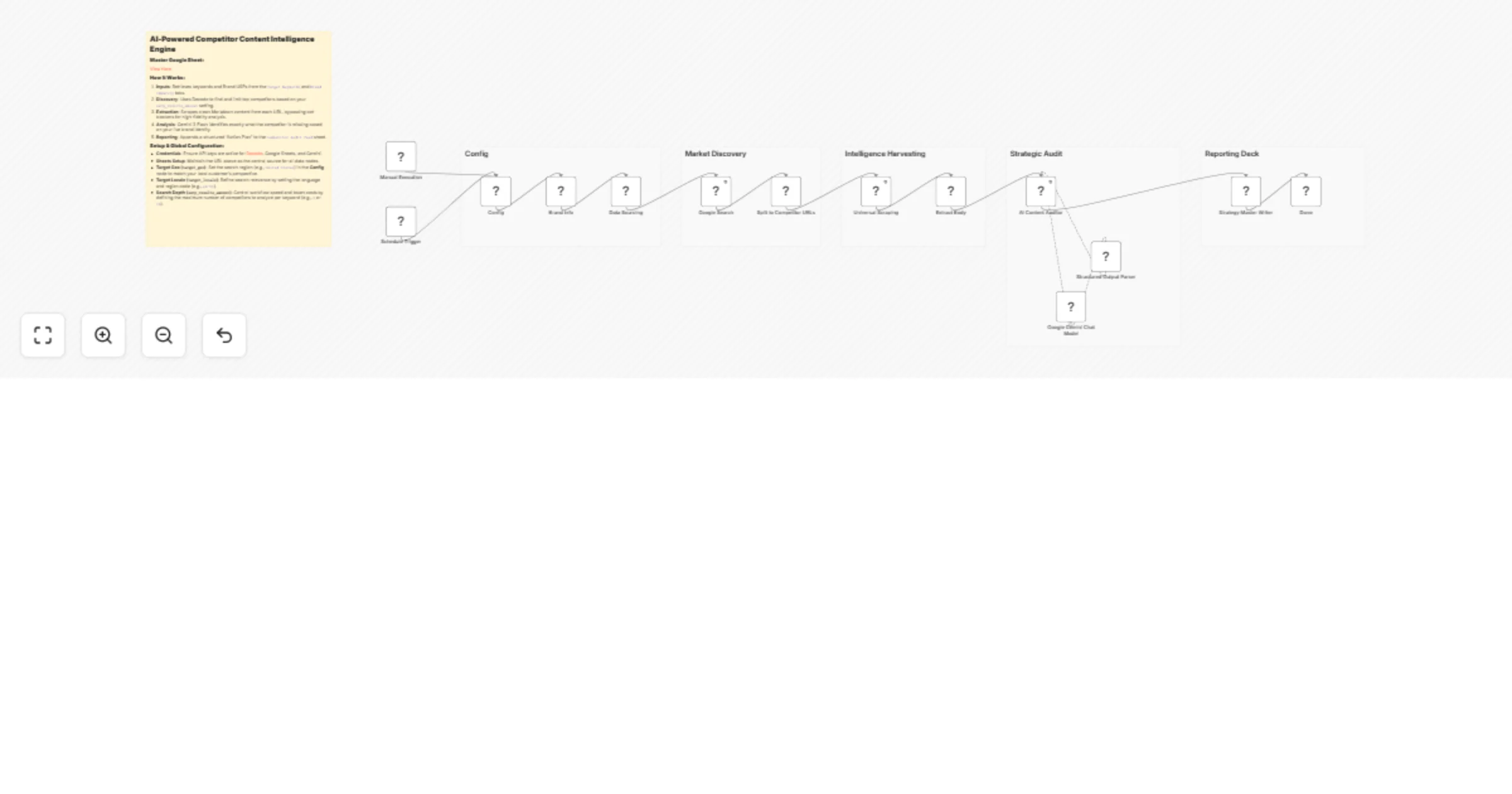
  1. Data Foundation: The workflow triggers (Manual or Scheduled) and pulls your Global Config (e.g., result limits) and Brand Identity from a dedicated Google Sheet.
  2. Market Discovery: It retrieves your target keywords and uses the Decodo Google Search node to identify the top competitors. A Code Node then "itemizes" these results into individual URLs.
  3. Intelligence Harvesting: Decodo Universal scrapes each URL, and an HTML 5 node extracts the body content into Markdown format to minimize token noise for the AI.
  4. Strategic Audit: The AI Content Auditor (powered by Gemini) receives the competitor’s text and your Brand Identity. It identifies what the competitor missed that your brand excels at.
  5. Reporting Deck: The final Strategy Master Writer node appends the analysis—including the "Content Gap" and "Action Plan"—into a master Google Sheet for your marketing team.

📥 Component Installation

This workflow relies on the Decodo node for search and scraping precision.

  1. Install Node: Click the + button in n8n, search for "Decodo," and add it to your canvas.
  2. Credentials: Use your Decodo API key. (Tip: Use a residential proxy setting for difficult sites like Reddit or Stripe).
  3. Gemini: Ensure you have the Google Gemini Chat Model node connected to the AI Agent.

🎁 Get a free Web Scraping API subscription here 👉🏻 https://visit.decodo.com/X4YBmy


🛠️ Setup Instructions

1. Google Sheets Configuration

Create a spreadsheet with the following three tabs:

  • Target Keywords: One column named Target Keyword.
  • Brand Identity: One cell containing your brand mission, USPs, and target audience.
  • Competitor Audit Feed: Headers for Keyword, URL, Rank, Winning Factor, Content Gap, and Action Plan.

Clone the spreadsheet here.

2. Global Configuration

In the Config (Set) node, define your serp_results_amount (e.g., 10). This controls how many competitors are analyzed per keyword.


➕ How to Adapt the Template

  • Competitor Exclusion: Add a Filter node after "Market Discovery" to automatically skip domains like amazon.com or reddit.com if they aren't relevant to your niche.
  • Slack Alerts: Connect a Slack node after the AI analysis to notify your content manager immediately when a high-impact "Action Plan" is generated for a priority keyword.
  • Multi-Model Verification: Swap Gemini with Claude 3.5 Sonnet or GPT-4o in the Strategic Audit section to compare different AI perspectives on the same competitor content.

1.2 Logical Blocks

This catalog entry is organized from the workflow JSON. The node-level section below shows the executable blocks available for review before importing the template.

2. Block-by-Block Analysis

Block 1 - Data Sourcing

Type / Role
n8n-nodes-base.googleSheets - googleSheets
Config choices
Version 4.7

Block 2 - Manual Execution

Type / Role
n8n-nodes-base.manualTrigger - manualTrigger
Config choices
Version 1

Block 3 - Config

Type / Role
n8n-nodes-base.set - set
Config choices
Version 3.4

Block 4 - Schedule Trigger

Type / Role
n8n-nodes-base.scheduleTrigger - scheduleTrigger
Config choices
Version 1.3

Block 5 - Universal Scraping

Type / Role
@decodo/n8n-nodes-decodo.decodo - decodo
Config choices
Version 1

Block 6 - Google Search

Type / Role
@decodo/n8n-nodes-decodo.decodo - decodo
Config choices
Version 1

Block 7 - AI Content Auditor

Type / Role
@n8n/n8n-nodes-langchain.agent - agent
Config choices
Version 3.1

Block 8 - Google Gemini Chat Model

Type / Role
@n8n/n8n-nodes-langchain.lmChatGoogleGemini - lmChatGoogleGemini
Config choices
Version 1

Block 9 - Split to Competitor URLs

Type / Role
n8n-nodes-base.code - code
Config choices
Version 2

Block 10 - Extract Body

Type / Role
n8n-nodes-base.html - html
Config choices
Version 1.2

Block 11 - Structured Output Parser

Type / Role
@n8n/n8n-nodes-langchain.outputParserStructured - outputParserStructured
Config choices
Version 1.3

Block 12 - Brand Info

Type / Role
n8n-nodes-base.googleSheets - googleSheets
Config choices
Version 4.7

Block 13 - Strategy Master Writer

Type / Role
n8n-nodes-base.googleSheets - googleSheets
Config choices
Version 4.7

Block 14 - Done

Type / Role
n8n-nodes-base.noOp - noOp
Config choices
Version 1

Block 15 - Sticky Note

Type / Role
n8n-nodes-base.stickyNote - stickyNote
Config choices
Version 1

Block 16 - Sticky Note1

Type / Role
n8n-nodes-base.stickyNote - stickyNote
Config choices
Version 1

Block 17 - Sticky Note2

Type / Role
n8n-nodes-base.stickyNote - stickyNote
Config choices
Version 1

Block 18 - Sticky Note3

Type / Role
n8n-nodes-base.stickyNote - stickyNote
Config choices
Version 1

Block 19 - Sticky Note4

Type / Role
n8n-nodes-base.stickyNote - stickyNote
Config choices
Version 1

Block 20 - Sticky Note5

Type / Role
n8n-nodes-base.stickyNote - stickyNote
Config choices
Version 1

3. Summary Table

Workflow Audit competitor SEO content with Decodo, Gemini, and Google Sheets
Complexity advanced
Nodes 20
Categories Market Research, AI Summarization
Author Atta
Published 02 Mar 2026

4. Reproducing the Workflow from Scratch

  1. 1. Download the workflow JSON

    Use the JSON export at /data/workflows/13817/13817.json as the source template for this automation.

  2. 2. Import the template into n8n

    Open n8n, import the downloaded JSON, and review each node before activating the workflow.

  3. 3. Configure credentials and variables

    Replace placeholder credentials, API keys, webhook URLs, account IDs, and environment-specific values with your own settings.

  4. 4. Test with sample data

    Run the workflow manually or in a staging workspace, inspect node output, and confirm downstream systems receive the expected data.

  5. 5. Activate and monitor

    Enable the workflow only after testing, then monitor executions, errors, and rate limits during the first production runs.

5. General Notes & Resources

Review imported nodes carefully before activation. This catalog entry is intended to help you inspect the workflow structure, understand required services, and find related templates faster.

Node names, credentials, schedules, webhook paths, and external service limits may need adjustment for your workspace.

Frequently asked questions

What does Audit competitor SEO content with Decodo, Gemini, and Google Sheets do?

Never guess your SEO strategy again. This advanced workflow automates the most time consuming part of SEO: auditing competitor articles and identifying exactly where your brand can outshine them. I...

What do I need before importing this workflow?

Review the workflow JSON, configure any required credentials in n8n, and test the automation in a safe workspace before using it in production.

Can I customize this workflow?

Yes. Use the block-by-block analysis and the downloadable JSON to inspect each node, then adjust credentials, prompts, schedules, filters, or destinations for your Market Research, AI Summarization use case.