Block 1 - Setup Instructions
- Type / Role
- n8n-nodes-base.stickyNote - stickyNote
- Config choices
- Version 1


 Early Deal
This workflow is provided as-is. Please review and test before using in production.
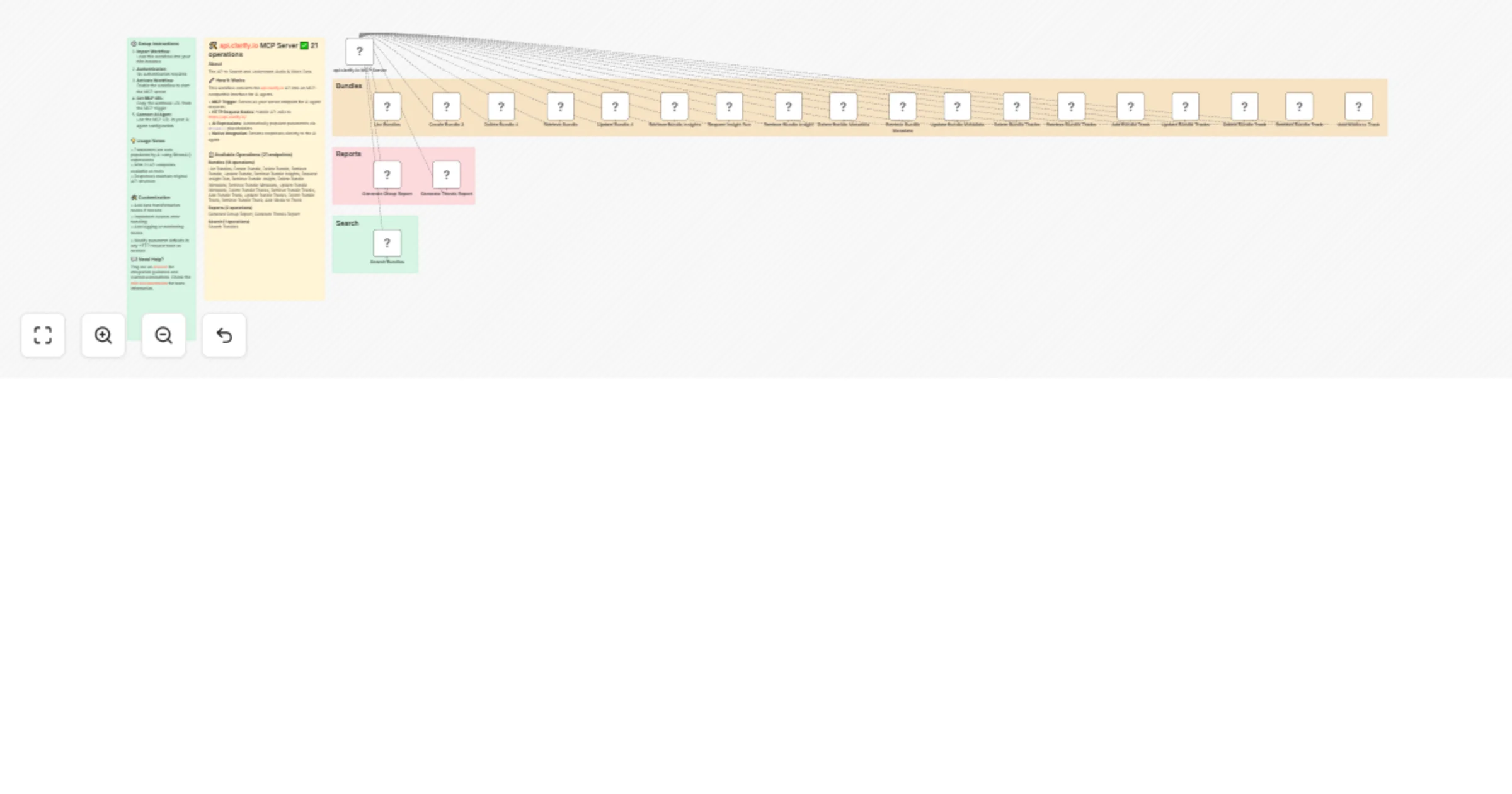
Complete MCP server exposing 21 api.clarify.io API operations to AI agents. Quick Setup Need help? Want access to more workflows and even live Q&A sessions with a top verified n8n creator.. All 1...
n8n-nodes-base.stickynote, @n8n/n8n-nodes-langchain.mcptrigger, n8n-nodes-base.httprequesttool
This workflow is cataloged by N8N Workflows and links back to its original n8n.io source page by David Ashby.
Original n8n.io sourceComplete MCP server exposing 21 api.clarify.io API operations to AI agents.
Need help? Want access to more workflows and even live Q&A sessions with a top verified n8n creator.. All 100% free?
This workflow converts the api.clarify.io API into an MCP-compatible interface for AI agents.
• MCP Trigger: Serves as your server endpoint for AI agent requests
• HTTP Request Nodes: Handle API calls to https://api.clarify.io/
• AI Expressions: Automatically populate parameters via $fromAI() placeholders
• Native Integration: Returns responses directly to the AI agent
• GET /v1/bundles: Add Media to Track • POST /v1/bundles: Create a bundle • DELETE /v1/bundles/{bundle_id}: Delete a bundle • GET /v1/bundles/{bundle_id}: Get a bundle • PUT /v1/bundles/{bundle_id}: Update a bundle • GET /v1/bundles/{bundle_id}/insights: Get bundle insights • POST /v1/bundles/{bundle_id}/insights: Request an insight to be run • GET /v1/bundles/{bundle_id}/insights/{insight_id}: Get bundle insight • DELETE /v1/bundles/{bundle_id}/metadata: Delete bundle metadata • GET /v1/bundles/{bundle_id}/metadata: Get bundle metadata • PUT /v1/bundles/{bundle_id}/metadata: Update bundle metadata • DELETE /v1/bundles/{bundle_id}/tracks: Delete bundle tracks • GET /v1/bundles/{bundle_id}/tracks: Get bundle tracks • POST /v1/bundles/{bundle_id}/tracks: Add a track for a bundle • PUT /v1/bundles/{bundle_id}/tracks: Update a tracks for a bundle • DELETE /v1/bundles/{bundle_id}/tracks/{track_id}: Delete a bundle track • GET /v1/bundles/{bundle_id}/tracks/{track_id}: Get bundle track • PUT /v1/bundles/{bundle_id}/tracks/{track_id}: Add media to a track • GET /v1/reports/scores: Generate Group Report • GET /v1/reports/trends: Generate Trends Report • GET /v1/search: Search Bundles
Parameter Handling: AI agents automatically provide values for: • Path parameters and identifiers • Query parameters and filters • Request body data • Headers and authentication
Response Format: Native api.clarify.io API responses with full data structure
Error Handling: Built-in n8n HTTP request error management
Connect this MCP server to any AI agent or workflow:
• Claude Desktop: Add MCP server URL to configuration • Cursor: Add MCP server SSE URL to configuration • Custom AI Apps: Use MCP URL as tool endpoint • API Integration: Direct HTTP calls to MCP endpoints
• Zero Setup: No parameter mapping or configuration needed
• AI-Ready: Built-in $fromAI() expressions for all parameters
• Production Ready: Native n8n HTTP request handling and logging
• Extensible: Easily modify or add custom logic
> 🆓 Free for community use! Ready to deploy in under 2 minutes.
This catalog entry is organized from the workflow JSON. The node-level section below shows the executable blocks available for review before importing the template.
Showing the first 24 of 27 workflow blocks. Download the JSON for the full node graph.
| Workflow | Audio & video data search and analysis with Clarify API and AI agent integration |
|---|---|
| Complexity | advanced |
| Nodes | 27 |
| Categories | Engineering, AI RAG |
| Author | David Ashby |
| Published | 02 Jul 2025 |
Use the JSON export at /data/workflows/5557/5557.json as the source template for this automation.
Open n8n, import the downloaded JSON, and review each node before activating the workflow.
Replace placeholder credentials, API keys, webhook URLs, account IDs, and environment-specific values with your own settings.
Run the workflow manually or in a staging workspace, inspect node output, and confirm downstream systems receive the expected data.
Enable the workflow only after testing, then monitor executions, errors, and rate limits during the first production runs.
Review imported nodes carefully before activation. This catalog entry is intended to help you inspect the workflow structure, understand required services, and find related templates faster.
Node names, credentials, schedules, webhook paths, and external service limits may need adjustment for your workspace.
Complete MCP server exposing 21 api.clarify.io API operations to AI agents. Quick Setup Need help? Want access to more workflows and even live Q&A sessions with a top verified n8n creator.. All 1...
Review the workflow JSON, configure any required credentials in n8n, and test the automation in a safe workspace before using it in production.
Yes. Use the block-by-block analysis and the downloadable JSON to inspect each node, then adjust credentials, prompts, schedules, filters, or destinations for your Engineering, AI RAG use case.