David Ashby
Workflows by David Ashby

Manage Asana projects with natural language AI assistant via chat & webhook
🤖 Asana AI Assistant: Project Management via Natural Language Transform chat conversations into Asana actions - This workflow creates an AI agent that lets users manage Asana through conversational commands instead of manual clicks. Key Use Cases: ✅ Accelerated Project Creation → "Create 'Q3 Campaign' project in Marketing workspace with Design team" → Generates projects with correct teams/workspaces in 1 request ✅ Dynamic Task Management → *"Add 'Finalize assets' subtask to TSK-123"* → "Update 'Blog Post' due date to Friday" → Modifies tasks/subtasks without searching ✅ Automated Reporting → "Show open tasks in Product Launch" → "List last 5 projects in Design workspace" → Pulls live data via conversational queries ✅ Collaboration Boost → *"Add comment to TSK-456: Client approved visuals"* → Posts context-rich updates while multitasking Ideal For: Managers creating projects during calls Teams updating tasks via Slack/chat PMs generating quick status reports Reducing Asana onboarding friction
Advanced Medium API MCP server
## ⚠️ ADVANCED USE ONLY - Medium MCP Server (32 operations) ### 🚨 This workflow is for advanced users only! Need help? Want access to this workflow + many more paid workflows + live Q&A sessions with a top verified n8n creator? [Join the community](https://www.skool.com/beyond-nodes-automation-lab-2006/about) This MCP server contains **32 operations** which is significantly more than the recommended maximum of tools for most AI clients. ### 🔍 Recommended Alternative for basic use cases **Seek a simplified MCP server** that utilizes the official n8n tool implementation for Medium if available, or an MCP server with only common operations as it will be more efficient and easier to manage. ### 🛠️ Advanced Usage Requirements **BEFORE adding this MCP server to your client:** ### Disable or delete unused nodes - Review sections and disable/delete those you don't need **AFTER adding the MCP server to your client:** 1.**Selective tool enabling** - Instead of enabling all tools (default), manually select only the specific tools you need for *that* Workflow's MCP client. 2. **Monitor performance** - Too many tools can slow down AI responses ### 💡 Pro Tips **Keep maximum 40 enabled tools** - Most AI clients perform better with fewer tools - Group related operations and only enable one group at a time - Use the overview note to understand what each operation group does - Ping me on [discord](https://discord.me/cfomodz) if your business needs this implemented professionally ## ⚡ Quick Setup 1. **Import** this workflow into your n8n instance 2. **Credentials** Add Medium API credentials 3. **Activate** the workflow to start your MCP server 4. **Copy** the webhook URL from the MCP trigger node 5. **Connect** AI agents using the MCP URL ## 🔧 How it Works This workflow converts the Medium API into an MCP-compatible interface for AI agents. • **MCP Trigger**: Serves as your server endpoint for AI agent requests • **HTTP Request Nodes**: Handle API calls to https://medium2.p.rapidapi.com • **AI Expressions**: Automatically populate parameters via `$fromAI()` placeholders • **Native Integration**: Returns responses directly to the AI agent ## 📋 Available Operations (32 endpoints) **General (1 operation)** Get User Top Articles **Article (6 operations)** Get Article Info, Get Article's Content, Get Article Fans, Get Article's Markdown, Get Related Articles, Get Article Responses **Latestposts (1 operation)** Get Latest Posts **List (3 operations)** Get List Info, Get List Articles, Get List Responses **Publication (4 operations)** Get Publication ID, Get Publication Info, Get Publication Articles, Get Publication Newsletter **Related Tags (1 operation)** Get Related Tags **Search (5 operations)** Search Articles, Search Lists, Search Publications, Search Tags, Search Users **Top Writer (1 operation)** Get Top Writers **Topfeeds (1 operation)** Get Topfeeds **User (9 operations)** Get User ID, Get User Info, Get User's Articles, Get User Followers, and 5 more operations ## 🤖 AI Integration **Parameter Handling**: AI agents automatically provide values for: • Path parameters and identifiers • Query parameters and filters • Request body data • Headers and authentication **Response Format**: Native Medium API responses with full data structure **Error Handling**: Built-in n8n HTTP request error management ## 💡 Usage Examples Connect this MCP server to any AI agent or workflow: • **Claude Desktop**: Add MCP server URL to configuration • **Cursor**: Add MCP server SSE URL to configuration • **Custom AI Apps**: Use MCP URL as tool endpoint • **API Integration**: Direct HTTP calls to MCP endpoints ## ✨ Benefits • **Zero Setup**: No parameter mapping or configuration needed • **AI-Ready**: Built-in `$fromAI()` expressions for all parameters • **Production Ready**: Native n8n HTTP request handling and logging • **Extensible**: Easily modify or add custom logic > 🆓 **[Free for community use](https://github.com/Cfomodz/community-use)!** Ready to deploy in under 2 minutes.
AI image nudity detection tool with image moderation API
Complete MCP server exposing 1 Image Moderation API operations to AI agents. ## ⚡ Quick Setup Need help? Want access to more workflows and even live Q&A sessions with a top verified n8n creator.. All 100% free? [Join the community](https://www.skool.com/n8n-nodes-automation-lab-1570/about) 1. **Import** this workflow into your n8n instance 2. **Credentials** Add Image Moderation credentials 3. **Activate** the workflow to start your MCP server 4. **Copy** the webhook URL from the MCP trigger node 5. **Connect** AI agents using the MCP URL ## 🔧 How it Works This workflow converts the Image Moderation API into an MCP-compatible interface for AI agents. • **MCP Trigger**: Serves as your server endpoint for AI agent requests • **HTTP Request Nodes**: Handle API calls to https://api.moderatecontent.com/moderate/ • **AI Expressions**: Automatically populate parameters via `$fromAI()` placeholders • **Native Integration**: Returns responses directly to the AI agent ## 📋 Available Operations (1 endpoints) **General (1 operation)** Detect Nudity in Images ## 🤖 AI Integration **Parameter Handling**: AI agents automatically provide values for: • Path parameters and identifiers • Query parameters and filters • Request body data • Headers and authentication **Response Format**: Native Image Moderation API responses with full data structure **Error Handling**: Built-in n8n HTTP request error management ## 💡 Usage Examples Connect this MCP server to any AI agent or workflow: • **Claude Desktop**: Add MCP server URL to configuration • **Cursor**: Add MCP server SSE URL to configuration • **Custom AI Apps**: Use MCP URL as tool endpoint • **API Integration**: Direct HTTP calls to MCP endpoints ## ✨ Benefits • **Zero Setup**: No parameter mapping or configuration needed • **AI-Ready**: Built-in `$fromAI()` expressions for all parameters • **Production Ready**: Native n8n HTTP request handling and logging • **Extensible**: Easily modify or add custom logic > 🆓 **[Free for community use](https://github.com/Cfomodz/community-use)!** Ready to deploy in under 2 minutes.
Notion API MCP server
Need help? Want access to this workflow + many more paid workflows + live Q&A sessions with a top verified n8n creator? [Join the community](https://www.skool.com/beyond-nodes-automation-lab-2006/about) Complete MCP server exposing 13 Notion API operations to AI agents. ## ⚡ Quick Setup 1. **Import** this workflow into your n8n instance 2. **Credentials** Add Notion API credentials 3. **Activate** the workflow to start your MCP server 4. **Copy** the webhook URL from the MCP trigger node 5. **Connect** AI agents using the MCP URL ## 🔧 How it Works This workflow converts the Notion API into an MCP-compatible interface for AI agents. • **MCP Trigger**: Serves as your server endpoint for AI agent requests • **HTTP Request Nodes**: Handle API calls to https://api.notion.com • **AI Expressions**: Automatically populate parameters via `$fromAI()` placeholders • **Native Integration**: Returns responses directly to the AI agent ## 📋 Available Operations (13 total) ### 🔧 V1 (13 endpoints) • **DELETE /v1/blocks/{id}**: Delete a block • **GET /v1/blocks/{id}**: Retrieve a block • **PATCH /v1/blocks/{id}**: Update a block • **GET /v1/blocks/{id}/children**: Retrieve block children • **PATCH /v1/blocks/{id}/children**: Append block children • **GET /v1/comments**: Retrieve Comments • **GET /v1/databases/{id}**: Retrieve a database • **PATCH /v1/databases/{id}**: Update a database • **POST /v1/databases/{id}/query**: Query a database • **GET /v1/pages/{id}**: Retrieve a Page • **PATCH /v1/pages/{id}**: Update Page properties • **GET /v1/pages/{page_id}/properties/{property_id}**: Retrieve a Page Property Item • **GET /v1/users/{id}**: Retrieve a user ## 🤖 AI Integration **Parameter Handling**: AI agents automatically provide values for: • Path parameters and identifiers • Query parameters and filters • Request body data • Headers and authentication **Response Format**: Native Notion API responses with full data structure **Error Handling**: Built-in n8n HTTP request error management ## 💡 Usage Examples Connect this MCP server to any AI agent or workflow: • **Claude Desktop**: Add MCP server URL to configuration • **Cursor**: Add MCP server SSE URL to configuration • **Custom AI Apps**: Use MCP URL as tool endpoint • **API Integration**: Direct HTTP calls to MCP endpoints ## ✨ Benefits • **Zero Setup**: No parameter mapping or configuration needed • **AI-Ready**: Built-in `$fromAI()` expressions for all parameters • **Production Ready**: Native n8n HTTP request handling and logging • **Extensible**: Easily modify or add custom logic > 🆓 **[Free for community use](https://github.com/Cfomodz/community-use)!** Ready to deploy in under 2 minutes.
NPR station finder service MCP server
Complete MCP server exposing 2 NPR Station Finder Service API operations to AI agents. ## ⚡ Quick Setup Need help? Want access to more workflows and even live Q&A sessions with a top verified n8n creator.. All 100% free? [Join the community](https://www.skool.com/n8n-nodes-automation-lab-1570/about) 1. **Import** this workflow into your n8n instance 2. **Credentials** Add NPR Station Finder Service credentials 3. **Activate** the workflow to start your MCP server 4. **Copy** the webhook URL from the MCP trigger node 5. **Connect** AI agents using the MCP URL ## 🔧 How it Works This workflow converts the NPR Station Finder Service API into an MCP-compatible interface for AI agents. • **MCP Trigger**: Serves as your server endpoint for AI agent requests • **HTTP Request Nodes**: Handle API calls to https://station.api.npr.org • **AI Expressions**: Automatically populate parameters via `$fromAI()` placeholders • **Native Integration**: Returns responses directly to the AI agent ## 📋 Available Operations (2 total) ### 🔧 V3 (2 endpoints) • **GET /v3/stations**: Get Station 1 • **GET /v3/stations/{stationId}**: Retrieve metadata for the station with the given numeric ID ## 🤖 AI Integration **Parameter Handling**: AI agents automatically provide values for: • Path parameters and identifiers • Query parameters and filters • Request body data • Headers and authentication **Response Format**: Native NPR Station Finder Service API responses with full data structure **Error Handling**: Built-in n8n HTTP request error management ## 💡 Usage Examples Connect this MCP server to any AI agent or workflow: • **Claude Desktop**: Add MCP server URL to configuration • **Cursor**: Add MCP server SSE URL to configuration • **Custom AI Apps**: Use MCP URL as tool endpoint • **API Integration**: Direct HTTP calls to MCP endpoints ## ✨ Benefits • **Zero Setup**: No parameter mapping or configuration needed • **AI-Ready**: Built-in `$fromAI()` expressions for all parameters • **Production Ready**: Native n8n HTTP request handling and logging • **Extensible**: Easily modify or add custom logic > 🆓 **[Free for community use](https://github.com/Cfomodz/community-use)!** Ready to deploy in under 2 minutes.
Mobility API MCP server
Complete MCP server exposing 2 Mobility API operations to AI agents. ## ⚡ Quick Setup Need help? Want access to more workflows and even live Q&A sessions with a top verified n8n creator.. All 100% free? [Join the community](https://www.skool.com/n8n-nodes-automation-lab-1570/about) 1. **Import** this workflow into your n8n instance 2. **Credentials** Add Mobility API credentials 3. **Activate** the workflow to start your MCP server 4. **Copy** the webhook URL from the MCP trigger node 5. **Connect** AI agents using the MCP URL ## 🔧 How it Works This workflow converts the Mobility API into an MCP-compatible interface for AI agents. • **MCP Trigger**: Serves as your server endpoint for AI agent requests • **HTTP Request Nodes**: Handle API calls to https://developer.o2.cz/mobility/sandbox/api • **AI Expressions**: Automatically populate parameters via `$fromAI()` placeholders • **Native Integration**: Returns responses directly to the AI agent ## 📋 Available Operations (2 total) ### 🔧 Info (1 endpoints) • **GET /info**: Retrieve Application Info ### 🔧 Transit (1 endpoints) • **GET /transit/{from}/{to}**: Transit between basic residential units ## 🤖 AI Integration **Parameter Handling**: AI agents automatically provide values for: • Path parameters and identifiers • Query parameters and filters • Request body data • Headers and authentication **Response Format**: Native Mobility API responses with full data structure **Error Handling**: Built-in n8n HTTP request error management ## 💡 Usage Examples Connect this MCP server to any AI agent or workflow: • **Claude Desktop**: Add MCP server URL to configuration • **Cursor**: Add MCP server SSE URL to configuration • **Custom AI Apps**: Use MCP URL as tool endpoint • **API Integration**: Direct HTTP calls to MCP endpoints ## ✨ Benefits • **Zero Setup**: No parameter mapping or configuration needed • **AI-Ready**: Built-in `$fromAI()` expressions for all parameters • **Production Ready**: Native n8n HTTP request handling and logging • **Extensible**: Easily modify or add custom logic > 🆓 **[Free for community use](https://github.com/Cfomodz/community-use)!** Ready to deploy in under 2 minutes.
NPR listening service MCP server
Complete MCP server exposing 9 NPR Listening Service API operations to AI agents. ## ⚡ Quick Setup Need help? Want access to more workflows and even live Q&A sessions with a top verified n8n creator.. All 100% free? [Join the community](https://www.skool.com/n8n-nodes-automation-lab-1570/about) 1. **Import** this workflow into your n8n instance 2. **Credentials** Add NPR Listening Service credentials 3. **Activate** the workflow to start your MCP server 4. **Copy** the webhook URL from the MCP trigger node 5. **Connect** AI agents using the MCP URL ## 🔧 How it Works This workflow converts the NPR Listening Service API into an MCP-compatible interface for AI agents. • **MCP Trigger**: Serves as your server endpoint for AI agent requests • **HTTP Request Nodes**: Handle API calls to https://listening.api.npr.org • **AI Expressions**: Automatically populate parameters via `$fromAI()` placeholders • **Native Integration**: Returns responses directly to the AI agent ## 📋 Available Operations (9 total) ### 🔧 V2 (9 endpoints) • **GET /v2/aggregation/{aggId}/recommendations**: Get a set of recommendations for an aggregation independent of the user's lis... • **GET /v2/channels**: List Available Channels • **GET /v2/history**: Get User Ratings History • **GET /v2/organizations/{orgId}/categories/{category}/recommendations**: Get a list of recommendations from a category of content from an organization • **GET /v2/organizations/{orgId}/recommendations**: Get a variety of details about an organization including various lists of rec... • **GET /v2/promo/recommendations**: Get Recent Promo Audio • **POST /v2/ratings**: Submit Media Ratings • **GET /v2/recommendations**: Get User Recommendations • **GET /v2/search/recommendations**: Get Search Recommendations ## 🤖 AI Integration **Parameter Handling**: AI agents automatically provide values for: • Path parameters and identifiers • Query parameters and filters • Request body data • Headers and authentication **Response Format**: Native NPR Listening Service API responses with full data structure **Error Handling**: Built-in n8n HTTP request error management ## 💡 Usage Examples Connect this MCP server to any AI agent or workflow: • **Claude Desktop**: Add MCP server URL to configuration • **Cursor**: Add MCP server SSE URL to configuration • **Custom AI Apps**: Use MCP URL as tool endpoint • **API Integration**: Direct HTTP calls to MCP endpoints ## ✨ Benefits • **Zero Setup**: No parameter mapping or configuration needed • **AI-Ready**: Built-in `$fromAI()` expressions for all parameters • **Production Ready**: Native n8n HTTP request handling and logging • **Extensible**: Easily modify or add custom logic > 🆓 **[Free for community use](https://github.com/Cfomodz/community-use)!** Ready to deploy in under 2 minutes.
[New York Times] article search API MCP server
Complete MCP server exposing 1 Article Search API operations to AI agents. ## ⚡ Quick Setup Need help? Want access to more workflows and even live Q&A sessions with a top verified n8n creator.. All 100% free? [Join the community](https://www.skool.com/n8n-nodes-automation-lab-1570/about) 1. **Import** this workflow into your n8n instance 2. **Credentials** Add Article Search API credentials 3. **Activate** the workflow to start your MCP server 4. **Copy** the webhook URL from the MCP trigger node 5. **Connect** AI agents using the MCP URL ## 🔧 How it Works This workflow converts the Article Search API into an MCP-compatible interface for AI agents. • **MCP Trigger**: Serves as your server endpoint for AI agent requests • **HTTP Request Nodes**: Handle API calls to http://api.nytimes.com/svc/search/v2 • **AI Expressions**: Automatically populate parameters via `$fromAI()` placeholders • **Native Integration**: Returns responses directly to the AI agent ## 📋 Available Operations (1 total) ### 🔧 Articlesearch.Json (1 endpoints) • **GET /articlesearch.json**: Search Articles ## 🤖 AI Integration **Parameter Handling**: AI agents automatically provide values for: • Path parameters and identifiers • Query parameters and filters • Request body data • Headers and authentication **Response Format**: Native Article Search API responses with full data structure **Error Handling**: Built-in n8n HTTP request error management ## 💡 Usage Examples Connect this MCP server to any AI agent or workflow: • **Claude Desktop**: Add MCP server URL to configuration • **Cursor**: Add MCP server SSE URL to configuration • **Custom AI Apps**: Use MCP URL as tool endpoint • **API Integration**: Direct HTTP calls to MCP endpoints ## ✨ Benefits • **Zero Setup**: No parameter mapping or configuration needed • **AI-Ready**: Built-in `$fromAI()` expressions for all parameters • **Production Ready**: Native n8n HTTP request handling and logging • **Extensible**: Easily modify or add custom logic > 🆓 **[Free for community use](https://github.com/Cfomodz/community-use)!** Ready to deploy in under 2 minutes.
Swagger2OpenAPI converter MCP server
Need help? Want access to this workflow + many more paid workflows + live Q&A sessions with a top verified n8n creator? [Join the community](https://www.skool.com/beyond-nodes-automation-lab-2006/about) Complete MCP server exposing 6 Swagger2OpenAPI Converter API operations to AI agents. ## ⚡ Quick Setup 1. **Import** this workflow into your n8n instance 2. **Credentials** Add Swagger2OpenAPI Converter credentials 3. **Activate** the workflow to start your MCP server 4. **Copy** the webhook URL from the MCP trigger node 5. **Connect** AI agents using the MCP URL ## 🔧 How it Works This workflow converts the Swagger2OpenAPI Converter API into an MCP-compatible interface for AI agents. • **MCP Trigger**: Serves as your server endpoint for AI agent requests • **HTTP Request Nodes**: Handle API calls to https://mermade.org.uk/api/v1 • **AI Expressions**: Automatically populate parameters via `$fromAI()` placeholders • **Native Integration**: Returns responses directly to the AI agent ## 📋 Available Operations (6 total) ### 🔧 Badge (1 endpoints) • **GET /badge**: Redirect to Badge SVG ### 🔧 Convert (2 endpoints) • **GET /convert**: Convert Swagger in Body • **POST /convert**: Convert a Swagger 2.0 definition passed in the body to OpenAPI 3.0.x ### 🔧 Status (1 endpoints) • **GET /status**: Check API Status ### 🔧 Validate (2 endpoints) • **GET /validate**: Validate OpenAPI in Body • **POST /validate**: Validate an OpenAPI 3.0.x definition supplied in the body of the request ## 🤖 AI Integration **Parameter Handling**: AI agents automatically provide values for: • Path parameters and identifiers • Query parameters and filters • Request body data • Headers and authentication **Response Format**: Native Swagger2OpenAPI Converter API responses with full data structure **Error Handling**: Built-in n8n HTTP request error management ## 💡 Usage Examples Connect this MCP server to any AI agent or workflow: • **Claude Desktop**: Add MCP server URL to configuration • **Cursor**: Add MCP server SSE URL to configuration • **Custom AI Apps**: Use MCP URL as tool endpoint • **API Integration**: Direct HTTP calls to MCP endpoints ## ✨ Benefits • **Zero Setup**: No parameter mapping or configuration needed • **AI-Ready**: Built-in `$fromAI()` expressions for all parameters • **Production Ready**: Native n8n HTTP request handling and logging • **Extensible**: Easily modify or add custom logic > 🆓 **[Free for community use](https://github.com/Cfomodz/community-use)!** Ready to deploy in under 2 minutes.
Transportation laws and incentives MCP server
Complete MCP server exposing 4 Transportation Laws and Incentives API operations to AI agents. ## ⚡ Quick Setup Need help? Want access to more workflows and even live Q&A sessions with a top verified n8n creator.. All 100% free? [Join the community](https://www.skool.com/n8n-nodes-automation-lab-1570) 1. **Import** this workflow into your n8n instance 2. **Credentials** Add Transportation Laws and Incentives credentials 3. **Activate** the workflow to start your MCP server 4. **Copy** the webhook URL from the MCP trigger node 5. **Connect** AI agents using the MCP URL ## 🔧 How it Works This workflow converts the Transportation Laws and Incentives API into an MCP-compatible interface for AI agents. • **MCP Trigger**: Serves as your server endpoint for AI agent requests • **HTTP Request Nodes**: Handle API calls to http://developer.nrel.gov/api/transportation-incentives-laws • **AI Expressions**: Automatically populate parameters via `$fromAI()` placeholders • **Native Integration**: Returns responses directly to the AI agent ## 📋 Available Operations (4 total) ### 🔧 V1.{Output_Format} (1 endpoints) • **GET /v1.{output_format}**: Return a full list of laws and incentives that match your query. ### 🔧 V1 (3 endpoints) • **GET /v1/category-list.{output_format}**: Return the law categories for a given category type. • **GET /v1/pocs.{output_format}**: Get the points of contact for a given jurisdiction. • **GET /v1/{id}.{output_format}**: Fetch the details of a specific law given the law's ID. ## 🤖 AI Integration **Parameter Handling**: AI agents automatically provide values for: • Path parameters and identifiers • Query parameters and filters • Request body data • Headers and authentication **Response Format**: Native Transportation Laws and Incentives API responses with full data structure **Error Handling**: Built-in n8n HTTP request error management ## 💡 Usage Examples Connect this MCP server to any AI agent or workflow: • **Claude Desktop**: Add MCP server URL to configuration • **Cursor**: Add MCP server SSE URL to configuration • **Custom AI Apps**: Use MCP URL as tool endpoint • **API Integration**: Direct HTTP calls to MCP endpoints ## ✨ Benefits • **Zero Setup**: No parameter mapping or configuration needed • **AI-Ready**: Built-in `$fromAI()` expressions for all parameters • **Production Ready**: Native n8n HTTP request handling and logging • **Extensible**: Easily modify or add custom logic > 🆓 **[Free for community use](https://github.com/Cfomodz/community-use)!** Ready to deploy in under 2 minutes.
Pinecone API MCP server
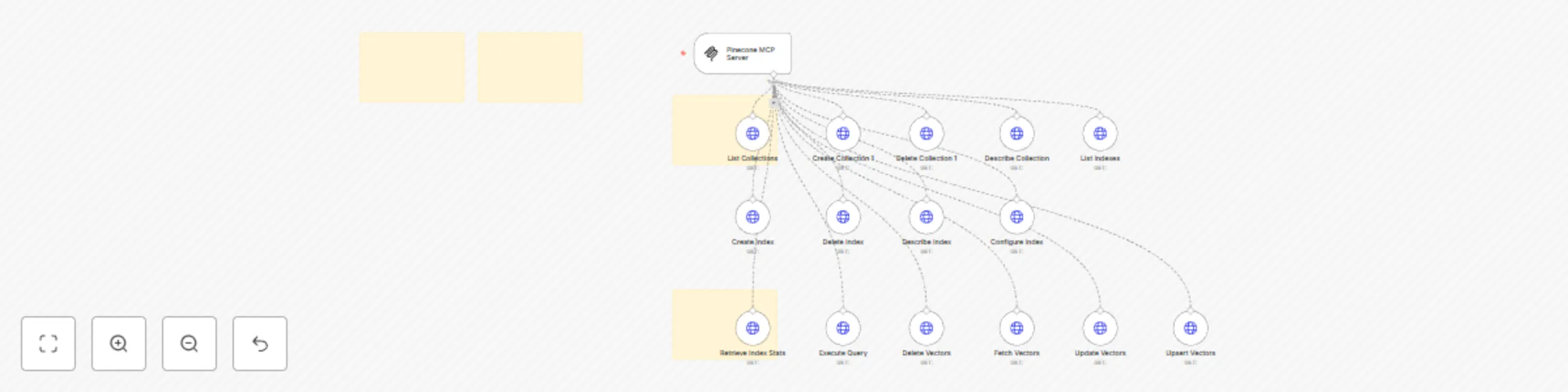
Need help? Want access to this workflow + many more paid workflows + live Q&A sessions with a top verified n8n creator? [Join the community](https://www.skool.com/beyond-nodes-automation-lab-2006/about) Complete MCP server exposing 15 Pinecone API operations to AI agents. ## ⚡ Quick Setup 1. **Import** this workflow into your n8n instance 2. **Credentials** Add Pinecone API credentials 3. **Activate** the workflow to start your MCP server 4. **Copy** the webhook URL from the MCP trigger node 5. **Connect** AI agents using the MCP URL ## 🔧 How it Works This workflow converts the Pinecone API into an MCP-compatible interface for AI agents. • **MCP Trigger**: Serves as your server endpoint for AI agent requests • **HTTP Request Nodes**: Handle API calls to https://controller.{environment}.pinecone.io • **AI Expressions**: Automatically populate parameters via `$fromAI()` placeholders • **Native Integration**: Returns responses directly to the AI agent ## 📋 Available Operations (15 total) ### 🔧 Collections (4 endpoints) • **GET /collections**: Describe Collection • **POST /collections**: Create collection • **DELETE /collections/{collectionName}**: Delete Collection • **GET /collections/{collectionName}**: Describe collection ### 🔧 Describe_Index_Stats (1 endpoints) • **POST /describe_index_stats**: Retrieve Index Stats ### 🔧 Indexes (5 endpoints) • **GET /indexes**: Configure Index • **POST /indexes**: Create index • **DELETE /indexes/{indexName}**: Delete Index • **GET /indexes/{indexName}**: Describe index • **PATCH /indexes/{indexName}**: Configure index ### 🔧 Query (1 endpoints) • **POST /query**: Execute Query ### 🔧 Vectors (4 endpoints) • **POST /vectors/delete**: Delete Vectors • **POST /vectors/fetch**: Fetch Vectors • **POST /vectors/update**: Update Vectors • **POST /vectors/upsert**: Upsert Vectors ## 🤖 AI Integration **Parameter Handling**: AI agents automatically provide values for: • Path parameters and identifiers • Query parameters and filters • Request body data • Headers and authentication **Response Format**: Native Pinecone API responses with full data structure **Error Handling**: Built-in n8n HTTP request error management ## 💡 Usage Examples Connect this MCP server to any AI agent or workflow: • **Claude Desktop**: Add MCP server URL to configuration • **Cursor**: Add MCP server SSE URL to configuration • **Custom AI Apps**: Use MCP URL as tool endpoint • **API Integration**: Direct HTTP calls to MCP endpoints ## ✨ Benefits • **Zero Setup**: No parameter mapping or configuration needed • **AI-Ready**: Built-in `$fromAI()` expressions for all parameters • **Production Ready**: Native n8n HTTP request handling and logging • **Extensible**: Easily modify or add custom logic > 🆓 **[Free for community use](https://github.com/Cfomodz/community-use)!** Ready to deploy in under 2 minutes.
Topupsapi MCP Server
Complete MCP server exposing 2 topupsapi API operations to AI agents. ## ⚡ Quick Setup Need help? Want access to more workflows and even live Q&A sessions with a top verified n8n creator.. All 100% free? [Join the community](https://www.skool.com/n8n-nodes-automation-lab-1570/about) 1. **Import** this workflow into your n8n instance 2. **Credentials** Add topupsapi credentials 3. **Activate** the workflow to start your MCP server 4. **Copy** the webhook URL from the MCP trigger node 5. **Connect** AI agents using the MCP URL ## 🔧 How it Works This workflow converts the topupsapi API into an MCP-compatible interface for AI agents. • **MCP Trigger**: Serves as your server endpoint for AI agent requests • **HTTP Request Nodes**: Handle API calls to https://polls.apiblueprint.org • **AI Expressions**: Automatically populate parameters via `$fromAI()` placeholders • **Native Integration**: Returns responses directly to the AI agent ## 📋 Available Operations (2 total) ### 🔧 Questions (2 endpoints) • **GET /questions**: Create Question 1 • **POST /questions**: Create a New Question ## 🤖 AI Integration **Parameter Handling**: AI agents automatically provide values for: • Path parameters and identifiers • Query parameters and filters • Request body data • Headers and authentication **Response Format**: Native topupsapi API responses with full data structure **Error Handling**: Built-in n8n HTTP request error management ## 💡 Usage Examples Connect this MCP server to any AI agent or workflow: • **Claude Desktop**: Add MCP server URL to configuration • **Cursor**: Add MCP server SSE URL to configuration • **Custom AI Apps**: Use MCP URL as tool endpoint • **API Integration**: Direct HTTP calls to MCP endpoints ## ✨ Benefits • **Zero Setup**: No parameter mapping or configuration needed • **AI-Ready**: Built-in `$fromAI()` expressions for all parameters • **Production Ready**: Native n8n HTTP request handling and logging • **Extensible**: Easily modify or add custom logic > 🆓 **[Free for community use](https://github.com/Cfomodz/community-use)!** Ready to deploy in under 2 minutes.
Background removal API MCP server
Complete MCP server exposing 3 Background Removal API operations to AI agents. ## ⚡ Quick Setup Need help? Want access to more workflows and even live Q&A sessions with a top verified n8n creator.. All 100% free? [Join the community](https://www.skool.com/n8n-nodes-automation-lab-1570/about) 1. **Import** this workflow into your n8n instance 2. **Credentials** Add Background Removal API credentials 3. **Activate** the workflow to start your MCP server 4. **Copy** the webhook URL from the MCP trigger node 5. **Connect** AI agents using the MCP URL ## 🔧 How it Works This workflow converts the Background Removal API into an MCP-compatible interface for AI agents. • **MCP Trigger**: Serves as your server endpoint for AI agent requests • **HTTP Request Nodes**: Handle API calls to https://api.remove.bg/v1.0 • **AI Expressions**: Automatically populate parameters via `$fromAI()` placeholders • **Native Integration**: Returns responses directly to the AI agent ## 📋 Available Operations (3 total) ### 🔧 Account (1 endpoints) • **GET /account**: Fetch Account Balance ### 🔧 Improve (1 endpoints) • **POST /improve**: Submit Image for Improvement ### 🔧 Removebg (1 endpoints) • **POST /removebg**: Remove Image Background ## 🤖 AI Integration **Parameter Handling**: AI agents automatically provide values for: • Path parameters and identifiers • Query parameters and filters • Request body data • Headers and authentication **Response Format**: Native Background Removal API responses with full data structure **Error Handling**: Built-in n8n HTTP request error management ## 💡 Usage Examples Connect this MCP server to any AI agent or workflow: • **Claude Desktop**: Add MCP server URL to configuration • **Cursor**: Add MCP server SSE URL to configuration • **Custom AI Apps**: Use MCP URL as tool endpoint • **API Integration**: Direct HTTP calls to MCP endpoints ## ✨ Benefits • **Zero Setup**: No parameter mapping or configuration needed • **AI-Ready**: Built-in `$fromAI()` expressions for all parameters • **Production Ready**: Native n8n HTTP request handling and logging • **Extensible**: Easily modify or add custom logic > 🆓 **[Free for community use](https://github.com/Cfomodz/community-use)!** Ready to deploy in under 2 minutes.
Star Wars language translation API for AI agents - 6 languages
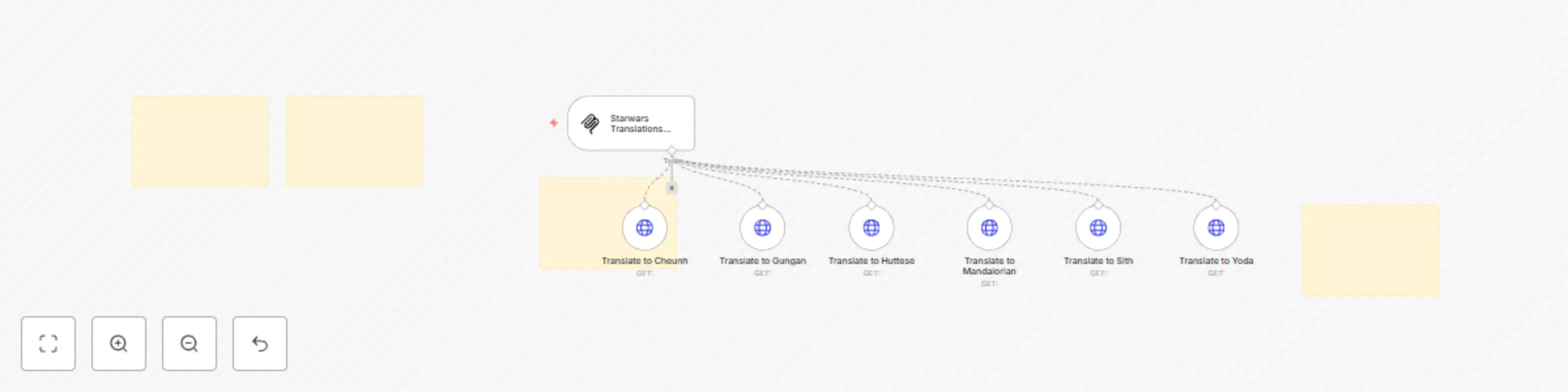
Need help? Want access to this workflow + many more paid workflows + live Q&A sessions with a top verified n8n creator? [Join the community](https://www.skool.com/beyond-nodes-automation-lab-2006/about) Complete MCP server exposing 6 Starwars Translations API operations to AI agents. ## ⚡ Quick Setup 1. **Import** this workflow into your n8n instance 2. **Credentials** Add Starwars Translations API credentials 3. **Activate** the workflow to start your MCP server 4. **Copy** the webhook URL from the MCP trigger node 5. **Connect** AI agents using the MCP URL ## 🔧 How it Works This workflow converts the Starwars Translations API into an MCP-compatible interface for AI agents. • **MCP Trigger**: Serves as your server endpoint for AI agent requests • **HTTP Request Nodes**: Handle API calls to https://api.funtranslations.com • **AI Expressions**: Automatically populate parameters via `$fromAI()` placeholders • **Native Integration**: Returns responses directly to the AI agent ## 📋 Available Operations (6 total) ### 🔧 Translate (6 endpoints) • **GET /translate/cheunh**: Translate to Cheunh • **GET /translate/gungan**: Translate to Gungan • **GET /translate/huttese**: Translate to Huttese • **GET /translate/mandalorian**: Translate to Mandalorian • **GET /translate/sith**: Translate to Sith • **GET /translate/yoda**: Translate to Yoda ## 🤖 AI Integration **Parameter Handling**: AI agents automatically provide values for: • Path parameters and identifiers • Query parameters and filters • Request body data • Headers and authentication **Response Format**: Native Starwars Translations API responses with full data structure **Error Handling**: Built-in n8n HTTP request error management ## 💡 Usage Examples Connect this MCP server to any AI agent or workflow: • **Claude Desktop**: Add MCP server URL to configuration • **Cursor**: Add MCP server SSE URL to configuration • **Custom AI Apps**: Use MCP URL as tool endpoint • **API Integration**: Direct HTTP calls to MCP endpoints ## ✨ Benefits • **Zero Setup**: No parameter mapping or configuration needed • **AI-Ready**: Built-in `$fromAI()` expressions for all parameters • **Production Ready**: Native n8n HTTP request handling and logging • **Extensible**: Easily modify or add custom logic > 🆓 **[Free for community use](https://github.com/Cfomodz/community-use)!** Ready to deploy in under 2 minutes.
YouTube analytics data reporting API integration for AI agents
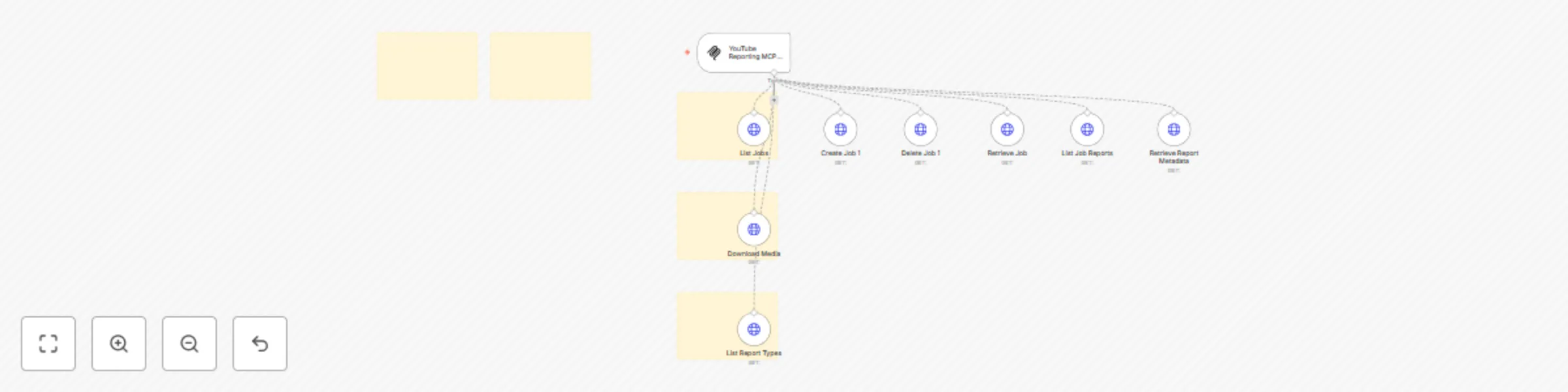
Need help? Want access to this workflow + many more paid workflows + live Q&A sessions with a top verified n8n creator? [Join the community](https://www.skool.com/beyond-nodes-automation-lab-2006/about) Complete MCP server exposing 8 YouTube Reporting API operations to AI agents. ## ⚡ Quick Setup 1. **Import** this workflow into your n8n instance 2. **Credentials** Add YouTube Reporting API credentials 3. **Activate** the workflow to start your MCP server 4. **Copy** the webhook URL from the MCP trigger node 5. **Connect** AI agents using the MCP URL ## 🔧 How it Works This workflow converts the YouTube Reporting API into an MCP-compatible interface for AI agents. • **MCP Trigger**: Serves as your server endpoint for AI agent requests • **HTTP Request Nodes**: Handle API calls to https://youtubereporting.googleapis.com/ • **AI Expressions**: Automatically populate parameters via `$fromAI()` placeholders • **Native Integration**: Returns responses directly to the AI agent ## 📋 Available Operations (8 total) ### 🔧 V1 (8 endpoints) • **GET /v1/jobs**: Retrieve Report Metadata • **POST /v1/jobs**: Creates a job and returns it. • **DELETE /v1/jobs/{jobId}**: Deletes a job. • **GET /v1/jobs/{jobId}**: Gets a job. • **GET /v1/jobs/{jobId}/reports**: Lists reports created by a specific job. Returns NOT_FOUND if the job does no... • **GET /v1/jobs/{jobId}/reports/{reportId}**: Gets the metadata of a specific report. • **GET /v1/media/{resourceName}**: Method for media download. Download is supported on the URI `/v1/media/{+name... • **GET /v1/reportTypes**: List Report Types ## 🤖 AI Integration **Parameter Handling**: AI agents automatically provide values for: • Path parameters and identifiers • Query parameters and filters • Request body data • Headers and authentication **Response Format**: Native YouTube Reporting API responses with full data structure **Error Handling**: Built-in n8n HTTP request error management ## 💡 Usage Examples Connect this MCP server to any AI agent or workflow: • **Claude Desktop**: Add MCP server URL to configuration • **Cursor**: Add MCP server SSE URL to configuration • **Custom AI Apps**: Use MCP URL as tool endpoint • **API Integration**: Direct HTTP calls to MCP endpoints ## ✨ Benefits • **Zero Setup**: No parameter mapping or configuration needed • **AI-Ready**: Built-in `$fromAI()` expressions for all parameters • **Production Ready**: Native n8n HTTP request handling and logging • **Extensible**: Easily modify or add custom logic > 🆓 **[Free for community use](https://github.com/Cfomodz/community-use)!** Ready to deploy in under 2 minutes.
Epa environmental compliance data API for AI agents with MCP server
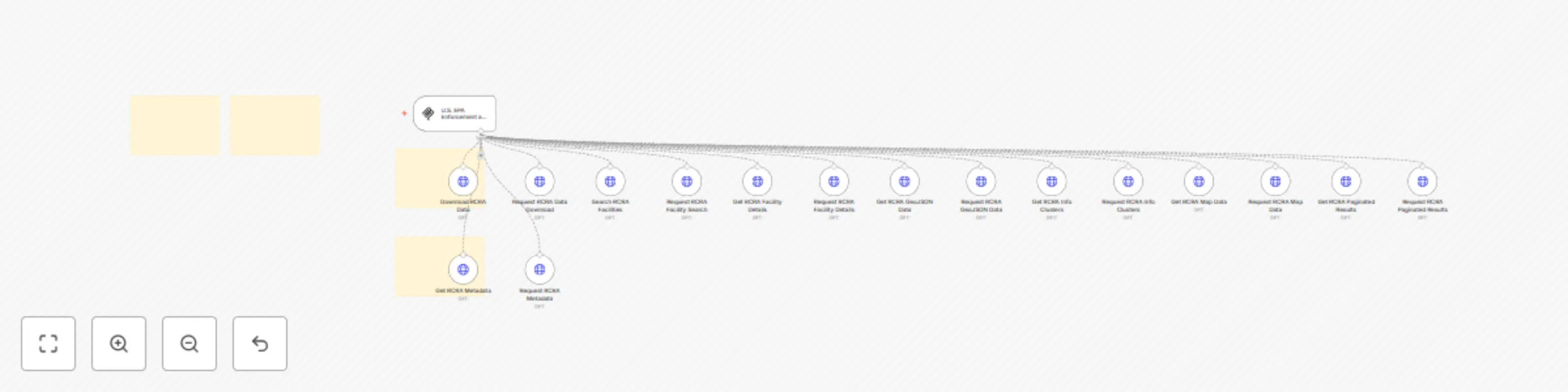
Need help? Want access to this workflow + many more paid workflows + live Q&A sessions with a top verified n8n creator? [Join the community](https://www.skool.com/beyond-nodes-automation-lab-2006/about) Complete MCP server exposing 16 U.S. EPA Enforcement and Compliance History Online (ECHO) - Resource Conservation and Recovery Act API operations to AI agents. ## ⚡ Quick Setup 1. **Import** this workflow into your n8n instance 2. **Credentials** Add U.S. EPA Enforcement and Compliance History Online (ECHO) - Resource Conservation and Recovery Act credentials 3. **Activate** the workflow to start your MCP server 4. **Copy** the webhook URL from the MCP trigger node 5. **Connect** AI agents using the MCP URL ## 🔧 How it Works This workflow converts the U.S. EPA Enforcement and Compliance History Online (ECHO) - Resource Conservation and Recovery Act API into an MCP-compatible interface for AI agents. • **MCP Trigger**: Serves as your server endpoint for AI agent requests • **HTTP Request Nodes**: Handle API calls to https://echodata.epa.gov/echo • **AI Expressions**: Automatically populate parameters via `$fromAI()` placeholders • **Native Integration**: Returns responses directly to the AI agent ## 📋 Available Operations (16 total) ### 🔧 Rcra_Rest_Services.Get_Download (2 endpoints) • **GET /rcra_rest_services.get_download**: Request RCRA Data Download • **POST /rcra_rest_services.get_download**: Resource Conservation and Recovery Act (RCRA) Download Data Service ### 🔧 Rcra_Rest_Services.Get_Facilities (2 endpoints) • **GET /rcra_rest_services.get_facilities**: Request RCRA Facility Search • **POST /rcra_rest_services.get_facilities**: Resource Conservation and Recovery Act (RCRA) Facility Search Service ### 🔧 Rcra_Rest_Services.Get_Facility_Info (2 endpoints) • **GET /rcra_rest_services.get_facility_info**: Request RCRA Facility Details • **POST /rcra_rest_services.get_facility_info**: Resource Conservation and Recovery Act (RCRA) Facility Enhanced Search Service ### 🔧 Rcra_Rest_Services.Get_Geojson (2 endpoints) • **GET /rcra_rest_services.get_geojson**: Request RCRA GeoJSON Data • **POST /rcra_rest_services.get_geojson**: Resource Conservation and Recovery Act (RCRA) GeoJSON Service ### 🔧 Rcra_Rest_Services.Get_Info_Clusters (2 endpoints) • **GET /rcra_rest_services.get_info_clusters**: Request RCRA Info Clusters • **POST /rcra_rest_services.get_info_clusters**: Resource Conservation and Recovery Act (RCRA) Info Clusters Service ### 🔧 Rcra_Rest_Services.Get_Map (2 endpoints) • **GET /rcra_rest_services.get_map**: Request RCRA Map Data • **POST /rcra_rest_services.get_map**: Resource Conservation and Recovery Act (RCRA) Map Service ### 🔧 Rcra_Rest_Services.Get_Qid (2 endpoints) • **GET /rcra_rest_services.get_qid**: Request RCRA Paginated Results • **POST /rcra_rest_services.get_qid**: Resource Conservation and Recovery Act (RCRA) Paginated Results Service ### 🔧 Rcra_Rest_Services.Metadata (2 endpoints) • **GET /rcra_rest_services.metadata**: Request RCRA Metadata • **POST /rcra_rest_services.metadata**: Resource Conservation and Recovery Act (RCRA) Metadata Service ## 🤖 AI Integration **Parameter Handling**: AI agents automatically provide values for: • Path parameters and identifiers • Query parameters and filters • Request body data • Headers and authentication **Response Format**: Native U.S. EPA Enforcement and Compliance History Online (ECHO) - Resource Conservation and Recovery Act API responses with full data structure **Error Handling**: Built-in n8n HTTP request error management ## 💡 Usage Examples Connect this MCP server to any AI agent or workflow: • **Claude Desktop**: Add MCP server URL to configuration • **Cursor**: Add MCP server SSE URL to configuration • **Custom AI Apps**: Use MCP URL as tool endpoint • **API Integration**: Direct HTTP calls to MCP endpoints ## ✨ Benefits • **Zero Setup**: No parameter mapping or configuration needed • **AI-Ready**: Built-in `$fromAI()` expressions for all parameters • **Production Ready**: Native n8n HTTP request handling and logging • **Extensible**: Easily modify or add custom logic > 🆓 **[Free for community use](https://github.com/Cfomodz/community-use)!** Ready to deploy in under 2 minutes.
Connect AI agents to EPA Clean Air Act data with MCP integration
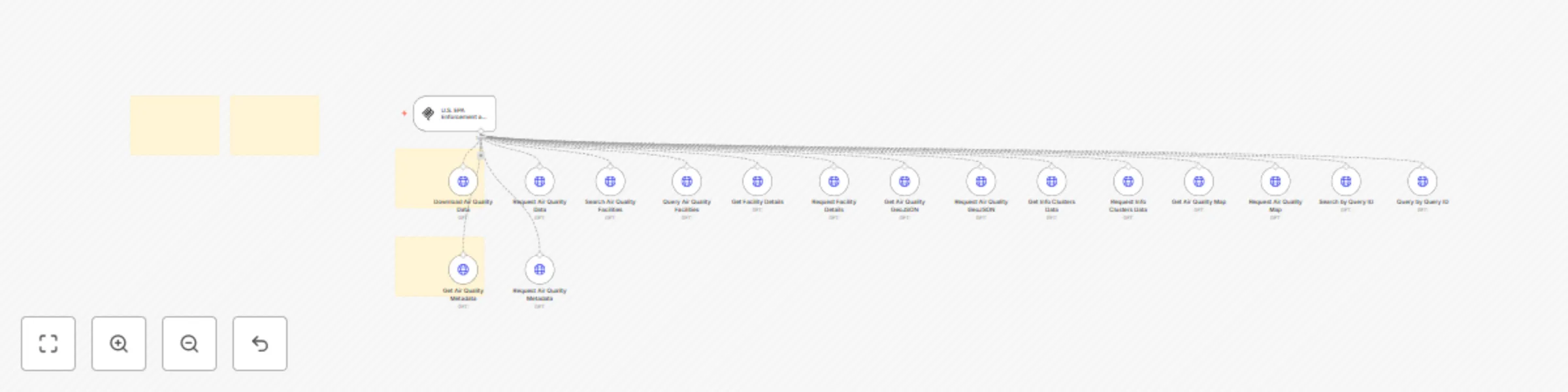
Need help? Want access to this workflow + many more paid workflows + live Q&A sessions with a top verified n8n creator? [Join the community](https://www.skool.com/beyond-nodes-automation-lab-2006/about) Complete MCP server exposing 16 U.S. EPA Enforcement and Compliance History Online (ECHO) - Clean Air Act API operations to AI agents. ## ⚡ Quick Setup 1. **Import** this workflow into your n8n instance 2. **Credentials** Add U.S. EPA Enforcement and Compliance History Online (ECHO) - Clean Air Act credentials 3. **Activate** the workflow to start your MCP server 4. **Copy** the webhook URL from the MCP trigger node 5. **Connect** AI agents using the MCP URL ## 🔧 How it Works This workflow converts the U.S. EPA Enforcement and Compliance History Online (ECHO) - Clean Air Act API into an MCP-compatible interface for AI agents. • **MCP Trigger**: Serves as your server endpoint for AI agent requests • **HTTP Request Nodes**: Handle API calls to https://echodata.epa.gov/echo • **AI Expressions**: Automatically populate parameters via `$fromAI()` placeholders • **Native Integration**: Returns responses directly to the AI agent ## 📋 Available Operations (16 total) ### 🔧 Air_Rest_Services.Get_Download (2 endpoints) • **GET /air_rest_services.get_download**: Request Air Quality Data • **POST /air_rest_services.get_download**: Clean Air Act Download Data Service ### 🔧 Air_Rest_Services.Get_Facilities (2 endpoints) • **GET /air_rest_services.get_facilities**: Query Air Quality Facilities • **POST /air_rest_services.get_facilities**: Clean Air Act Facility Search ### 🔧 Air_Rest_Services.Get_Facility_Info (2 endpoints) • **GET /air_rest_services.get_facility_info**: Request Facility Details • **POST /air_rest_services.get_facility_info**: Clean Air Act Facility Enhanced Search ### 🔧 Air_Rest_Services.Get_Geojson (2 endpoints) • **GET /air_rest_services.get_geojson**: Request Air Quality GeoJSON • **POST /air_rest_services.get_geojson**: Clean Air Act GeoJSON Service ### 🔧 Air_Rest_Services.Get_Info_Clusters (2 endpoints) • **GET /air_rest_services.get_info_clusters**: Request Info Clusters Data • **POST /air_rest_services.get_info_clusters**: Clean Air Act Info Clusters Service ### 🔧 Air_Rest_Services.Get_Map (2 endpoints) • **GET /air_rest_services.get_map**: Request Air Quality Map • **POST /air_rest_services.get_map**: Clean Air Act Map Service ### 🔧 Air_Rest_Services.Get_Qid (2 endpoints) • **GET /air_rest_services.get_qid**: Query by Query ID • **POST /air_rest_services.get_qid**: Clean Air Act Search by Query ID ### 🔧 Air_Rest_Services.Metadata (2 endpoints) • **GET /air_rest_services.metadata**: Request Air Quality Metadata • **POST /air_rest_services.metadata**: Clean Air Act Metadata Service ## 🤖 AI Integration **Parameter Handling**: AI agents automatically provide values for: • Path parameters and identifiers • Query parameters and filters • Request body data • Headers and authentication **Response Format**: Native U.S. EPA Enforcement and Compliance History Online (ECHO) - Clean Air Act API responses with full data structure **Error Handling**: Built-in n8n HTTP request error management ## 💡 Usage Examples Connect this MCP server to any AI agent or workflow: • **Claude Desktop**: Add MCP server URL to configuration • **Cursor**: Add MCP server SSE URL to configuration • **Custom AI Apps**: Use MCP URL as tool endpoint • **API Integration**: Direct HTTP calls to MCP endpoints ## ✨ Benefits • **Zero Setup**: No parameter mapping or configuration needed • **AI-Ready**: Built-in `$fromAI()` expressions for all parameters • **Production Ready**: Native n8n HTTP request handling and logging • **Extensible**: Easily modify or add custom logic > 🆓 **[Free for community use](https://github.com/Cfomodz/community-use)!** Ready to deploy in under 2 minutes.
Epa clean water act data access & compliance monitoring API integration
## ⚠️ ADVANCED USE ONLY - U.S. EPA Enforcement and Compliance History Online (ECHO) - Clean Water Act (CWA) Rest Services MCP Server (36 operations) ### 🚨 This workflow is for advanced users only! Need help? Want access to this workflow + many more paid workflows + live Q&A sessions with a top verified n8n creator? [Join the community](https://www.skool.com/beyond-nodes-automation-lab-2006/about) This MCP server contains **36 operations** which is significantly more than the recommended maximum of tools for most AI clients. ### 🔍 Recommended Alternative for basic use cases **Seek a simplified MCP server** that utilizes the official n8n tool implementation for U.S. EPA Enforcement and Compliance History Online (ECHO) - Clean Water Act (CWA) Rest Services if available, or an MCP server with only common operations as it will be more efficient and easier to manage. ### 🛠️ Advanced Usage Requirements **BEFORE adding this MCP server to your client:** ### Disable or delete unused nodes - Review sections and disable/delete those you don't need **AFTER adding the MCP server to your client:** 1.**Selective tool enabling** - Instead of enabling all tools (default), manually select only the specific tools you need for *that* Workflow's MCP client. 2. **Monitor performance** - Too many tools can slow down AI responses ### 💡 Pro Tips **Keep maximum 40 enabled tools** - Most AI clients perform better with fewer tools - Group related operations and only enable one group at a time - Use the overview note to understand what each operation group does - Ping me on [discord](https://discord.me/cfomodz) if your business needs this implemented professionally ## ⚡ Quick Setup 1. **Import** this workflow into your n8n instance 2. **Credentials** Add U.S. EPA Enforcement and Compliance History Online (ECHO) - Clean Water Act (CWA) Rest Services credentials 3. **Activate** the workflow to start your MCP server 4. **Copy** the webhook URL from the MCP trigger node 5. **Connect** AI agents using the MCP URL ## 🔧 How it Works This workflow converts the U.S. EPA Enforcement and Compliance History Online (ECHO) - Clean Water Act (CWA) Rest Services API into an MCP-compatible interface for AI agents. • **MCP Trigger**: Serves as your server endpoint for AI agent requests • **HTTP Request Nodes**: Handle API calls to https://echodata.epa.gov/echo • **AI Expressions**: Automatically populate parameters via `$fromAI()` placeholders • **Native Integration**: Returns responses directly to the AI agent ## 📋 Available Operations (36 total) ### 🔧 Cwa_Rest_Services.Get_Download (2 endpoints) • **GET /cwa_rest_services.get_download**: Submit CWA Download Data • **POST /cwa_rest_services.get_download**: Clean Water Act (CWA) Download Data Service ### 🔧 Cwa_Rest_Services.Get_Facilities (2 endpoints) • **GET /cwa_rest_services.get_facilities**: Submit CWA Facility Search • **POST /cwa_rest_services.get_facilities**: Clean Water Act (CWA) Facility Search Service ### 🔧 Cwa_Rest_Services.Get_Facility_Info (2 endpoints) • **GET /cwa_rest_services.get_facility_info**: Submit CWA Facility Details • **POST /cwa_rest_services.get_facility_info**: Clean Water Act (CWA) Facility Enhanced Search Service ### 🔧 Cwa_Rest_Services.Get_Geojson (2 endpoints) • **GET /cwa_rest_services.get_geojson**: Submit CWA GeoJSON Data • **POST /cwa_rest_services.get_geojson**: Clean Water Act (CWA) GeoJSON Service ### 🔧 Cwa_Rest_Services.Get_Info_Clusters (2 endpoints) • **GET /cwa_rest_services.get_info_clusters**: Submit CWA Info Clusters • **POST /cwa_rest_services.get_info_clusters**: Clean Water Act (CWA) Info Clusters Service ### 🔧 Cwa_Rest_Services.Get_Map (2 endpoints) • **GET /cwa_rest_services.get_map**: Submit CWA Map Data • **POST /cwa_rest_services.get_map**: Clean Water Act (CWA) Map Service ### 🔧 Cwa_Rest_Services.Get_Qid (2 endpoints) • **GET /cwa_rest_services.get_qid**: Submit CWA Paginated Results • **POST /cwa_rest_services.get_qid**: Clean Water Act (CWA) Paginated Results Service ### 🔧 Cwa_Rest_Services.Metadata (2 endpoints) • **GET /cwa_rest_services.metadata**: Submit CWA Metadata • **POST /cwa_rest_services.metadata**: Clean Water Act (CWA) Metadata Service ### 🔧 Rest_Lookups.Bp_Tribes (2 endpoints) • **GET /rest_lookups.bp_tribes**: Submit BP Tribes Data • **POST /rest_lookups.bp_tribes**: ECHO BP Tribes Lookup Service ### 🔧 Rest_Lookups.Cwa_Parameters (2 endpoints) • **GET /rest_lookups.cwa_parameters**: Submit CWA Parameters • **POST /rest_lookups.cwa_parameters**: ECHO CWA Parameter Lookup Service ### 🔧 Rest_Lookups.Cwa_Pollutants (2 endpoints) • **GET /rest_lookups.cwa_pollutants**: Submit CWA Pollutants • **POST /rest_lookups.cwa_pollutants**: ECHO CWA Pollutants Lookup Service ### 🔧 Rest_Lookups.Federal_Agencies (2 endpoints) • **GET /rest_lookups.federal_agencies**: Submit Federal Agencies • **POST /rest_lookups.federal_agencies**: ECHO Federal Agency Lookup Service ### 🔧 Rest_Lookups.Icis_Inspection_Types (2 endpoints) • **GET /rest_lookups.icis_inspection_types**: Submit ICIS Inspection Types • **POST /rest_lookups.icis_inspection_types**: ECHO ICIS NPDES Inspection Types Lookup Service ### 🔧 Rest_Lookups.Icis_Law_Sections (2 endpoints) • **GET /rest_lookups.icis_law_sections**: Submit ICIS Law Sections • **POST /rest_lookups.icis_law_sections**: ECHO ICIS NPDES Law Sections Lookup Service ### 🔧 Rest_Lookups.Naics_Codes (2 endpoints) • **GET /rest_lookups.naics_codes**: Submit NAICS Codes • **POST /rest_lookups.naics_codes**: ECHO NAICS Codes Lookup Service ### 🔧 Rest_Lookups.Npdes_Parameters (2 endpoints) • **GET /rest_lookups.npdes_parameters**: Submit NPDES Parameters • **POST /rest_lookups.npdes_parameters**: ECHO NPDES Parameters Lookup Service ### 🔧 Rest_Lookups.Wbd_Code_Lu (2 endpoints) • **GET /rest_lookups.wbd_code_lu**: Submit WBD Codes • **POST /rest_lookups.wbd_code_lu**: ECHO WBD Code Lookup Service ### 🔧 Rest_Lookups.Wbd_Name_Lu (2 endpoints) • **GET /rest_lookups.wbd_name_lu**: Submit WBD Names • **POST /rest_lookups.wbd_name_lu**: ECHO WBD Name Lookup Service ## 🤖 AI Integration **Parameter Handling**: AI agents automatically provide values for: • Path parameters and identifiers • Query parameters and filters • Request body data • Headers and authentication **Response Format**: Native U.S. EPA Enforcement and Compliance History Online (ECHO) - Clean Water Act (CWA) Rest Services API responses with full data structure **Error Handling**: Built-in n8n HTTP request error management ## 💡 Usage Examples Connect this MCP server to any AI agent or workflow: • **Claude Desktop**: Add MCP server URL to configuration • **Cursor**: Add MCP server SSE URL to configuration • **Custom AI Apps**: Use MCP URL as tool endpoint • **API Integration**: Direct HTTP calls to MCP endpoints ## ✨ Benefits • **Zero Setup**: No parameter mapping or configuration needed • **AI-Ready**: Built-in `$fromAI()` expressions for all parameters • **Production Ready**: Native n8n HTTP request handling and logging • **Extensible**: Easily modify or add custom logic > 🆓 **[Free for community use](https://github.com/Cfomodz/community-use)!** Ready to deploy in under 2 minutes.
Complete Lyft API integration for AI agents with 16 operations using MCP
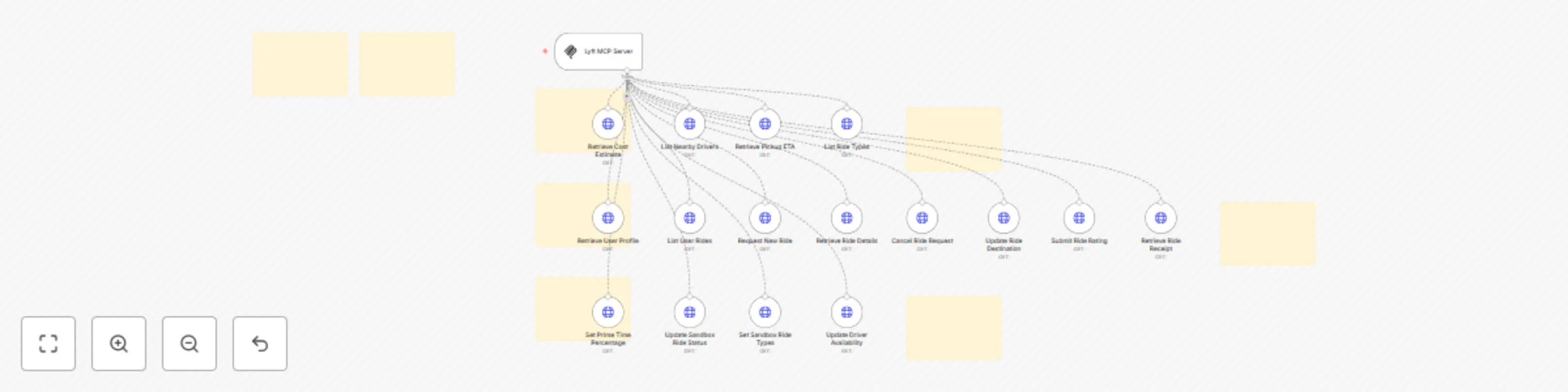
Need help? Want access to this workflow + many more paid workflows + live Q&A sessions with a top verified n8n creator? [Join the community](https://www.skool.com/beyond-nodes-automation-lab-2006/about) Complete MCP server exposing 16 Lyft API operations to AI agents. ## ⚡ Quick Setup 1. **Import** this workflow into your n8n instance 2. **Credentials** Add Lyft credentials 3. **Activate** the workflow to start your MCP server 4. **Copy** the webhook URL from the MCP trigger node 5. **Connect** AI agents using the MCP URL ## 🔧 How it Works This workflow converts the Lyft API into an MCP-compatible interface for AI agents. • **MCP Trigger**: Serves as your server endpoint for AI agent requests • **HTTP Request Nodes**: Handle API calls to https://api.lyft.com/v1 • **AI Expressions**: Automatically populate parameters via `$fromAI()` placeholders • **Native Integration**: Returns responses directly to the AI agent ## 📋 Available Operations (16 total) ### 🔧 Cost (1 endpoints) • **GET /cost**: Retrieve Cost Estimate ### 🔧 Drivers (1 endpoints) • **GET /drivers**: List Nearby Drivers ### 🔧 Eta (1 endpoints) • **GET /eta**: Retrieve Pickup ETA ### 🔧 Profile (1 endpoints) • **GET /profile**: Retrieve User Profile ### 🔧 Rides (7 endpoints) • **GET /rides**: Update Sandbox Ride Status • **POST /rides**: Request a Lyft • **GET /rides/{id}**: Get the ride detail of a given ride ID • **POST /rides/{id}/cancel**: Cancel a ongoing requested ride • **PUT /rides/{id}/destination**: Update the destination of the ride • **PUT /rides/{id}/rating**: Add the passenger's rating, feedback, and tip • **GET /rides/{id}/receipt**: Get the receipt of the rides. ### 🔧 Ridetypes (1 endpoints) • **GET /ridetypes**: Update Driver Availability ### 🔧 Sandbox (4 endpoints) • **PUT /sandbox/primetime**: Set Prime Time Percentage • **PUT /sandbox/rides/{id}**: Propagate ride through ride status • **PUT /sandbox/ridetypes**: Preset types of rides for sandbox • **PUT /sandbox/ridetypes/{ride_type}**: Driver availability for processing ride request ## 🤖 AI Integration **Parameter Handling**: AI agents automatically provide values for: • Path parameters and identifiers • Query parameters and filters • Request body data • Headers and authentication **Response Format**: Native Lyft API responses with full data structure **Error Handling**: Built-in n8n HTTP request error management ## 💡 Usage Examples Connect this MCP server to any AI agent or workflow: • **Claude Desktop**: Add MCP server URL to configuration • **Cursor**: Add MCP server SSE URL to configuration • **Custom AI Apps**: Use MCP URL as tool endpoint • **API Integration**: Direct HTTP calls to MCP endpoints ## ✨ Benefits • **Zero Setup**: No parameter mapping or configuration needed • **AI-Ready**: Built-in `$fromAI()` expressions for all parameters • **Production Ready**: Native n8n HTTP request handling and logging • **Extensible**: Easily modify or add custom logic > 🆓 **[Free for community use](https://github.com/Cfomodz/community-use)!** Ready to deploy in under 2 minutes.
Search, manage, and analyze podcasts with Listen API for AI Agents
Need help? Want access to this workflow + many more paid workflows + live Q&A sessions with a top verified n8n creator? [Join the community](https://www.skool.com/beyond-nodes-automation-lab-2006/about) Complete MCP server exposing 23 Listen API: Podcast Search, Directory, and Insights API operations to AI agents. ## ⚡ Quick Setup 1. **Import** this workflow into your n8n instance 2. **Credentials** Add Listen API: Podcast Search, Directory, and Insights API credentials 3. **Activate** the workflow to start your MCP server 4. **Copy** the webhook URL from the MCP trigger node 5. **Connect** AI agents using the MCP URL ## 🔧 How it Works This workflow converts the Listen API: Podcast Search, Directory, and Insights API into an MCP-compatible interface for AI agents. • **MCP Trigger**: Serves as your server endpoint for AI agent requests • **HTTP Request Nodes**: Handle API calls to https://listen-api.listennotes.com/api/v2 • **AI Expressions**: Automatically populate parameters via `$fromAI()` placeholders • **Native Integration**: Returns responses directly to the AI agent ## 📋 Available Operations (23 total) ### 🔧 Best_Podcasts (1 endpoints) • **GET /best_podcasts**: Delete Podcast by ID ### 🔧 Curated_Podcasts (2 endpoints) • **GET /curated_podcasts**: Fetch Curated Podcast List by ID • **GET /curated_podcasts/{id}**: Fetch a curated list of podcasts by id ### 🔧 Episodes (3 endpoints) • **POST /episodes**: Fetch Episode Recommendations • **GET /episodes/{id}**: Fetch detailed meta data for an episode by id • **GET /episodes/{id}/recommendations**: Fetch recommendations for an episode ### 🔧 Genres (1 endpoints) • **GET /genres**: Fetch Podcast Genres ### 🔧 Just_Listen (1 endpoints) • **GET /just_listen**: Fetch Random Podcast Episode ### 🔧 Languages (1 endpoints) • **GET /languages**: Fetch Supported Languages ### 🔧 Playlists (2 endpoints) • **GET /playlists**: Fetch Playlist Details by ID • **GET /playlists/{id}**: Fetch a playlist's info and items (i.e., episodes or podcasts). ### 🔧 Podcasts (6 endpoints) • **POST /podcasts**: Fetch Podcast Audience Data • **POST /podcasts/submit**: Submit a podcast to Listen Notes database • **DELETE /podcasts/{id}**: Request to delete a podcast • **GET /podcasts/{id}**: Fetch detailed meta data and episodes for a podcast by id • **GET /podcasts/{id}/audience**: Fetch audience demographics for a podcast • **GET /podcasts/{id}/recommendations**: Fetch recommendations for a podcast ### 🔧 Regions (1 endpoints) • **GET /regions**: Fetch Supported Regions ### 🔧 Related_Searches (1 endpoints) • **GET /related_searches**: Fetch Related Search Terms ### 🔧 Search (1 endpoints) • **GET /search**: Full-Text Search ### 🔧 Spellcheck (1 endpoints) • **GET /spellcheck**: Spell Check Search Term ### 🔧 Trending_Searches (1 endpoints) • **GET /trending_searches**: Fetch Trending Search Terms ### 🔧 Typeahead (1 endpoints) • **GET /typeahead**: Typeahead Search ## 🤖 AI Integration **Parameter Handling**: AI agents automatically provide values for: • Path parameters and identifiers • Query parameters and filters • Request body data • Headers and authentication **Response Format**: Native Listen API: Podcast Search, Directory, and Insights API responses with full data structure **Error Handling**: Built-in n8n HTTP request error management ## 💡 Usage Examples Connect this MCP server to any AI agent or workflow: • **Claude Desktop**: Add MCP server URL to configuration • **Cursor**: Add MCP server SSE URL to configuration • **Custom AI Apps**: Use MCP URL as tool endpoint • **API Integration**: Direct HTTP calls to MCP endpoints ## ✨ Benefits • **Zero Setup**: No parameter mapping or configuration needed • **AI-Ready**: Built-in `$fromAI()` expressions for all parameters • **Production Ready**: Native n8n HTTP request handling and logging • **Extensible**: Easily modify or add custom logic > 🆓 **[Free for community use](https://github.com/Cfomodz/community-use)!** Ready to deploy in under 2 minutes.
IPQualityScore API MCP Server
Complete MCP server exposing 3 IPQualityScore API operations to AI agents. ## ⚡ Quick Setup Need help? Want access to more workflows and even live Q&A sessions with a top verified n8n creator.. All 100% free? [Join the community](https://www.skool.com/n8n-nodes-automation-lab-1570/about) 1. **Import** this workflow into your n8n instance 2. **Credentials** Add IPQualityScore API credentials 3. **Activate** the workflow to start your MCP server 4. **Copy** the webhook URL from the MCP trigger node 5. **Connect** AI agents using the MCP URL ## 🔧 How it Works This workflow converts the IPQualityScore API into an MCP-compatible interface for AI agents. • **MCP Trigger**: Serves as your server endpoint for AI agent requests • **HTTP Request Nodes**: Handle API calls to https://ipqualityscore.com/api • **AI Expressions**: Automatically populate parameters via `$fromAI()` placeholders • **Native Integration**: Returns responses directly to the AI agent ## 📋 Available Operations (3 total) ### 🔧 Json (3 endpoints) • **GET /json/email/{YOUR_API_KEY_HERE}/{USER_EMAIL_HERE}**: Email Validation • **GET /json/phone/{YOUR_API_KEY_HERE}/{USER_PHONE_HERE}**: Phone Validation • **GET /json/url/{YOUR_API_KEY_HERE}/{URL_HERE}**: Malicious URL Scanner ## 🤖 AI Integration **Parameter Handling**: AI agents automatically provide values for: • Path parameters and identifiers • Query parameters and filters • Request body data • Headers and authentication **Response Format**: Native IPQualityScore API responses with full data structure **Error Handling**: Built-in n8n HTTP request error management ## 💡 Usage Examples Connect this MCP server to any AI agent or workflow: • **Claude Desktop**: Add MCP server URL to configuration • **Cursor**: Add MCP server SSE URL to configuration • **Custom AI Apps**: Use MCP URL as tool endpoint • **API Integration**: Direct HTTP calls to MCP endpoints ## ✨ Benefits • **Zero Setup**: No parameter mapping or configuration needed • **AI-Ready**: Built-in `$fromAI()` expressions for all parameters • **Production Ready**: Native n8n HTTP request handling and logging • **Extensible**: Easily modify or add custom logic > 🆓 **[Free for community use](https://github.com/Cfomodz/community-use)!** Ready to deploy in under 2 minutes.
IP2WHOIS domain lookup MCP server
Complete MCP server exposing 1 IP2WHOIS Domain Lookup API operations to AI agents. ## ⚡ Quick Setup Need help? Want access to more workflows and even live Q&A sessions with a top verified n8n creator.. All 100% free? [Join the community](https://www.skool.com/n8n-nodes-automation-lab-1570/about) 1. **Import** this workflow into your n8n instance 2. **Credentials** Add IP2WHOIS Domain Lookup credentials 3. **Activate** the workflow to start your MCP server 4. **Copy** the webhook URL from the MCP trigger node 5. **Connect** AI agents using the MCP URL ## 🔧 How it Works This workflow converts the IP2WHOIS Domain Lookup API into an MCP-compatible interface for AI agents. • **MCP Trigger**: Serves as your server endpoint for AI agent requests • **HTTP Request Nodes**: Handle API calls to https://api.ip2whois.com/v2 • **AI Expressions**: Automatically populate parameters via `$fromAI()` placeholders • **Native Integration**: Returns responses directly to the AI agent ## 📋 Available Operations (1 total) ### 🔧 General (1 endpoints) • **GET /**: Lookup WHOIS Data ## 🤖 AI Integration **Parameter Handling**: AI agents automatically provide values for: • Path parameters and identifiers • Query parameters and filters • Request body data • Headers and authentication **Response Format**: Native IP2WHOIS Domain Lookup API responses with full data structure **Error Handling**: Built-in n8n HTTP request error management ## 💡 Usage Examples Connect this MCP server to any AI agent or workflow: • **Claude Desktop**: Add MCP server URL to configuration • **Cursor**: Add MCP server SSE URL to configuration • **Custom AI Apps**: Use MCP URL as tool endpoint • **API Integration**: Direct HTTP calls to MCP endpoints ## ✨ Benefits • **Zero Setup**: No parameter mapping or configuration needed • **AI-Ready**: Built-in `$fromAI()` expressions for all parameters • **Production Ready**: Native n8n HTTP request handling and logging • **Extensible**: Easily modify or add custom logic > 🆓 **[Free for community use](https://github.com/Cfomodz/community-use)!** Ready to deploy in under 2 minutes.
Proxy detection by IP2Proxy - MCP server
Complete MCP server exposing 1 IP2Proxy Proxy Detection API operations to AI agents. ## ⚡ Quick Setup Need help? Want access to more workflows and even live Q&A sessions with a top verified n8n creator.. All 100% free? [Join the community](https://www.skool.com/n8n-nodes-automation-lab-1570/about) 1. **Import** this workflow into your n8n instance 2. **Credentials** Add IP2Proxy Proxy Detection credentials 3. **Activate** the workflow to start your MCP server 4. **Copy** the webhook URL from the MCP trigger node 5. **Connect** AI agents using the MCP URL ## 🔧 How it Works This workflow converts the IP2Proxy Proxy Detection API into an MCP-compatible interface for AI agents. • **MCP Trigger**: Serves as your server endpoint for AI agent requests • **HTTP Request Nodes**: Handle API calls to https://api.ip2proxy.com • **AI Expressions**: Automatically populate parameters via `$fromAI()` placeholders • **Native Integration**: Returns responses directly to the AI agent ## 📋 Available Operations (1 total) ### 🔧 General (1 endpoints) • **GET /**: Check Proxy IP ## 🤖 AI Integration **Parameter Handling**: AI agents automatically provide values for: • Path parameters and identifiers • Query parameters and filters • Request body data • Headers and authentication **Response Format**: Native IP2Proxy Proxy Detection API responses with full data structure **Error Handling**: Built-in n8n HTTP request error management ## 💡 Usage Examples Connect this MCP server to any AI agent or workflow: • **Claude Desktop**: Add MCP server URL to configuration • **Cursor**: Add MCP server SSE URL to configuration • **Custom AI Apps**: Use MCP URL as tool endpoint • **API Integration**: Direct HTTP calls to MCP endpoints ## ✨ Benefits • **Zero Setup**: No parameter mapping or configuration needed • **AI-Ready**: Built-in `$fromAI()` expressions for all parameters • **Production Ready**: Native n8n HTTP request handling and logging • **Extensible**: Easily modify or add custom logic > 🆓 **[Free for community use](https://github.com/Cfomodz/community-use)!** Ready to deploy in under 2 minutes.
Full Instagram API MCP server
Need help? Want access to this workflow + many more paid workflows + live Q&A sessions with a top verified n8n creator? [Join the community](https://www.skool.com/beyond-nodes-automation-lab-2006/about) Complete MCP server exposing 27 Instagram API operations to AI agents. ## ⚡ Quick Setup 1. **Import** this workflow into your n8n instance 2. **Credentials** Add Instagram API credentials 3. **Activate** the workflow to start your MCP server 4. **Copy** the webhook URL from the MCP trigger node 5. **Connect** AI agents using the MCP URL ## 🔧 How it Works This workflow converts the Instagram API into an MCP-compatible interface for AI agents. • **MCP Trigger**: Serves as your server endpoint for AI agent requests • **HTTP Request Nodes**: Handle API calls to https://api.instagram.com/v1 • **AI Expressions**: Automatically populate parameters via `$fromAI()` placeholders • **Native Integration**: Returns responses directly to the AI agent ## 📋 Available Operations (27 total) ### 🔧 Geographies (1 endpoints) • **GET /geographies/{geo-id}/media/recent**: Get recent media from a custom geo-id. ### 🔧 Locations (3 endpoints) • **GET /locations/search**: Search Locations by Coordinates • **GET /locations/{location-id}**: Get information about a location. • **GET /locations/{location-id}/media/recent**: Get a list of recent media objects from a given location. ### 🔧 Media (10 endpoints) • **GET /media/popular**: Get Popular Media • **GET /media/search**: Search Media by Area • **GET /media/shortcode/{shortcode}**: Get information about a media object. • **GET /media/{media-id}**: Get information about a media object. • **GET /media/{media-id}/comments**: Get a list of recent comments on a media object. • **POST /media/{media-id}/comments**: Create a comment on a media object. • **DELETE /media/{media-id}/comments/{comment-id}**: Remove a comment. • **DELETE /media/{media-id}/likes**: Remove a like on this media by the current user. • **GET /media/{media-id}/likes**: Get a list of users who have liked this media. • **POST /media/{media-id}/likes**: Set a like on this media by the current user. ### 🔧 Tags (3 endpoints) • **GET /tags/search**: Search Tags by Name • **GET /tags/{tag-name}**: Get information about a tag object. • **GET /tags/{tag-name}/media/recent**: Get a list of recently tagged media. ### 🔧 Users (10 endpoints) • **GET /users/search**: Search Users by Name • **GET /users/self/feed**: Get User Feed • **GET /users/self/media/liked**: Get User Liked Media • **GET /users/self/requested-by**: Get Follow Requests • **GET /users/{user-id}**: Get basic information about a user. • **GET /users/{user-id}/followed-by**: Get the list of users this user is followed by. • **GET /users/{user-id}/follows**: Get the list of users this user follows. • **GET /users/{user-id}/media/recent**: Get the most recent media published by a user. • **GET /users/{user-id}/relationship**: Get information about a relationship to another user. • **POST /users/{user-id}/relationship**: Modify the relationship between the current user and the target user. ## 🤖 AI Integration **Parameter Handling**: AI agents automatically provide values for: • Path parameters and identifiers • Query parameters and filters • Request body data • Headers and authentication **Response Format**: Native Instagram API responses with full data structure **Error Handling**: Built-in n8n HTTP request error management ## 💡 Usage Examples Connect this MCP server to any AI agent or workflow: • **Claude Desktop**: Add MCP server URL to configuration • **Cursor**: Add MCP server SSE URL to configuration • **Custom AI Apps**: Use MCP URL as tool endpoint • **API Integration**: Direct HTTP calls to MCP endpoints ## ✨ Benefits • **Zero Setup**: No parameter mapping or configuration needed • **AI-Ready**: Built-in `$fromAI()` expressions for all parameters • **Production Ready**: Native n8n HTTP request handling and logging • **Extensible**: Easily modify or add custom logic > 🆓 **[Free for community use](https://github.com/Cfomodz/community-use)!** Ready to deploy in under 2 minutes.