Block 1 - Google Gemini Chat Model1
- Type / Role
- @n8n/n8n-nodes-langchain.lmChatGoogleGemini - lmChatGoogleGemini
- Config choices
- Version 1


 Early Deal
This workflow analyzes any npm package and delivers a data driven recommendation using Firecrawl + APIs + AI reasoning. Why Firecrawl is Important Here At the core of this workflow is Firecrawl,...
@n8n/n8n-nodes-langchain.lmchatgooglegemini, n8n-nodes-base.set, @mendable/n8n-nodes-firecrawl.firecrawltool, n8n-nodes-base.stickynote, @n8n/n8n-nodes-langchain.lmchatopenai, n8n-nodes-base.formtrigger, @mendable/n8n-nodes-firecrawl.firecrawl, n8n-nodes-base.merge
This workflow is cataloged by N8N Workflows and links back to its original n8n.io source page by Divyanshu Gupta.
Original n8n.io sourceThis workflow analyzes any npm package and delivers a data-driven recommendation using Firecrawl + APIs + AI reasoning.
At the core of this workflow is Firecrawl, which is used to:
• Discover accurate npm package URLs dynamically • Identify the correct GitHub repository (even for tricky packages) • Enable AI agent to search & validate package context • Provide a fallback when direct API mapping is not straightforward
👉 Instead of hardcoding URLs, Firecrawl makes this workflow fully dynamic and scalable.
This workflow:
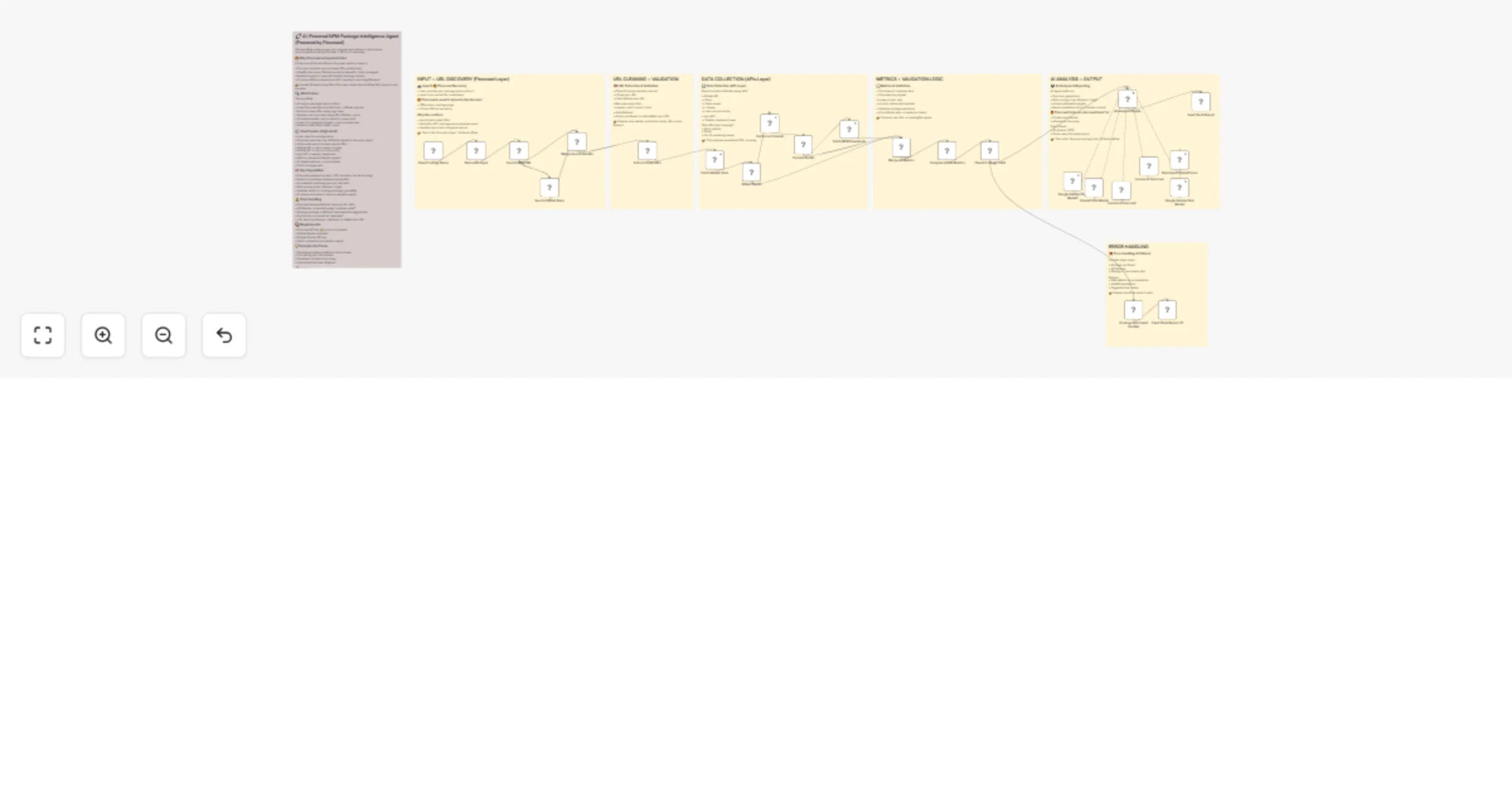
• Accepts a package name via form • Uses Firecrawl Search to find npm + GitHub sources • Extracts clean URLs using logic layer • Fetches real-time data using APIs (GitHub + npm) • Calculates health metrics (activity, issue ratio) • Uses AI to generate insights + recommendations • Sends a clean Slack-ready report
• User submits package name • Firecrawl searches npm & GitHub (dynamic discovery layer) • Code node extracts clean, usable URLs • GitHub API → stars, issues, license • GitHub API → last commit activity • npm API → weekly downloads • Metrics calculated (health signals) • AI Agent analyzes + recommends • Slack message sent
• Firecrawl-powered dynamic URL discovery (no hardcoding) • Real-time package evaluation using APIs • AI-powered reasoning (not just raw data) • Risk scoring (Low / Medium / High) • Handles invalid or missing packages gracefully • Produces structured + human-readable output
• Firecrawl ensures fallback discovery for URLs • API failures → handled using "continue on fail" • Missing package → fallback response with suggestions • Partial data → marked as "unknown" • URL detection failures → fallback to default npm URL
• Firecrawl API key ⭐ (core component) • GitHub OAuth credential • Google Gemini API key • Slack credential (optional for output)
• Package evaluation before production use • Comparing npm alternatives • Developer productivity tooling • Automated tech due diligence
• Structured JSON (for automation) • Slack-ready formatted report (for humans)
This catalog entry is organized from the workflow JSON. The node-level section below shows the executable blocks available for review before importing the template.
Showing the first 24 of 31 workflow blocks. Download the JSON for the full node graph.
| Workflow | Analyze npm packages with Firecrawl, GitHub, npm APIs, Gemini and GPT |
|---|---|
| Complexity | advanced |
| Nodes | 31 |
| Categories | Market Research, AI Summarization |
| Author | Divyanshu Gupta |
| Published | 08 Apr 2026 |
Use the JSON export at /data/workflows/14911/14911.json as the source template for this automation.
Open n8n, import the downloaded JSON, and review each node before activating the workflow.
Replace placeholder credentials, API keys, webhook URLs, account IDs, and environment-specific values with your own settings.
Run the workflow manually or in a staging workspace, inspect node output, and confirm downstream systems receive the expected data.
Enable the workflow only after testing, then monitor executions, errors, and rate limits during the first production runs.
Review imported nodes carefully before activation. This catalog entry is intended to help you inspect the workflow structure, understand required services, and find related templates faster.
Node names, credentials, schedules, webhook paths, and external service limits may need adjustment for your workspace.
This workflow analyzes any npm package and delivers a data driven recommendation using Firecrawl + APIs + AI reasoning. Why Firecrawl is Important Here At the core of this workflow is Firecrawl,...
Review the workflow JSON, configure any required credentials in n8n, and test the automation in a safe workspace before using it in production.
Yes. Use the block-by-block analysis and the downloadable JSON to inspect each node, then adjust credentials, prompts, schedules, filters, or destinations for your Market Research, AI Summarization use case.