Analyze images from forms using GPT-4o-mini Vision and deliver to Telegram
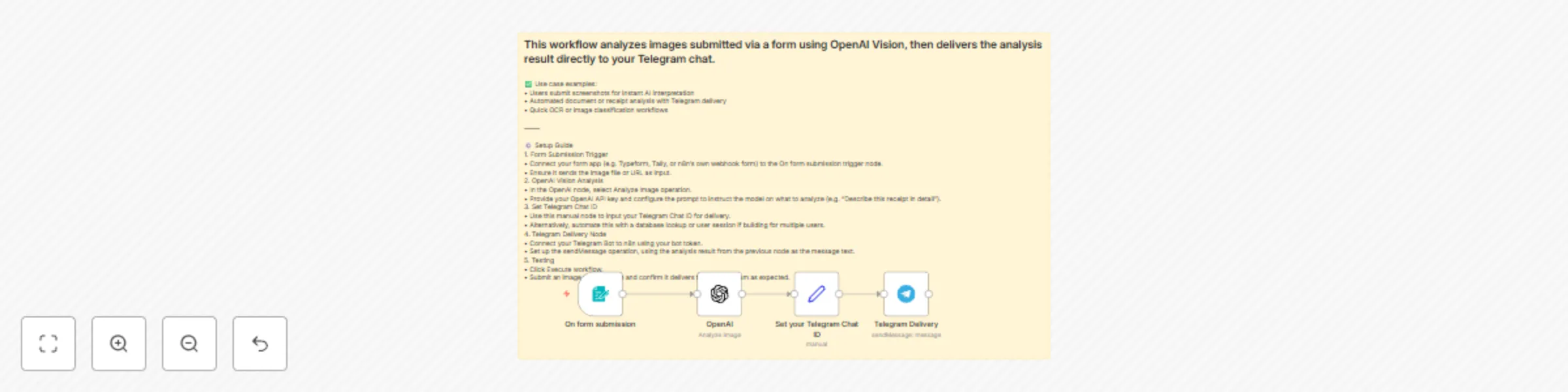
Workflow preview


 Early Deal
DISCOUNT 20%

Important notice
This workflow is provided as-is. Please review and test before using in production.
Overview
This workflow analyzes images submitted via a form using OpenAI Vision, then delivers the analysis result directly to your Telegram chat.
✅ Use case examples: • Users submit screenshots for instant AI interpretation • Automated document or receipt analysis with Telegram delivery • Quick OCR or image classification workflows
⸻
⚙️ Setup Guide 1. Form Submission Trigger • Connect your form app (e.g. Typeform, Tally, or n8n’s own webhook form) to the On form submission trigger node. • Ensure it sends the image file or URL as input. 2. OpenAI Vision Analysis • In the OpenAI node, select Analyze Image operation. • Provide your OpenAI API key and configure the prompt to instruct the model on what to analyze (e.g. “Describe this receipt in detail”). 3. Set Telegram Chat ID • Use this manual node to input your Telegram Chat ID for delivery. • Alternatively, automate this with a database lookup or user session if building for multiple users. 4. Telegram Delivery Node • Connect your Telegram Bot to n8n using your bot token. • Set up the sendMessage operation, using the analysis result from the previous node as the message text. 5. Testing • Click Execute workflow. • Submit an image via your form and confirm it delivers to your Telegram as expected.