Analyze domain keyword rankings and summarize with SE Ranking and GPT-4.1-mini

Workflow preview

Workflow preview
100%
Analyze domain keyword rankings and summarize with SE Ranking and GPT-4.1-mini preview
Open on n8n.io

1. Workflow Overview

This n8n workflow automates domain level keyword ranking analysis and enriches raw SEO metrics with AI generated summaries. It combines structured keyword data from SE Ranking with natural language...

Best for

  • Market Research automation workflows
  • AI Summarization automation workflows
  • advanced n8n builders looking for reusable templates

Tools used

n8n-nodes-base.manualtrigger, n8n-nodes-base.set, @n8n/n8n-nodes-langchain.lmchatopenai, @n8n/n8n-nodes-langchain.informationextractor, n8n-nodes-base.function, n8n-nodes-base.stickynote, n8n-nodes-base.httprequest, n8n-nodes-base.code

Source and attribution

This workflow is cataloged by N8N Workflows and links back to its original n8n.io source page by Ranjan Dailata.

Original n8n.io source

1.1 Workflow description

Title
Analyze domain keyword rankings and summarize with SE Ranking and GPT-4.1-mini
Workflow name
Analyze domain keyword rankings and summarize with SE Ranking and GPT-4.1-mini

This n8n workflow automates domain level keyword ranking analysis and enriches raw SEO metrics with AI-generated summaries. It combines structured keyword data from SE Ranking with natural-language insights produced by OpenAI, turning complex SERP datasets into actionable SEO intelligence.

Who this is for?

This workflow is designed for:

  • SEO engineers and technical marketers
  • Growth teams running programmatic SEO
  • Agencies managing multi-domain keyword analysis
  • Product teams building SEO analytics pipelines
  • Developers using n8n for data enrichment and reporting

If you work with keyword data and need machine-readable output plus human-readable insights, this workflow is for you.

What this workflow does

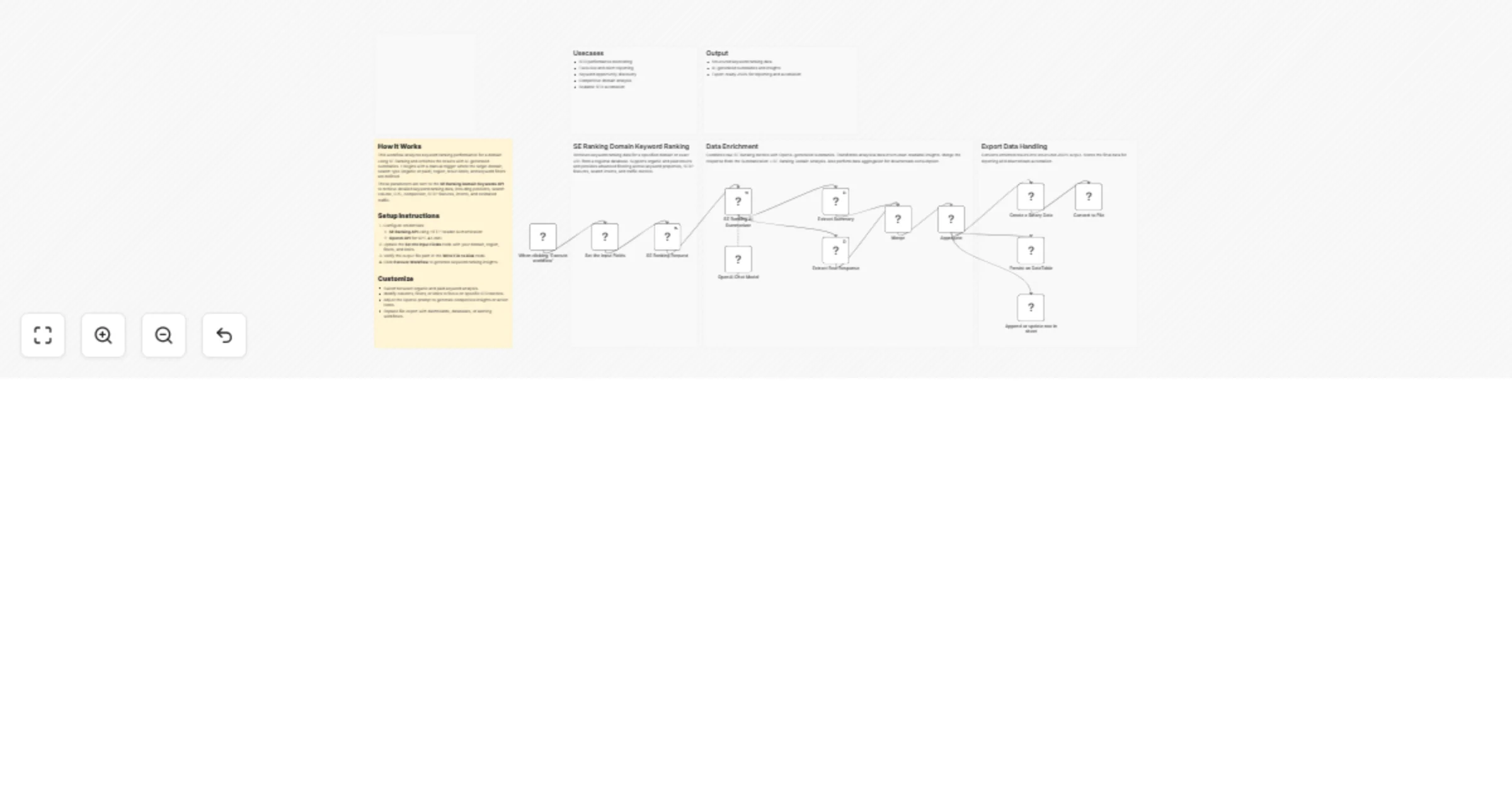
  1. Accepts a target domain or URL, region, keyword type (organic/paid), and filters
  2. Fetches keyword ranking data from the SE Ranking Domain Keywords API
  3. Extracts metrics such as:
  • Keyword positions
  • Search volume & CPC
  • Competition & difficulty
  • SERP features & search intent
  • Traffic estimates
  1. Uses OpenAI GPT-4.1-mini to generate:
  • A comprehensive narrative summary
  • A concise abstract overview
  1. Merges raw data and AI insights into a single enriched dataset
  2. Exports the final output as structured JSON for downstream use

Setup

Prerequisites

  • Active SE Ranking API access
  • OpenAI API key with GPT-4.1-mini enabled
  • Running n8n instance (self-hosted or cloud)
  • Basic understanding of keyword ranking metrics

Configuration steps

If you are new to SE Ranking, please signup on seranking.com

  1. Import the workflow JSON into n8n
  2. Configure credentials:
  • SE Ranking using HTTP Header Authentication. Please make sure to set the header authentication as below. The value should contain a Token followed by a space with the SE Ranking API Key.

  • OpenAI API (GPT-4.1-mini model)
  1. Open the Set the Input Fields node and define:
  • target_site (domain or URL)
  • source (region, e.g. us)
  • type (organic or paid)
  • limit, filters, and requested columns
  1. Verify the output as per the export data handling.
  • Converts enriched SEO results into structured JSON output
  • Creates binary data to support file-based exports
  • Converts processed data into CSV format for easy analysis
  • Inserts or updates records in Google Sheets for reporting
  • Ensures data consistency across all export destinations
  • Enables downstream automation, dashboards, and audits
  1. Click Execute Workflow

How to customize this workflow to your needs

You can easily adapt this workflow by:

  • Switching between organic and paid keyword analysis

  • Changing regions for international SEO tracking

  • Modifying requested keyword columns and SERP filters

  • Customizing the OpenAI prompt to generate:

  • SEO action items

  • Competitive insights

  • Executive summaries

  • Replacing file export with:

  • Databases

  • Dashboards

  • Slack/Email alerts

  • Data warehouses

Summary

This n8n template delivers a production ready SEO analytics pipeline that bridges structured SERP data with AI powered interpretation. By combining SE Ranking’s keyword intelligence with OpenAI driven summarization, it enables faster insights, better reporting, and scalable SEO decision making without manual analysis.

1.2 Logical Blocks

This catalog entry is organized from the workflow JSON. The node-level section below shows the executable blocks available for review before importing the template.

2. Block-by-Block Analysis

Block 1 - When clicking ‘Execute workflow’

Type / Role
n8n-nodes-base.manualTrigger - manualTrigger
Config choices
Version 1

Block 2 - Set the Input Fields

Type / Role
n8n-nodes-base.set - set
Config choices
Version 3.4

Block 3 - OpenAI Chat Model

Type / Role
@n8n/n8n-nodes-langchain.lmChatOpenAi - lmChatOpenAi
Config choices
Version 1.3

Block 4 - SE Ranking AI Summarizer

Type / Role
@n8n/n8n-nodes-langchain.informationExtractor - informationExtractor
Config choices
Version 1.2

Block 5 - Create a Binary Data

Type / Role
n8n-nodes-base.function - function
Config choices
Version 1

Block 6 - Sticky Note

Type / Role
n8n-nodes-base.stickyNote - stickyNote
Config choices
Version 1

Block 7 - Sticky Note1

Type / Role
n8n-nodes-base.stickyNote - stickyNote
Config choices
Version 1

Block 8 - Sticky Note2

Type / Role
n8n-nodes-base.stickyNote - stickyNote
Config choices
Version 1

Block 9 - Sticky Note3

Type / Role
n8n-nodes-base.stickyNote - stickyNote
Config choices
Version 1

Block 10 - SE Ranking Request

Type / Role
n8n-nodes-base.httpRequest - httpRequest
Config choices
Version 4.3

Block 11 - Extract Raw Response

Type / Role
n8n-nodes-base.code - code
Config choices
Version 2

Block 12 - Aggregate

Type / Role
n8n-nodes-base.aggregate - aggregate
Config choices
Version 1

Block 13 - Merge

Type / Role
n8n-nodes-base.merge - merge
Config choices
Version 3.2

Block 14 - Extract Summary

Type / Role
n8n-nodes-base.code - code
Config choices
Version 2

Block 15 - Sticky Note5

Type / Role
n8n-nodes-base.stickyNote - stickyNote
Config choices
Version 1

Block 16 - Convert to File

Type / Role
n8n-nodes-base.convertToFile - convertToFile
Config choices
Version 1.1

Block 17 - Append or update row in sheet

Type / Role
n8n-nodes-base.googleSheets - googleSheets
Config choices
Version 4.7

Block 18 - Sticky Note4

Type / Role
n8n-nodes-base.stickyNote - stickyNote
Config choices
Version 1

Block 19 - Sticky Note6

Type / Role
n8n-nodes-base.stickyNote - stickyNote
Config choices
Version 1

Block 20 - Persist on DataTable

Type / Role
n8n-nodes-base.dataTable - dataTable
Config choices
Version 1.1

3. Summary Table

Workflow Analyze domain keyword rankings and summarize with SE Ranking and GPT-4.1-mini
Complexity advanced
Nodes 20
Categories Market Research, AI Summarization
Author Ranjan Dailata
Published 11 Jan 2026

4. Reproducing the Workflow from Scratch

  1. 1. Download the workflow JSON

    Use the JSON export at /data/workflows/12631/12631.json as the source template for this automation.

  2. 2. Import the template into n8n

    Open n8n, import the downloaded JSON, and review each node before activating the workflow.

  3. 3. Configure credentials and variables

    Replace placeholder credentials, API keys, webhook URLs, account IDs, and environment-specific values with your own settings.

  4. 4. Test with sample data

    Run the workflow manually or in a staging workspace, inspect node output, and confirm downstream systems receive the expected data.

  5. 5. Activate and monitor

    Enable the workflow only after testing, then monitor executions, errors, and rate limits during the first production runs.

5. General Notes & Resources

Review imported nodes carefully before activation. This catalog entry is intended to help you inspect the workflow structure, understand required services, and find related templates faster.

Node names, credentials, schedules, webhook paths, and external service limits may need adjustment for your workspace.

Frequently asked questions

What does Analyze domain keyword rankings and summarize with SE Ranking and GPT-4.1-mini do?

This n8n workflow automates domain level keyword ranking analysis and enriches raw SEO metrics with AI generated summaries. It combines structured keyword data from SE Ranking with natural language...

What do I need before importing this workflow?

Review the workflow JSON, configure any required credentials in n8n, and test the automation in a safe workspace before using it in production.

Can I customize this workflow?

Yes. Use the block-by-block analysis and the downloadable JSON to inspect each node, then adjust credentials, prompts, schedules, filters, or destinations for your Market Research, AI Summarization use case.