Block 1 - OpenAI Chat Model
- Type / Role
- @n8n/n8n-nodes-langchain.lmChatOpenAi - lmChatOpenAi
- Config choices
- Version 1


 Early Deal
This workflow is provided as-is. Please review and test before using in production.
AI Powered WhatsApp Assistant for Restaurant & Delivery – Automate Orders, Calculate Delivery Fees & Enhance Customer Service with n8n Optimize your restaurant's delivery process with AI powered...
@n8n/n8n-nodes-langchain.lmchatopenai, n8n-nodes-base.set, @n8n/n8n-nodes-langchain.embeddingsopenai, n8n-nodes-base.supabase, n8n-nodes-base.merge, n8n-nodes-base.if, n8n-nodes-base.aggregate, n8n-nodes-base.code
This workflow is cataloged by N8N Workflows and links back to its original n8n.io source page by Bruno Dias.
Original n8n.io source📌 Optimize your restaurant's delivery process with AI-powered automation!
This n8n workflow enables an intelligent WhatsApp assistant for restaurants, burger joints, and delivery businesses. The AI chatbot efficiently handles orders, calculates delivery fees based on distance, manages customer interactions, and seamlessly integrates with your CRM and database for streamlined operations.
⚠️ Important Notice: This template is only compatible with self-hosted n8n instances as it uses community nodes. Ensure secure credential management when configuring APIs.
✅ AI-Powered Order Processing – Automatically receive and confirm orders via WhatsApp.
✅ Real-Time Distance Calculation – Determines the delivery distance and calculates the fee dynamically.
✅ Automated Customer Interaction – Engages customers with intelligent conversation and order updates.
✅ WhatsApp Integration – Processes messages, saves customer details, and retrieves past interactions.
✅ Secure Customer Data Storage – Saves order history, customer preferences, and location details in a database.
✅ Seamless CRM & POS System Integration – Sync orders and customer data with your existing platforms.
1️⃣ A customer sends a message via WhatsApp to start an order.
2️⃣ The AI assistant guides them through the menu, recommends items, and confirms their choices.
3️⃣ The system retrieves and saves customer details (name, phone number, and address).
4️⃣ The AI calculates the delivery distance and applies the appropriate delivery fee.
5️⃣ The order details are saved and forwarded to the restaurant’s system for preparation.
6️⃣ The assistant keeps the customer updated about the order status.
🔧 Webhook for WhatsApp – Capture and process customer messages automatically.
🔧 OpenAI-Powered AI Assistant – Configure conversation flows for natural and engaging interactions.
🔧 Delivery Fee Calculation – Set your delivery price per kilometer and adjust base rates.
🔧 Database & CRM Integration – Store customer details, order history, and location data.
🔧 Customizable Order Flow – Adapt the workflow for different restaurant models.
🔧 Secure Credential Management – Store API keys safely to prevent unauthorized access.
💡 Requirements: This template is recommended for users with basic knowledge of n8n. If you need custom development or setup assistance, contact us via WhatsApp: +55 17 99155-7874.
🚀 Automate order processing, reduce manual tasks, and improve customer satisfaction with AI-powered WhatsApp automation!
📌 Otimize o processo de entrega do seu restaurante com automação baseada em IA!
Este fluxo para n8n permite criar um atendente virtual inteligente no WhatsApp, ideal para hamburguerias, restaurantes e serviços de delivery. O chatbot baseado em IA recebe pedidos, calcula a taxa de entrega com base na distância, interage com os clientes e integra-se ao seu CRM para operações mais eficientes.
⚠️ Aviso Importante: Este template é compatível apenas com instâncias auto-hospedadas do n8n, pois utiliza nós da comunidade. Certifique-se de gerenciar credenciais de forma segura ao configurar APIs.
✅ Processamento Inteligente de Pedidos – Recebe e confirma pedidos automaticamente via WhatsApp.
✅ Cálculo Dinâmico da Taxa de Entrega – Mede a distância e aplica a taxa correta automaticamente.
✅ Atendimento Automatizado ao Cliente – Interage com clientes de forma natural e profissional.
✅ Integração com WhatsApp – Captura mensagens, armazena dados e recupera histórico de pedidos.
✅ Armazenamento Seguro de Dados do Cliente – Salva pedidos, preferências e endereços de entrega.
✅ Sincronização com CRM e Sistema de PDV – Conecta-se ao seu sistema de gestão para um fluxo contínuo.
1️⃣ O cliente envia uma mensagem via WhatsApp para iniciar um pedido.
2️⃣ O assistente de IA apresenta o menu, sugere itens e confirma a escolha do cliente.
3️⃣ O sistema captura e salva os dados do cliente (nome, telefone e endereço).
4️⃣ A IA calcula a distância de entrega e aplica a taxa de acordo com a localização.
5️⃣ Os detalhes do pedido são registrados e enviados para a cozinha.
6️⃣ O assistente atualiza o cliente sobre o status do pedido.
🔧 Webhook para WhatsApp – Configuração para capturar e processar pedidos automaticamente.
🔧 Assistente de IA com OpenAI – Configuração de fluxos conversacionais naturais e envolventes.
🔧 Cálculo de Taxa de Entrega – Definição de valores por quilômetro e ajustes de tarifas base.
🔧 Banco de Dados & CRM – Armazena dados de clientes, histórico de pedidos e localização.
🔧 Fluxo de Pedidos Personalizável – Adapte para diferentes tipos de restaurantes e serviços de delivery.
🔧 Gerenciamento Seguro de Credenciais – Proteja suas chaves de API contra acessos não autorizados.
💡 Requisitos: Este template é recomendado para usuários que já possuem conhecimentos básicos em n8n. Se precisar de personalização ou suporte para instalação, entre em contato pelo WhatsApp: +55 17 99155-7874.
🚀 Automatize o processamento de pedidos, reduza tarefas manuais e melhore a satisfação dos clientes com um WhatsApp automatizado e inteligente!
This catalog entry is organized from the workflow JSON. The node-level section below shows the executable blocks available for review before importing the template.
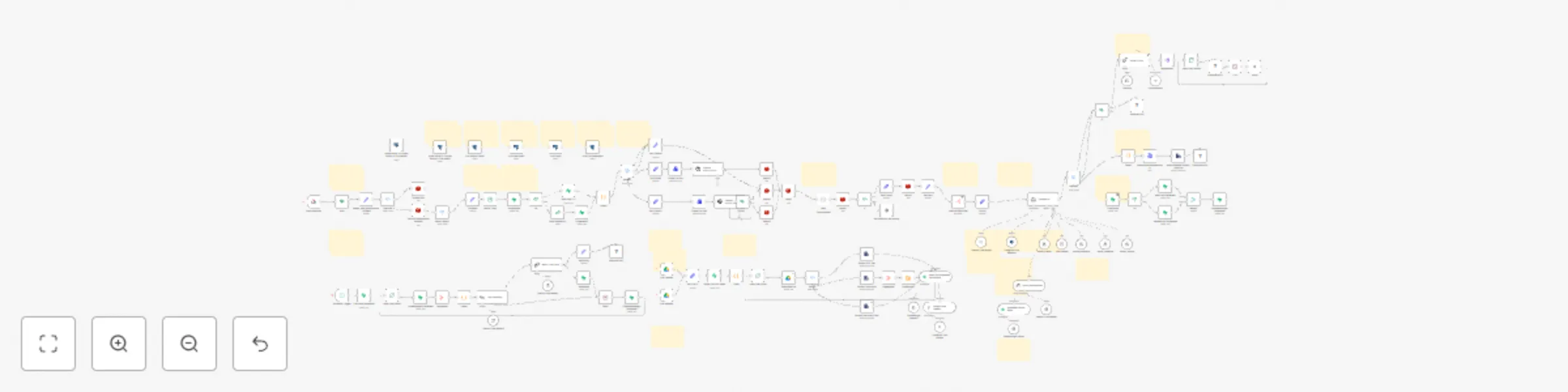
Showing the first 24 of 152 workflow blocks. Download the JSON for the full node graph.
| Workflow | 🤖 AI-powered WhatsApp assistant for restaurants & delivery automation |
|---|---|
| Complexity | advanced |
| Nodes | 152 |
| Categories | Support Chatbot, AI Chatbot |
| Author | Bruno Dias |
| Published | 28 Feb 2025 |
Use the JSON export at /data/workflows/3043/3043.json as the source template for this automation.
Open n8n, import the downloaded JSON, and review each node before activating the workflow.
Replace placeholder credentials, API keys, webhook URLs, account IDs, and environment-specific values with your own settings.
Run the workflow manually or in a staging workspace, inspect node output, and confirm downstream systems receive the expected data.
Enable the workflow only after testing, then monitor executions, errors, and rate limits during the first production runs.
Review imported nodes carefully before activation. This catalog entry is intended to help you inspect the workflow structure, understand required services, and find related templates faster.
Node names, credentials, schedules, webhook paths, and external service limits may need adjustment for your workspace.
AI Powered WhatsApp Assistant for Restaurant & Delivery – Automate Orders, Calculate Delivery Fees & Enhance Customer Service with n8n Optimize your restaurant's delivery process with AI powered...
Review the workflow JSON, configure any required credentials in n8n, and test the automation in a safe workspace before using it in production.
Yes. Use the block-by-block analysis and the downloadable JSON to inspect each node, then adjust credentials, prompts, schedules, filters, or destinations for your Support Chatbot, AI Chatbot use case.