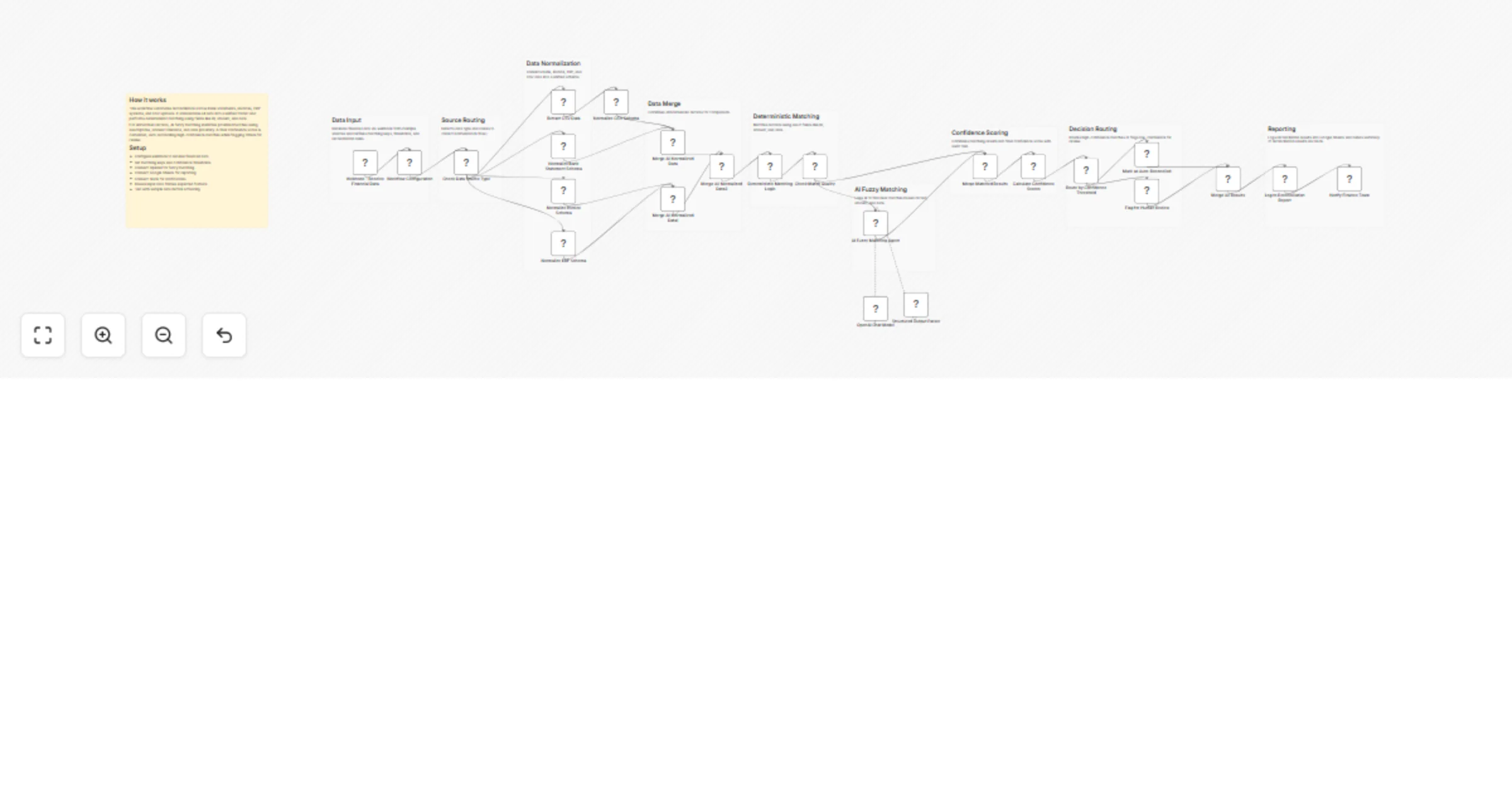
AI-powered fuzzy matching, and assigns confidence scores.

Workflow preview

Workflow preview
100%
AI-powered fuzzy matching, and assigns confidence scores. preview
Open on n8n.io

1. Workflow Overview

Overview This workflow automates financial reconciliation across multiple data sources such as bank statements, invoices, ERP systems, and CSV uploads. It standardizes all incoming data, performs r...

Best for

  • Document Extraction automation workflows
  • AI Summarization automation workflows
  • advanced n8n builders looking for reusable templates

Tools used

n8n-nodes-base.webhook, n8n-nodes-base.set, n8n-nodes-base.if, n8n-nodes-base.extractfromfile, n8n-nodes-base.merge, n8n-nodes-base.code, @n8n/n8n-nodes-langchain.agent, @n8n/n8n-nodes-langchain.lmchatopenai

Source and attribution

This workflow is cataloged by N8N Workflows and links back to its original n8n.io source page by ResilNext.

Original n8n.io source

1.1 Workflow description

Title
AI-powered fuzzy matching, and assigns confidence scores.
Workflow name
AI-powered fuzzy matching, and assigns confidence scores.

Overview

This workflow automates financial reconciliation across multiple data sources such as bank statements, invoices, ERP systems, and CSV uploads.

It standardizes all incoming data, performs rule-based matching, enhances results with AI-powered fuzzy matching, and assigns confidence scores. High-confidence matches are auto-reconciled, while uncertain ones are flagged for human review.


How It Works

  1. Data Ingestion Receives financial data via webhook from different sources.

  2. Source Detection & Routing Identifies the data type and routes it to the correct normalization flow.

  3. Data Normalization Converts all records into a unified schema with consistent fields like ID, amount, date, and description.

  4. Data Merging Combines all normalized records into a single dataset for matching.

  5. Deterministic Matching Matches records using exact field combinations such as ID, amount, and date to generate initial confidence.

  6. Match Quality Check Filters low-confidence matches for further analysis.

  7. AI Fuzzy Matching Uses AI to identify near matches based on descriptions, amount tolerance, and date proximity.

  8. Confidence Scoring Combines deterministic and AI results into a final confidence score with a detailed audit trail.

  9. Decision Routing

  • High confidence → auto-reconciled
  • Low confidence → flagged for human review
  1. Reporting Logs reconciliation results into Google Sheets.

  2. Notifications Sends a summary report to Slack for visibility.


Setup Instructions

  • Configure webhook to receive financial data
  • Set matching keys and confidence thresholds
  • Connect OpenAI for fuzzy matching
  • Connect Google Sheets for reporting
  • Connect Slack for notifications
  • Ensure input data follows expected formats
  • Test with sample financial data
  • Activate the workflow

Use Cases

  • Bank statement vs invoice reconciliation
  • ERP vs accounting system matching
  • Financial audit automation
  • Detecting missing or duplicate transactions
  • Reducing manual reconciliation effort

Requirements

  • n8n instance with webhook support
  • OpenAI API access
  • Google Sheets account
  • Slack workspace
  • Structured financial datasets (CSV/API)

Notes

  • Deterministic matching ensures accuracy for exact matches.
  • AI fuzzy matching improves coverage for ambiguous records.
  • Confidence scoring provides transparency and auditability.
  • Human review ensures control over uncertain reconciliations.

1.2 Logical Blocks

This catalog entry is organized from the workflow JSON. The node-level section below shows the executable blocks available for review before importing the template.

2. Block-by-Block Analysis

Block 1 - Webhook - Receive Financial Data

Type / Role
n8n-nodes-base.webhook - webhook
Config choices
Version 2.1

Block 2 - Workflow Configuration

Type / Role
n8n-nodes-base.set - set
Config choices
Version 3.4

Block 3 - Check Data Source Type

Type / Role
n8n-nodes-base.if - if
Config choices
Version 2.3

Block 4 - Extract CSV Data

Type / Role
n8n-nodes-base.extractFromFile - extractFromFile
Config choices
Version 1.1

Block 5 - Normalize Bank Statement Schema

Type / Role
n8n-nodes-base.set - set
Config choices
Version 3.4

Block 6 - Normalize Invoice Schema

Type / Role
n8n-nodes-base.set - set
Config choices
Version 3.4

Block 7 - Normalize ERP Schema

Type / Role
n8n-nodes-base.set - set
Config choices
Version 3.4

Block 8 - Normalize CSV Schema

Type / Role
n8n-nodes-base.set - set
Config choices
Version 3.4

Block 9 - Merge All Normalized Data

Type / Role
n8n-nodes-base.merge - merge
Config choices
Version 3.2

Block 10 - Deterministic Matching Logic

Type / Role
n8n-nodes-base.code - code
Config choices
Version 2

Block 11 - Check Match Quality

Type / Role
n8n-nodes-base.if - if
Config choices
Version 2.3

Block 12 - AI Fuzzy Matching Agent

Type / Role
@n8n/n8n-nodes-langchain.agent - agent
Config choices
Version 3

Block 13 - OpenAI Chat Model

Type / Role
@n8n/n8n-nodes-langchain.lmChatOpenAi - lmChatOpenAi
Config choices
Version 1.3

Block 14 - Structured Output Parser

Type / Role
@n8n/n8n-nodes-langchain.outputParserStructured - outputParserStructured
Config choices
Version 1.3

Block 15 - Merge Matched Results

Type / Role
n8n-nodes-base.merge - merge
Config choices
Version 3.2

Block 16 - Calculate Confidence Scores

Type / Role
n8n-nodes-base.code - code
Config choices
Version 2

Block 17 - Route by Confidence Threshold

Type / Role
n8n-nodes-base.if - if
Config choices
Version 2.3

Block 18 - Flag for Human Review

Type / Role
n8n-nodes-base.set - set
Config choices
Version 3.4

Block 19 - Mark as Auto-Reconciled

Type / Role
n8n-nodes-base.set - set
Config choices
Version 3.4

Block 20 - Merge All Results

Type / Role
n8n-nodes-base.merge - merge
Config choices
Version 3.2

Block 21 - Log to Reconciliation Report

Type / Role
n8n-nodes-base.googleSheets - googleSheets
Config choices
Version 4.7

Block 22 - Notify Finance Team

Type / Role
n8n-nodes-base.slack - slack
Config choices
Version 2.4

Block 23 - Merge All Normalized Data1

Type / Role
n8n-nodes-base.merge - merge
Config choices
Version 3.2

Block 24 - Merge All Normalized Data2

Type / Role
n8n-nodes-base.merge - merge
Config choices
Version 3.2

Showing the first 24 of 34 workflow blocks. Download the JSON for the full node graph.

3. Summary Table

Workflow AI-powered fuzzy matching, and assigns confidence scores.
Complexity advanced
Nodes 34
Categories Document Extraction, AI Summarization
Author ResilNext
Published 23 Mar 2026

4. Reproducing the Workflow from Scratch

  1. 1. Download the workflow JSON

    Use the JSON export at /data/workflows/14276/14276.json as the source template for this automation.

  2. 2. Import the template into n8n

    Open n8n, import the downloaded JSON, and review each node before activating the workflow.

  3. 3. Configure credentials and variables

    Replace placeholder credentials, API keys, webhook URLs, account IDs, and environment-specific values with your own settings.

  4. 4. Test with sample data

    Run the workflow manually or in a staging workspace, inspect node output, and confirm downstream systems receive the expected data.

  5. 5. Activate and monitor

    Enable the workflow only after testing, then monitor executions, errors, and rate limits during the first production runs.

5. General Notes & Resources

Review imported nodes carefully before activation. This catalog entry is intended to help you inspect the workflow structure, understand required services, and find related templates faster.

Node names, credentials, schedules, webhook paths, and external service limits may need adjustment for your workspace.

Frequently asked questions

What does AI-powered fuzzy matching, and assigns confidence scores. do?

Overview This workflow automates financial reconciliation across multiple data sources such as bank statements, invoices, ERP systems, and CSV uploads. It standardizes all incoming data, performs r...

What do I need before importing this workflow?

Review the workflow JSON, configure any required credentials in n8n, and test the automation in a safe workspace before using it in production.

Can I customize this workflow?

Yes. Use the block-by-block analysis and the downloadable JSON to inspect each node, then adjust credentials, prompts, schedules, filters, or destinations for your Document Extraction, AI Summarization use case.