Block 1 - When clicking ‘Execute workflow’
- Type / Role
- n8n-nodes-base.manualTrigger - manualTrigger
- Config choices
- Version 1


 Early Deal
This workflow is provided as-is. Please review and test before using in production.
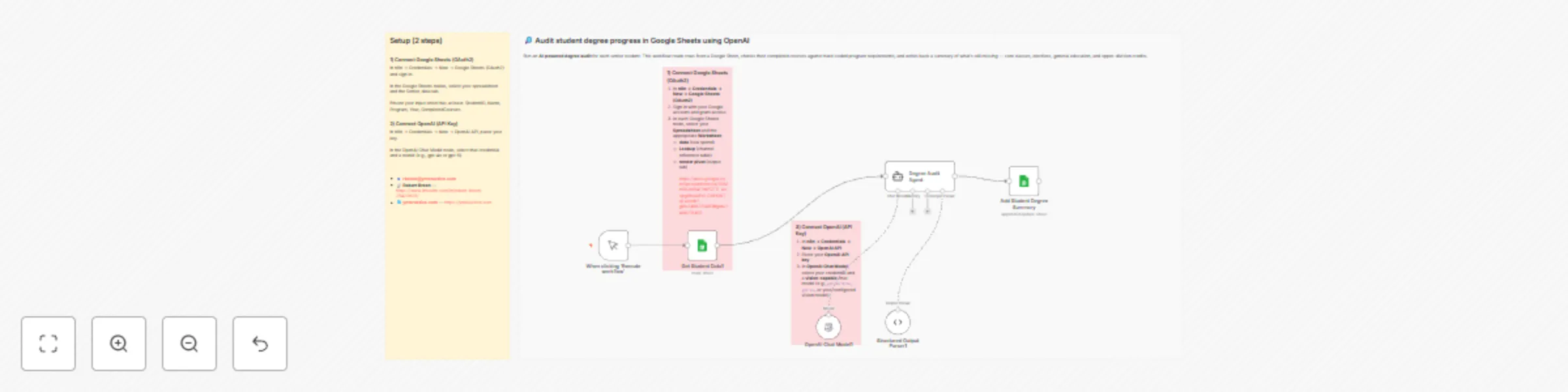
Run an AI powered degree audit for each senior student. This template reads student rows from Google Sheets, evaluates completed courses against hard coded program requirements , and writes back an...
n8n-nodes-base.manualtrigger, n8n-nodes-base.stickynote, @n8n/n8n-nodes-langchain.lmchatopenai, @n8n/n8n-nodes-langchain.outputparserstructured, @n8n/n8n-nodes-langchain.agent, n8n-nodes-base.googlesheets
This workflow is cataloged by N8N Workflows and links back to its original n8n.io source page by Robert Breen.
Original n8n.io sourceRun an AI-powered degree audit for each senior student. This template reads student rows from Google Sheets, evaluates completed courses against hard-coded program requirements, and writes back an AI Degree Summary of what's still missing (major core, Gen Eds, major electives, and upper-division credits). It's designed for quick advisor/registrar review and SIS prototypes.
Trigger: Manual — When clicking "Execute workflow"
Core nodes: Google Sheets, OpenAI Chat Model, (optional) Structured Output Parser
Programs included: Computer Science BS, Business Administration BBA, Psychology BA, Mechanical Engineering BS, Biology BS (Pre-Med), English Literature BA, Data Science BS, Nursing BSN, Economics BA, Graphic Design BFA
Senior_data) with: StudentID, Name, Program, Year, CompletedCourses. CompletedCourses to built-in requirements (per program) and computes Missing items + a short Summary. StudentID (updates AI Degree Summary; you can also map the raw Missing array to a column if desired).Example JSON (for one student): { "StudentID": "S001", "Program": "Computer Science BS", "Missing": [ "GEN-REMAIN | General Education credits remaining | 6", "CS-EL-REM | CS Major Electives (200+ level) | 6", "UPPER-DIV | Additional Upper-Division (200+ level) credits needed | 18", "FREE-EL | Free Electives to reach 120 total credits | 54" ], "Summary": "All core CS courses are complete. Still need 6 Gen Ed credits, 6 CS electives, and 66 total credits overall, including 18 upper-division credits — prioritize 200/300-level CS electives." }
In n8n → Credentials → New → Google Sheets (OAuth2) and sign in.
In the Google Sheets nodes, select your spreadsheet and the Senior_data tab.
Ensure your input sheet has at least: StudentID, Name, Program, Year, CompletedCourses.
In n8n → Credentials → New → OpenAI API, paste your key.
In the OpenAI Chat Model node, select that credential and a model (e.g., gpt-4o or gpt-5).
Category: Education / Student Information Systems
Tags: degree-audit, registrar, google-sheets, openai, electives, upper-division, graduation-readiness
v1.0.0 — Initial release: Senior_data in/out, 10 programs, AI Degree Summary output, append/update by StudentID.
Need help tailoring this to your catalog (e.g., per-college Gen Eds, capstones, minors, PDFs/email)?
📧 [email protected]
📧 [email protected]
🔗 Robert Breen — https://www.linkedin.com/in/robert-breen-29429625/
🌐 ynteractive.com — https://ynteractive.com
This catalog entry is organized from the workflow JSON. The node-level section below shows the executable blocks available for review before importing the template.
| Workflow | Ai-powered degree audit system with Google Sheets and GPT-5 |
|---|---|
| Complexity | intermediate |
| Nodes | 10 |
| Categories | Internal Wiki, AI Chatbot |
| Author | Robert Breen |
| Published | 31 Aug 2025 |
Use the JSON export at /data/workflows/8093/8093.json as the source template for this automation.
Open n8n, import the downloaded JSON, and review each node before activating the workflow.
Replace placeholder credentials, API keys, webhook URLs, account IDs, and environment-specific values with your own settings.
Run the workflow manually or in a staging workspace, inspect node output, and confirm downstream systems receive the expected data.
Enable the workflow only after testing, then monitor executions, errors, and rate limits during the first production runs.
Review imported nodes carefully before activation. This catalog entry is intended to help you inspect the workflow structure, understand required services, and find related templates faster.
Node names, credentials, schedules, webhook paths, and external service limits may need adjustment for your workspace.
Run an AI powered degree audit for each senior student. This template reads student rows from Google Sheets, evaluates completed courses against hard coded program requirements , and writes back an...
Review the workflow JSON, configure any required credentials in n8n, and test the automation in a safe workspace before using it in production.
Yes. Use the block-by-block analysis and the downloadable JSON to inspect each node, then adjust credentials, prompts, schedules, filters, or destinations for your Internal Wiki, AI Chatbot use case.