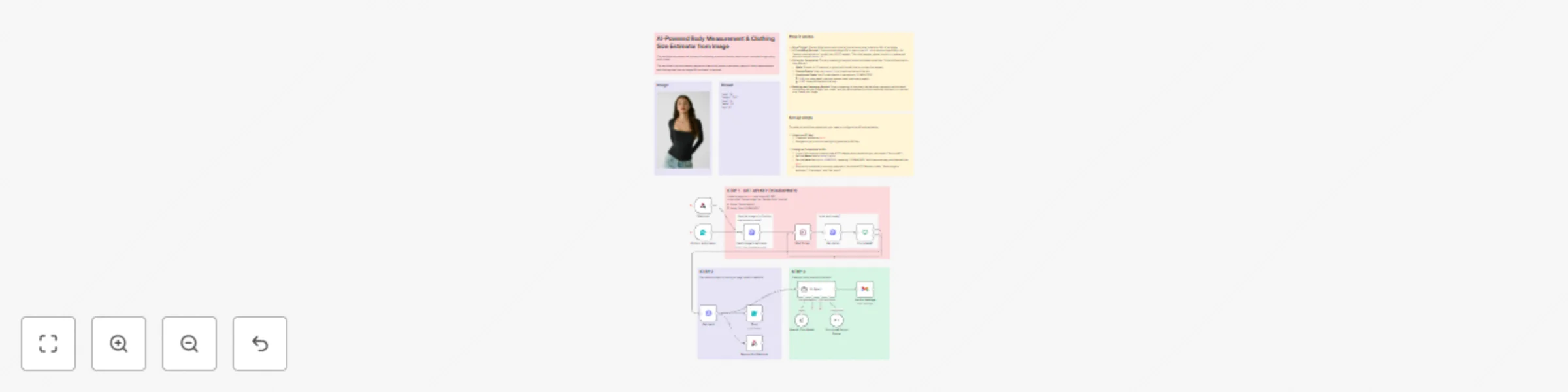
AI-powered body measurement & clothing size estimator from image with Fal.ai

Workflow preview

Workflow preview
100%
AI-powered body measurement & clothing size estimator from image with Fal.ai preview
Open on n8n.io

Important notice

This workflow is provided as-is. Please review and test before using in production.

1. Workflow Overview

This workflow automates the process of estimating a person’s fashion size from an uploaded image using an AI model. This workflow is an automated pipeline that uses an AI model to estimate a person...

Best for

  • Document Extraction automation workflows
  • AI Summarization automation workflows
  • advanced n8n builders looking for reusable templates

Tools used

n8n-nodes-base.formtrigger, n8n-nodes-base.httprequest, n8n-nodes-base.if, n8n-nodes-base.form, n8n-nodes-base.wait, n8n-nodes-base.stickynote, n8n-nodes-base.webhook, n8n-nodes-base.respondtowebhook

Source and attribution

This workflow is cataloged by N8N Workflows and links back to its original n8n.io source page by Davide.

Original n8n.io source

1.1 Workflow description

Title
AI-powered body measurement & clothing size estimator from image with Fal.ai
Workflow name
AI-powered body measurement & clothing size estimator from image with Fal.ai

This workflow automates the process of estimating a person’s fashion size from an uploaded image using an AI model.

This workflow is an automated pipeline that uses an AI model to estimate a person's body measurements and clothing size from an image URL.


Key Features

  • 🔁 Full Automation – From image submission to result display, the process requires no manual steps.
  • ⚙️ Easy Integration – Uses n8n’s native nodes and simple HTTP requests to connect with Fal.ai’s API.
  • 🕒 Real-Time Processing – Automatically waits and checks for the AI result, ensuring the user receives the output as soon as it’s ready.
  • 🧩 Modular Design – Each step (submit → process → check → result) is clearly separated, making it easy to modify or extend (e.g., adding notifications or storing results in a database).
  • 💡 User-Friendly Interface – The initial form and final result form make it accessible even for non-technical users.
  • 🔐 Secure – Authentication to the Fal.ai API is handled through HTTP header authorization, keeping API keys protected.

How it works

  1. Form Trigger: The workflow starts with a public form where a user submits a URL of an image.
  2. AI Processing Request: The submitted image URL is sent to the fal.run AI service (specifically, the "fashion-size-estimator" model) via a POST request. This initial request places the job in a queue and returns a unique request_id.
  3. Polling for Completion: The AI processing is asynchronous and takes some time. The workflow enters a loop where it:
    • Waits: Pauses for 10 seconds to give the AI model time to process the request.
    • Checks Status: Uses the request_id to check the status of the job.
    • Conditional Check: An IF node checks if the status is "COMPLETED".
      • If NO (not completed), the loop repeats (wait, then check again).
      • If YES, the workflow exits the loop.
  4. Fetching and Displaying Results: Once processing is complete, the workflow retrieves the final result (containing the size, height, bust, waist, and hip measurements) and automatically displays it to the user on a "thank you" page.

Set up steps

To make this workflow operational, you need to configure the API authentication.

  1. Obtain an API Key:

    • Create an account at fal.ai
    • Navigate to your account settings to generate an API key.
  2. Configure Credentials in n8n:

    • In your n8n instance, create a new HTTP Header Auth credential (you can name it "Fal.run API").
    • Set the Name field to Authorization.
    • Set the Value field to Key YOURAPIKEY, replacing "YOURAPIKEY" with the actual key you obtained from fal.ai.
    • Ensure this credential is correctly selected in the three HTTP Request nodes: "Send image to estimator", "Get status", and "Get result".

Need help customizing?

Contact me for consulting and support or add me on Linkedin.

1.2 Logical Blocks

This catalog entry is organized from the workflow JSON. The node-level section below shows the executable blocks available for review before importing the template.

2. Block-by-Block Analysis

Block 1 - On form submission

Type / Role
n8n-nodes-base.formTrigger - formTrigger
Config choices
Version 2.2

Block 2 - Get status

Type / Role
n8n-nodes-base.httpRequest - httpRequest
Config choices
Version 4.2

Block 3 - Completed?

Type / Role
n8n-nodes-base.if - if
Config choices
Version 2.2

Block 4 - Form

Type / Role
n8n-nodes-base.form - form
Config choices
Version 1

Block 5 - Wait 10 sec.

Type / Role
n8n-nodes-base.wait - wait
Config choices
Version 1.1

Block 6 - Send image to estimator

Type / Role
n8n-nodes-base.httpRequest - httpRequest
Config choices
Version 4.2

Block 7 - Sticky Note

Type / Role
n8n-nodes-base.stickyNote - stickyNote
Config choices
Version 1

Block 8 - Sticky Note1

Type / Role
n8n-nodes-base.stickyNote - stickyNote
Config choices
Version 1

Block 9 - Sticky Note3

Type / Role
n8n-nodes-base.stickyNote - stickyNote
Config choices
Version 1

Block 10 - Sticky Note6

Type / Role
n8n-nodes-base.stickyNote - stickyNote
Config choices
Version 1

Block 11 - Sticky Note2

Type / Role
n8n-nodes-base.stickyNote - stickyNote
Config choices
Version 1

Block 12 - Sticky Note4

Type / Role
n8n-nodes-base.stickyNote - stickyNote
Config choices
Version 1

Block 13 - Get result

Type / Role
n8n-nodes-base.httpRequest - httpRequest
Config choices
Version 4.2

Block 14 - Sticky Note5

Type / Role
n8n-nodes-base.stickyNote - stickyNote
Config choices
Version 1

Block 15 - Webhook

Type / Role
n8n-nodes-base.webhook - webhook
Config choices
Version 2.1

Block 16 - Respond to Webhook

Type / Role
n8n-nodes-base.respondToWebhook - respondToWebhook
Config choices
Version 1.4

Block 17 - Send a message

Type / Role
n8n-nodes-base.gmail - gmail
Config choices
Version 2.1

Block 18 - AI Agent

Type / Role
@n8n/n8n-nodes-langchain.agent - agent
Config choices
Version 3

Block 19 - OpenAI Chat Model

Type / Role
@n8n/n8n-nodes-langchain.lmChatOpenAi - lmChatOpenAi
Config choices
Version 1.2

Block 20 - Structured Output Parser

Type / Role
@n8n/n8n-nodes-langchain.outputParserStructured - outputParserStructured
Config choices
Version 1.3

Block 21 - Sticky Note7

Type / Role
n8n-nodes-base.stickyNote - stickyNote
Config choices
Version 1

Block 22 - Sticky Note8

Type / Role
n8n-nodes-base.stickyNote - stickyNote
Config choices
Version 1

Block 23 - Sticky Note9

Type / Role
n8n-nodes-base.stickyNote - stickyNote
Config choices
Version 1

3. Summary Table

Workflow AI-powered body measurement & clothing size estimator from image with Fal.ai
Complexity advanced
Nodes 23
Categories Document Extraction, AI Summarization
Author Davide
Published 15 Nov 2025

4. Reproducing the Workflow from Scratch

  1. 1. Download the workflow JSON

    Use the JSON export at /data/workflows/10863/10863.json as the source template for this automation.

  2. 2. Import the template into n8n

    Open n8n, import the downloaded JSON, and review each node before activating the workflow.

  3. 3. Configure credentials and variables

    Replace placeholder credentials, API keys, webhook URLs, account IDs, and environment-specific values with your own settings.

  4. 4. Test with sample data

    Run the workflow manually or in a staging workspace, inspect node output, and confirm downstream systems receive the expected data.

  5. 5. Activate and monitor

    Enable the workflow only after testing, then monitor executions, errors, and rate limits during the first production runs.

5. General Notes & Resources

Review imported nodes carefully before activation. This catalog entry is intended to help you inspect the workflow structure, understand required services, and find related templates faster.

Node names, credentials, schedules, webhook paths, and external service limits may need adjustment for your workspace.

Frequently asked questions

What does AI-powered body measurement & clothing size estimator from image with Fal.ai do?

This workflow automates the process of estimating a person’s fashion size from an uploaded image using an AI model. This workflow is an automated pipeline that uses an AI model to estimate a person...

What do I need before importing this workflow?

Review the workflow JSON, configure any required credentials in n8n, and test the automation in a safe workspace before using it in production.

Can I customize this workflow?

Yes. Use the block-by-block analysis and the downloadable JSON to inspect each node, then adjust credentials, prompts, schedules, filters, or destinations for your Document Extraction, AI Summarization use case.