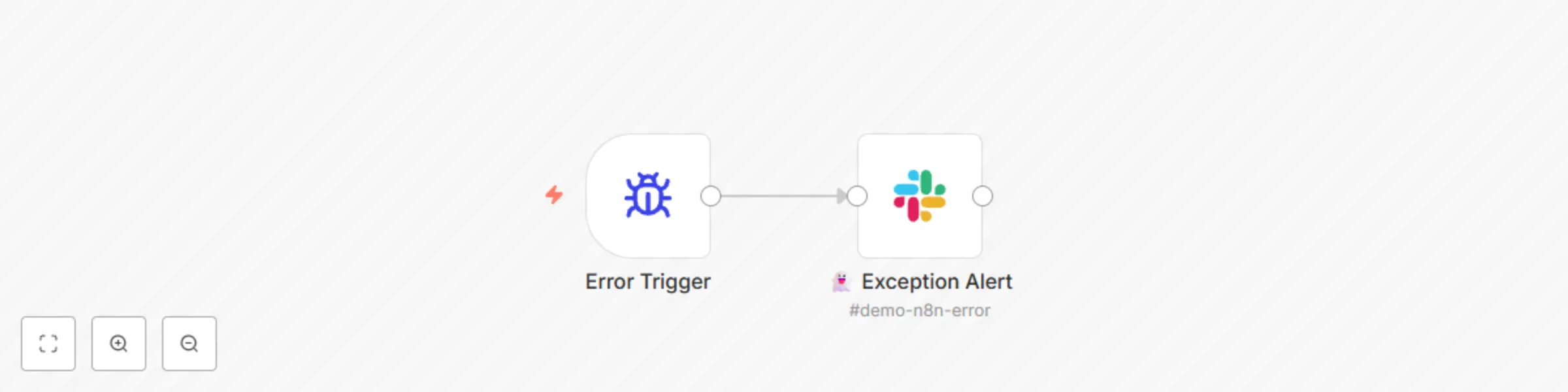
Block 1 - Error Trigger
- Type / Role
- n8n-nodes-base.errorTrigger - errorTrigger
- Config choices
- Version 1


 Early Deal
This workflow is provided as-is. Please review and test before using in production.
Workflow Name: Exception Flow Template was created in n8n v1.90.2 Skill Level: Low Categories: n8n, Chatbot Stacks Error Trigger Slack node What this workflow does? This is a n8n Error Workflow ...
n8n-nodes-base.errortrigger, n8n-nodes-base.slack
This workflow is cataloged by N8N Workflows and links back to its original n8n.io source page by ChatPayLabs.
Original n8n.io sourceTemplate was created in n8n v1.90.2
This is a n8n Error Workflow. It will trigger when there is an error in another workflow. When this happens, it then tries to send an error notification to the preset Slack channel.
Although this workflow template is part of the AI Chatbot Call Center Series, it could be used with any n8n workflows.
This catalog entry is organized from the workflow JSON. The node-level section below shows the executable blocks available for review before importing the template.
| Workflow | AI chatbot call center: General exception flow (production-ready, part 8) |
|---|---|
| Complexity | beginner |
| Nodes | 2 |
| Categories | DevOps |
| Author | ChatPayLabs |
| Published | 14 May 2025 |
Use the JSON export at /data/workflows/4052/4052.json as the source template for this automation.
Open n8n, import the downloaded JSON, and review each node before activating the workflow.
Replace placeholder credentials, API keys, webhook URLs, account IDs, and environment-specific values with your own settings.
Run the workflow manually or in a staging workspace, inspect node output, and confirm downstream systems receive the expected data.
Enable the workflow only after testing, then monitor executions, errors, and rate limits during the first production runs.
Review imported nodes carefully before activation. This catalog entry is intended to help you inspect the workflow structure, understand required services, and find related templates faster.
Node names, credentials, schedules, webhook paths, and external service limits may need adjustment for your workspace.
Workflow Name: Exception Flow Template was created in n8n v1.90.2 Skill Level: Low Categories: n8n, Chatbot Stacks Error Trigger Slack node What this workflow does? This is a n8n Error Workflow ...
Review the workflow JSON, configure any required credentials in n8n, and test the automation in a safe workspace before using it in production.
Yes. Use the block-by-block analysis and the downloadable JSON to inspect each node, then adjust credentials, prompts, schedules, filters, or destinations for your DevOps use case.