🏫 English lesson generator from podcasts with RSS, GPT-4, ElevenLabs and Gmail


DISCOUNT 20%

Tags: ESL, English Learning, Podcasts, RSS, AI Exercises, ElevenLabs
Context
Hi! I’m Samir, Supply Chain Engineer and Data Scientist based in Paris, and founder of the startup LogiGreen.
I created this workflow for my mother, who is currently learning English, to turn the BBC 6 Minute English podcast into ready-to-use English lessons.
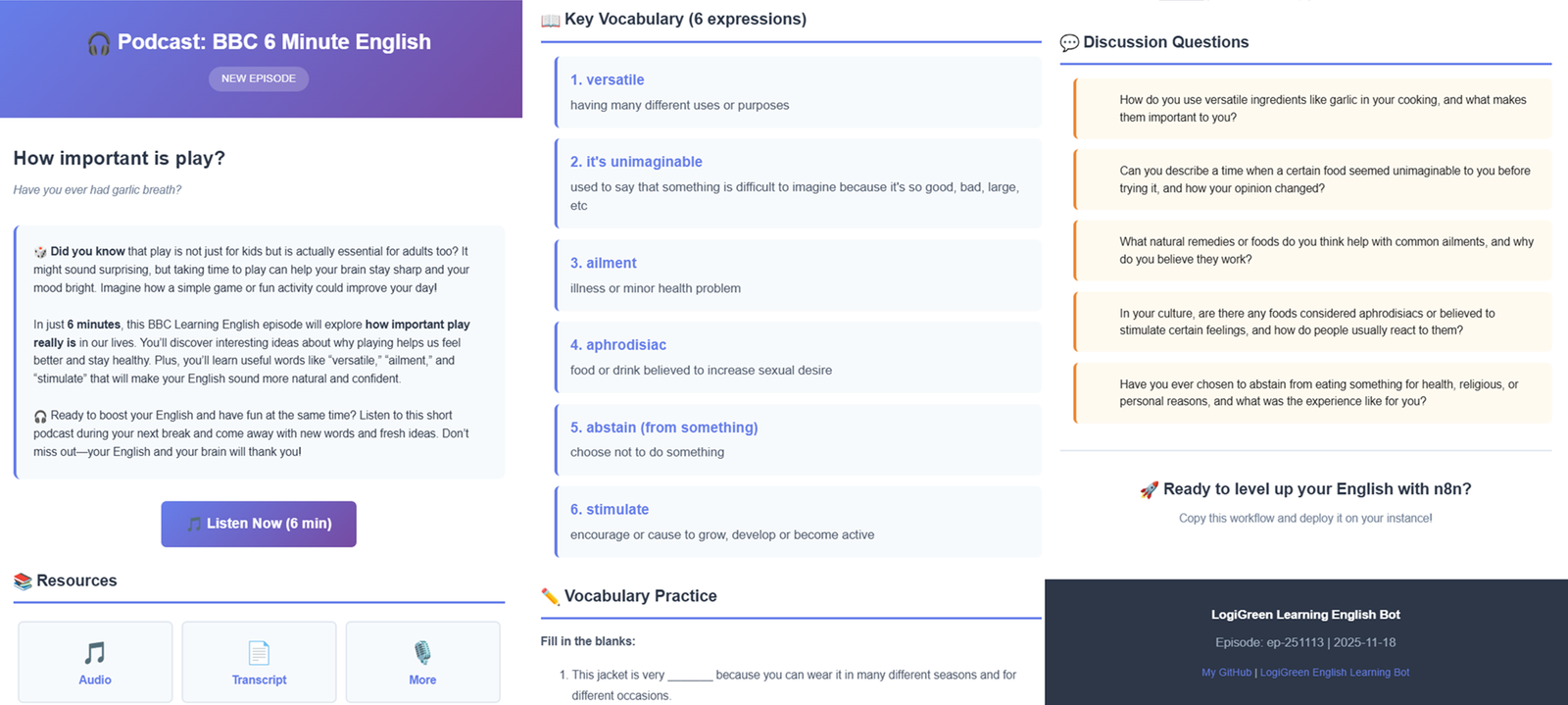
The lesson includes vocabulary, exercises and discussion questions along with links to access the podcast content (audio and transcript).
> Use this assistant to automatically share English lessons from a renowned podcast.
📬 For business inquiries, you can find me on LinkedIn
Who is this template for?
This template is designed for:
- ESL teachers who want a fresh, structured lesson every week from real-life audio
- Independent learners who want a guided way to study English with podcasts
- Language schools or content creators who send regular English lessons by email
What does this workflow do?
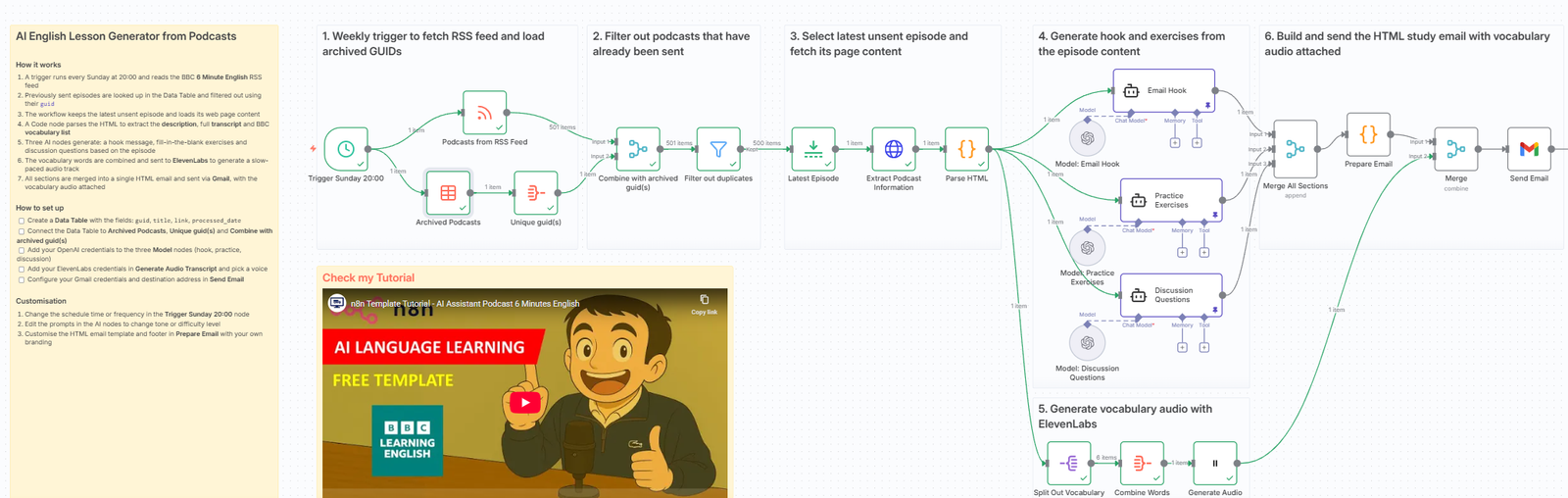
This workflow acts as an AI-powered English lesson generator from podcast episodes.
- Runs every Sunday at 20:00 using a Schedule Trigger and reads the BBC 6 Minute English RSS feed
- Checks a Data Table of archived episodes and filters out those already sent (using their
guid) - Keeps the latest unsent episode and loads its web page content via HTTP
- Parses the HTML in a Code node to extract the episode description, full transcript and BBC vocabulary list
- Calls three AI nodes (OpenAI) to generate:
- a motivational email hook message
- fill-in-the-blank vocabulary exercises
- discussion questions related to the topic
- Combines all vocabulary words and sends them to ElevenLabs to generate a slow-paced audio track for listening practice
- Builds a prettify HTML email that includes: title, description, hook, vocabulary list, exercises, discussion questions and resource links
- Sends the final lesson by email via the Gmail node, with the vocabulary audio attached
For example, this is the latest email generated by the workflow:
P.S.: You can customise the footer to your school or company identity.
🎥 Tutorial
I advise you to check the tutorial on my YouTube channel for the details on how to set up the nodes and customise the content:
Next Steps
Follow the stickers to set up all the nodes:
- Replace the Data Table reference with your own (storing at least
guid,title,link,processed_date) - Set up your OpenAI credentials in the three Model nodes
- Set up your ElevenLabs credentials and choose a voice in the audio node
- Configure your Gmail credentials and recipient email address in the Send Email node
- Adapt the RSS feed URL if you want to track another podcast or source
- Customise the HTML email (colours, logo, footer text) in the
Prepare EmailCode node - Adjust the schedule (time or frequency) if you prefer another cadence
Submitted: 18 November 2025
Template designed with n8n version 1.116.2