Ria
Workflows by Ria
Demo workflow - how to use workflowStaticData()
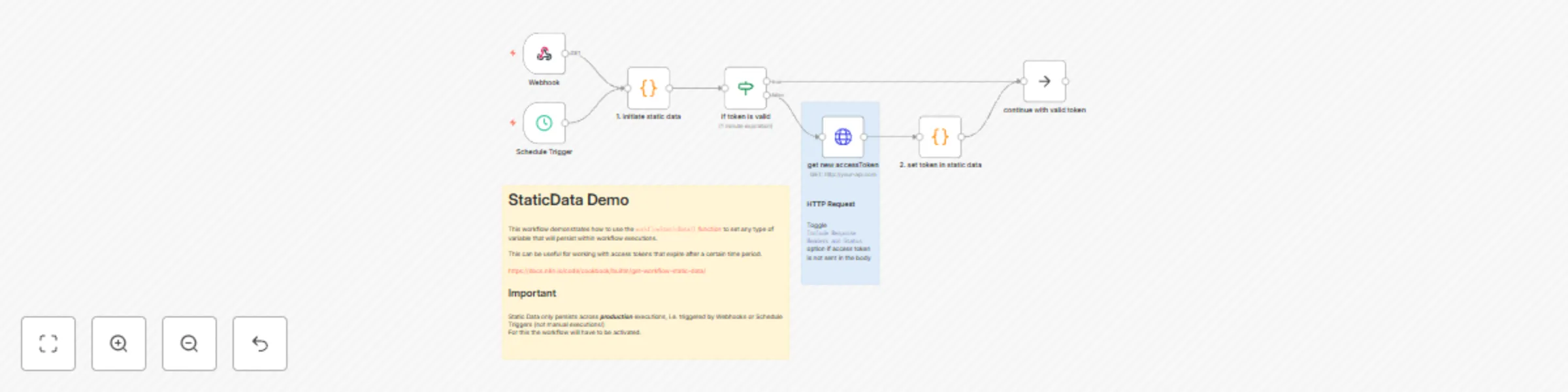
This workflow demonstrates how to use the `workflowStaticData()` function to set any type of variable that will persist within workflow executions. [https://docs.n8n.io/code/cookbook/builtin/get-workflow-static-data/](https://docs.n8n.io/code/cookbook/builtin/get-workflow-static-data/) This can be useful for example when working with access tokens that expire after a certain time period. Using `staticData` we can keep a record of that access token and the expiry time and build our workflow logic around it. ## Important Static Data only persists across **_production_** executions, i.e. triggered by Webhooks or Schedule Triggers (not manual executions!) For this the workflow will have to be activated. ## Setup - configure HTTP Request node to fetch access token from your API (optional) - activate workflow - test the workflow with the webhook production link - you can check the population of the static data in the single executions ### Feedback If you found this useful or want to report some missing information - I'd be happy to hear from you at [[email protected]](mailto:[email protected])
Supabase insertion & upsertion & retrieval
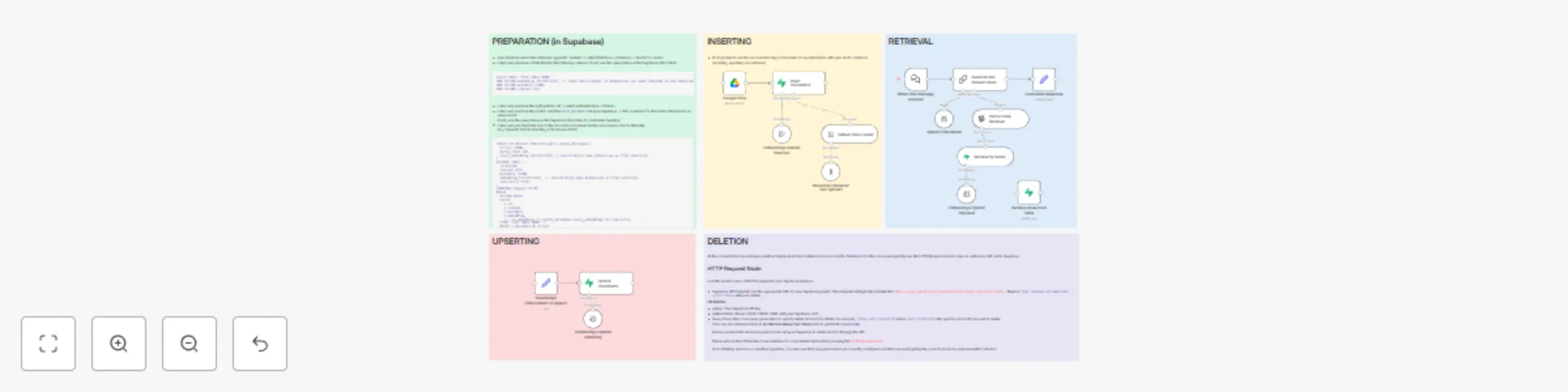
This is a demo workflow to showcase how to use Supabase to embed a document, retrieve information from the vector store via chat and update the database. ## Setup steps: - set your credentials for Supabase - set your credentials for an AI model of your choice - set credentials for any service you want to use to upload documents - please follow the guidelines in the workflow itself (Sticky Notes) ## Feedback & Questions If you have any questions or feedback about this workflow - Feel free to get in touch at [[email protected]](mailto:[email protected])
Get multiple attachments from Gmail and upload them to GDrive
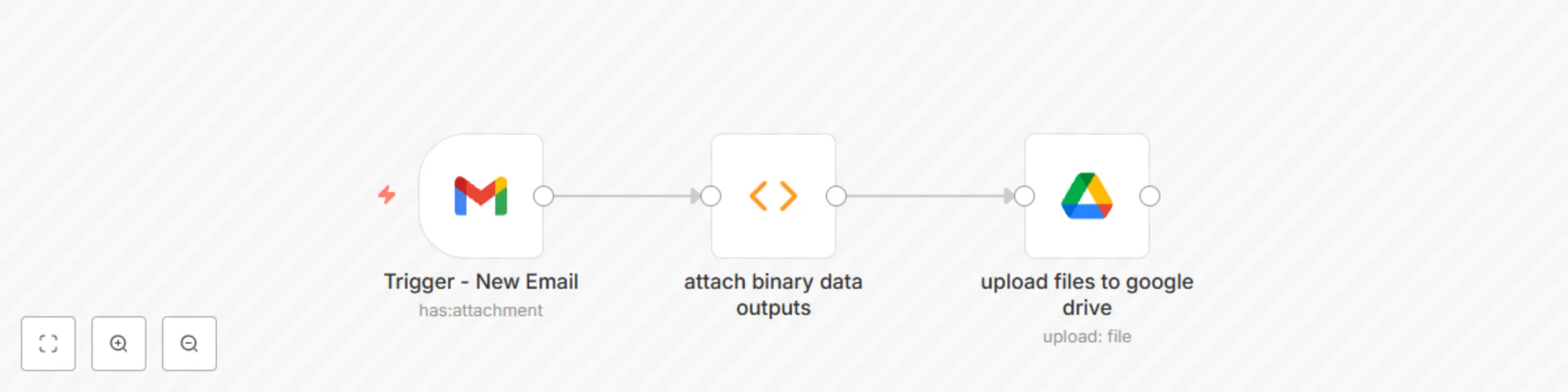
This is a simple template to show how to extract multiple email attachments and return them as an iterable output. ## How it works: The **Gmail Trigger** node detects any new email that has attachments. The **Code** node will then extract them as binary files and attaches them to the item. They can then be uploaded via the **Google Drive** node. ## Setup steps: - add your Gmail Credentials - add your Google Drive Credentials - Follow the official [n8n Documentation](https://docs.n8n.io/integrations/builtin/credentials/google/) for help ## Feedback & Questions If you have any questions or feedback about this workflow - Feel free to get in touch at [[email protected]](mailto:[email protected])
Subscribe to new releases of a Github repository via Gmail
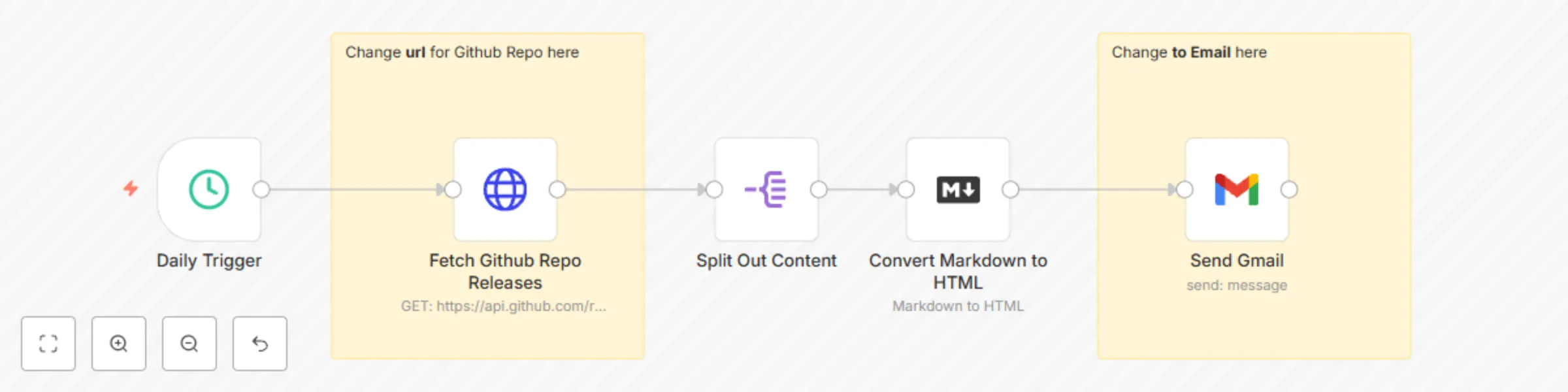
This is a very simple workflow that lets you subscribe to any github repository for the latest release (using n8n as example). ## How it works: - daily poll to Github repository for release for latest (stable) version of n8n - parses the content to HTML - sends a gmail ## Setup steps: - add your gmail credentials (or use other email node of choice) - change the url to the right Github repository you want to check regularly - change the `To` email address to the email that you want to receive the updates for ## Feedback & Questions If you have any questions or feedback about this workflow - Feel free to get in touch at [[email protected]](mailto:[email protected])