E

Emmanuel Bernard - n8n Expert Lausanne

10
Workflows

Workflows by Emmanuel Bernard - n8n Expert Lausanne

Workflow preview: Generate AI videos from text with HeyGen and voice cloning.
Free intermediate

Generate AI videos from text with HeyGen and voice cloning.

# 🎥 AI Video Generator with HeyGen ### 🚀 Create AI-Powered Videos in n8n with HeyGen This workflow enables you to generate **realistic AI videos** using [HeyGen](https://www.heygen.com), an advanced AI platform for video automation. Simply input your **text**, choose an **AI avatar** and **voice**, and let HeyGen generate a high-quality video for you – all within n8n! ✅ **Ideal for:** - Content creators & marketers 🏆 - Automating personalized video messages 📩 - AI-powered video tutorials & training materials 🎓 --- ## 🔧 How It Works 1️⃣ **Provide a text script** – This will be spoken in the AI-generated video. 2️⃣ **Select an Avatar & Voice** – Choose from a variety of AI-generated avatars and voices. 3️⃣ **Run the workflow** – HeyGen processes your request and generates a video. 4️⃣ **Download your video** – Get the direct link to your AI-powered video! --- ## ⚡ Setup Instructions ### 1️⃣ Get Your HeyGen API Key - Sign up for a **[HeyGen account](https://www.heygen.com)**. - Go to your account settings and retrieve your **API Key**. ### 2️⃣ Configure n8n Credentials - In n8n, create new credentials and select **"Custom Auth"** as the authentication type. - In the Name provide : `X-Api-Key` - And in the value paste your API key from Heygen - Update the 2 http node with the right credentials. ### 3️⃣ Select an AI Avatar & Voice - Browse available avatars & voices in your HeyGen account. - Copy the **Avatar ID** and **Voice ID** for your video. ### 4️⃣ Run the Workflow - Enter your **text, avatar ID, and voice ID**. - Execute the workflow – your video will be generated automatically! --- ## 🎯 Why Use This Workflow? ✔️ **Fully Automated** – No manual editing required! ✔️ **Realistic AI Avatars** – Choose from a variety of digital avatars. ✔️ **Seamless Integration** – Works directly within your n8n workflow. ✔️ **Scalable & Fast** – Generate multiple videos in minutes. 🔗 **Start automating AI-powered video creation today with n8n & HeyGen!**

E
Emmanuel Bernard - n8n Expert Lausanne
Content Creation
2 Mar 2025
19185
0
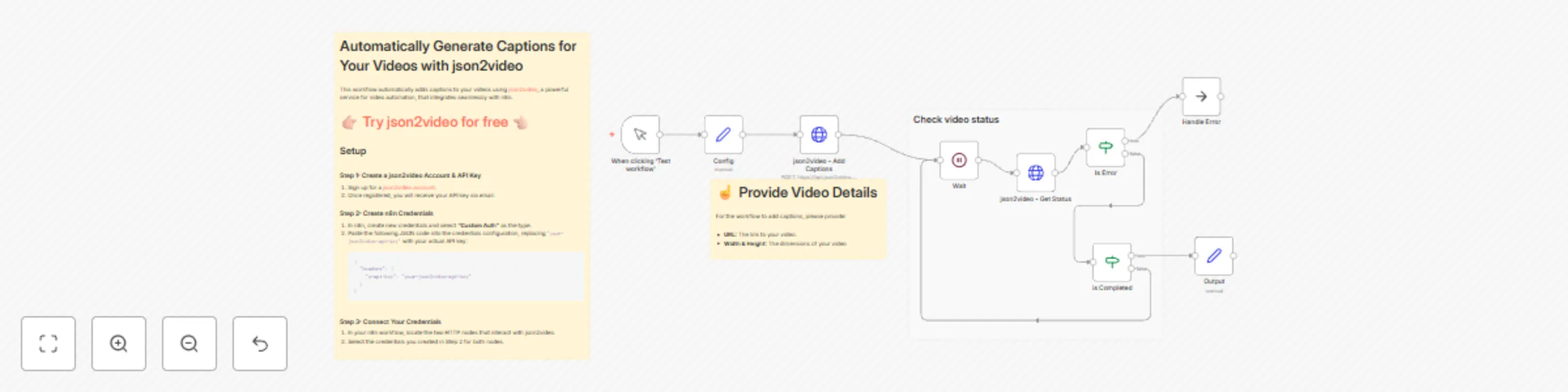
Workflow preview: Automatically generate burn-in video captions with json2video
Free intermediate

Automatically generate burn-in video captions with json2video

## Automatically Add Captions to Your Video ![](https://aiatelier.s3.eu-west-1.amazonaws.com/workflows-material/json2video/json2video-auto-caption-illustration.png) ## Who Is This For? This workflow is ideal for content creators, marketers, educators, and businesses that regularly produce video content and want to enhance accessibility and viewer engagement by effortlessly adding subtitles. ## What Problem Does This Workflow Solve? Manually adding subtitles or captions to videos can be tedious and time-consuming. Accurate captions significantly boost viewer retention, accessibility, and SEO rankings. ## What Does This Workflow Do? This automated workflow quickly adds accurate subtitles to your video content by leveraging the Json2Video API. - It accepts a publicly accessible video URL as input. - It makes an HTTP request to Json2Video, where AI analyzes the video, generates captions, and applies them seamlessly. - The workflow returns a URL to the final subtitled video. The second part of the workflow periodically checks the Json2Video API to monitor the processing status at intervals of 10 seconds. ### [👉🏻 Try Json2Video for Free 👈🏻](https://json2video.com/?afco=manu) ### Key Features - **Automatic & Synced Captions:** Captions are generated automatically and synchronized perfectly with your video. - **Fully Customizable Design:** Easily adjust fonts, colors, sizes, and more to match your unique style. - **Word-by-Word Display:** Supports precise, word-by-word captioning for improved clarity and viewer engagement. - **Super Fast Processing:** Rapid caption generation saves time, allowing you to focus more on creating great content. ## Preconditions To use this workflow, you must have: - A Json2Video API account. - A video hosted at a publicly accessible URL. ## Why You Need This Workflow Adding subtitles to your videos significantly enhances their reach and effectiveness by: - Improving SEO visibility, enabling search engines to effectively index your video content. - Enhancing viewer engagement and accessibility, accommodating viewers who watch without sound or who have hearing impairments. - Streamlining your content production process, allowing more focus on creativity. ## Specific Use Cases - **Social Media Content:** Boost viewer retention by adding subtitles. - **Educational Videos:** Enhance understanding and improve learning outcomes. - **Marketing Videos:** Reach broader and more diverse audiences.

E
Emmanuel Bernard - n8n Expert Lausanne
Content Creation
1 Mar 2025
4527
0
Workflow preview: Query Perplexity AI from your n8n workflows
Free intermediate

Query Perplexity AI from your n8n workflows

This workflow illustrates how to use Perplexity AI in your n8n workflow. Perplexity is a free AI-powered answer engine that provides accurate, trusted, and real-time answers to any question. --- ### Credentials Setup 1/ Go to the perplexity dashboard, purchase some credits and create an API Key [https://www.perplexity.ai/settings/api](https://www.perplexity.ai/settings/api) 2/ In the perplexity Request node, use Generic Credentials, Header Auth. For the name, use the value "Authorization" And for the value "Bearer pplx-e4...59ea" (Your Perplexity Api Key) --- ### AI Model **Sonar Pro** is the current top model used by perplexity. If you want to use a different one, check this page: [https://docs.perplexity.ai/guides/model-cards](https://docs.perplexity.ai/guides/model-cards)

E
Emmanuel Bernard - n8n Expert Lausanne
Engineering
31 Jan 2025
24556
0
Workflow preview: Generate Text-to-Speech Using Elevenlabs via API
Free intermediate

Generate Text-to-Speech Using Elevenlabs via API

**🎉 Do you want to master AI automation, so you can save time and build cool stuff?** I’ve created a welcoming Skool community for non-technical yet resourceful learners. **👉🏻 [Join the AI Atelier](https://www.skool.com/the-ai-atelier-3311/about) 👈🏻** --- This workflow provides an API endpoint to generate speech from text using [Elevenlabs.io](http://go.n8n.ninja/elevenlabs), a popular text-to-speech service. ### Step 1: Configure Custom Credentials in n8n To set up your credentials in n8n, create a new custom authentication entry with the following JSON structure: ```json { "headers": { "xi-api-key": "your-elevenlabs-api-key" } } ``` Replace `"your-elevenlabs-api-key"` with your actual Elevenlabs API key. ### Step 2: Send a POST Request to the Webhook Send a POST request to the workflow's webhook endpoint with these two parameters: - `voice_id`: The ID of the voice from Elevenlabs that you want to use. - `text`: The text you want to convert to speech. This workflow has been a significant time-saver in my video production tasks. I hope it proves just as useful to you! Happy automating! The n8Ninja

E
Emmanuel Bernard - n8n Expert Lausanne
Content Creation
28 Apr 2024
39501
0
Workflow preview: Dynamically replace images in Google Slides via API
Free intermediate

Dynamically replace images in Google Slides via API

**🎉 Do you want to master AI automation, so you can save time and build cool stuff?** I’ve created a welcoming Skool community for non-technical yet resourceful learners. **👉🏻 [Join the AI Atelier](https://www.skool.com/the-ai-atelier-3311/about) 👈🏻** --- This workflow exposes an API endpoint that lets you dynamically replace an image in Google Slides, perfect for automating deck presentations like updating backgrounds or client logos. **[📺 Youtube Overview 📺 ](https://www.youtube.com/watch?v=3kM7lKorWkQ)** ## Here's how to get started: ### Step 1: Set Up a Key Identifier in Google Slides Add a unique key identifier to the images you want to replace. 1. Click on the image. 2. Go to **Format Options** and then **Alt Text**. 3. Enter your unique identifier, like `client_logo` or `background`. ### Step 2: Use a POST Request to Update the Image Send a POST request to the workflow endpoint with the following parameters in the body: - `presentation_id`: The ID of your Google Slides presentation. You can find it in the URL of your Google presentation: `https://docs.google.com/presentation/d/<this-part>/edit`) - `image_key`: The unique identifier you created. - `image_url`: The URL of the new image. That's it! The specified image in your Google Slides presentation will be replaced with the new one from the provided URL. This workflow is designed to be flexible, allowing you to use the same identifier across multiple slides and presentations. I hope it streamlines your slide automation process! Example Curl Request to execute: ``` curl --location 'https://workflow.url' \ --form 'presentation_id="google-presentation-id"' \ --form 'image_key="background"' \ --form 'image_url="https://picsum.photos/536/354"' ````` Happy automating! The n8Ninja 🥷

E
Emmanuel Bernard - n8n Expert Lausanne
Document Extraction
28 Apr 2024
3810
0
Workflow preview: Zalando price patrol: Monitor price evolution with email notification
Free intermediate

Zalando price patrol: Monitor price evolution with email notification

**🎉 Do you want to master AI automation, so you can save time and build cool stuff?** I’ve created a welcoming Skool community for non-technical yet resourceful learners. **👉🏻 [Join the AI Atelier](https://www.skool.com/the-ai-atelier-3311/about) 👈🏻** --- Monitor Zalando product pricing and get notified if a Zalando product price falls under a limit you have defined. This n8n workflow lets you follow the evolution of the price of products you select. For each product, you define a minimal price. The workflow automatically scrapes the price for you on a daily basis. If the price falls under your minimal price settings, you receive a notification. This workflow is very easy to use. From a simple form, just paste the URL of the Zalando product you want to monitor and fill in the minimal price. ## Features - Monitor Zalando Product price: follow the price evolution of your favorite Zalando products. - Email notification: set a minimal price, if the product price falls below this limit, you get notified by email. - Visual price evolution: get a graphical overview of the product pricing evolutions. - Automated Daily check-up: this workflow automatically checks the price of your selected Zalando products on a daily basis. ## Set up - Copy this workflow to your n8n interface. - Create a new Google Spreadsheet, [copy this template](https://docs.google.com/spreadsheets/d/1sM66Rk10ZOhQKbawVB-xZ2WYhBeSr6wnJqvX6Aspbkg/edit?usp=sharing) - Setup your workflow with your Google credential, your email, and your copy of the Spreadsheet. - Activate the Workflow and start pasting Zalando product URLs. I hope you will enjoy this workflow that is probably one of the simplest ways to monitor the pricing evolution of your favorite Zalando products. Feel free to contact me should you have any questions or suggestions. **Created by the [n8n.inja](https://www.n8n.ninja/)** [✨ follow on X](https://twitter.com/n8n_ninja) [📺 follow on YT](https://www.youtube.com/@n8ninja)

E
Emmanuel Bernard - n8n Expert Lausanne
Market Research
4 Apr 2024
4116
0
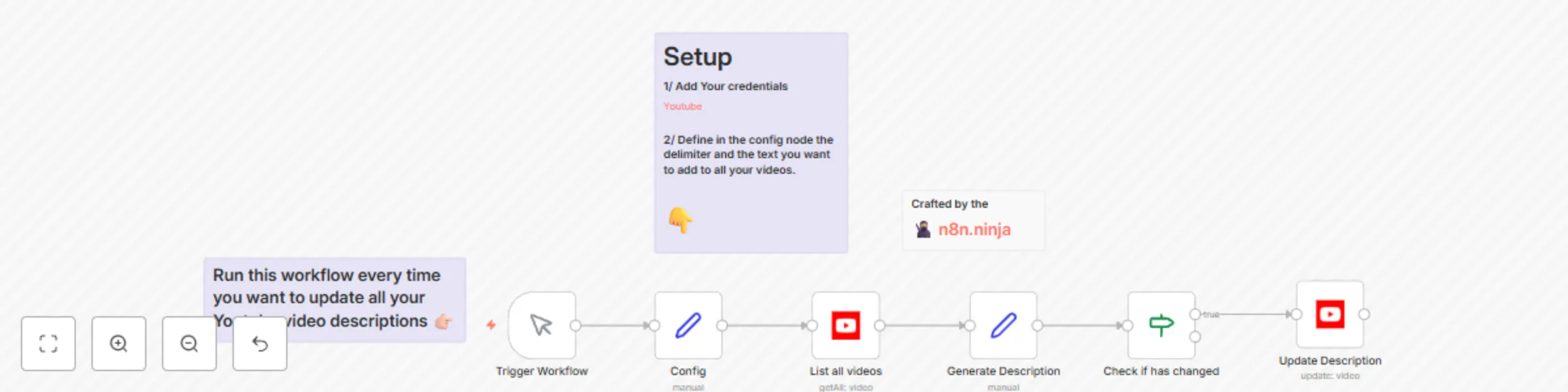
Workflow preview: Batch update all your Youtube video descriptions in one click
Free intermediate

Batch update all your Youtube video descriptions in one click

**🎉 Do you want to master AI automation, so you can save time and build cool stuff?** I’ve created a welcoming Skool community for non-technical yet resourceful learners. **👉🏻 [Join the AI Atelier](https://www.skool.com/the-ai-atelier-3311/about) 👈🏻** --- Keeping your YouTube video descriptions updated and consistent across your channel can be a daunting task. Manually editing each video is not only time-consuming but also prone to errors. **[📋 Blog post](https://www.n8n.ninja/automation-workflow/flz-udcavwE/batch-update-youtube-descriptions-n8n-workflows)** **[📺 Youtube Video](https://youtu.be/flz-udcavwE)** This workflow streamlines this process, allowing you to maintain a shared section in all your video descriptions and effortlessly update them all at once. By incorporating a unique identifier, you can automate updates across your entire channel, keeping your content fresh and relevant with minimal effort. ## How it Works - **Define Your Unique Delimiter:** Choose your unique delimiter (e.g., "---n8ninja---"). It will be visible, so select something appropriate for your audience. - **Automate Updates:** Anything below the delimiter can be automatically updated by this workflow. - **Configure Text Updates:** Set the text you wish to add to every video description in the configuration node. ## Getting Started - **Integrate Google (YouTube) Credentials:** Securely add your credentials to enable API access. - **Set Up the Configuration Node:** Define your delimiter and the text for the shared section you wish to append to your video descriptions. - **Prepare Your Videos:** Add the chosen delimiter to all videos you want to update automatically. - **Execute the Workflow:** Run the workflow whenever you wish to batch update the descriptions of your videos. **Created by the [n8ninja](https://www.n8n.ninja/)** [✨ follow on X](https://twitter.com/n8n_ninja) [📺 follow on YT](https://www.youtube.com/@n8ninja)

E
Emmanuel Bernard - n8n Expert Lausanne
Social Media
2 Apr 2024
4168
0
Workflow preview: Auto tweet: spreadsheet-to-tweet automation
Free intermediate

Auto tweet: spreadsheet-to-tweet automation

**🎉 Do you want to master AI automation, so you can save time and build cool stuff?** I’ve created a welcoming Skool community for non-technical yet resourceful learners. **👉🏻 [Join the AI Atelier](https://www.skool.com/the-ai-atelier-3311/about) 👈🏻** --- This is probably the most straightforward way to schedule your tweets. This n8n workflow addresses a simple problem: how to maintain consistency in your publications on X. **[📋 Blog post](https://www.n8n.ninja/automation-workflow/xlytxXFlB4M/schedule-tweets-n8n-automation)** **[📺 Youtube Video](https://www.youtube.com/watch?v=xlytxXFlB4M)** The workflow is direct and to the point. In a Google spreadsheet, write all your tweets, one tweet per line. Then, at a defined pace (for example, every 6 hours), the workflow will publish the first tweet from the list on your X account and remove it from the sheet. This method is really simple but very efficient if you are looking for a direct and super fast solution to share regularly on X! **Created by the [n8ninja](https://www.n8n.ninja/).**

E
Emmanuel Bernard - n8n Expert Lausanne
Social Media
28 Mar 2024
6011
0
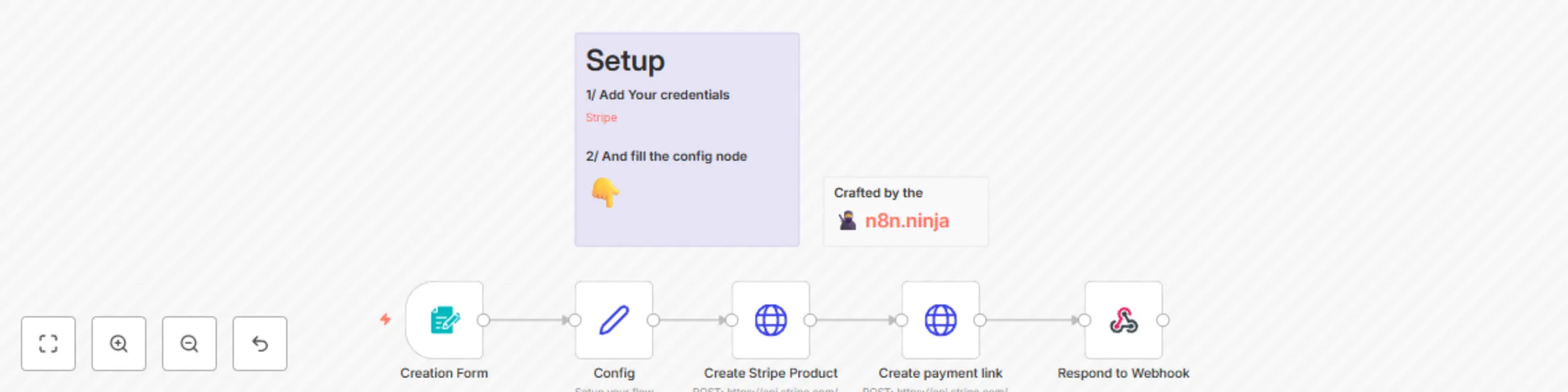
Workflow preview: Simplest way to create a Stripe payment link
Free intermediate

Simplest way to create a Stripe payment link

**🎉 Do you want to master AI automation, so you can save time and build cool stuff?** I’ve created a welcoming Skool community for non-technical yet resourceful learners. **👉🏻 [Join the AI Atelier](https://www.skool.com/the-ai-atelier-3311/about) 👈🏻** --- Accepting payments via credit card online is a crucial component for the majority of businesses. Stripe provides a robust suite of tools for processing payments, yet many people still find it challenging to create a simple payment page and distribute it to their customers. **[📋 Blog post](https://www.n8n.ninja/automation-workflow/cGEaQRSS2zo/automated-stripe-payment-link-using-n8n)** **[📺 Youtube Video](https://youtu.be/cGEaQRSS2zo)** This n8n workflow aims to offer the simplest and most direct method for generating a Stripe payment link. ## Features * **Quick Stripe Payment Link Creation:** Simply enter a title and select a price to create a Stripe payment link in seconds. ## Set Up Steps * Connect your Stripe credentials. * Fill the config node (currency). This n8n workflow template is crafted to significantly reduce the creation time of a Stripe Payment link. **Created by the [n8ninja](https://www.n8n.ninja/).**

E
Emmanuel Bernard - n8n Expert Lausanne
CRM
26 Mar 2024
6290
0
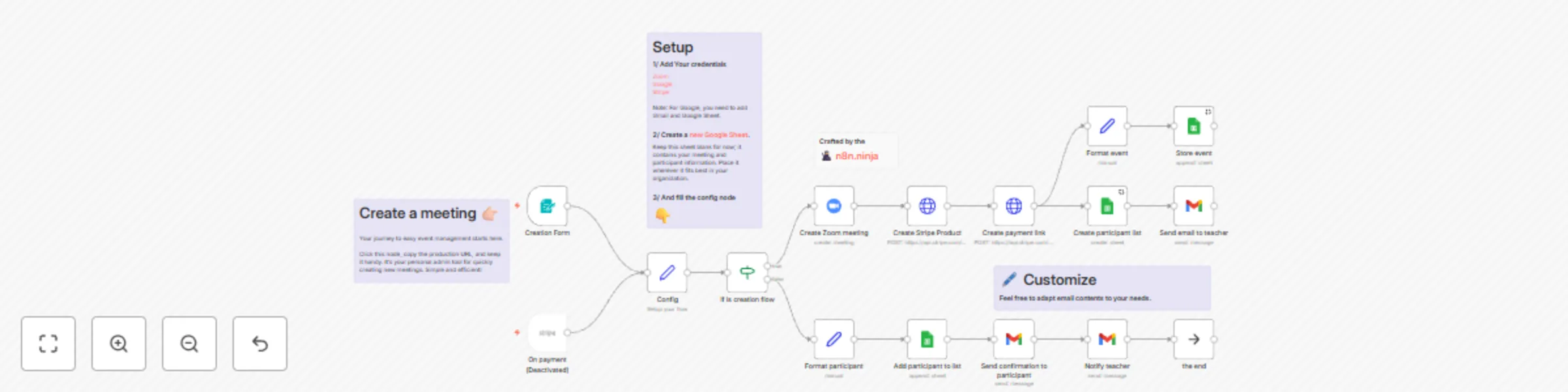
Workflow preview: Streamline your Zoom meetings with secure, automated Stripe payments
Free advanced

Streamline your Zoom meetings with secure, automated Stripe payments

**🎉 Do you want to master AI automation, so you can save time and build cool stuff?** I’ve created a welcoming Skool community for non-technical yet resourceful learners. **👉🏻 [Join the AI Atelier](https://www.skool.com/the-ai-atelier-3311) 👈🏻** --- Unlock **streamlined Zoom Meeting organization** and exclusive access management with this n8n workflow. Designed for educators, event organizers, and businesses, this tool automates your event logistics, so you can focus on delivering valuable content. ## Features * **Zoom Meetings Creation:** Instantly generate new Zoom meetings with the n8n built-in form. * **Collect Payments Using Stripe:** Effortlessly monetize your events with secure, automatically created Stripe payment pages for each meeting. * **Exclusive Gated Access:** Ensure your content remains exclusive by sending Zoom meeting passwords only to verified subscribers who have completed their payment through Stripe. * **Participants Email Notifications:** Automate the distribution of Zoom meeting details post-payment, eliminating the need for manual email management and ensuring participants are promptly informed. * **Instant and Easy Participants Overview:** Manage and track your event registrations with ease. All related data is stored in a Google Sheets document that you own. You're notified via email with each new subscription, simplifying participant management. ## Set Up Steps * Connect your Zoom, Stripe, Gmail and Google Sheet credentials. * Create an empty Google Sheet in your Google Drive. * Fill the config node (Sheet URL, email and currency). * Edit email text. This n8n workflow template is designed to minimize setup time and maximize efficiency, allowing you to focus on delivering value to your subscribers. With just a few clicks, you can automate the entire process of organizing and monetizing your Zoom meetings. **Created by the [n8ninja](https://www.n8n.ninja/).**

E
Emmanuel Bernard - n8n Expert Lausanne
Miscellaneous
25 Mar 2024
2698
0