P

Paul Abraham

7
Workflows

Workflows by Paul Abraham

Workflow preview: Automated post-purchase emails for Gumroad with Notion CRM and Gemini AI
Free intermediate

Automated post-purchase emails for Gumroad with Notion CRM and Gemini AI

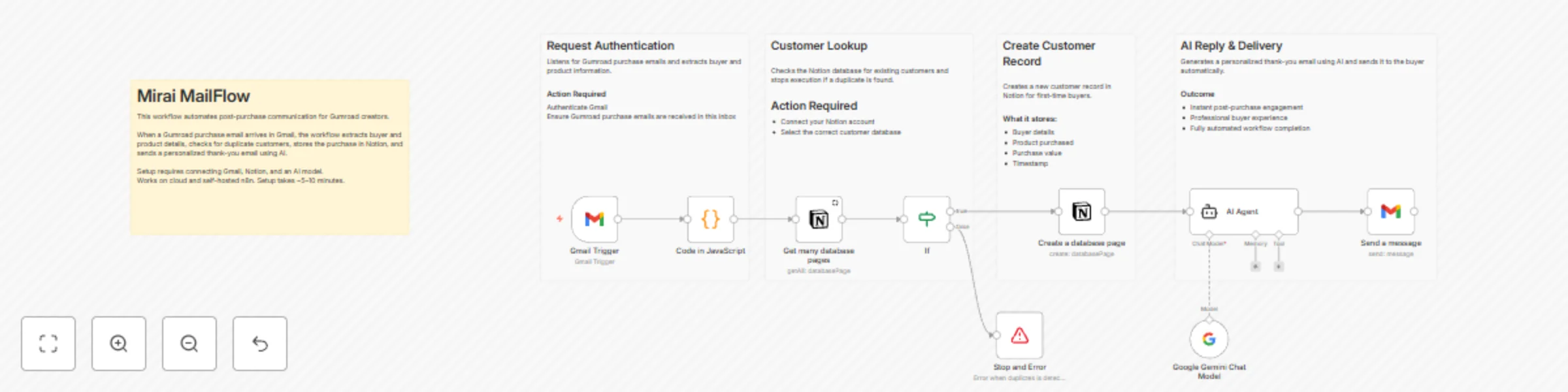
## Mirai MailFlow – Gumroad Personalized Autoreply This n8n template automates post-purchase communication for Gumroad creators by sending AI-powered personalized thank-you emails and logging customer data into Notion. It helps creators engage buyers instantly while keeping a clean customer CRM — fully hands-free. **Use cases** - Automatically send personalized thank-you emails after every Gumroad purchase - Maintain a lightweight customer CRM in Notion - Reduce manual email follow-ups for digital product sales - Improve buyer experience and post-purchase engagement - Build a foundation for creator support, upsells, or onboarding flows **Good to know** This workflow connects to a few external services, so credentials must be configured before running the template. It works on both n8n Cloud and self-hosted instances, and setup typically takes 5 minutes. ### Requirements - n8n Cloud or self-hosted instance - Gmail account (OAuth connected) to receive and send emails - Notion account with a customer database - Google Gemini API key for AI-generated email content ### Customising this workflow - Replace Gmail with Slack, Telegram, or WhatsApp for message delivery - Swap Google Gemini with OpenAI or Claude for different writing styles - Add follow-up emails, upsells, or discount links - Extend the Notion database into a full creator CRM - Use it as a base for Gumroad analytics, support automation, or AI creator tools

P
Paul Abraham
Lead Nurturing
13 Dec 2025
9
0
Workflow preview: KaizenCrypto - smarter crypto decisions with multi-timeframe AI analysis
Free advanced

KaizenCrypto - smarter crypto decisions with multi-timeframe AI analysis

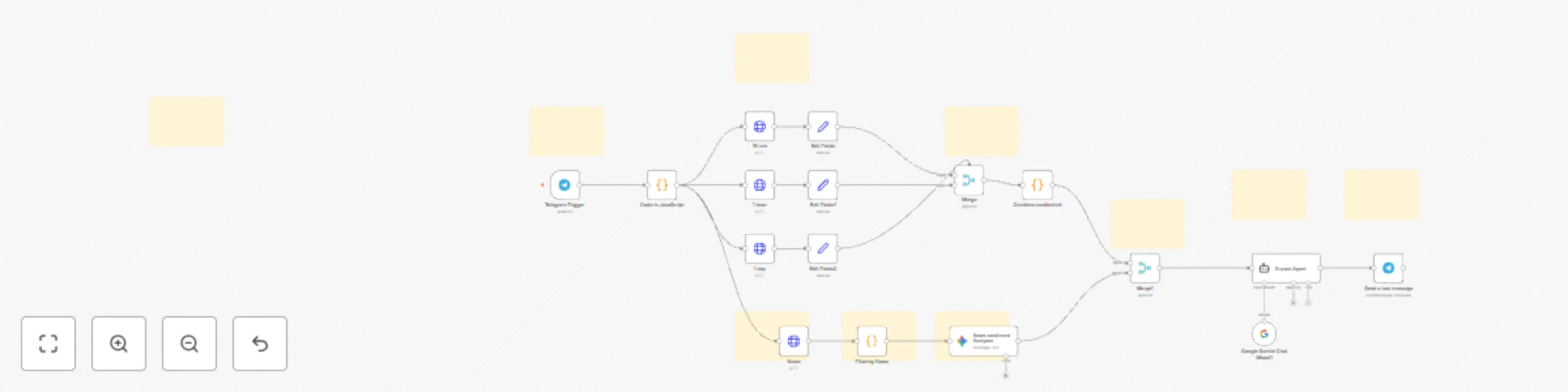
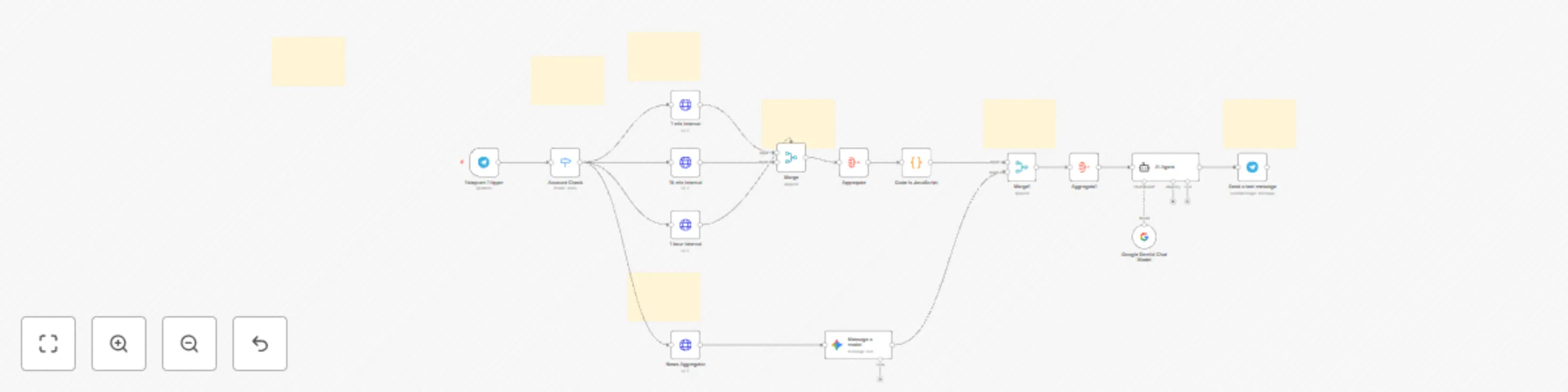
### This n8n template automates crypto market analysis by combining multi-timeframe candlestick data with real-time news sentiment to generate actionable AI-backed Buy / Sell / Hold signals for any cryptocurrency. Built around the Kaizen principle of continuous improvement, it delivers sharper, more reliable insights with every run. **Use cases** - Automatically analyze crypto market trends using 15m, 1h, and 1d candlestick data. - Aggregate global crypto news sentiment to reinforce price-action confidence. - Generate AI-powered Buy / Sell / Hold recommendations for traders. - Build your own Telegram-based crypto trading assistant or analytics bot. - Create backends for crypto dashboards, portfolio advisors, or auto-alert systems. - Expand trading strategies using AI reasoning instead of manual analysis. **Good to know** This workflow merges both technical analysis (candlesticks) and fundamental sentiment (news), then passes them through an AI model (Gemini) to produce clean, easy-to-understand trading signals. It works seamlessly on n8n Cloud and self-hosted setups, with configuration taking about 5 minutes. ### Requirements - n8n Cloud or self-hosted instance - Crypto price data API key - Crypto news API key - AI model API key (Google Gemini) - Telegram Bot Token (via @BotFather) ### Customising this workflow - Replace Telegram with Slack, Discord, WhatsApp Cloud API, or Notion for alerts. - Switch AI models (Gemini, OpenAI, Claude) to change tone or reasoning style. - Modify candlestick intervals (15m, 1h, 1d) or add more timeframes. - Attach TradingView webhooks for live alerts or automated triggers. - Add portfolio tracking, price-level alerts, or risk scoring for advanced users. - Expand the template to support forex, stocks, indices, or commodities with minimal edits.

P
Paul Abraham
Crypto Trading
30 Nov 2025
311
0
Workflow preview: ZenTrade your AI-powered rational stock trading advisor
Free advanced

ZenTrade your AI-powered rational stock trading advisor

### This n8n template automates intraday trading insights by combining candlestick pattern analysis and news sentiment aggregation to suggest actionable Buy / Sell / Hold decisions across international stock markets. **Use cases** - Automatically analyze stock trends using live candlestick data. - Aggregate real-time news sentiment to strengthen trading confidence. - Generate AI-backed Buy / Sell / Hold recommendations for traders. - Build an automated Telegram trading assistant or analytics bot. - Create a backend for AI-powered portfolio advisors or trading dashboards. **Good to know** This workflow integrates both market and news APIs, processes data intelligently, and leverages an AI model (Gemini or OpenAI) for trading recommendations. It runs smoothly on both n8n Cloud and self-hosted instances, and setup typically takes 10–15 minutes. ### Requirements - n8n Cloud or self-hosted instance - TwelveData API key (for fetching OHLC & candlestick data) → twelvedata.com - NewsAPI.org key (for aggregating relevant stock news) → newsapi.org - AI model API key (Google Gemini or OpenAI) for sentiment reasoning - Telegram Bot Token (via @BotFather) for command input & output ### Customising this workflow - Replace Telegram with Slack, Discord, or Notion for alternate alerts. - Integrate TradingView or Alpaca API for executing mock trades. - Modify the candlestick intervals (1m, 15m, 1h) or patterns as per strategy. - Add portfolio tracking or alert thresholds for advanced users. - Expand to cover crypto, forex, or commodities with minimal edits.

P
Paul Abraham
Crypto Trading
8 Nov 2025
255
0
Workflow preview: Optimize Resumes & Generate Cover Letters with Gemini AI and PDF.co
Free advanced

Optimize Resumes & Generate Cover Letters with Gemini AI and PDF.co

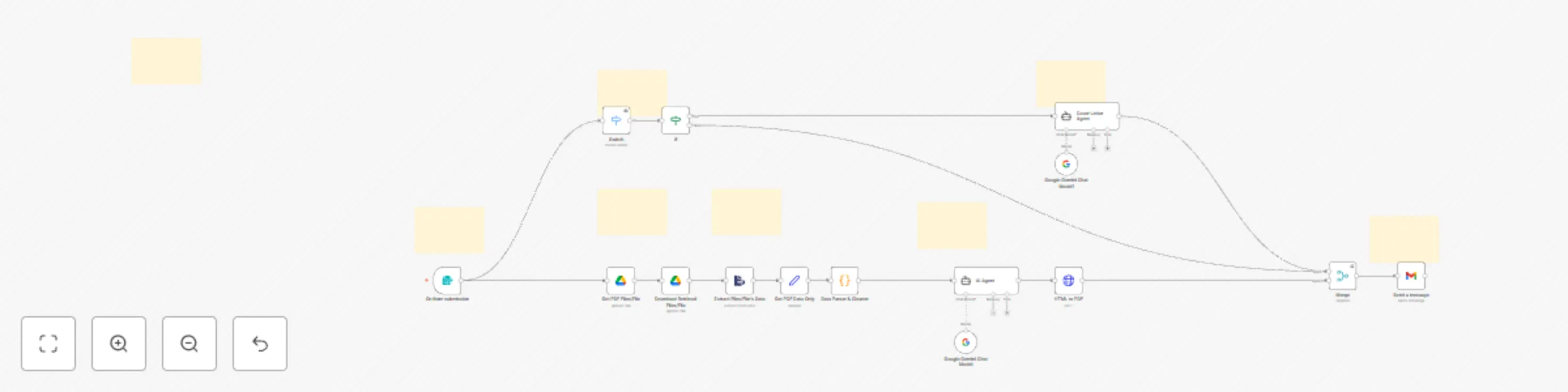
## ATS-Optimized Resume and Cover Letter Generator **This n8n template automates the process of creating ATS-friendly resumes and personalized cover letters from uploaded pdf resume.** Use cases - Instantly generate ATS-optimized resumes for specific job descriptions. - Create customized cover letters tailored to each role. - Automate resume enhancement for career portals or HR tools. - Build a resume improvement backend for job platforms or AI career assistants. Good to know This workflow connects to few basic external services so you’ll need to configure credentials for them before running the template. It works on both cloud and self-hosted n8n instances, and setup typically takes 5–10 minutes. ### Requirements - n8n Cloud or self-hosted instance - Google Gemini API key for AI text generation - PDF.co API key for document conversion - Gmail account (OAuth connected) for delivery ### Customising this workflow - Replace Gmail with Slack, Notion, or Drive for flexible document delivery. - Integrate other LLMs (like OpenAI GPT or Claude) for different writing styles. - Add additional formatting, branding, or multilingual support for global users. - Use it as the base for a career assistant automation or HR application backend.

P
Paul Abraham
Personal Productivity
27 Oct 2025
46
0
Workflow preview: Generate & Translate Video Subtitles with OpenAI Whisper and LibreTranslate
Free intermediate

Generate & Translate Video Subtitles with OpenAI Whisper and LibreTranslate

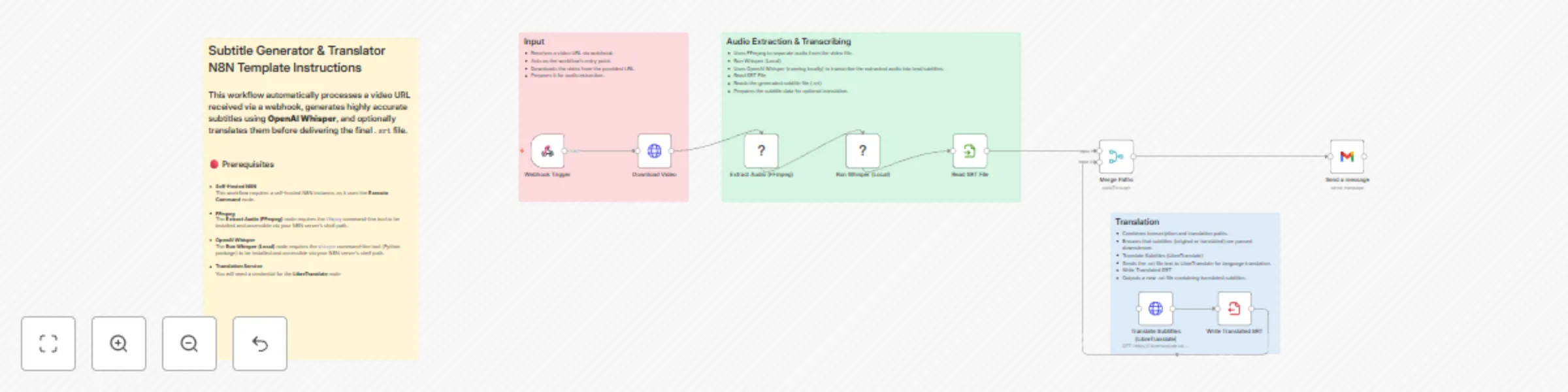
## **This n8n template demonstrates how to automatically generate accurate subtitles from any video and optionally translate them into other languages. By combining FFmpeg, OpenAI Whisper, and LibreTranslate, this workflow turns video audio into ready-to-use .srt subtitle files that can be delivered via email.** **Use cases** - Auto-generate subtitles for training or educational videos - Translate videos into multiple languages for global reach - Create accessibility-friendly content with minimal effort - Build a backend for media platforms to process subtitles automatically **Good to know** This workflow requires a self-hosted n8n instance since it uses the Execute Command node. FFmpeg is used for audio extraction and must be installed on the host machine. OpenAI Whisper (Local) is used for transcription, providing highly accurate speech-to-text results. LibreTranslate is used for translating subtitles into other languages. ## How it works - *Webhook Trigger* – Starts when a video URL is received. - *Download Video* – Fetches the video file from the provided link. - *Extract Audio (FFmpeg)* – Separates audio from the video file. - *Run Whisper (Local)* – Transcribes the extracted audio into text subtitles. - *Read SRT File* – Loads the generated .srt subtitle file. - *Merge Paths* – Combines both original and translated subtitle flows. - *Translate Subtitles (LibreTranslate)* – Translates the .srt file into the target language. - *Write Translated SRT* – Creates a translated .srt file for delivery. - *Send a Message (Gmail)* – Sends the final subtitle file (original or translated) via email. ## How to use - Clone this workflow into your self-hosted n8n instance. - Ensure FFmpeg and Whisper are installed and available via your server’s shell path. - Add your LibreTranslate service credentials for translation. - Configure Gmail (or another email service) to send subtitle files. - Trigger the workflow by sending a video URL to the webhook, and receive subtitle files in your inbox. ## Requirements - Self-hosted n8n instance - FFmpeg installed and available on the server - OpenAI Whisper (Local) installed and callable via command line - LibreTranslate service with API credentials - Gmail (or any email integration) for delivery ## Customising this workflow - Replace Gmail with Slack, Telegram, or Drive uploads for flexible delivery. - Switch LibreTranslate with DeepL or Google Translate for higher-quality translations. - Add post-processing steps such as formatting .srt files or embedding subtitles back into the video. - Use the workflow as a foundation for building a multi-language subtitle automation pipeline.

P
Paul Abraham
Content Creation
6 Oct 2025
1116
0
Workflow preview: Create travel itineraries & send email confirmations with Gemini AI
Free advanced

Create travel itineraries & send email confirmations with Gemini AI

## **This n8n template creates an intelligent AI-powered travel agent that can assist with travel planning and send email confirmations. The agent can extract user requests, plan travel itineraries by fetching real-time data on flights, accommodations, and activities, and then communicate this information by sending a customized email.** **Use Cases** - Quickly plan a trip by providing your destination and dates. - Get real-time flight and accommodation details for a planned vacation. - Receive a summary of your travel plans directly in your inbox. - A personal travel planner available on-the-go. **Good to Know** This template uses Google Gemini for AI reasoning. The Planner Agent can break down complex travel requests and make multiple API calls to gather all the necessary information. The Email Agent crafts a professional and personalized email to send to the user. ## **How it Works** - Incoming Message Trigger: The workflow begins when a new message is received from a user. - Extract User Request: The user's message is sent to a Gemini Chat Model which identifies the user's intent and extracts key details like destination, dates, and interests. - Planner Agent: The extracted information is passed to the Planner Agent. This agent, powered by Gemini, determines what information is needed and then calls a series of sub-agents to gather: - Activities: Fetches information about local attractions and things to do. - Flight Booking: Retrieves flight details and pricing. - Accommodation Details: Looks for hotels, rentals, and other lodging options. - Accommodations: Gathers general information about accommodations. - Email Agent: Once the Planner Agent has collected all the necessary information, it’s handed over to the Email Agent. This agent uses a second Gemini Chat Model to format a clear and professional email containing the full travel itinerary. - Send Message: The final email is sent to the user, providing a comprehensive travel plan. ## **How to Use** - Clone this workflow into your n8n instance. - Connect your accounts as required. You will need credentials for your email service and any APIs you want to use for fetching travel data (e.g., flight booking, accommodation, and activities). - Modify the nodes with your specific credentials and API endpoints. - Run the workflow and start receiving automated travel plans. ## **Requirements** - Google Gemini account for AI reasoning. - Email integration (e.g., Gmail, Outlook). - Serp API keys for travel-related services (optional, depending on your setup). ## **Customizing This Workflow** Add more integrations (e.g., a hotel booking service like Booking.com, a restaurant reservation system) for extended functionality. Modify the AI prompts in the agent nodes to fine-tune the personality or focus of the travel agent. Connect the final output to a different messaging service like Telegram or Slack instead of email.

P
Paul Abraham
AI Chatbot
24 Sep 2025
766
0
Workflow preview: Voice & text assistant with Telegram, Gemini AI, Calendar, Gmail & Notion
Free advanced

Voice & text assistant with Telegram, Gemini AI, Calendar, Gmail & Notion

## **This n8n template demonstrates how to turn a Telegram bot into a personal AI-powered assistant that understands both voice notes and text messages. The assistant can transcribe speech, interpret user intent with AI, and perform smart actions such as managing calendars, sending emails, or creating notes.** **Use cases** - Hands-free scheduling with Google Calendar - Quickly capturing ideas as Notion notes via voice - Sending Gmail messages directly from Telegram - A personal productivity assistant available on-the-go **Good to know** Voice notes are automatically transcribed into text before being processed. This template uses Google Gemini for AI reasoning.The AI agent supports memory, enabling more natural and contextual conversations. ## How it works - Telegram Trigger – Starts when you send a text or voice note to your Telegram bot. - Account Check – Ensures only authorized users can interact with the bot. - Audio Handling – If it’s a voice message, the workflow retrieves and transcribes the recording. - AI Agent – Both transcribed voice or text are sent to the AI Agent powered by Google Gemini + Simple Memory. - Smart Actions – Based on the query, the AI can: - Read or create events in Google Calendar - Create notes in Notion - Send messages in Gmail - Reply in Telegram – The bot sends a response confirming the action or providing the requested information. ## How to use - Clone this workflow into your n8n instance. - Replace the Telegram Trigger with your bot credentials. - Connect Google Calendar, Notion, and Gmail accounts where required. - Start chatting with your Telegram bot to add events, notes, or send emails using just your voice or text. ## Requirements - Telegram bot & API key - Google Gemini account for AI - Google Calendar, Notion, and Gmail integrations (optional, depending on use case) ## Customising this workflow Add more integrations (Slack, Trello, Airtable, etc.) for extended productivity. Modify the AI prompt in the agent node to fine-tune personality or task focus. Swap in another transcription service if preferred.

P
Paul Abraham
Personal Productivity
16 Sep 2025
1646
0