G

Grigory Frolov

2
Workflows

Workflows by Grigory Frolov

Workflow preview: Sync YouTube channel videos to Google Sheets for content database
Free advanced

Sync YouTube channel videos to Google Sheets for content database

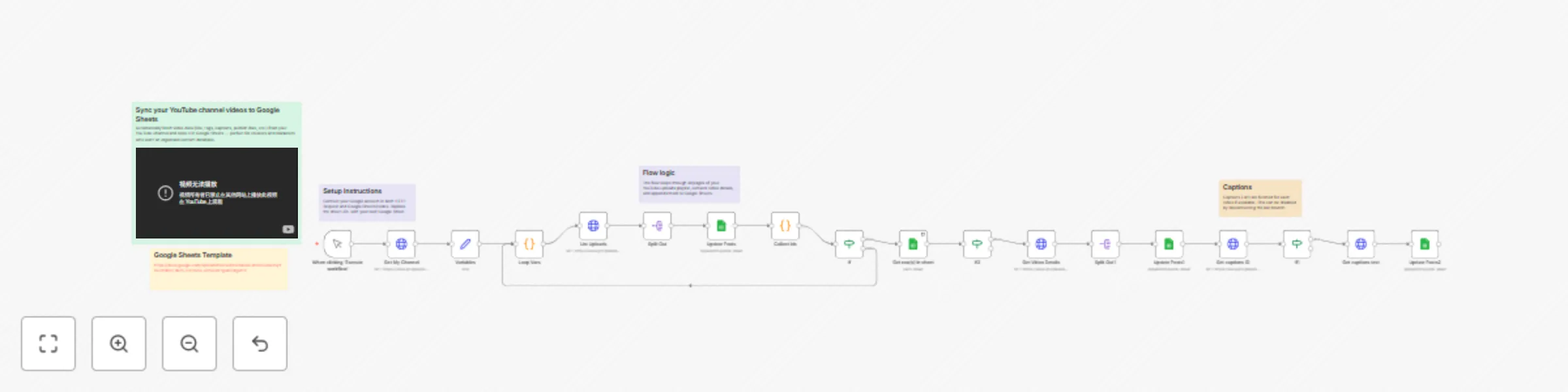
# 📊 YouTube Personal Channel Videos → Google Sheets Automatically sync your YouTube videos (title, description, tags, publish date, captions, etc.) into Google Sheets — perfect for creators and marketers who want a clean content database for analysis or reporting. --- ## 🚀 What this workflow does - ✅ Connects to your **personal YouTube channel** via Google OAuth - 🔁 Fetches **all uploaded videos** automatically (with pagination) - 🏷 Extracts **metadata:** title, description, tags, privacy status, upload status, thumbnail, etc. - 🧾 Retrieves **captions (SRT format)** if available - 📈 Writes or updates data in your **Google Sheets** document - ⚙️ Can be run manually or scheduled via Cron --- ## 🧩 Nodes used - **Manual Trigger** — to start manually or connect with Cron - **HTTP Request (YouTube API v3)** — fetches channel, uploads, and captions - **Code Nodes** — manage pagination and collect IDs - **SplitOut** — iterates through video lists - **Google Sheets (appendOrUpdate)** — stores data neatly - **If Conditions** — control data flow and prevent empty responses --- ## ⚙️ Setup guide 1. **Connect your Google Account** - Used for both YouTube API and Google Sheets. - Make sure the credentials are set up in *Google OAuth2 API* and *Google Sheets OAuth2 API* nodes. 2. **Create a Google Sheet** - Add a tab named `Videos`. - Add these columns: ``` youtube_id | title | description | tags | privacyStatus | uploadStatus | thumbnail | captions ``` - You can also include `categoryId`, `maxres`, or `published` if you’d like. 3. **Replace the sample Sheet ID** - In each Google Sheets node, open the “Spreadsheet” field and choose your own document. - Make sure the sheet name matches the tab name (`Videos`). 4. **Run the workflow** - Execute it manually first to pull your latest uploads. - Optionally add a **Cron Trigger** node for daily sync (e.g., once per day). 5. **Check your Sheet** - Your data should appear instantly — with each video’s metadata and captions (if available). --- ## 🧠 Notes & tips - ⚙️ The flow loops through *all pages* of your upload playlist automatically — no manual pagination needed. - 🕒 The workflow uses YouTube’s *“contentDetails.relatedPlaylists.uploads”* to ensure you only fetch your own uploads. - 💡 Captions fetch may fail for private videos — use “Continue on Fail” if you want the rest to continue. - 🧮 Ideal for dashboards, reporting sheets, SEO analysis, or automation triggers. - 💾 To improve speed, you can disable the “Captions” branch if you only need metadata. --- ## 👥 Ideal for - 🎬 YouTube creators maintaining a video database - 📊 Marketing teams tracking SEO performance - 🧠 Digital professionals building analytics dashboards - ⚙️ Automation experts using YouTube data in other workflows --- ## 💛 Credits Created by **[Grigory Frolov](https://ozwebexpert.com)** YouTube: [@gregfrolovpersonal](https://www.youtube.com/@gregfrolovpersonal) More workflows and guides → [ozwebexpert.com/n8n](https://ozwebexpert.com/ai/)

G
Grigory Frolov
Market Research
17 Oct 2025
69
0
Workflow preview: WordPress blog to Google Sheets sync (posts, categories, tags, media)
Free advanced

WordPress blog to Google Sheets sync (posts, categories, tags, media)

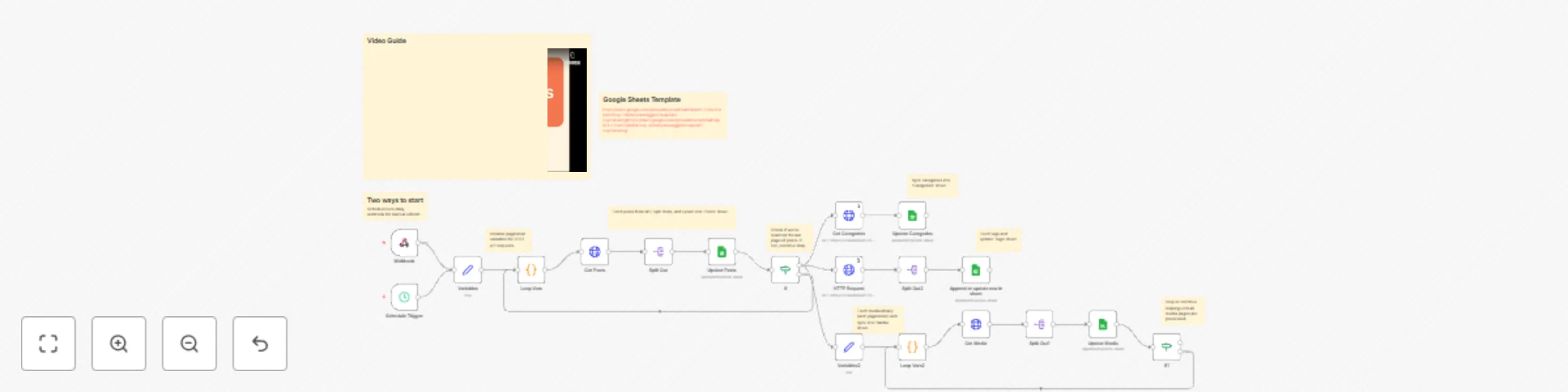
# WordPress Blog to Google Sheets Sync ### Posts • Categories • Tags • Media --- ## 🧩 Overview This n8n workflow automatically syncs your **WordPress website content** — including posts, categories, tags, and media — into **Google Sheets**. It helps automate content reporting, SEO analysis, and data backups. The workflow can run **on schedule** or **on demand** via a webhook. --- ## 💡 Use cases - Maintain a live database of blog posts in Google Sheets. - Create dashboards in Google Data Studio or Looker Studio. - Track new articles for newsletters or social media scheduling. - Backup all WordPress content and media outside of your CMS. --- ## ⚙️ Prerequisites Before importing the workflow, ensure you have: 1. A **WordPress website** with the REST API enabled (default in WP 4.7+). 2. **Authentication**: either Application Passwords or Basic Auth credentials. 3. A **Google Sheet** with the following tabs: - `Posts` - `Categories` - `Tags` - `Media` 4. The following **credentials configured in n8n**: - `HTTP Basic Auth` (for WordPress) - `Google Sheets OAuth2` --- ## 🚀 Setup instructions 1. **Import** the workflow into your n8n instance. 2. Replace all example WordPress API URLs with your domain, for example: https://yourdomain.com/wp-json/wp/v2/ 3. Connect your **HTTP Basic Auth** credentials (WordPress username + Application Password). 4. Connect your **Google Sheets OAuth2** account. 5. Update the **spreadsheet ID** in each Google Sheets node with your own. 6. Adjust the **Schedule Trigger** (e.g. run daily at 2:00 AM). 7. Run once manually to verify data sync. --- ## 🧠 Workflow structure | Section | Description | |----------|--------------| | **Schedule / Webhook Trigger** | Starts the workflow manually or automatically | | **Variables & Loop Vars** | Initialize pagination for REST API requests | | **Get Posts → Split Out → Update Posts** | Fetch and update all WordPress posts | | **Get Categories → Update Categories** | Sync WordPress categories | | **Get Tags → Update Tags** | Sync WordPress tags | | **Get Media → Split Out → Update Media** | Sync media library (images, videos, etc.) | | **IF Loops** | Handles pagination logic until all items are retrieved | --- ## ⚠️ Notes & Limitations - Works with **standard WordPress REST API endpoints** only. - Custom post types require editing endpoint URLs. - The `per_page` value defaults to **10**; increase for faster syncs. - For large sites, consider increasing n8n memory or adding execution logs. - Avoid running the workflow too frequently to prevent API rate limits. --- ## 🎥 Video Tutorial A step-by-step setup guide is available here: 👉 [https://www.youtube.com/watch?v=czSMWyD6f-0](https://www.youtube.com/watch?v=czSMWyD6f-0) Please subscribe to my YouTube channel to support me: 👉 [https://www.youtube.com/@gregfrolovpersonal](https://www.youtube.com/@gregfrolovpersonal) --- ## 👨‍💻 Author **Created by:** [Grigory Frolov](https://ozwebexpert.com) SEO & Automation Specialist — helping businesses integrate WordPress, AI, and data tools with n8n. --- ## 🧾 License This workflow is provided under the MIT License. Feel free to use, modify, and share improvements with the community.

G
Grigory Frolov
Document Extraction
29 Sep 2025
296
0