D

Dart

4
Workflows

Workflows by Dart
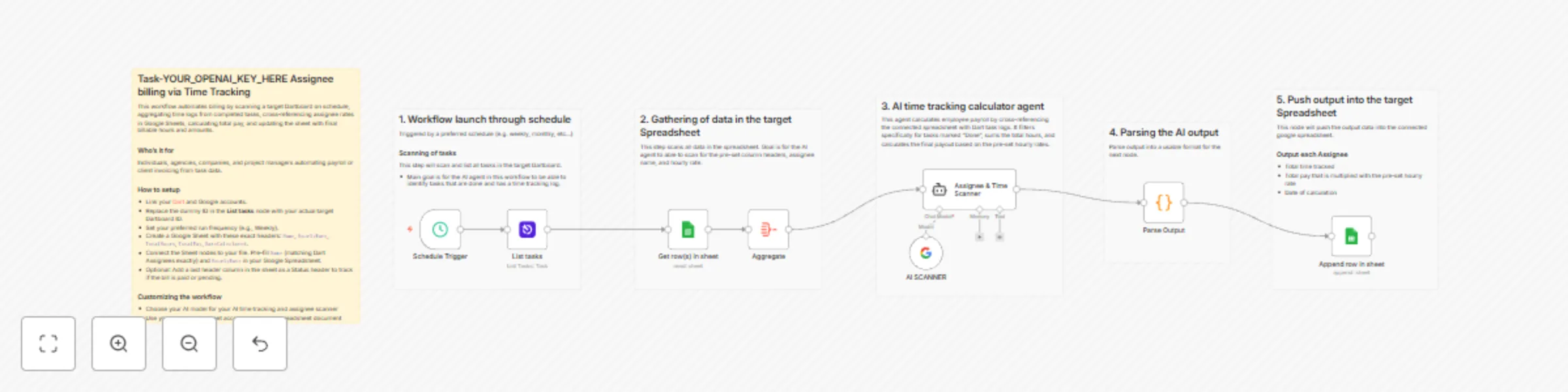
Workflow preview: Automate assignee payroll calculations with Dart, Gemini AI, and Google Sheets
Free intermediate

Automate assignee payroll calculations with Dart, Gemini AI, and Google Sheets

## Task-based Assignee billing via Time Tracking This workflow automates billing by scanning a target Dartboard on schedule, aggregating time logs from completed tasks, cross‑referencing assignee rates in Google Sheets, calculating total pay, and updating the sheet with final billable hours and amounts. ### Who's it for Individuals, agencies, companies, and project managers automating payroll or client invoicing from task data. ### How to setup - Link your [Dart](https://help.dartai.com/en/articles/12313191-n8n-integration) and Google accounts. - Replace the dummy ID in the **List tasks** node with your actual target Dartboard ID. - Set your preferred run frequency (e.g., Weekly). - Create a Google Sheet with these exact headers: `Name`, `HourlyRate`, `TotalHours`, `TotalPay`, `DateCalculated`. - Connect the Sheet nodes to your file. Pre-fill `Name` (matching Dart Assignees exactly) and `HourlyRate` in your Google Spreadsheet. - Optional: Add a last header column in the sheet as a Status header to track if the bill is paid or pending. ### Customizing the workflow - Choose your AI model for your AI time tracking and assignee scanner - Use your own google sheet account and target spreadsheet document

D
Dart
Invoice Processing
27 Nov 2025
43
0
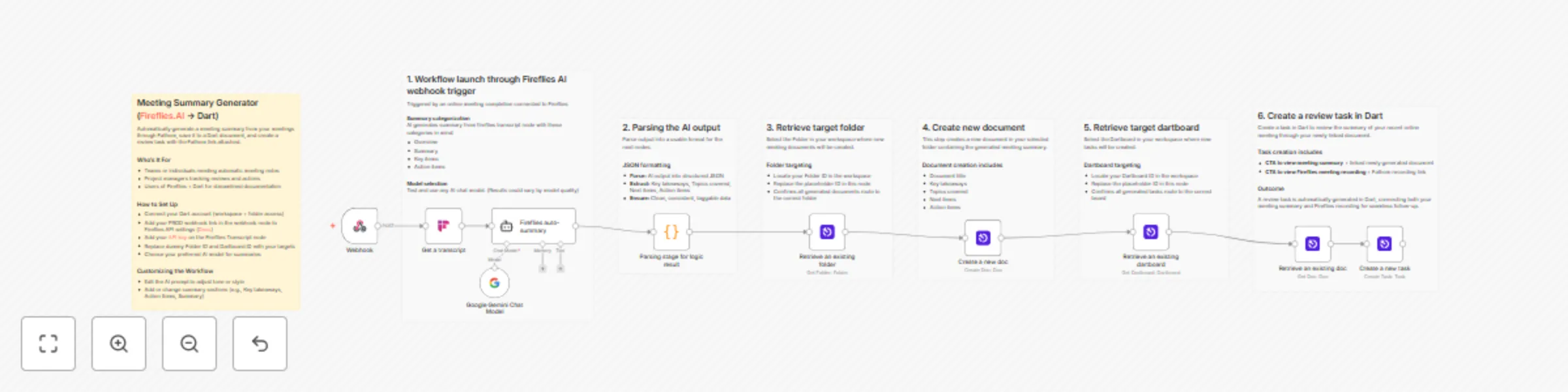
Workflow preview: Create AI meeting summaries with Fireflies transcripts & Dart tasks using Gemini
Free advanced

Create AI meeting summaries with Fireflies transcripts & Dart tasks using Gemini

Automatically generate a meeting summary from your meetings through Fireflies.ai, save it to a Dart document, and create a review task with the meeting link attached. ## What it does This workflow activates when a Fireflies.ai meeting is processed (via a webhook). It retrieves the meeting transcript via the FirefliesAI transcript node and uses an AI model to generate a structured summary. ## Who’s it for * Teams or individuals needing automatic meeting notes. * Project managers tracking reviews and actions from meetings. * Users of Fireflies.ai and Dart who want to streamline their documentation and follow-up process. ## How to set up * Import the workflow into n8n. * Connect your Dart account (it will need workspace and folder access). * Add your PROD webhook link from the webhook node to your Fireflies.ai API settings. * Add your Fireflies.ai API key on the Fireflies Transcript node. * Replace the dummy Folder ID and Dartboard ID with your actual target IDs. * Choose your preferred AI model for generating the summaries. ## Requirements * n8n account * Connected Dart account * Connected Fireflies.ai account (with access to API key and webhooks) ## How to customize the workflow * Edit the AI prompt to adjust the tone, style, or format of the meeting summaries. * Add, remove, or change the summary sections to match your needs (e.g., Key takeaways, Action Items, Summary).

D
Dart
Document Extraction
15 Nov 2025
76
0

Workflow preview: Generate AI meeting summaries and tasks from Fathom recordings to Dart
Free advanced

Generate AI meeting summaries and tasks from Fathom recordings to Dart

Automatically generate a meeting summary from your meetings through Fathom, save it to a Dart document, and create a review task with the Fathom link attached. ## What it does This workflow activates when a Fathom meeting ends (via a webhook). It uses an AI model to generate a structured summary of the meeting. The workflow then: ## Who’s it for * Teams or individuals needing automatic meeting notes. * Project managers tracking reviews and actions from meetings. * Users of Fathom and Dart who want to streamline their documentation and follow-up process. ## How to set up 1. Import the workflow into n8n. 2. Connect your Dart account (it will need workspace and folder access). 3. Add your PROD webhook link from the webhook node to your Fathom API settings. 4. Replace the dummy Folder ID and Dartboard ID with your actual target IDs. 5. Choose your preferred AI model for generating the summaries. ## Requirements * n8n account * Connected Dart account * Connected Fathom account (with access to API webhooks) ## How to customize the workflow * Edit the AI prompt to adjust the tone, style, or format of the meeting summaries. * Add, remove, or change the summary sections to match your needs (e.g., Key Takeaways, Action Items, Next Items).

D
Dart
Document Extraction
6 Nov 2025
333
0
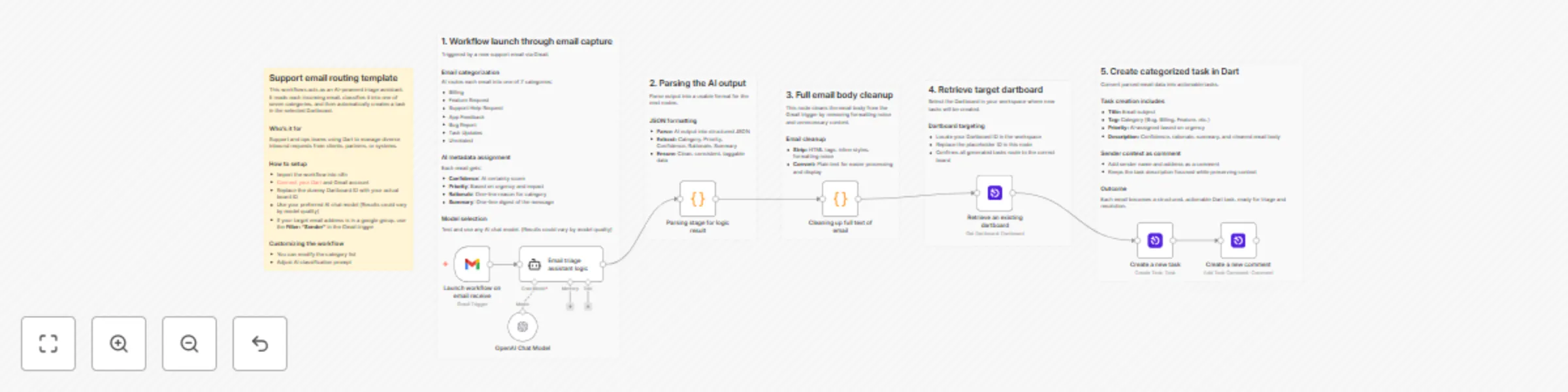
Workflow preview: Categorize support emails with AI and create tasks in Dart
Free intermediate

Categorize support emails with AI and create tasks in Dart

Automatically turn incoming support emails into categorized, prioritized tasks in Dart—complete with AI-generated summaries, tags, and sender context. ## What It Does This workflow captures emails from Gmail, uses an AI model to classify them into one of seven categories (e.g., Bug Report, Billing, Feature Request), and creates a structured task in Dart. Each task includes: - **Title**: The email subject - **Tag**: Based on the detected category - **Priority**: Set by the AI based on content analysis - **Description**: Includes confidence level, rationale, summary, and the cleaned full email body - **Comment**: Automatically adds the sender’s name and email for easy reference The workflow also parses and cleans the raw HTML email content, ensuring all data is readable and workflow-ready. ## Who's It For This template is built for support and operations teams using Dart who want to streamline how incoming emails are sorted and turned into actionable tasks. It’s ideal for organizations managing multiple types of requests and updates from clients, partners, or systems. ## How to Set Up 1. Import the workflow into **n8n** 2. Connect your **Gmail** and **Dart** accounts 3. Replace the dummy Dartboard ID with your actual board ID 4. Choose your preferred AI model (results may vary depending on model quality) 5. If your target email address is in a google group, use the **Filter: "Sender"** in the Gmail trigger ## Requirements - n8n account - Connected Gmail and Dart account ## How to Customize the Workflow - Modify the **category list** to match your team’s taxonomy - Adjust the **AI classification prompt** to fine-tune tagging and prioritization - Choose your preferred AI model

D
Dart
Ticket Management
14 Oct 2025
84
0