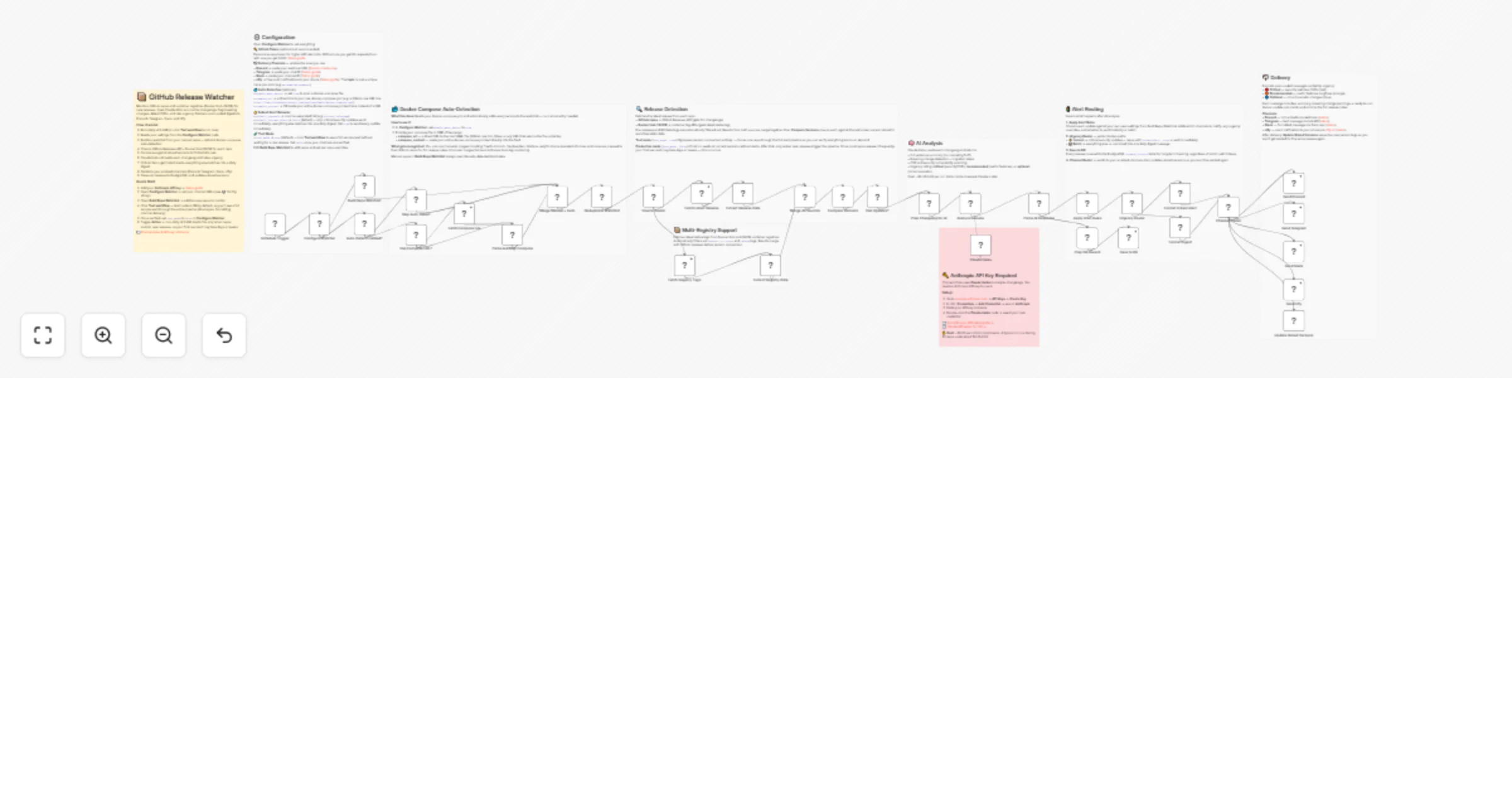
Watch GitHub releases and Docker tags, analyze changelogs with Claude Haiku, and send update digests to Slack, Discord, Telegram, and ntfy

Workflow preview

Workflow preview
100%
Watch GitHub releases and Docker tags, analyze changelogs with Claude Haiku, and send update digests to Slack, Discord, Telegram, and ntfy preview
Open on n8n.io

1. Workflow Overview

This n8n template monitors your self hosted apps for new releases across GitHub and container registries, uses Claude AI to analyze changelogs, and delivers color coded update digests to Discord, T...

Best for

  • DevOps automation workflows
  • AI Summarization automation workflows
  • advanced n8n builders looking for reusable templates

Tools used

n8n-nodes-base.scheduletrigger, n8n-nodes-base.code, n8n-nodes-base.httprequest, n8n-nodes-base.if, @n8n/n8n-nodes-langchain.lmchatanthropic, @n8n/n8n-nodes-langchain.chainllm, n8n-nodes-base.telegram, n8n-nodes-base.stickynote

Source and attribution

This workflow is cataloged by N8N Workflows and links back to its original n8n.io source page by nXsi.

Original n8n.io source

1.1 Workflow description

Title
Watch GitHub releases and Docker tags, analyze changelogs with Claude Haiku, and send update digests to Slack, Discord, Telegram, and ntfy
Workflow name
Watch GitHub releases and Docker tags, analyze changelogs with Claude Haiku, and send update digests to Slack, Discord, Telegram, and ntfy

This n8n template monitors your self-hosted apps for new releases across GitHub and container registries, uses Claude AI to analyze changelogs, and delivers color-coded update digests to Discord, Telegram, Slack, and ntfy.

Stop finding out about updates after something breaks. Claude reads every changelog and tells you exactly what changed, what might break, and how urgent the update is — with a ready-to-run Docker update command for each release.

Good to know

  • Estimated cost is $0.01–0.03 per daily run using Claude Haiku. See Anthropic pricing for current rates.
  • PostgreSQL logging is included but optional — the core workflow runs without a database using n8n's built-in static data for version tracking.
  • Test mode is ON by default. Your first run pushes a sample release through the full pipeline (AI analysis, formatting, delivery) so you can verify everything works before going live.

How it works

  • Schedule trigger runs daily at 8 AM and builds a watchlist from your manually configured repos plus optional docker-compose auto-detection
  • Checks GitHub Releases API for repos and Docker Hub/GHCR tag APIs for container images. Pre-releases and RC/beta tags are automatically filtered out
  • Compares each release against the last known version stored in workflow static data to detect what's genuinely new
  • Claude Haiku reads each changelog and returns a structured summary with breaking change detection, CVE/security scanning, migration steps, and urgency classification (critical/recommended/optional)
  • Alert rules route critical and security updates to instant alerts, while everything else batches into a single daily digest sorted by urgency
  • Formatted messages are delivered to your enabled channels with color-coded embeds, Docker update commands, and links to full release notes
  • Release history is optionally logged to PostgreSQL for tracking update timelines

How to use

  • Add your Anthropic API key as an n8n credential, open the Configure Watcher node to set your channel URLs, and edit the Build Repo Watchlist node to add your repos — that's the minimum to get running
  • Click "Test workflow" to push a sample release through the full pipeline and verify delivery
  • Set test_mode to false and toggle Active — the workflow checks daily and only alerts when new releases are found

Requirements

  • Anthropic API key (setup guide)
  • At least one delivery channel: Discord webhook (setup guide), Telegram bot, Slack app, or ntfy topic
  • Optional: GitHub Personal Access Token for higher API rate limits (setup guide)
  • Optional: PostgreSQL for release history logging

Customizing this workflow

  • Add or remove repos and container registries in the Build Repo Watchlist code node — pre-loaded with 10 popular self-hosted apps
  • Enable docker-compose auto-detection to automatically build your watchlist from a compose file URL or pasted content
  • Set per-repo alert rules including urgency overrides, instant alert flags, and channel routing
  • Adjust the schedule, swap delivery channels, or add additional registries

1.2 Logical Blocks

This catalog entry is organized from the workflow JSON. The node-level section below shows the executable blocks available for review before importing the template.

2. Block-by-Block Analysis

Block 1 - Schedule Trigger

Type / Role
n8n-nodes-base.scheduleTrigger - scheduleTrigger
Config choices
Version 1.2

Block 2 - Build Repo Watchlist

Type / Role
n8n-nodes-base.code - code
Config choices
Version 2

Block 3 - Fetch Latest Release

Type / Role
n8n-nodes-base.httpRequest - httpRequest
Config choices
Version 4.2

Block 4 - Extract Release Data

Type / Role
n8n-nodes-base.code - code
Config choices
Version 2

Block 5 - Compare Versions

Type / Role
n8n-nodes-base.code - code
Config choices
Version 2

Block 6 - Has Updates?

Type / Role
n8n-nodes-base.if - if
Config choices
Version 2.3

Block 7 - Prep Changelog for AI

Type / Role
n8n-nodes-base.code - code
Config choices
Version 2

Block 8 - Claude Haiku

Type / Role
@n8n/n8n-nodes-langchain.lmChatAnthropic - lmChatAnthropic
Config choices
Version 1.3

Block 9 - Analyze Release

Type / Role
@n8n/n8n-nodes-langchain.chainLlm - chainLlm
Config choices
Version 1.7

Block 10 - Parse AI Response

Type / Role
n8n-nodes-base.code - code
Config choices
Version 2

Block 11 - Format Digest

Type / Role
n8n-nodes-base.code - code
Config choices
Version 2

Block 12 - Send Discord

Type / Role
n8n-nodes-base.httpRequest - httpRequest
Config choices
Version 4.2

Block 13 - Send Telegram

Type / Role
n8n-nodes-base.telegram - telegram
Config choices
Version 1.2

Block 14 - Update Stored Versions

Type / Role
n8n-nodes-base.code - code
Config choices
Version 2

Block 15 - Overview

Type / Role
n8n-nodes-base.stickyNote - stickyNote
Config choices
Version 1

Block 16 - Config Section

Type / Role
n8n-nodes-base.stickyNote - stickyNote
Config choices
Version 1

Block 17 - Detection Section

Type / Role
n8n-nodes-base.stickyNote - stickyNote
Config choices
Version 1

Block 18 - AI Section

Type / Role
n8n-nodes-base.stickyNote - stickyNote
Config choices
Version 1

Block 19 - Delivery Section

Type / Role
n8n-nodes-base.stickyNote - stickyNote
Config choices
Version 1

Block 20 - Prep DB Record

Type / Role
n8n-nodes-base.code - code
Config choices
Version 2

Block 21 - Save to DB

Type / Role
n8n-nodes-base.postgres - postgres
Config choices
Version 2.5

Block 22 - Source Router

Type / Role
n8n-nodes-base.switch - switch
Config choices
Version 3.2

Block 23 - Fetch Registry Tags

Type / Role
n8n-nodes-base.httpRequest - httpRequest
Config choices
Version 4.2

Block 24 - Extract Registry Data

Type / Role
n8n-nodes-base.code - code
Config choices
Version 2

Showing the first 24 of 43 workflow blocks. Download the JSON for the full node graph.

3. Summary Table

Workflow Watch GitHub releases and Docker tags, analyze changelogs with Claude Haiku, and send update digests to Slack, Discord, Telegram, and ntfy
Complexity advanced
Nodes 43
Categories DevOps, AI Summarization
Author nXsi
Published 25 Feb 2026

4. Reproducing the Workflow from Scratch

  1. 1. Download the workflow JSON

    Use the JSON export at /data/workflows/13677/13677.json as the source template for this automation.

  2. 2. Import the template into n8n

    Open n8n, import the downloaded JSON, and review each node before activating the workflow.

  3. 3. Configure credentials and variables

    Replace placeholder credentials, API keys, webhook URLs, account IDs, and environment-specific values with your own settings.

  4. 4. Test with sample data

    Run the workflow manually or in a staging workspace, inspect node output, and confirm downstream systems receive the expected data.

  5. 5. Activate and monitor

    Enable the workflow only after testing, then monitor executions, errors, and rate limits during the first production runs.

5. General Notes & Resources

Review imported nodes carefully before activation. This catalog entry is intended to help you inspect the workflow structure, understand required services, and find related templates faster.

Node names, credentials, schedules, webhook paths, and external service limits may need adjustment for your workspace.

Frequently asked questions

What does Watch GitHub releases and Docker tags, analyze changelogs with Claude Haiku, and send update digests to Slack, Discord, Telegram, and ntfy do?

This n8n template monitors your self hosted apps for new releases across GitHub and container registries, uses Claude AI to analyze changelogs, and delivers color coded update digests to Discord, T...

What do I need before importing this workflow?

Review the workflow JSON, configure any required credentials in n8n, and test the automation in a safe workspace before using it in production.

Can I customize this workflow?

Yes. Use the block-by-block analysis and the downloadable JSON to inspect each node, then adjust credentials, prompts, schedules, filters, or destinations for your DevOps, AI Summarization use case.