Block 1 - Check if date is today
- Type / Role
- n8n-nodes-base.if - if
- Config choices
- Version 2.3


 Early Deal
Overview This workflow automates your morning wake up call by calculating the perfect time to leave based on real time traffic. Instead of a static alarm, n8n continuously monitors road conditio...
n8n-nodes-base.if, n8n-nodes-base.googlesheets, n8n-nodes-base.httprequest, n8n-nodes-base.merge, n8n-nodes-base.twilio, n8n-nodes-base.set, n8n-nodes-base.stickynote, n8n-nodes-base.scheduletrigger
This workflow is cataloged by N8N Workflows and links back to its original n8n.io source page by Yorgo Haber.
Original n8n.io source📖 Overview
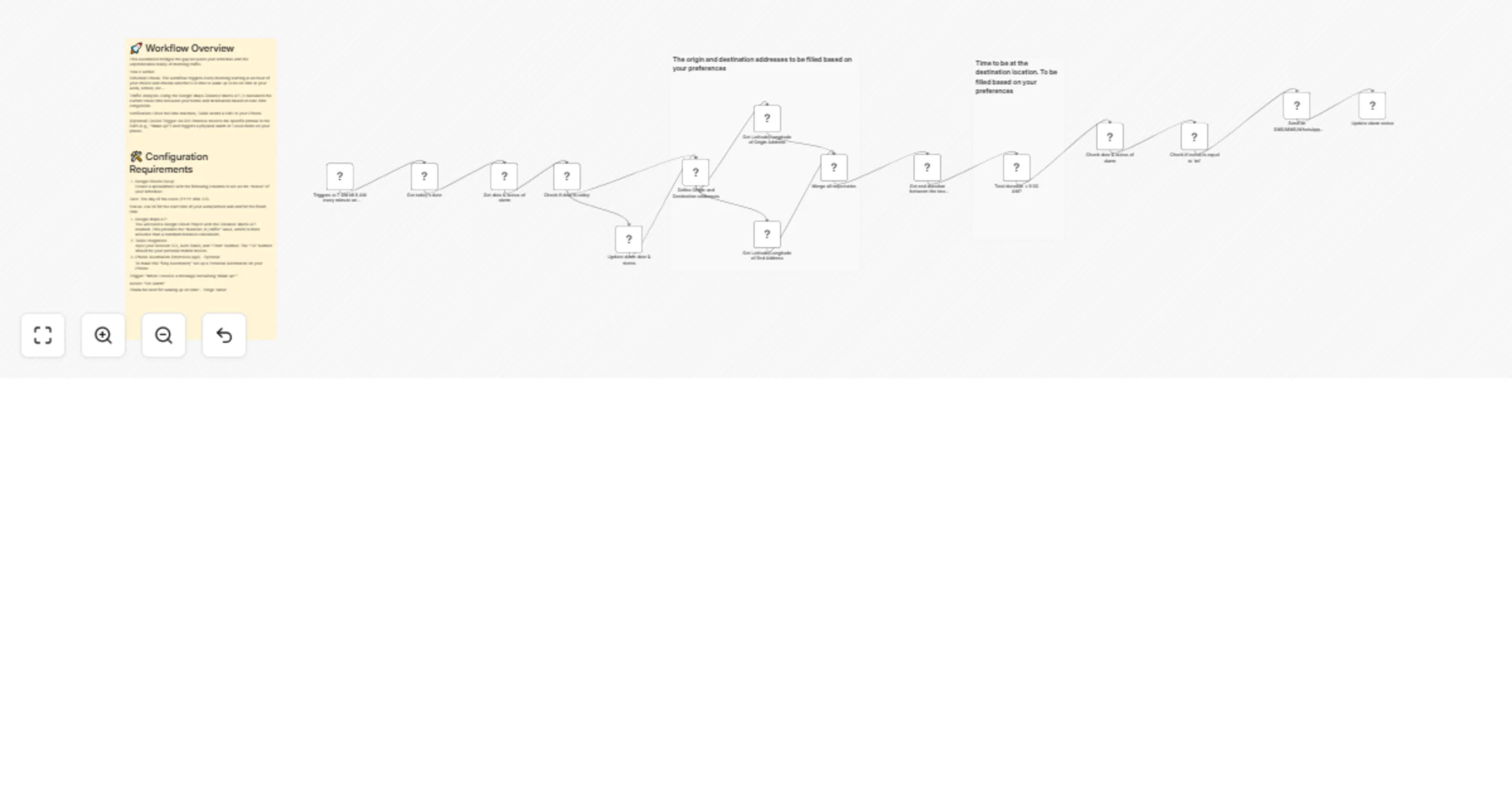
This workflow automates your morning wake-up call by calculating the perfect time to leave based on real-time traffic. Instead of a static alarm, n8n continuously monitors road conditions via the Google Maps Distance Matrix API. When the "strike time" is reached, accounting for both live traffic and your morning preparation; the workflow triggers a physical alarm on your iPhone via a Twilio SMS and iOS Shortcuts.
🛠️ System components
1. The Brain (n8n)
Check interval: Monitors traffic every minute during your "ready window."
Logic: Uses a mathematical expression to determine if you need to wake up now to make your arrival goal.
**Formula:
T_{wake} = T_{arrival} - (T_{traffic} + T_{prep})
2. The Log (Google Sheets): Maintains a diagnostic history when an sms is sent to your phone for each day.
3. The Trigger (iPhone): Utilizes an iOS Shortcut Automation that listens for a specific SMS phrase ("Wake up!") to trigger a physical alarm.
⚙️ Setup instructions
Step 1: Google Cloud Platform
Enable the Distance Matrix API in your Google Cloud Console.
Generate an API Key and restrict it to your IP if possible.
Step 2: Twilio configuration
Gather your Account SID and Auth Token.
Ensure your personal mobile number is verified in the Twilio console to receive messages.
Step 3: iOS Shortcut automation
Open the Shortcuts App → Automation → New Automation.
Select Message → Message Contains: Wake up! →
Action: Add "Start Timer" or "Create Alarm."
Important: Disable "Ask Before Running" and "Notify When Run."
💡 Node breakdown & logic
Arrival Schedule (Cron): Defines the window when the workflow should be active (e.g., 7:00 AM – 8:00 AM).
Traffic Monitor (Google Maps): Fetches the duration_in_traffic value.
Wake-up Evaluator (Filter): Compares if Current Time + Traffic + 20 mins >= Arrival Time.
SMS Dispatcher (Twilio): Sends the trigger phrase to your device.
Activity Logger (Google Sheets): Records the 1st execution of the day and then, with the use of the google sheet and the IF loop, the workflow will stop sending sms after the first send.
This catalog entry is organized from the workflow JSON. The node-level section below shows the executable blocks available for review before importing the template.
| Workflow | Wake up on time using Google Maps traffic, Twilio SMS, and iOS Shortcuts |
|---|---|
| Complexity | advanced |
| Nodes | 18 |
| Categories | Personal Productivity |
| Author | Yorgo Haber |
| Published | 13 Feb 2026 |
Use the JSON export at /data/workflows/13386/13386.json as the source template for this automation.
Open n8n, import the downloaded JSON, and review each node before activating the workflow.
Replace placeholder credentials, API keys, webhook URLs, account IDs, and environment-specific values with your own settings.
Run the workflow manually or in a staging workspace, inspect node output, and confirm downstream systems receive the expected data.
Enable the workflow only after testing, then monitor executions, errors, and rate limits during the first production runs.
Review imported nodes carefully before activation. This catalog entry is intended to help you inspect the workflow structure, understand required services, and find related templates faster.
Node names, credentials, schedules, webhook paths, and external service limits may need adjustment for your workspace.
Overview This workflow automates your morning wake up call by calculating the perfect time to leave based on real time traffic. Instead of a static alarm, n8n continuously monitors road conditio...
Review the workflow JSON, configure any required credentials in n8n, and test the automation in a safe workspace before using it in production.
Yes. Use the block-by-block analysis and the downloadable JSON to inspect each node, then adjust credentials, prompts, schedules, filters, or destinations for your Personal Productivity use case.