Validate student progress and orchestrate interventions with Claude and email

Workflow preview

Workflow preview
100%
Validate student progress and orchestrate interventions with Claude and email preview
Open on n8n.io

1. Workflow Overview

How It Works This workflow automates student progress monitoring and academic intervention orchestration through intelligent AI driven analysis. Designed for educational institutions, learning mana...

Best for

  • Engineering automation workflows
  • AI Summarization automation workflows
  • advanced n8n builders looking for reusable templates

Tools used

n8n-nodes-base.webhook, n8n-nodes-base.set, @n8n/n8n-nodes-langchain.lmchatanthropic, @n8n/n8n-nodes-langchain.outputparserstructured, @n8n/n8n-nodes-langchain.agent, n8n-nodes-base.httprequest, n8n-nodes-base.code, n8n-nodes-base.switch

Source and attribution

This workflow is cataloged by N8N Workflows and links back to its original n8n.io source page by Cheng Siong Chin.

Original n8n.io source

1.1 Workflow description

Title
Validate student progress and orchestrate interventions with Claude and email
Workflow name
Validate student progress and orchestrate interventions with Claude and email

How It Works

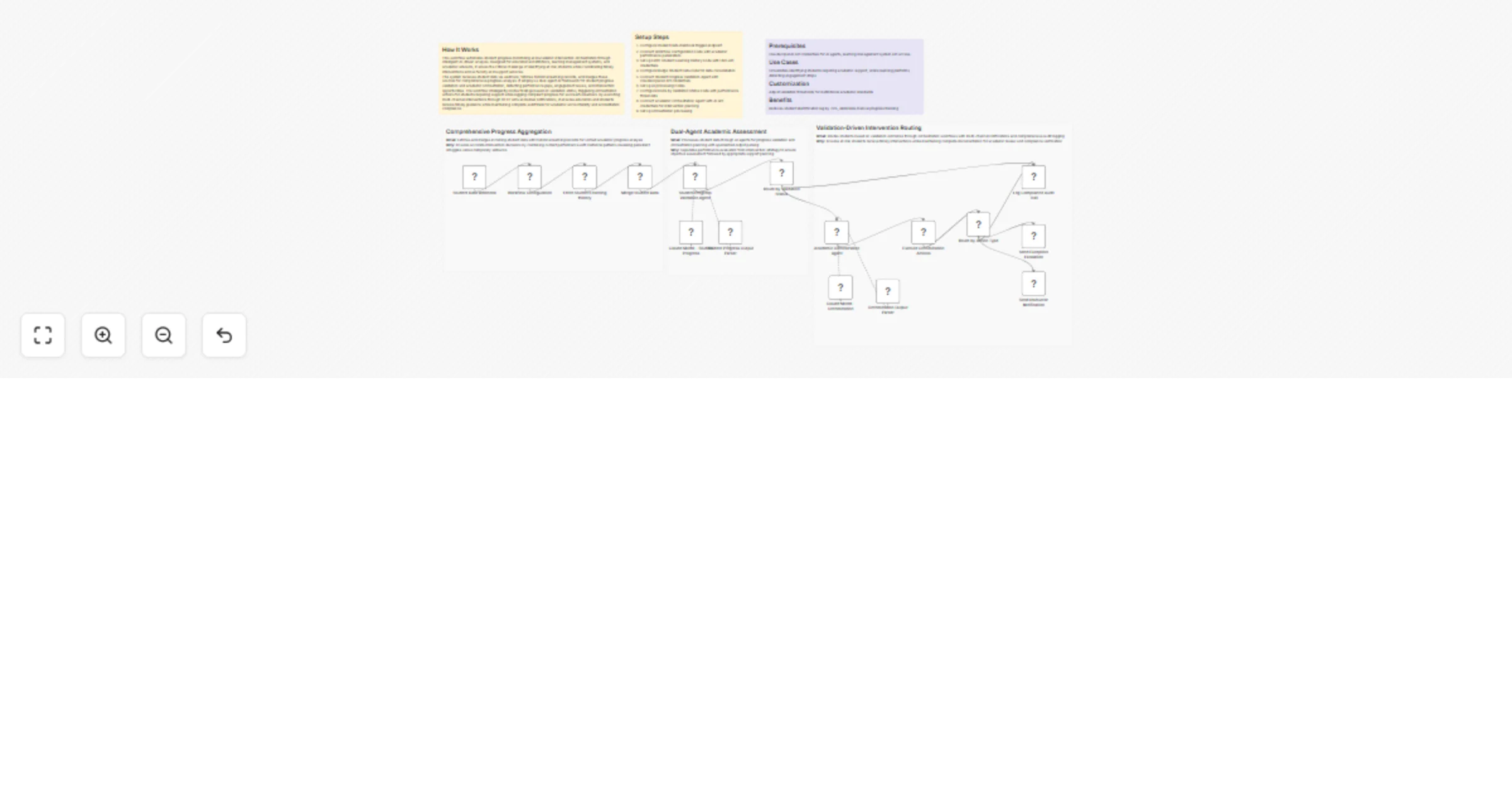
This workflow automates student progress monitoring and academic intervention orchestration through intelligent AI-driven analysis. Designed for educational institutions, learning management systems, and academic advisors, it solves the critical challenge of identifying at-risk students while coordinating timely interventions across faculty and support services. The system receives student data via webhook, fetches historical learning records, and merges these sources for comprehensive progress analysis. It employs a dual-agent AI framework for student progress validation and academic orchestration, detecting performance gaps, engagement issues, and intervention opportunities. The workflow intelligently routes findings based on validation status, triggering orchestration actions for students requiring support while logging compliant progress for successful learners. By executing multi-channel interventions through HTTP APIs and email notifications, it ensures educators and students receive timely guidance while maintaining complete audit trails for academic accountability and accreditation compliance.

Setup Steps

  1. Configure Student Data Webhook trigger endpoint
  2. Connect Workflow Configuration node with academic performance parameters
  3. Set up Fetch Student Learning History node with LMS API credentials
  4. Configure Merge Student Data node for data consolidation
  5. Connect Student Progress Validation Agent with Claude/OpenAI API credentials
  6. Set up AI processing nodes
  7. Configure Route by Validation Status node with performance thresholds
  8. Connect Academic Orchestration Agent with AI API credentials for intervention planning
  9. Set up orchestration processing

Prerequisites

Claude/OpenAI API credentials for AI agents, learning management system API access

Use Cases

Universities identifying students requiring academic support, online learning platforms detecting engagement drops

Customization

Adjust validation thresholds for institutional academic standards

Benefits

Reduces student identification lag by 75%, eliminates manual progress tracking

1.2 Logical Blocks

This catalog entry is organized from the workflow JSON. The node-level section below shows the executable blocks available for review before importing the template.

2. Block-by-Block Analysis

Block 1 - Student Data Webhook

Type / Role
n8n-nodes-base.webhook - webhook
Config choices
Version 2.1

Block 2 - Workflow Configuration

Type / Role
n8n-nodes-base.set - set
Config choices
Version 3.4

Block 3 - Claude Model - Student Progress

Type / Role
@n8n/n8n-nodes-langchain.lmChatAnthropic - lmChatAnthropic
Config choices
Version 1.3

Block 4 - Student Progress Output Parser

Type / Role
@n8n/n8n-nodes-langchain.outputParserStructured - outputParserStructured
Config choices
Version 1.3

Block 5 - Student Progress Validation Agent

Type / Role
@n8n/n8n-nodes-langchain.agent - agent
Config choices
Version 3.1

Block 6 - Fetch Student Learning History

Type / Role
n8n-nodes-base.httpRequest - httpRequest
Config choices
Version 4.3

Block 7 - Merge Student Data

Type / Role
n8n-nodes-base.code - code
Config choices
Version 2

Block 8 - Route by Validation Status

Type / Role
n8n-nodes-base.switch - switch
Config choices
Version 3.4

Block 9 - Claude Model - Orchestration

Type / Role
@n8n/n8n-nodes-langchain.lmChatAnthropic - lmChatAnthropic
Config choices
Version 1.3

Block 10 - Orchestration Output Parser

Type / Role
@n8n/n8n-nodes-langchain.outputParserStructured - outputParserStructured
Config choices
Version 1.3

Block 11 - Academic Orchestration Agent

Type / Role
@n8n/n8n-nodes-langchain.agent - agent
Config choices
Version 3.1

Block 12 - Execute Orchestration Actions

Type / Role
n8n-nodes-base.httpRequest - httpRequest
Config choices
Version 4.3

Block 13 - Route by Action Type

Type / Role
n8n-nodes-base.switch - switch
Config choices
Version 3.4

Block 14 - Send Instructor Notification

Type / Role
n8n-nodes-base.emailSend - emailSend
Config choices
Version 2.1

Block 15 - Send Exception Escalation

Type / Role
n8n-nodes-base.emailSend - emailSend
Config choices
Version 2.1

Block 16 - Log Compliance Audit Trail

Type / Role
n8n-nodes-base.code - code
Config choices
Version 2

Block 17 - Sticky Note

Type / Role
n8n-nodes-base.stickyNote - stickyNote
Config choices
Version 1

Block 18 - Sticky Note1

Type / Role
n8n-nodes-base.stickyNote - stickyNote
Config choices
Version 1

Block 19 - Sticky Note2

Type / Role
n8n-nodes-base.stickyNote - stickyNote
Config choices
Version 1

Block 20 - Sticky Note3

Type / Role
n8n-nodes-base.stickyNote - stickyNote
Config choices
Version 1

Block 21 - Sticky Note4

Type / Role
n8n-nodes-base.stickyNote - stickyNote
Config choices
Version 1

Block 22 - Sticky Note5

Type / Role
n8n-nodes-base.stickyNote - stickyNote
Config choices
Version 1

3. Summary Table

Workflow Validate student progress and orchestrate interventions with Claude and email
Complexity advanced
Nodes 22
Categories Engineering, AI Summarization
Author Cheng Siong Chin
Published 01 Feb 2026

4. Reproducing the Workflow from Scratch

  1. 1. Download the workflow JSON

    Use the JSON export at /data/workflows/13156/13156.json as the source template for this automation.

  2. 2. Import the template into n8n

    Open n8n, import the downloaded JSON, and review each node before activating the workflow.

  3. 3. Configure credentials and variables

    Replace placeholder credentials, API keys, webhook URLs, account IDs, and environment-specific values with your own settings.

  4. 4. Test with sample data

    Run the workflow manually or in a staging workspace, inspect node output, and confirm downstream systems receive the expected data.

  5. 5. Activate and monitor

    Enable the workflow only after testing, then monitor executions, errors, and rate limits during the first production runs.

5. General Notes & Resources

Review imported nodes carefully before activation. This catalog entry is intended to help you inspect the workflow structure, understand required services, and find related templates faster.

Node names, credentials, schedules, webhook paths, and external service limits may need adjustment for your workspace.

Frequently asked questions

What does Validate student progress and orchestrate interventions with Claude and email do?

How It Works This workflow automates student progress monitoring and academic intervention orchestration through intelligent AI driven analysis. Designed for educational institutions, learning mana...

What do I need before importing this workflow?

Review the workflow JSON, configure any required credentials in n8n, and test the automation in a safe workspace before using it in production.

Can I customize this workflow?

Yes. Use the block-by-block analysis and the downloadable JSON to inspect each node, then adjust credentials, prompts, schedules, filters, or destinations for your Engineering, AI Summarization use case.