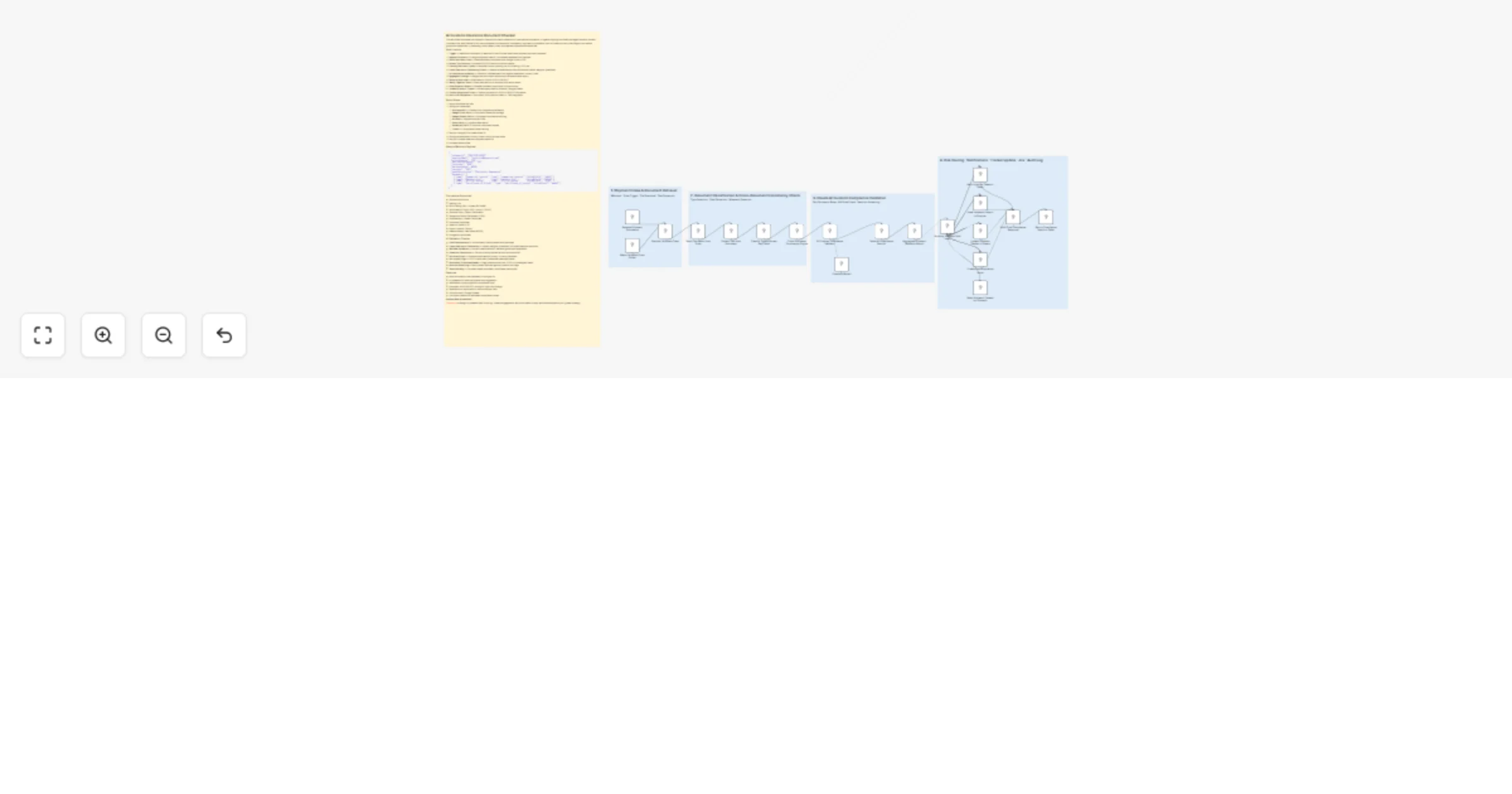
Validate customs clearance documents with Claude AI, Google Drive and Slack

Workflow preview

Workflow preview
100%
Validate customs clearance documents with Claude AI, Google Drive and Slack preview
Open on n8n.io

1. Workflow Overview

This workflow automates pre dispatch customs document validation for international shipments. It ingests shipping document packages, extracts content from each file, uses Claude AI to cross validat...

Best for

  • Document Extraction automation workflows
  • AI Summarization automation workflows
  • advanced n8n builders looking for reusable templates

Tools used

n8n-nodes-base.stickynote, n8n-nodes-base.webhook, n8n-nodes-base.googledrivetrigger, n8n-nodes-base.code, n8n-nodes-base.googledrive, n8n-nodes-base.extractfromfile, @n8n/n8n-nodes-langchain.agent, @n8n/n8n-nodes-langchain.lmchatanthropic

Source and attribution

This workflow is cataloged by N8N Workflows and links back to its original n8n.io source page by Oneclick AI Squad.

Original n8n.io source

1.1 Workflow description

Title
Validate customs clearance documents with Claude AI, Google Drive and Slack
Workflow name
Validate customs clearance documents with Claude AI, Google Drive and Slack

This workflow automates pre-dispatch customs document validation for international shipments. It ingests shipping document packages, extracts content from each file, uses Claude AI to cross-validate all documents for consistency, regulatory compliance, and HS code accuracy, then flags errors before goods are dispatched — preventing costly delays, fines, and rejected shipments at the border.

How it works

  1. Trigger — Webhook submission or watched Drive/S3 folder when new shipment docs are uploaded
  2. Register Shipment — Assigns shipment case ID, normalises metadata from payload
  3. Fetch Document Files — Downloads each document from Google Drive or URL
  4. Extract Text Content — Parses PDF/DOCX text from all documents
  5. Classify Document Types — Identifies invoice, packing list, bill of lading, COO, etc.
  6. Cross-Document Consistency Check — Detects mismatches across documents (values, weights, quantities)
  7. AI Compliance Validation — Claude AI validates each doc against destination country rules
  8. Aggregate Findings — Merges per-document results into a shipment-level report
  9. Route by Risk Level — Branches on CLEAR / HOLD / REJECT
  10. Notify Logistics Team — Slack alert with error summary and action items
  11. Email Exporter Report — Detailed validation report with fix instructions
  12. Update Shipment Tracker — Writes status back to Airtable / Google Sheets
  13. Create Compliance Ticket — Opens Jira issue for HOLD or REJECT shipments
  14. Return API Response — Structured JSON result to caller or TMS integration

Setup Steps

  1. Import workflow into n8n
  2. Configure credentials:
  • Anthropic API — Claude AI for compliance validation
  • Google Drive OAuth — Document intake and storage
  • Google Sheets OAuth — Shipment compliance audit log
  • Airtable — Shipment tracker CRM
  • Slack OAuth — Logistics team alerts
  • SendGrid / SMTP — Exporter notification emails
  • Jira API — Compliance issue tracking
  1. Set your Google Drive intake folder ID
  2. Configure destination country rules in the AI prompt node
  3. Set your Airtable base and shipment table IDs
  4. Activate the workflow

Sample Webhook Payload

{
 "shipmentId": "SHP-2025-00392",
 "exporterEmail": "[email protected]",
 "originCountry": "CN",
 "destinationCountry": "AU",
 "incoterms": "FOB",
 "declaredValue": 48500,
 "currency": "USD",
 "goodsDescription": "Electronic Components",
 "documents": [
 { "name": "Commercial Invoice", "type": "commercial_invoice", "driveFileId": "1aBcD" },
 { "name": "Packing List", "type": "packing_list", "driveFileId": "2eFgH" },
 { "name": "Bill of Lading", "type": "bill_of_lading", "driveFileId": "3iJkL" },
 { "name": "Certificate of Origin", "type": "certificate_of_origin", "driveFileId": "4mNoP" }
 ]
}

Documents Supported

  • Commercial Invoice
  • Packing List
  • Bill of Lading (B/L) / Airway Bill (AWB)
  • Certificate of Origin (COO / Form D / EUR.1)
  • Customs Entry / Import Declaration
  • Dangerous Goods Declaration (DGD)
  • Phytosanitary / Health Certificate
  • Insurance Certificate
  • Letter of Credit (L/C)
  • Export Licence / Permit
  • Material Safety Data Sheet (MSDS)
  • Fumigation Certificate

AI Validation Checks

  • Field Completeness — All mandatory fields present and populated
  • Cross-Document Consistency — Values, weights, quantities, HS codes match across docs
  • HS Code Validation — Correct classification for declared goods and destination
  • Incoterms Compliance — Terms correctly applied across invoice and B/L
  • Valuation Rules — Customs value method correct, currency declared
  • Country of Origin — COO criteria met, preferential rates applicable
  • Restricted / Prohibited Goods — Flags potential dual-use, CITES, or embargoed items
  • Sanction Screening — Party names checked against common red flags
  • Date & Validity — Document dates consistent, certificates not expired

Features

  • Multi-document cross-validation in a single run
  • AI-powered HS code verification and suggestion
  • Destination-country–specific compliance rules
  • Automatic HOLD/REJECT routing for high-risk findings
  • Detailed error report with fix instructions per field
  • Full audit trail in Google Sheets
  • Jira ticket creation for escalated compliance issues

Explore More Automation: Contact us to design AI-powered lead nurturing, content engagement, and multi-platform reply workflows tailored to your growth strategy.

1.2 Logical Blocks

This catalog entry is organized from the workflow JSON. The node-level section below shows the executable blocks available for review before importing the template.

2. Block-by-Block Analysis

Block 1 - Sticky Note

Type / Role
n8n-nodes-base.stickyNote - stickyNote
Config choices
Version 1

Block 2 - Sticky Note1

Type / Role
n8n-nodes-base.stickyNote - stickyNote
Config choices
Version 1

Block 3 - Sticky Note2

Type / Role
n8n-nodes-base.stickyNote - stickyNote
Config choices
Version 1

Block 4 - Sticky Note3

Type / Role
n8n-nodes-base.stickyNote - stickyNote
Config choices
Version 1

Block 5 - Sticky Note4

Type / Role
n8n-nodes-base.stickyNote - stickyNote
Config choices
Version 1

Block 6 - Receive Shipment Documents

Type / Role
n8n-nodes-base.webhook - webhook
Config choices
Version 2

Block 7 - Watch Shipment Docs Folder

Type / Role
n8n-nodes-base.googleDriveTrigger - googleDriveTrigger
Config choices
Version 1

Block 8 - Register Shipment Case

Type / Role
n8n-nodes-base.code - code
Config choices
Version 2

Block 9 - Fetch Document from Drive

Type / Role
n8n-nodes-base.googleDrive - googleDrive
Config choices
Version 3

Block 10 - Extract Text from Document

Type / Role
n8n-nodes-base.extractFromFile - extractFromFile
Config choices
Version 1

Block 11 - Classify Type & Extract Key Fields

Type / Role
n8n-nodes-base.code - code
Config choices
Version 2

Block 12 - Cross-Document Consistency Engine

Type / Role
n8n-nodes-base.code - code
Config choices
Version 2

Block 13 - AI Customs Compliance Validator

Type / Role
@n8n/n8n-nodes-langchain.agent - agent
Config choices
Version 1.6

Block 14 - Claude AI Model

Type / Role
@n8n/n8n-nodes-langchain.lmChatAnthropic - lmChatAnthropic
Config choices
Version 1

Block 15 - Parse AI Compliance Results

Type / Role
n8n-nodes-base.code - code
Config choices
Version 2

Block 16 - Aggregate Shipment Validation Report

Type / Role
n8n-nodes-base.code - code
Config choices
Version 2

Block 17 - Route by Shipment Risk Level

Type / Role
n8n-nodes-base.switch - switch
Config choices
Version 3.1

Block 18 - Alert Logistics Team on Slack

Type / Role
n8n-nodes-base.httpRequest - httpRequest
Config choices
Version 4.2

Block 19 - Email Validation Report to Exporter

Type / Role
n8n-nodes-base.emailSend - emailSend
Config choices
Version 2.1

Block 20 - Create Jira Compliance Issue

Type / Role
n8n-nodes-base.httpRequest - httpRequest
Config choices
Version 4.2

Block 21 - Update Shipment Tracker in Sheets

Type / Role
n8n-nodes-base.googleSheets - googleSheets
Config choices
Version 4.5

Block 22 - Build Final Compliance Response

Type / Role
n8n-nodes-base.code - code
Config choices
Version 2

Block 23 - Return Compliance Result to Caller

Type / Role
n8n-nodes-base.respondToWebhook - respondToWebhook
Config choices
Version 1

Block 24 - Mark Shipment Cleared for Dispatch

Type / Role
n8n-nodes-base.set - set
Config choices
Version 3.4

3. Summary Table

Workflow Validate customs clearance documents with Claude AI, Google Drive and Slack
Complexity advanced
Nodes 24
Categories Document Extraction, AI Summarization
Author Oneclick AI Squad
Published 25 Feb 2026

4. Reproducing the Workflow from Scratch

  1. 1. Download the workflow JSON

    Use the JSON export at /data/workflows/13691/13691.json as the source template for this automation.

  2. 2. Import the template into n8n

    Open n8n, import the downloaded JSON, and review each node before activating the workflow.

  3. 3. Configure credentials and variables

    Replace placeholder credentials, API keys, webhook URLs, account IDs, and environment-specific values with your own settings.

  4. 4. Test with sample data

    Run the workflow manually or in a staging workspace, inspect node output, and confirm downstream systems receive the expected data.

  5. 5. Activate and monitor

    Enable the workflow only after testing, then monitor executions, errors, and rate limits during the first production runs.

5. General Notes & Resources

Review imported nodes carefully before activation. This catalog entry is intended to help you inspect the workflow structure, understand required services, and find related templates faster.

Node names, credentials, schedules, webhook paths, and external service limits may need adjustment for your workspace.

Frequently asked questions

What does Validate customs clearance documents with Claude AI, Google Drive and Slack do?

This workflow automates pre dispatch customs document validation for international shipments. It ingests shipping document packages, extracts content from each file, uses Claude AI to cross validat...

What do I need before importing this workflow?

Review the workflow JSON, configure any required credentials in n8n, and test the automation in a safe workspace before using it in production.

Can I customize this workflow?

Yes. Use the block-by-block analysis and the downloadable JSON to inspect each node, then adjust credentials, prompts, schedules, filters, or destinations for your Document Extraction, AI Summarization use case.