Block 1 - Webhook Trigger
- Type / Role
- n8n-nodes-base.webhook - webhook
- Config choices
- Version 2.1


 Early Deal
This workflow is provided as-is. Please review and test before using in production.
How It Works This workflow automates end to end audio translation with quality assurance for content creators, educators, and international teams managing multilingual content. It solves the challe...
n8n-nodes-base.webhook, n8n-nodes-base.set, n8n-nodes-base.splitout, @n8n/n8n-nodes-langchain.agent, @n8n/n8n-nodes-langchain.lmchatopenai, @n8n/n8n-nodes-langchain.outputparserstructured, n8n-nodes-base.httprequest, n8n-nodes-base.aggregate
This workflow is cataloged by N8N Workflows and links back to its original n8n.io source page by Cheng Siong Chin.
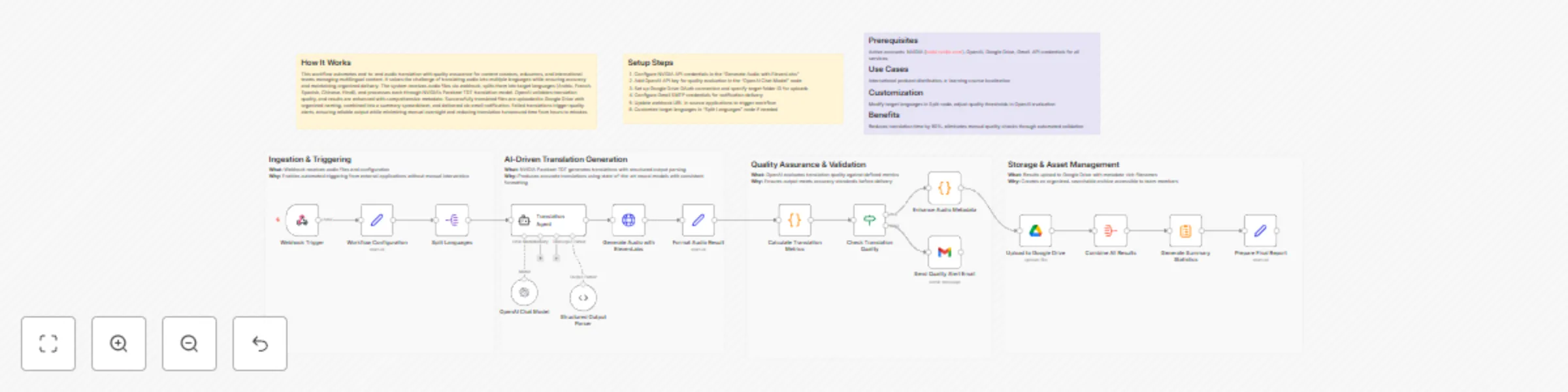
Original n8n.io sourceThis workflow automates end-to-end audio translation with quality assurance for content creators, educators, and international teams managing multilingual content. It solves the challenge of translating audio into multiple languages while ensuring accuracy and maintaining organized delivery. The system receives audio files via webhook, splits them into target languages (Arabic, French, Spanish, Chinese, Hindi), and processes each through NVIDIA's Parakeet TDT translation model. OpenAI validates translation quality, and results are enhanced with comprehensive metadata. Successfully translated files are uploaded to Google Drive with organized naming, combined into a summary spreadsheet, and delivered via email notification. Failed translations trigger quality alerts, ensuring reliable output while minimizing manual oversight and reducing translation turnaround time from hours to minutes.
Active accounts: NVIDIA (build.nvidia.com), OpenAI, Google Drive, Gmail. API credentials for all services.
International podcast distribution, e-learning course localization
Modify target languages in Split node, adjust quality thresholds in OpenAI evaluation
Reduces translation time by 90%, eliminates manual quality checks through automated validation
Here are clear, professional subheadings for each What / Why pair. They’re concise, action-oriented, and fit well in technical workflow documentation.
This catalog entry is organized from the workflow JSON. The node-level section below shows the executable blocks available for review before importing the template.
| Workflow | Translate Chinese audio into multilingual voiceovers with GPT-4o and ElevenLabs |
|---|---|
| Complexity | advanced |
| Nodes | 23 |
| Categories | Content Creation, Multimodal AI |
| Author | Cheng Siong Chin |
| Published | 02 Jan 2026 |
Use the JSON export at /data/workflows/12381/12381.json as the source template for this automation.
Open n8n, import the downloaded JSON, and review each node before activating the workflow.
Replace placeholder credentials, API keys, webhook URLs, account IDs, and environment-specific values with your own settings.
Run the workflow manually or in a staging workspace, inspect node output, and confirm downstream systems receive the expected data.
Enable the workflow only after testing, then monitor executions, errors, and rate limits during the first production runs.
Review imported nodes carefully before activation. This catalog entry is intended to help you inspect the workflow structure, understand required services, and find related templates faster.
Node names, credentials, schedules, webhook paths, and external service limits may need adjustment for your workspace.
How It Works This workflow automates end to end audio translation with quality assurance for content creators, educators, and international teams managing multilingual content. It solves the challe...
Review the workflow JSON, configure any required credentials in n8n, and test the automation in a safe workspace before using it in production.
Yes. Use the block-by-block analysis and the downloadable JSON to inspect each node, then adjust credentials, prompts, schedules, filters, or destinations for your Content Creation, Multimodal AI use case.