Translate and dub spokesperson videos using Anthropic and deAPI

Workflow preview

Workflow preview
100%
Translate and dub spokesperson videos using Anthropic and deAPI preview
Open on n8n.io

1. Workflow Overview

Who is this for? Marketing teams localizing video content for international markets E commerce brands creating product videos for multiple regions Agencies producing multilingual ad campaigns for g...

Best for

  • Content Creation automation workflows
  • Multimodal AI automation workflows
  • advanced n8n builders looking for reusable templates

Tools used

n8n-nodes-base.stickynote, n8n-nodes-base.manualtrigger, n8n-nodes-base.set, n8n-nodes-base.readwritefile, n8n-nodes-deapi.deapi, n8n-nodes-base.extractfromfile, @n8n/n8n-nodes-langchain.agent, @n8n/n8n-nodes-langchain.lmchatanthropic

Source and attribution

This workflow is cataloged by N8N Workflows and links back to its original n8n.io source page by deAPI Team.

Original n8n.io source

1.1 Workflow description

Title
Translate and dub spokesperson videos using Anthropic and deAPI
Workflow name
Translate and dub spokesperson videos using Anthropic and deAPI

Who is this for?

  • Marketing teams localizing video content for international markets
  • E-commerce brands creating product videos for multiple regions
  • Agencies producing multilingual ad campaigns for global clients
  • Educators and trainers adapting video courses for different language audiences
  • Anyone who wants to localize a spokesperson video without re-filming

What problem does this solve?

Localizing a video for a new market usually means hiring a local presenter, re-filming the entire video, or settling for subtitles that nobody reads. This workflow takes an existing spokesperson video, transcribes it, translates the speech into a target language, generates dubbed audio, and produces a lip-synced talking-head video with a locally-relevant face — all without a camera or a casting call.

What this workflow does

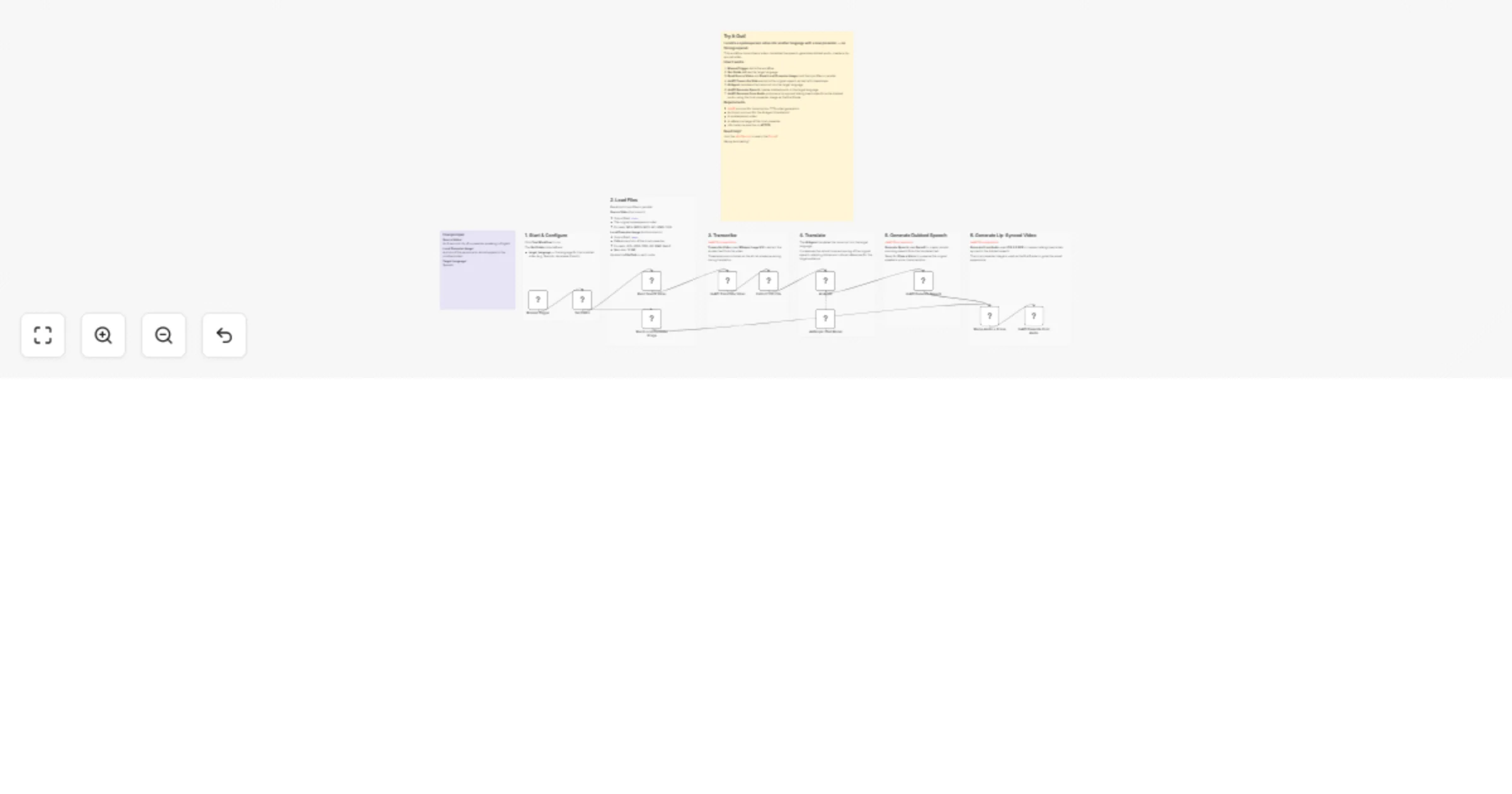
  1. Reads the original spokesperson video and a reference image of the local presenter in parallel
  2. Transcribes the video's audio to text using deAPI (Whisper Large V3)
  3. Extracts the raw transcript text from the transcription result
  4. AI Agent translates the transcript into the target language, preserving tone and pacing
  5. Generates dubbed speech in the target language using deAPI text-to-speech (Qwen3 TTS Custom Voice)
  6. Generates a lip-synced talking-head video from the dubbed audio using deAPI audio-to-video generation (LTX-2.3 22B), with the local presenter image as the first frame

Setup

Requirements

  • deAPI account for transcription, TTS, and video generation
  • Anthropic account for the AI Agent (translation)
  • A spokesperson video
  • A reference image of the local presenter (JPG, JPEG, PNG, GIF, BMP, WebP — max 10 MB)

Installing the deAPI Node

  • n8n Cloud: Go to SettingsCommunity Nodes and install n8n-nodes-deapi
  • Self-hosted: Go to SettingsCommunity Nodes and install n8n-nodes-deapi

Configuration

  1. Add your deAPI credentials (API key + webhook secret)
  2. Add your Anthropic credentials (API key)
  3. Update the File Path in the "Read Source Video" node to point to your spokesperson video
  4. Update the File Path in the "Read Local Presenter Image" node to point to the reference image
  5. Edit the Set Fields node to set the target language (e.g., "Spanish", "Japanese", "French")
  6. Ensure your n8n instance is on HTTPS

How to customize this workflow

  • Change the AI model: Swap Anthropic for OpenAI, Google Gemini, or any other LLM provider for translation
  • Change the TTS model: Switch Qwen3 TTS Custom Voice for Kokoro or Chatterbox for different voice characteristics
  • Use voice cloning: Replace the Generate Speech node with Clone a Voice to preserve the original speaker's voice in the target language
  • Batch processing: Replace the Manual Trigger with a Google Sheets or Airtable trigger containing rows for each target language and local presenter image
  • Add delivery: Append a Gmail, Slack, or Google Drive node to automatically deliver the localized video

1.2 Logical Blocks

This catalog entry is organized from the workflow JSON. The node-level section below shows the executable blocks available for review before importing the template.

2. Block-by-Block Analysis

Block 1 - Sticky Note - Overview

Type / Role
n8n-nodes-base.stickyNote - stickyNote
Config choices
Version 1

Block 2 - Sticky Note - Example

Type / Role
n8n-nodes-base.stickyNote - stickyNote
Config choices
Version 1

Block 3 - Sticky Note - Trigger

Type / Role
n8n-nodes-base.stickyNote - stickyNote
Config choices
Version 1

Block 4 - Sticky Note - Read Files

Type / Role
n8n-nodes-base.stickyNote - stickyNote
Config choices
Version 1

Block 5 - Sticky Note - Transcribe

Type / Role
n8n-nodes-base.stickyNote - stickyNote
Config choices
Version 1

Block 6 - Sticky Note - Translate

Type / Role
n8n-nodes-base.stickyNote - stickyNote
Config choices
Version 1

Block 7 - Sticky Note - TTS

Type / Role
n8n-nodes-base.stickyNote - stickyNote
Config choices
Version 1

Block 8 - Sticky Note - Audio to Video

Type / Role
n8n-nodes-base.stickyNote - stickyNote
Config choices
Version 1

Block 9 - Manual Trigger

Type / Role
n8n-nodes-base.manualTrigger - manualTrigger
Config choices
Version 1

Block 10 - Set Fields

Type / Role
n8n-nodes-base.set - set
Config choices
Version 3.4

Block 11 - Read Source Video

Type / Role
n8n-nodes-base.readWriteFile - readWriteFile
Config choices
Version 1

Block 12 - Read Local Presenter Image

Type / Role
n8n-nodes-base.readWriteFile - readWriteFile
Config choices
Version 1

Block 13 - deAPI Transcribe Video

Type / Role
n8n-nodes-deapi.deapi - deapi
Config choices
Version 1

Block 14 - Extract from File

Type / Role
n8n-nodes-base.extractFromFile - extractFromFile
Config choices
Version 1.1

Block 15 - AI Agent

Type / Role
@n8n/n8n-nodes-langchain.agent - agent
Config choices
Version 1.7

Block 16 - Anthropic Chat Model

Type / Role
@n8n/n8n-nodes-langchain.lmChatAnthropic - lmChatAnthropic
Config choices
Version 1.3

Block 17 - deAPI Generate Speech

Type / Role
n8n-nodes-deapi.deapi - deapi
Config choices
Version 1

Block 18 - Merge Audio + Image

Type / Role
n8n-nodes-base.merge - merge
Config choices
Version 3.2

Block 19 - deAPI Generate From Audio

Type / Role
n8n-nodes-deapi.deapi - deapi
Config choices
Version 1

3. Summary Table

Workflow Translate and dub spokesperson videos using Anthropic and deAPI
Complexity advanced
Nodes 19
Categories Content Creation, Multimodal AI
Author deAPI Team
Published 03 Apr 2026

4. Reproducing the Workflow from Scratch

  1. 1. Download the workflow JSON

    Use the JSON export at /data/workflows/14662/14662.json as the source template for this automation.

  2. 2. Import the template into n8n

    Open n8n, import the downloaded JSON, and review each node before activating the workflow.

  3. 3. Configure credentials and variables

    Replace placeholder credentials, API keys, webhook URLs, account IDs, and environment-specific values with your own settings.

  4. 4. Test with sample data

    Run the workflow manually or in a staging workspace, inspect node output, and confirm downstream systems receive the expected data.

  5. 5. Activate and monitor

    Enable the workflow only after testing, then monitor executions, errors, and rate limits during the first production runs.

5. General Notes & Resources

Review imported nodes carefully before activation. This catalog entry is intended to help you inspect the workflow structure, understand required services, and find related templates faster.

Node names, credentials, schedules, webhook paths, and external service limits may need adjustment for your workspace.

Frequently asked questions

What does Translate and dub spokesperson videos using Anthropic and deAPI do?

Who is this for? Marketing teams localizing video content for international markets E commerce brands creating product videos for multiple regions Agencies producing multilingual ad campaigns for g...

What do I need before importing this workflow?

Review the workflow JSON, configure any required credentials in n8n, and test the automation in a safe workspace before using it in production.

Can I customize this workflow?

Yes. Use the block-by-block analysis and the downloadable JSON to inspect each node, then adjust credentials, prompts, schedules, filters, or destinations for your Content Creation, Multimodal AI use case.