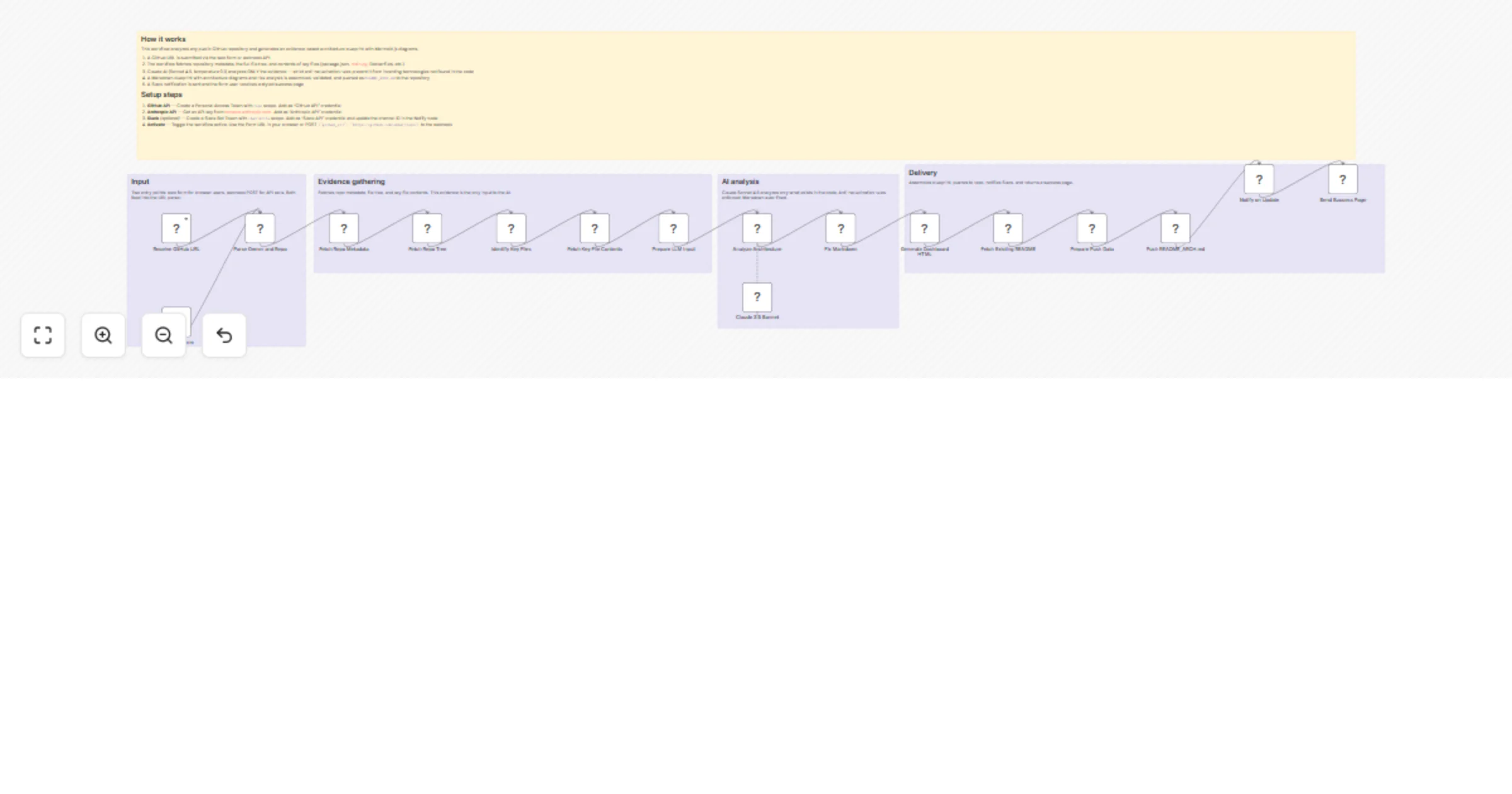
Transform GitHub repos into evidence-based architecture blueprints with Claude

Workflow preview

Workflow preview
100%
Transform GitHub repos into evidence-based architecture blueprints with Claude preview
Open on n8n.io

1. Workflow Overview

Requirements: GitHub API token ( scope), Anthropic API key (Claude Sonnet 4.5), Slack Bot Token (optional) This workflow analyzes any public GitHub repository and generates an evidence based archit...

Best for

  • Engineering automation workflows
  • AI Summarization automation workflows
  • advanced n8n builders looking for reusable templates

Tools used

n8n-nodes-base.webhook, n8n-nodes-base.formtrigger, n8n-nodes-base.code, n8n-nodes-base.httprequest, @n8n/n8n-nodes-langchain.chainllm, @n8n/n8n-nodes-langchain.lmchatanthropic, n8n-nodes-base.slack, n8n-nodes-base.respondtowebhook

Source and attribution

This workflow is cataloged by N8N Workflows and links back to its original n8n.io source page by Surya Vardhan Yalavarthi.

Original n8n.io source

1.1 Workflow description

Title
Transform GitHub repos into evidence-based architecture blueprints with Claude
Workflow name
Transform GitHub repos into evidence-based architecture blueprints with Claude

Requirements: GitHub API token (repo scope), Anthropic API key (Claude Sonnet 4.5), Slack Bot Token (optional)

This workflow analyzes any public GitHub repository and generates an evidence-based architecture blueprint — with Mermaid.js diagrams, technical stack analysis, and risk assessment — then pushes it as README_ARCH.md directly to the repo.

What makes it different: A strict anti-hallucination prompt ensures Claude only describes technologies that actually exist in the code. No Dockerfile? Docker is never mentioned. No .tf files? Terraform doesn't appear. Every claim traces back to real file evidence.

How it works

  1. A GitHub URL is submitted via the web form or webhook API
  2. The workflow fetches repo metadata, the full file tree, and contents of key files (package.json, requirements.txt, Dockerfiles, entry points, etc.)
  3. Claude Sonnet 4.5 (temperature 0.1) analyzes only the evidence — strict rules prevent inventing technologies not found in the code
  4. A Markdown blueprint with architecture diagrams and risk analysis is assembled, auto-fixed, and pushed to the repo's default branch
  5. A Slack notification is sent and the form user receives a styled success page

Example output

The generated README_ARCH.md includes:

  • Project Purpose — What the project does, based on code evidence
  • Technical Stack — Languages, frameworks, and dependencies from actual dependency files
  • Architecture Blueprint — Mermaid.js flowchart with dark-theme styling, grouped by layer
  • Request Flow — Sequence diagram showing a typical path through the system
  • Evidence-Based Risks — Three risks traceable to specific files or patterns

Use cases

  • Open-source maintainers — Auto-generate architecture docs for contributors
  • Engineering teams — Quick onboarding docs for new team members
  • Code reviewers — Understand unfamiliar repositories at a glance
  • Technical due diligence — Rapid architecture assessment of vendor codebases
  • Portfolio projects — Add professional documentation to showcase repos

Setup

See the Setup & Overview sticky note in the workflow for step-by-step credential configuration.

1.2 Logical Blocks

This catalog entry is organized from the workflow JSON. The node-level section below shows the executable blocks available for review before importing the template.

2. Block-by-Block Analysis

Block 1 - Receive GitHub URL

Type / Role
n8n-nodes-base.webhook - webhook
Config choices
Version 2.1

Block 2 - Blueprint Form

Type / Role
n8n-nodes-base.formTrigger - formTrigger
Config choices
Version 2.1

Block 3 - Parse Owner and Repo

Type / Role
n8n-nodes-base.code - code
Config choices
Version 2

Block 4 - Fetch Repo Metadata

Type / Role
n8n-nodes-base.httpRequest - httpRequest
Config choices
Version 4.4

Block 5 - Fetch Repo Tree

Type / Role
n8n-nodes-base.httpRequest - httpRequest
Config choices
Version 4.4

Block 6 - Identify Key Files

Type / Role
n8n-nodes-base.code - code
Config choices
Version 2

Block 7 - Fetch Key File Contents

Type / Role
n8n-nodes-base.httpRequest - httpRequest
Config choices
Version 4.4

Block 8 - Prepare LLM Input

Type / Role
n8n-nodes-base.code - code
Config choices
Version 2

Block 9 - Analyze Architecture

Type / Role
@n8n/n8n-nodes-langchain.chainLlm - chainLlm
Config choices
Version 1.9

Block 10 - Claude 3.5 Sonnet

Type / Role
@n8n/n8n-nodes-langchain.lmChatAnthropic - lmChatAnthropic
Config choices
Version 1.3

Block 11 - Fix Markdown

Type / Role
n8n-nodes-base.code - code
Config choices
Version 2

Block 12 - Generate Dashboard HTML

Type / Role
n8n-nodes-base.code - code
Config choices
Version 2

Block 13 - Fetch Existing README

Type / Role
n8n-nodes-base.httpRequest - httpRequest
Config choices
Version 4.4

Block 14 - Prepare Push Data

Type / Role
n8n-nodes-base.code - code
Config choices
Version 2

Block 15 - Push README_ARCH.md

Type / Role
n8n-nodes-base.httpRequest - httpRequest
Config choices
Version 4.4

Block 16 - Notify on Update

Type / Role
n8n-nodes-base.slack - slack
Config choices
Version 2.4

Block 17 - Send Success Page

Type / Role
n8n-nodes-base.respondToWebhook - respondToWebhook
Config choices
Version 1.5

Block 18 - Sticky Note - Setup

Type / Role
n8n-nodes-base.stickyNote - stickyNote
Config choices
Version 1

Block 19 - Sticky Note - Input

Type / Role
n8n-nodes-base.stickyNote - stickyNote
Config choices
Version 1

Block 20 - Sticky Note - Evidence

Type / Role
n8n-nodes-base.stickyNote - stickyNote
Config choices
Version 1

Block 21 - Sticky Note - AI

Type / Role
n8n-nodes-base.stickyNote - stickyNote
Config choices
Version 1

Block 22 - Sticky Note - Delivery

Type / Role
n8n-nodes-base.stickyNote - stickyNote
Config choices
Version 1

3. Summary Table

Workflow Transform GitHub repos into evidence-based architecture blueprints with Claude
Complexity advanced
Nodes 22
Categories Engineering, AI Summarization
Author Surya Vardhan Yalavarthi
Published 13 Feb 2026

4. Reproducing the Workflow from Scratch

  1. 1. Download the workflow JSON

    Use the JSON export at /data/workflows/13362/13362.json as the source template for this automation.

  2. 2. Import the template into n8n

    Open n8n, import the downloaded JSON, and review each node before activating the workflow.

  3. 3. Configure credentials and variables

    Replace placeholder credentials, API keys, webhook URLs, account IDs, and environment-specific values with your own settings.

  4. 4. Test with sample data

    Run the workflow manually or in a staging workspace, inspect node output, and confirm downstream systems receive the expected data.

  5. 5. Activate and monitor

    Enable the workflow only after testing, then monitor executions, errors, and rate limits during the first production runs.

5. General Notes & Resources

Review imported nodes carefully before activation. This catalog entry is intended to help you inspect the workflow structure, understand required services, and find related templates faster.

Node names, credentials, schedules, webhook paths, and external service limits may need adjustment for your workspace.

Frequently asked questions

What does Transform GitHub repos into evidence-based architecture blueprints with Claude do?

Requirements: GitHub API token ( scope), Anthropic API key (Claude Sonnet 4.5), Slack Bot Token (optional) This workflow analyzes any public GitHub repository and generates an evidence based archit...

What do I need before importing this workflow?

Review the workflow JSON, configure any required credentials in n8n, and test the automation in a safe workspace before using it in production.

Can I customize this workflow?

Yes. Use the block-by-block analysis and the downloadable JSON to inspect each node, then adjust credentials, prompts, schedules, filters, or destinations for your Engineering, AI Summarization use case.