Track receipt expenses via LINE with OpenAI GPT-4o-mini and Google Sheets

Workflow preview

Workflow preview
100%
Track receipt expenses via LINE with OpenAI GPT-4o-mini and Google Sheets preview
Open on n8n.io

1. Workflow Overview

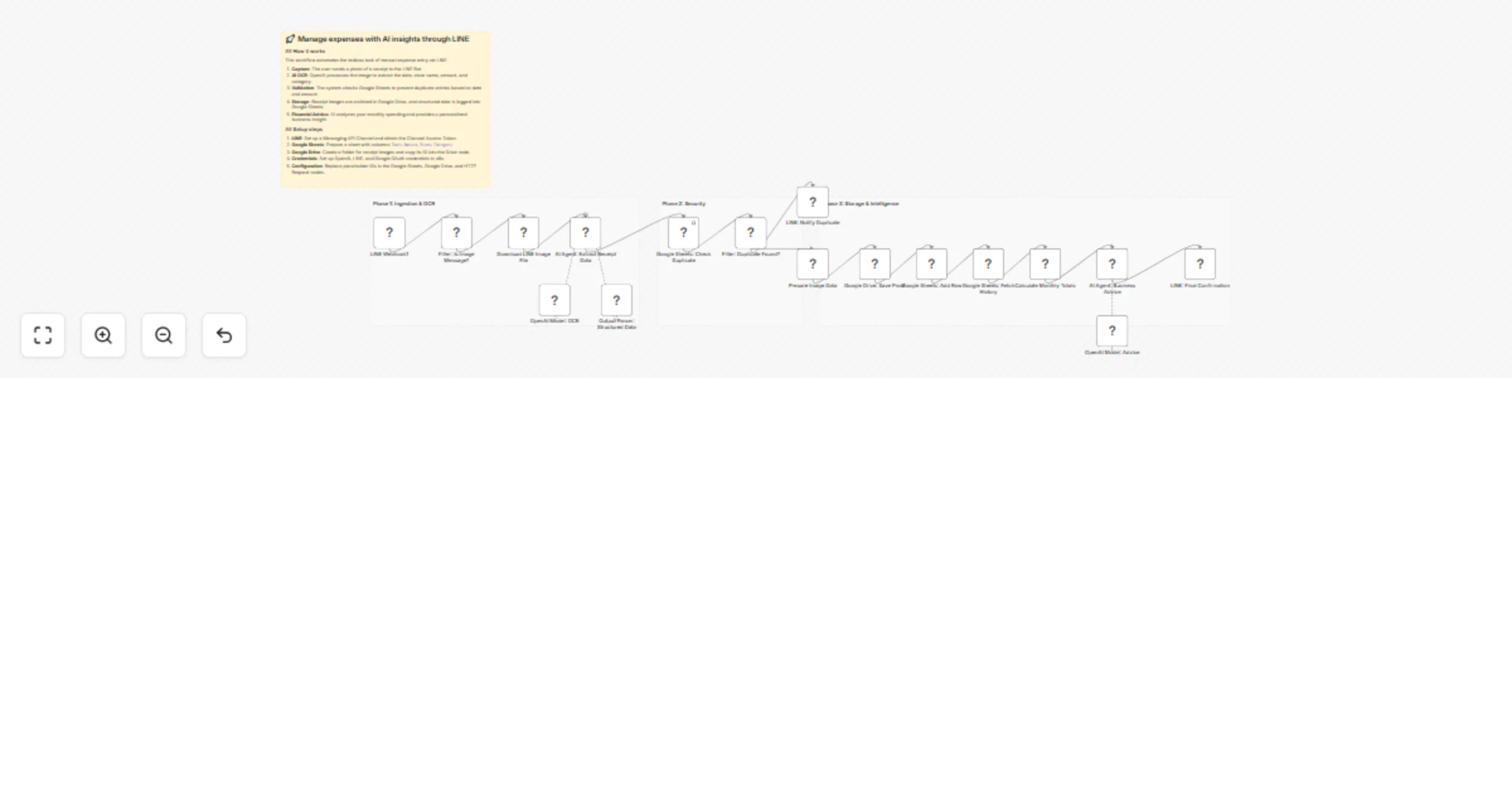
Manage expenses with AI insights through LINE Who’s it for This workflow is designed for small business owners, freelancers, and finance teams who want to eliminate manual data entry for expense...

Best for

  • Document Extraction automation workflows
  • AI Chatbot automation workflows
  • advanced n8n builders looking for reusable templates

Tools used

n8n-nodes-base.if, n8n-nodes-base.httprequest, @n8n/n8n-nodes-langchain.agent, @n8n/n8n-nodes-langchain.lmchatopenai, @n8n/n8n-nodes-langchain.outputparserstructured, n8n-nodes-base.googlesheets, n8n-nodes-base.set, n8n-nodes-base.googledrive

Source and attribution

This workflow is cataloged by N8N Workflows and links back to its original n8n.io source page by HayatoFujita/藤田隼人.

Original n8n.io source

1.1 Workflow description

Title
Track receipt expenses via LINE with OpenAI GPT-4o-mini and Google Sheets
Workflow name
Track receipt expenses via LINE with OpenAI GPT-4o-mini and Google Sheets

Manage expenses with AI insights through LINE

👥 Who’s it for

This workflow is designed for small business owners, freelancers, and finance teams who want to eliminate manual data entry for expense tracking. It is ideal for users who want not just a record of their spending, but real-time AI-driven financial insights to help manage their cash flow.

🚀 How it works

This template acts as an autonomous finance assistant that connects LINE, Google Workspace, and OpenAI.

  • Data Capture: Receives receipt images directly through the LINE Messaging API.
  • AI Analysis: Uses OpenAI (GPT-4o-mini) to perform OCR and extract Date, Store Name, Amount, and Category with high precision.
  • Duplicate Prevention: Automatically searches your Google Sheet to verify if the receipt has already been registered (based on Date and Amount) to prevent double-counting.
  • Cloud Storage: Renames and saves the receipt image to Google Drive for tax compliance and easy retrieval.
  • Automated Ledger: Appends the structured data into a Google Sheets master file.
  • Financial Insights: Calculates the current month's total spending, compares it to previous data, and generates sharp management advice via AI to help you stay on budget.

⚙️ Setup steps

  1. Prepare Google Sheet: Create a sheet with headers: Date, Amount, Store, and Category.
  2. Prepare Google Drive: Create a folder for receipt storage and copy its Folder ID.
  3. Configure Credentials: Set up your credentials in n8n for OpenAI (API Key), Google Workspace (OAuth2), and LINE Messaging API (Channel Access Token).
  4. Update Node Settings:
  • In the "Google Sheets" nodes, select your specific spreadsheet.
  • In the "Google Drive" node, paste your Folder ID.
  • In the "LINE" HTTP nodes, ensure your Authorization header is set to Bearer YOUR_TOKEN.
  1. Activate: Set your n8n Webhook URL in the LINE Developers Console and toggle the workflow to "Active."

📦 Requirements

  • n8n version 1.0 or later
  • OpenAI API Key (GPT-4o / GPT-4o-mini)
  • Google Workspace Account (Drive, Sheets)
  • LINE Developers Account (Messaging API)

🎨 How to customize

  • Refine AI Advice: Edit the System Message in the AI Agent node to change the tone of the advice (e.g., from "Strict Accountant" to "Friendly Growth Hacker").
  • Switch Channels: Replace the final LINE node with Slack or Discord nodes if your team uses those platforms.
  • Budget Alerts: Add a Filter node to trigger special notifications if monthly spending exceeds a certain threshold.

1.2 Logical Blocks

This catalog entry is organized from the workflow JSON. The node-level section below shows the executable blocks available for review before importing the template.

2. Block-by-Block Analysis

Block 1 - Filter: Is Image Message?

Type / Role
n8n-nodes-base.if - if
Config choices
Version 2.2

Block 2 - Download LINE Image File

Type / Role
n8n-nodes-base.httpRequest - httpRequest
Config choices
Version 4.3

Block 3 - AI Agent: Extract Receipt Data

Type / Role
@n8n/n8n-nodes-langchain.agent - agent
Config choices
Version 3

Block 4 - OpenAI Model: OCR

Type / Role
@n8n/n8n-nodes-langchain.lmChatOpenAi - lmChatOpenAi
Config choices
Version 1.3

Block 5 - Output Parser: Structured Data

Type / Role
@n8n/n8n-nodes-langchain.outputParserStructured - outputParserStructured
Config choices
Version 1.3

Block 6 - Google Sheets: Check Duplicate

Type / Role
n8n-nodes-base.googleSheets - googleSheets
Config choices
Version 4.5

Block 7 - Filter: Duplicate Found?

Type / Role
n8n-nodes-base.if - if
Config choices
Version 2.2

Block 8 - LINE: Notify Duplicate

Type / Role
n8n-nodes-base.httpRequest - httpRequest
Config choices
Version 4.3

Block 9 - Prepare Image Data

Type / Role
n8n-nodes-base.set - set
Config choices
Version 3.4

Block 10 - Google Drive: Save Proof

Type / Role
n8n-nodes-base.googleDrive - googleDrive
Config choices
Version 3

Block 11 - Google Sheets: Add Row

Type / Role
n8n-nodes-base.googleSheets - googleSheets
Config choices
Version 4.5

Block 12 - Google Sheets: Fetch History

Type / Role
n8n-nodes-base.googleSheets - googleSheets
Config choices
Version 4.5

Block 13 - Calculate Monthly Totals

Type / Role
n8n-nodes-base.code - code
Config choices
Version 2

Block 14 - AI Agent: Business Advice

Type / Role
@n8n/n8n-nodes-langchain.agent - agent
Config choices
Version 3

Block 15 - LINE: Final Confirmation

Type / Role
n8n-nodes-base.httpRequest - httpRequest
Config choices
Version 4.3

Block 16 - Sticky Note

Type / Role
n8n-nodes-base.stickyNote - stickyNote
Config choices
Version 1

Block 17 - Sticky Note1

Type / Role
n8n-nodes-base.stickyNote - stickyNote
Config choices
Version 1

Block 18 - Sticky Note2

Type / Role
n8n-nodes-base.stickyNote - stickyNote
Config choices
Version 1

Block 19 - OpenAI Model: Advice

Type / Role
@n8n/n8n-nodes-langchain.lmChatOpenAi - lmChatOpenAi
Config choices
Version 1.3

Block 20 - LINE Webhook1

Type / Role
n8n-nodes-base.webhook - webhook
Config choices
Version 2.1

Block 21 - Workflow Documentation1

Type / Role
n8n-nodes-base.stickyNote - stickyNote
Config choices
Version 1

3. Summary Table

Workflow Track receipt expenses via LINE with OpenAI GPT-4o-mini and Google Sheets
Complexity advanced
Nodes 21
Categories Document Extraction, AI Chatbot
Author HayatoFujita/藤田隼人
Published 13 Jan 2026

4. Reproducing the Workflow from Scratch

  1. 1. Download the workflow JSON

    Use the JSON export at /data/workflows/12680/12680.json as the source template for this automation.

  2. 2. Import the template into n8n

    Open n8n, import the downloaded JSON, and review each node before activating the workflow.

  3. 3. Configure credentials and variables

    Replace placeholder credentials, API keys, webhook URLs, account IDs, and environment-specific values with your own settings.

  4. 4. Test with sample data

    Run the workflow manually or in a staging workspace, inspect node output, and confirm downstream systems receive the expected data.

  5. 5. Activate and monitor

    Enable the workflow only after testing, then monitor executions, errors, and rate limits during the first production runs.

5. General Notes & Resources

Review imported nodes carefully before activation. This catalog entry is intended to help you inspect the workflow structure, understand required services, and find related templates faster.

Node names, credentials, schedules, webhook paths, and external service limits may need adjustment for your workspace.

Frequently asked questions

What does Track receipt expenses via LINE with OpenAI GPT-4o-mini and Google Sheets do?

Manage expenses with AI insights through LINE Who’s it for This workflow is designed for small business owners, freelancers, and finance teams who want to eliminate manual data entry for expense...

What do I need before importing this workflow?

Review the workflow JSON, configure any required credentials in n8n, and test the automation in a safe workspace before using it in production.

Can I customize this workflow?

Yes. Use the block-by-block analysis and the downloadable JSON to inspect each node, then adjust credentials, prompts, schedules, filters, or destinations for your Document Extraction, AI Chatbot use case.