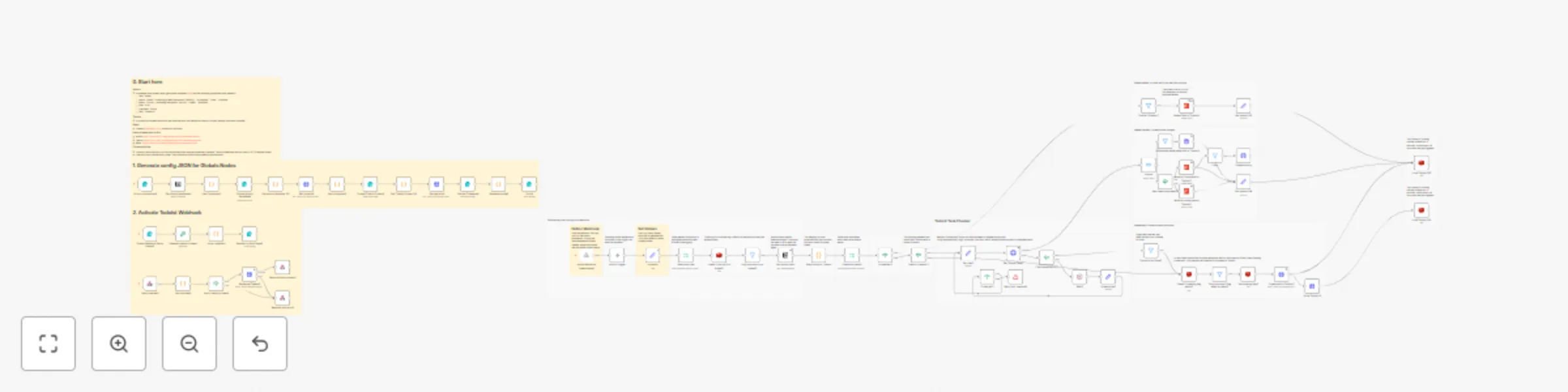
Sync tasks between Notion and Todoist in both directions with Redis

Workflow preview

Workflow preview
100%
Sync tasks between Notion and Todoist in both directions with Redis preview
Open on n8n.io

Important notice

This workflow is provided as-is. Please review and test before using in production.

1. Workflow Overview

Purpose This solution enables you to manage all your Notion and Todoist tasks from different workspaces as well as your calendar events in a single place. This is 2 way sync with partial support fo...

Best for

  • Personal Productivity automation workflows
  • advanced n8n builders looking for reusable templates

Tools used

n8n-nodes-base.if, n8n-nodes-base.filter, n8n-nodes-base.redis, n8n-nodes-base.notion, n8n-nodes-base.set, n8n-nodes-base.todoist, n8n-nodes-base.httprequest, n8n-nodes-base.executiondata

Source and attribution

This workflow is cataloged by N8N Workflows and links back to its original n8n.io source page by Yuvraj Singh.

Original n8n.io source

1.1 Workflow description

Title
Sync tasks between Notion and Todoist in both directions with Redis
Workflow name
Sync tasks between Notion and Todoist in both directions with Redis

Purpose

This solution enables you to manage all your Notion and Todoist tasks from different workspaces as well as your calendar events in a single place. This is 2 way sync with partial support for recurring

How it works

  • The realtime sync consists of two workflows, both triggered by a registered webhook from either Notion or Todoist.
  • To avoid overwrites by lately arriving webhook calls, every time the current task is retrieved from both sides.
  • Redis is used to prevent from endless loops, since an update in one system triggers another webhook call again. Using the ID of the task, the trigger is being locked down for 80 seconds.
  • Depending on the detected changes, the other side is updated accordingly .Generally Notion is treaded as the main source. Using an "Obsolete" Status, it is guaranteed, that tasks never get deleted entirely by accident.
  • The Todoist ID is stored in the Notion task, so they stay linked together
  • An additional full sync workflow daily fixes inconsistencies, if any of them occurred, since webhooks cannot be trusted entirely.
  • Since Todoist requires a more complex setup, a tiny workflow helps with activating the webhook.
  • Another tiny workflow helps generating a global config, which is used by all workflows for mapping purposes.

Mapping (Notion >> Todoist)

  • Name: Task Name
  • Priority: Priority (1: do first, 2: urgent, 3: important, 4: unset)
  • Due: Date
  • Status: Section (Done: completed, Obsolete: deleted)
  • <page_link>: Description (read-only)
  • Todoist ID: <task_id>

Current limitations

  • Changes on the same task cannot be made simultaneously in both systems within a 15-20 second time frame.
  • Subtasks are not linked automatically to their parent yet.
  • Tasks names do not support URL’s yet.

Credentials

Follow the video:

  • Setup credentials for Notion (access token), Todoist (access token) and Redis.

Todoist

Notion

  • Follow this video to get Notion Integration Secret.

Redis

  • Follow this video to get Redis

Setup

The setup involves quite a lot of steps, yet many of them can be automated for business internal purposes.

Just follow the video or do the following steps:

  • Setup credentials for Notion (access token), Todoist (access token) and Redis - you can also create empty credentials and populate these later during further setup
  • Clone this workflow by clicking the "Use workflow" button and then choosing your n8n instance - otherwise you need to map the credentials of many nodes.
  • Follow the instructions described within the bundle of sticky notes on the top left of the workflow

How to use

  • You can apply changes (create, update, delete) to tasks both in Notion and Todoist which then get synced over within a couple of seconds (this is handled by the differential realtime sync)
  • The daily running full sync, resolves possible discrepancies in Todoist.

This workflow incorporates ideas and techniques inspired by Mario (https://n8n.io/creators/octionic/) whose expertise with specific nodes helped shape parts of this automation. Significant enhancements and customizations have been made to deliver a unique and improved solution.

1.2 Logical Blocks

This catalog entry is organized from the workflow JSON. The node-level section below shows the executable blocks available for review before importing the template.

2. Block-by-Block Analysis

Block 1 - Has been completed?2

Type / Role
n8n-nodes-base.if - if
Config choices
Version 2.2

Block 2 - Only continue if not locked3

Type / Role
n8n-nodes-base.filter - filter
Config choices
Version 2.2

Block 3 - Check if Notion ID is locked2

Type / Role
n8n-nodes-base.redis - redis
Config choices
Version 1

Block 4 - Get Notion task2

Type / Role
n8n-nodes-base.notion - notion
Config choices
Version 2.2

Block 5 - Check if creating flag exists3

Type / Role
n8n-nodes-base.redis - redis
Config choices
Version 1

Block 6 - Only continue if flag does not exist3

Type / Role
n8n-nodes-base.filter - filter
Config choices
Version 2.2

Block 7 - Set creating flag3

Type / Role
n8n-nodes-base.redis - redis
Config choices
Version 1

Block 8 - Todoist ID exists?2

Type / Role
n8n-nodes-base.if - if
Config choices
Version 2.2

Block 9 - Get todoist ID4

Type / Role
n8n-nodes-base.set - set
Config choices
Version 3.4

Block 10 - Todoist ID exists2

Type / Role
n8n-nodes-base.filter - filter
Config choices
Version 2.2

Block 11 - Get todoist ID5

Type / Role
n8n-nodes-base.set - set
Config choices
Version 3.4

Block 12 - Status is not Done2

Type / Role
n8n-nodes-base.filter - filter
Config choices
Version 2.2

Block 13 - Mark as Completed in Todoist2

Type / Role
n8n-nodes-base.todoist - todoist
Config choices
Version 2.1

Block 14 - Update task in Todoist2

Type / Role
n8n-nodes-base.httpRequest - httpRequest
Config choices
Version 4.2

Block 15 - Mark as Incomplete in Todoist2

Type / Role
n8n-nodes-base.todoist - todoist
Config choices
Version 2.1

Block 16 - Lock Todoist ID5

Type / Role
n8n-nodes-base.redis - redis
Config choices
Version 1

Block 17 - Delete Task in Todoist3

Type / Role
n8n-nodes-base.todoist - todoist
Config choices
Version 2.1

Block 18 - Create task in Todoist2

Type / Role
n8n-nodes-base.httpRequest - httpRequest
Config choices
Version 4.2

Block 19 - Execution Data10

Type / Role
n8n-nodes-base.executionData - executionData
Config choices
Version 1

Block 20 - Sticky Note77

Type / Role
n8n-nodes-base.stickyNote - stickyNote
Config choices
Version 1

Block 21 - Sticky Note78

Type / Role
n8n-nodes-base.stickyNote - stickyNote
Config choices
Version 1

Block 22 - Sticky Note79

Type / Role
n8n-nodes-base.stickyNote - stickyNote
Config choices
Version 1

Block 23 - Sticky Note81

Type / Role
n8n-nodes-base.stickyNote - stickyNote
Config choices
Version 1

Block 24 - Sticky Note82

Type / Role
n8n-nodes-base.stickyNote - stickyNote
Config choices
Version 1

Showing the first 24 of 85 workflow blocks. Download the JSON for the full node graph.

3. Summary Table

Workflow Sync tasks between Notion and Todoist in both directions with Redis
Complexity advanced
Nodes 85
Categories Personal Productivity
Author Yuvraj Singh
Published 11 Dec 2025

4. Reproducing the Workflow from Scratch

  1. 1. Download the workflow JSON

    Use the JSON export at /data/workflows/11716/11716.json as the source template for this automation.

  2. 2. Import the template into n8n

    Open n8n, import the downloaded JSON, and review each node before activating the workflow.

  3. 3. Configure credentials and variables

    Replace placeholder credentials, API keys, webhook URLs, account IDs, and environment-specific values with your own settings.

  4. 4. Test with sample data

    Run the workflow manually or in a staging workspace, inspect node output, and confirm downstream systems receive the expected data.

  5. 5. Activate and monitor

    Enable the workflow only after testing, then monitor executions, errors, and rate limits during the first production runs.

5. General Notes & Resources

Review imported nodes carefully before activation. This catalog entry is intended to help you inspect the workflow structure, understand required services, and find related templates faster.

Node names, credentials, schedules, webhook paths, and external service limits may need adjustment for your workspace.

Frequently asked questions

What does Sync tasks between Notion and Todoist in both directions with Redis do?

Purpose This solution enables you to manage all your Notion and Todoist tasks from different workspaces as well as your calendar events in a single place. This is 2 way sync with partial support fo...

What do I need before importing this workflow?

Review the workflow JSON, configure any required credentials in n8n, and test the automation in a safe workspace before using it in production.

Can I customize this workflow?

Yes. Use the block-by-block analysis and the downloadable JSON to inspect each node, then adjust credentials, prompts, schedules, filters, or destinations for your Personal Productivity use case.