Block 1 - Extract YouTube URL
- Type / Role
- n8n-nodes-base.code - code
- Config choices
- Version 2


 Early Deal
YouTube Video Transcript Summarizer — Discord Bot Paste a YouTube URL into a Discord channel and this workflow automatically extracts the transcript, uses an LLM to generate a concise summary,...
n8n-nodes-base.code, n8n-nodes-discord-trigger.discordtrigger, n8n-nodes-base.if, n8n-nodes-base.executecommand, @n8n/n8n-nodes-langchain.googlegemini, n8n-nodes-base.supabase, n8n-nodes-base.discord, n8n-nodes-base.errortrigger
This workflow is cataloged by N8N Workflows and links back to its original n8n.io source page by Tristan V.
Original n8n.io source> Paste a YouTube URL into a Discord channel and this workflow automatically extracts the transcript, uses an LLM to generate a concise summary, and stores everything in a database — all in seconds.
> Self-hosted n8n only. This workflow uses the Execute Command node to run yt-dlp inside the n8n container. This requires shell access, which is only available on self-hosted instances (Docker, VPS, etc.) — it will not work on n8n Cloud.
| Tool | Purpose |
|---|---|
| Discord Bot | Listens for messages and sends replies |
| yt-dlp | Downloads subtitles and video metadata (must be installed in the n8n container) |
| Google Gemini API | Summarizes video transcripts (Gemini 2.5 Flash) |
| Supabase | Stores video data and run logs |
| Node | Credential Type | Notes |
|---|---|---|
| Discord Trigger | Discord Bot Trigger | Bot token with Message Content Intent enabled |
| Discord Reply / Discord Not YouTube Reply / Discord Error Reply | Discord Bot | Same bot, used for sending messages |
| Message a model (Gemini) | Google Gemini (PaLM) API | API key from Google AI Studio |
| Save to Supabase / Log Run / Log Run Error | Supabase | Project URL + anon key |
When a user pastes a YouTube URL into a Discord channel, the workflow:
runs table for trackingNon-YouTube messages get a friendly "not a YouTube link" reply. Errors are caught, classified, logged to the database, and reported back to Discord.
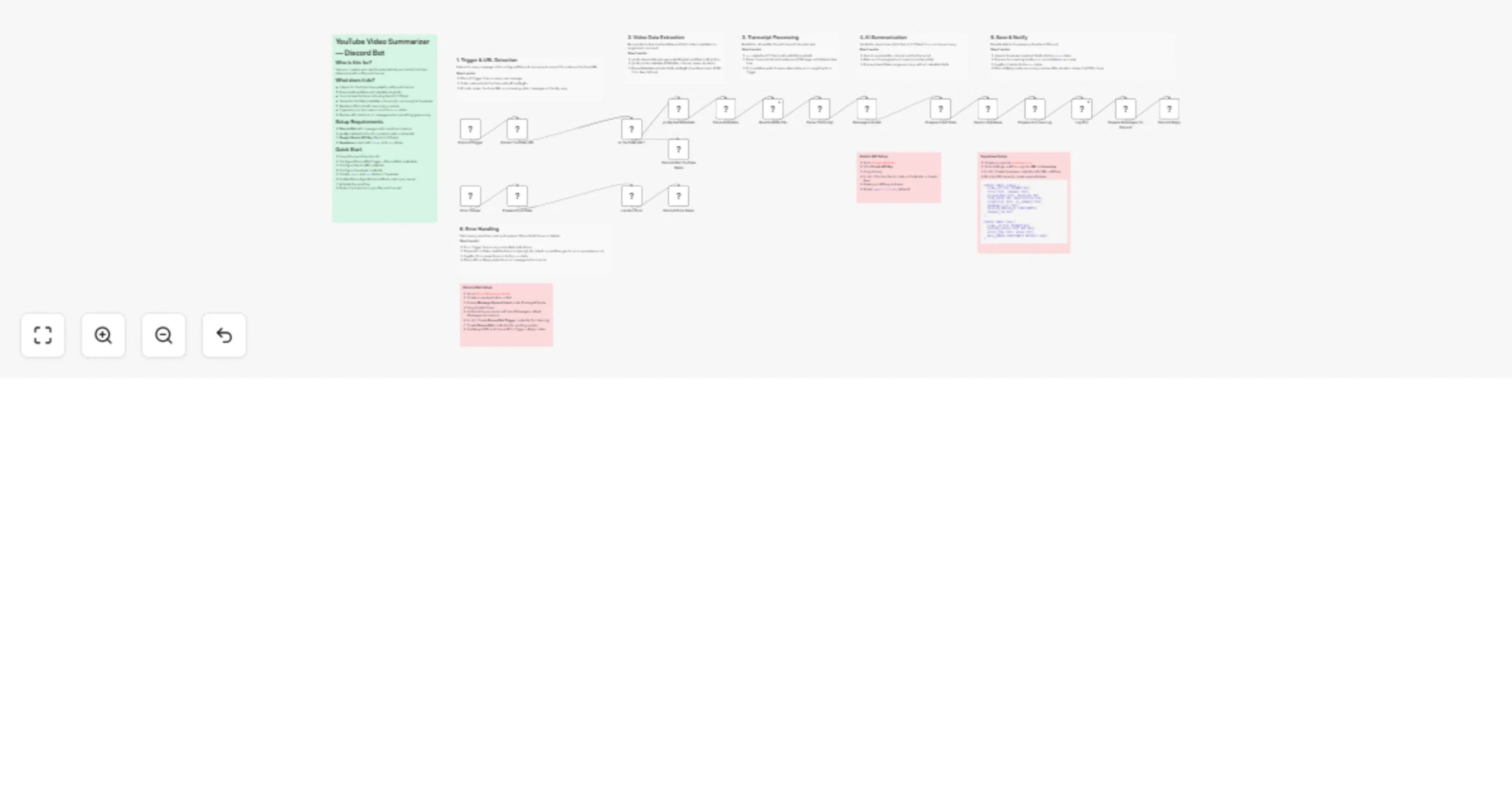
Discord Trigger → Extract YouTube URL → Is YouTube URL?
 ├─ Yes → yt-dlp Get Metadata → Parse Metadata → Read Subtitle File → Parse Transcript
 │ → Message a model (Gemini) → Prepare Insert Data → Save to Supabase
 │ → Prepare Success Log → Log Run → Prepare Messages for Discord → Discord Reply
 └─ No → Discord Not YouTube Reply
Error Trigger → Prepare Error Data → Log Run Error → Discord Error Reply
| # | Node | Type | Description |
|---|---|---|---|
| 1 | Discord Trigger | Discord Bot Trigger | Fires on every message in the configured channel |
| 2 | Extract YouTube URL | Code | RegEx extracts video ID from message content |
| 3 | Is YouTube URL? | IF | Routes YouTube URLs to processing, others to rejection reply |
| 4 | yt-dlp Get Metadata | Execute Command | Downloads subtitles (.vtt, English/Vietnamese) and prints metadata JSON |
| 5 | Parse Metadata | Code | Extracts title, channel, views, duration via RegEx; decodes Unicode for multi-language support |
| 6 | Read Subtitle File | Execute Command | Dynamically finds and reads the .vtt file (continueOnFail enabled) |
| 7 | Parse Transcript | Code | Strips VTT timestamps/tags, deduplicates lines |
| 8 | Message a model | Google Gemini | Sends transcript to Gemini 2.5 Flash for TLDR + detailed summary (in original language) |
| 9 | Prepare Insert Data | Code | Merges summary with all metadata fields |
| 10 | Save to Supabase | Supabase | Inserts full record into videos table |
| 11 | Prepare Success Log | Code | Builds success run record |
| 12 | Log Run | Supabase | Inserts into runs table |
| 13 | Prepare Messages for Discord | Code | Chunks long summaries into Discord-safe messages (≤2000 chars) |
| 14 | Discord Reply | Discord | Posts summary preview to channel |
| 15 | Discord Not YouTube Reply | Discord | Replies when message isn't a YouTube link |
| 16 | Error Trigger | Error Trigger | Catches any unhandled node failure |
| 17 | Prepare Error Data | Code | Classifies error type and extracts context |
| 18 | Log Run Error | Supabase | Logs error to runs table |
| 19 | Discord Error Reply | Discord | Posts error message to channel |
yt-dlp must be installed in your n8n container. For Docker-based installs:
docker exec -it n8n apk add --no-cache python3 py3-pip
docker exec -it n8n pip3 install yt-dlp
Optional: Place a cookies.txt file at /home/node/.n8n/cookies.txt to avoid age-gated or bot-detection issues.
-- Videos table: stores video metadata, transcript, and AI summary
CREATE TABLE videos (
 video_id TEXT PRIMARY KEY,
 title TEXT,
 channel TEXT,
 upload_date TEXT,
 duration INT,
 view_count INT,
 description TEXT,
 transcript TEXT,
 ai_summary TEXT,
 thumbnail_url TEXT,
 channel_id TEXT,
 date_added TIMESTAMPTZ DEFAULT now()
);

-- Runs table: logs every workflow execution (success or error)
CREATE TABLE runs (
 video_id TEXT PRIMARY KEY,
 process_status TEXT NOT NULL,
 error_type TEXT,
 notes TEXT,
 date_added TIMESTAMPTZ DEFAULT now()
);
This catalog entry is organized from the workflow JSON. The node-level section below shows the executable blocks available for review before importing the template.
Showing the first 24 of 29 workflow blocks. Download the JSON for the full node graph.
| Workflow | Summarize YouTube video transcripts in Discord with Gemini and Supabase |
|---|---|
| Complexity | advanced |
| Nodes | 29 |
| Categories | Content Creation, AI Summarization |
| Author | Tristan V |
| Published | 27 Feb 2026 |
Use the JSON export at /data/workflows/13749/13749.json as the source template for this automation.
Open n8n, import the downloaded JSON, and review each node before activating the workflow.
Replace placeholder credentials, API keys, webhook URLs, account IDs, and environment-specific values with your own settings.
Run the workflow manually or in a staging workspace, inspect node output, and confirm downstream systems receive the expected data.
Enable the workflow only after testing, then monitor executions, errors, and rate limits during the first production runs.
Review imported nodes carefully before activation. This catalog entry is intended to help you inspect the workflow structure, understand required services, and find related templates faster.
Node names, credentials, schedules, webhook paths, and external service limits may need adjustment for your workspace.
YouTube Video Transcript Summarizer — Discord Bot Paste a YouTube URL into a Discord channel and this workflow automatically extracts the transcript, uses an LLM to generate a concise summary,...
Review the workflow JSON, configure any required credentials in n8n, and test the automation in a safe workspace before using it in production.
Yes. Use the block-by-block analysis and the downloadable JSON to inspect each node, then adjust credentials, prompts, schedules, filters, or destinations for your Content Creation, AI Summarization use case.