Block 1 - Schedule Trigger
- Type / Role
- n8n-nodes-base.scheduleTrigger - scheduleTrigger
- Config choices
- Version 1.3


 Early Deal
This n8n template shows you how to automate document summarization while keeping full digital sovereignty. By combining Nextcloud for file storage and the IONOS AI Model Hub, your sensitive documen...
n8n-nodes-base.scheduletrigger, @n8n/n8n-nodes-langchain.chainsummarization, @n8n/n8n-nodes-langchain.documentdefaultdataloader, @n8n/n8n-nodes-langchain.textsplittertokensplitter, n8n-nodes-base.nextcloud, @ionos-cloud/n8n-nodes-ionos-cloud.ionoscloudchatmodel, n8n-nodes-base.stickynote, n8n-nodes-base.code
This workflow is cataloged by N8N Workflows and links back to its original n8n.io source page by Fabrice.
Original n8n.io sourceThis n8n template shows you how to automate document summarization while keeping full digital sovereignty. By combining Nextcloud for file storage and the IONOS AI Model Hub, your sensitive documents stay on European infrastructure—fully outside US CLOUD Act jurisdiction.
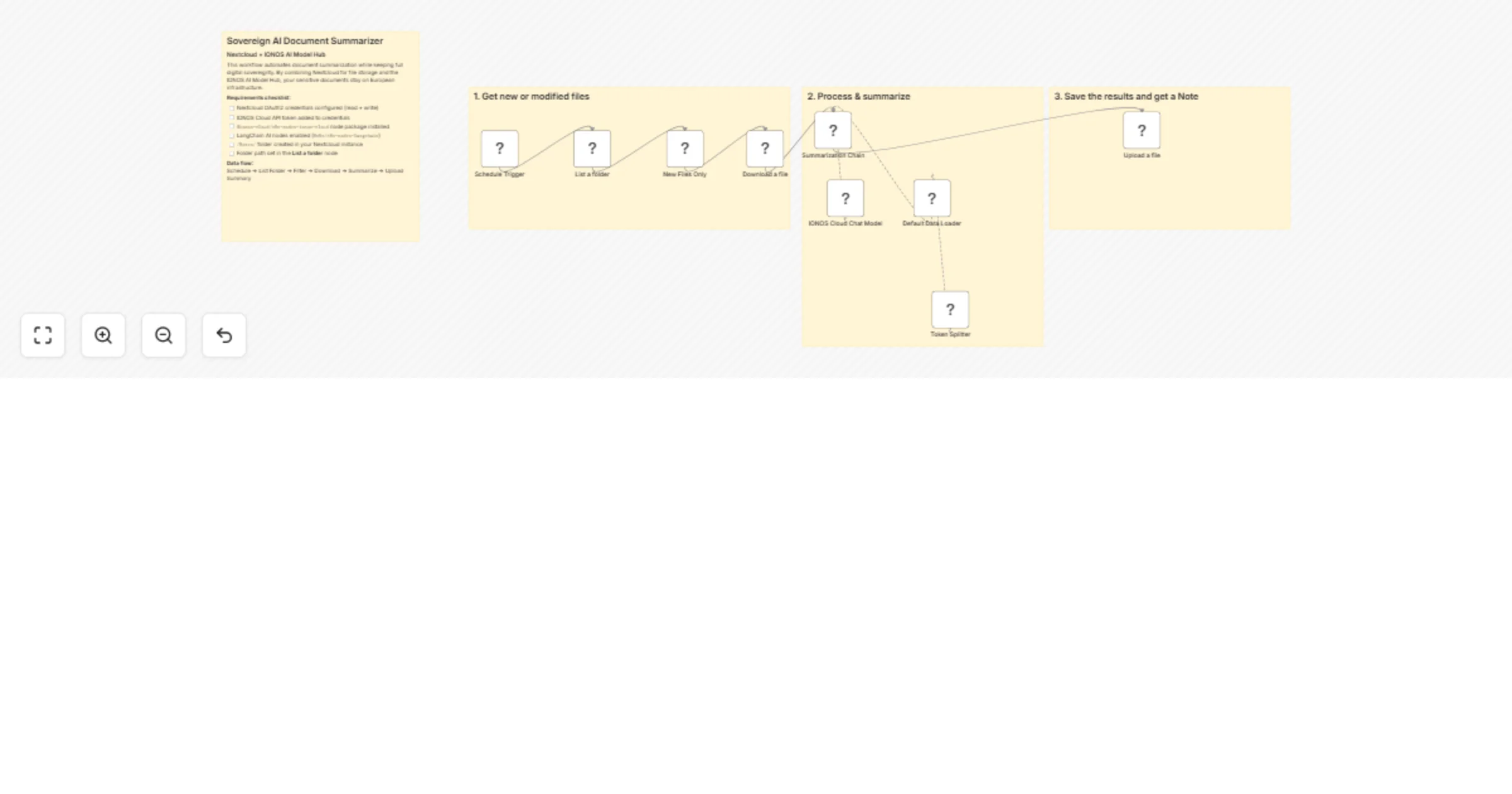
A Schedule Trigger kicks off the workflow at regular intervals. It calls the Nextcloud List a Folder node to retrieve all files in your chosen directory.
A Code node then acts as a filter, checking each file's last-modified timestamp and letting through only files changed within the past 24 hours.
Filtered files are pulled into the workflow via the Nextcloud Download a File node. From there, the Summarization Chain takes over: a Default Data Loader and Token Splitter prepare the content, and the IONOS AI Model Hub Chat Model generates a concise, structured summary.
The final output is saved back to your Nextcloud instance as a note for your team.
Nextcloud setup: Make sure your Nextcloud credentials include both read and write permissions—one to download source files, one to upload the generated summary.
Model selection: The IONOS AI Model Hub currently offers several LLMs, including Mistral Small 24B and Nemo. For document summarization, Mistral Small 24B strikes the best balance between output quality and speed.
24 value to change how far back the workflow looks.This catalog entry is organized from the workflow JSON. The node-level section below shows the executable blocks available for review before importing the template.
| Workflow | Summarize Nextcloud documents with IONOS AI Model Hub for sovereign AI |
|---|---|
| Complexity | intermediate |
| Nodes | 13 |
| Categories | Document Extraction, AI Summarization |
| Author | Fabrice |
| Published | 01 Apr 2026 |
Use the JSON export at /data/workflows/14544/14544.json as the source template for this automation.
Open n8n, import the downloaded JSON, and review each node before activating the workflow.
Replace placeholder credentials, API keys, webhook URLs, account IDs, and environment-specific values with your own settings.
Run the workflow manually or in a staging workspace, inspect node output, and confirm downstream systems receive the expected data.
Enable the workflow only after testing, then monitor executions, errors, and rate limits during the first production runs.
Review imported nodes carefully before activation. This catalog entry is intended to help you inspect the workflow structure, understand required services, and find related templates faster.
Node names, credentials, schedules, webhook paths, and external service limits may need adjustment for your workspace.
This n8n template shows you how to automate document summarization while keeping full digital sovereignty. By combining Nextcloud for file storage and the IONOS AI Model Hub, your sensitive documen...
Review the workflow JSON, configure any required credentials in n8n, and test the automation in a safe workspace before using it in production.
Yes. Use the block-by-block analysis and the downloadable JSON to inspect each node, then adjust credentials, prompts, schedules, filters, or destinations for your Document Extraction, AI Summarization use case.