Block 1 - Get many messages
- Type / Role
- n8n-nodes-base.gmail - gmail
- Config choices
- Version 2.2


 Early Deal
Gmail → AI Summary → Notion + Audio Digest This n8n workflow turns incoming Gmail emails into structured AI summaries and optional audio digests, automatically delivered to Notion and Google Drive....
n8n-nodes-base.gmail, @n8n/n8n-nodes-langchain.lmchatopenai, n8n-nodes-base.code, @n8n/n8n-nodes-langchain.agent, n8n-nodes-base.stickynote, @elevenlabs/n8n-nodes-elevenlabs.elevenlabs, n8n-nodes-base.googledrive, @n8n/n8n-nodes-langchain.openai
This workflow is cataloged by N8N Workflows and links back to its original n8n.io source page by Alberto Idrio.
Original n8n.io sourceGmail → AI Summary → Notion + Audio Digest
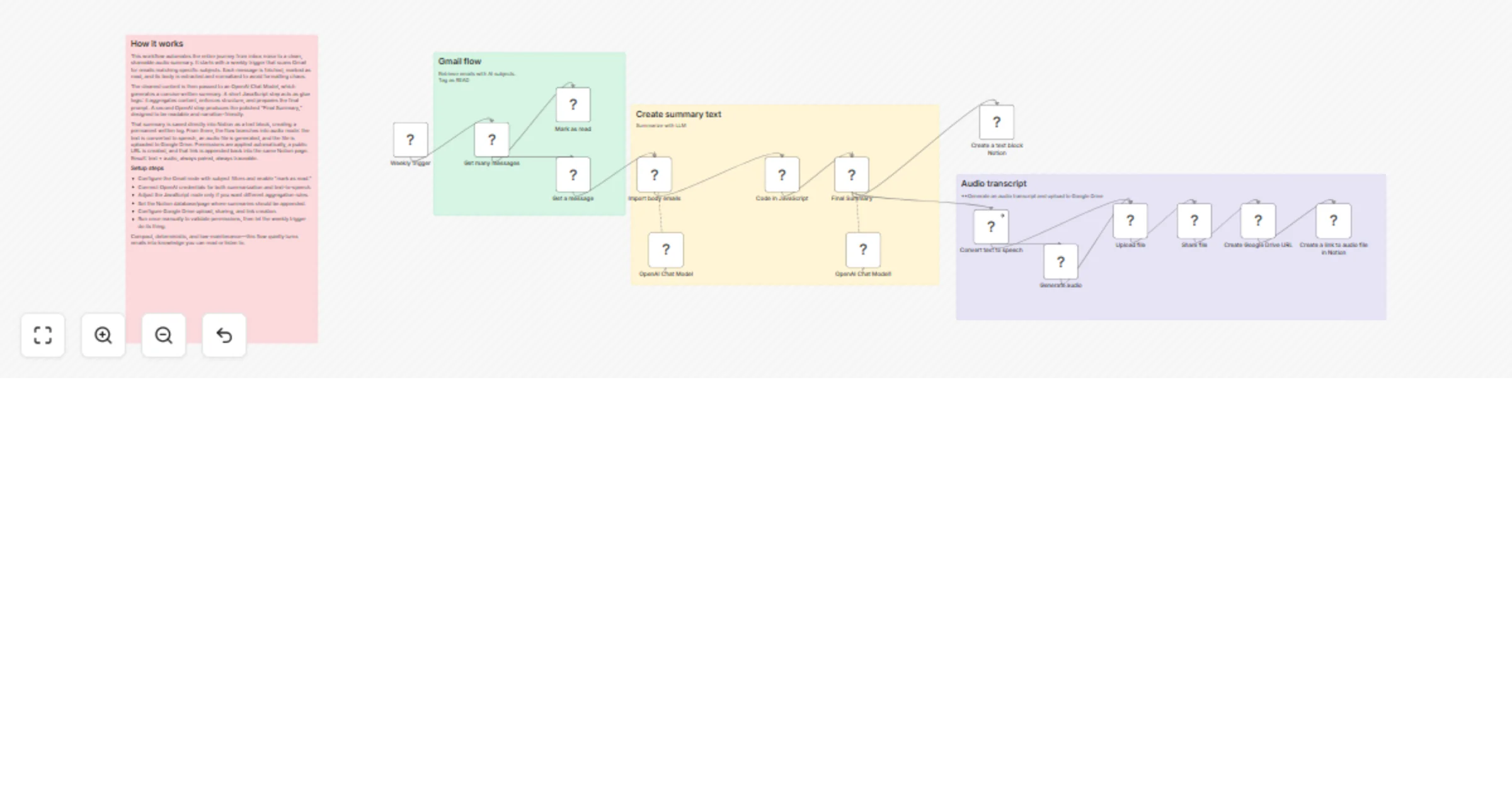
This n8n workflow turns incoming Gmail emails into structured AI summaries and optional audio digests, automatically delivered to Notion and Google Drive.
It is designed to reduce email overload by transforming raw messages into concise, readable, and listenable content.
What this workflow does
On a scheduled basis, the workflow:
Retrieves Gmail messages (all subjects or filtered)
Marks processed emails as read to avoid duplicates
Extracts and normalizes the email body
Uses OpenAI to generate a clean, structured summary
From the summary, the workflow branches into two outputs:
Text summary
The final AI-generated summary is appended as a block in Notion
Ideal for daily logs, knowledge bases, or team dashboards
Audio transcript (optional)
The summary text is converted into speech using a TTS model
The audio file is uploaded to Google Drive
A shareable link is generated
The audio reference is added back into Notion
Key features
Automated Gmail ingestion
AI-powered email summarization
JavaScript preprocessing for clean input
Notion integration for structured storage
Text-to-speech audio generation
Google Drive hosting for audio files
Error-aware branching for TTS generation
Idempotent and schedule-safe execution
Typical use cases
Daily or weekly email digests
Executive summaries of inbox activity
Audio briefings you can listen to on the go
Knowledge capture from important emails
Reducing cognitive load from long email threads
Who this template is for
Professionals dealing with high email volume
Teams using Notion as a central workspace
n8n users building AI productivity automations
Anyone who wants emails summarized instead of skimmed
This template is designed to be practical, extensible, and production-ready, and can be easily adapted to:
multiple Gmail labels
different summary styles
alternative TTS providers
additional destinations (Slack, Docs, databases)
This catalog entry is organized from the workflow JSON. The node-level section below shows the executable blocks available for review before importing the template.
| Workflow | Summarize Gmail into Notion with OpenAI and create audio digests in Google Drive |
|---|---|
| Complexity | advanced |
| Nodes | 20 |
| Categories | Document Extraction, AI Summarization |
| Author | Alberto Idrio |
| Published | 01 Feb 2026 |
Use the JSON export at /data/workflows/13148/13148.json as the source template for this automation.
Open n8n, import the downloaded JSON, and review each node before activating the workflow.
Replace placeholder credentials, API keys, webhook URLs, account IDs, and environment-specific values with your own settings.
Run the workflow manually or in a staging workspace, inspect node output, and confirm downstream systems receive the expected data.
Enable the workflow only after testing, then monitor executions, errors, and rate limits during the first production runs.
Review imported nodes carefully before activation. This catalog entry is intended to help you inspect the workflow structure, understand required services, and find related templates faster.
Node names, credentials, schedules, webhook paths, and external service limits may need adjustment for your workspace.
Gmail → AI Summary → Notion + Audio Digest This n8n workflow turns incoming Gmail emails into structured AI summaries and optional audio digests, automatically delivered to Notion and Google Drive....
Review the workflow JSON, configure any required credentials in n8n, and test the automation in a safe workspace before using it in production.
Yes. Use the block-by-block analysis and the downloadable JSON to inspect each node, then adjust credentials, prompts, schedules, filters, or destinations for your Document Extraction, AI Summarization use case.