Smart stock trading recommendations with GPT-4, TwelveData & NewsAPI analysis

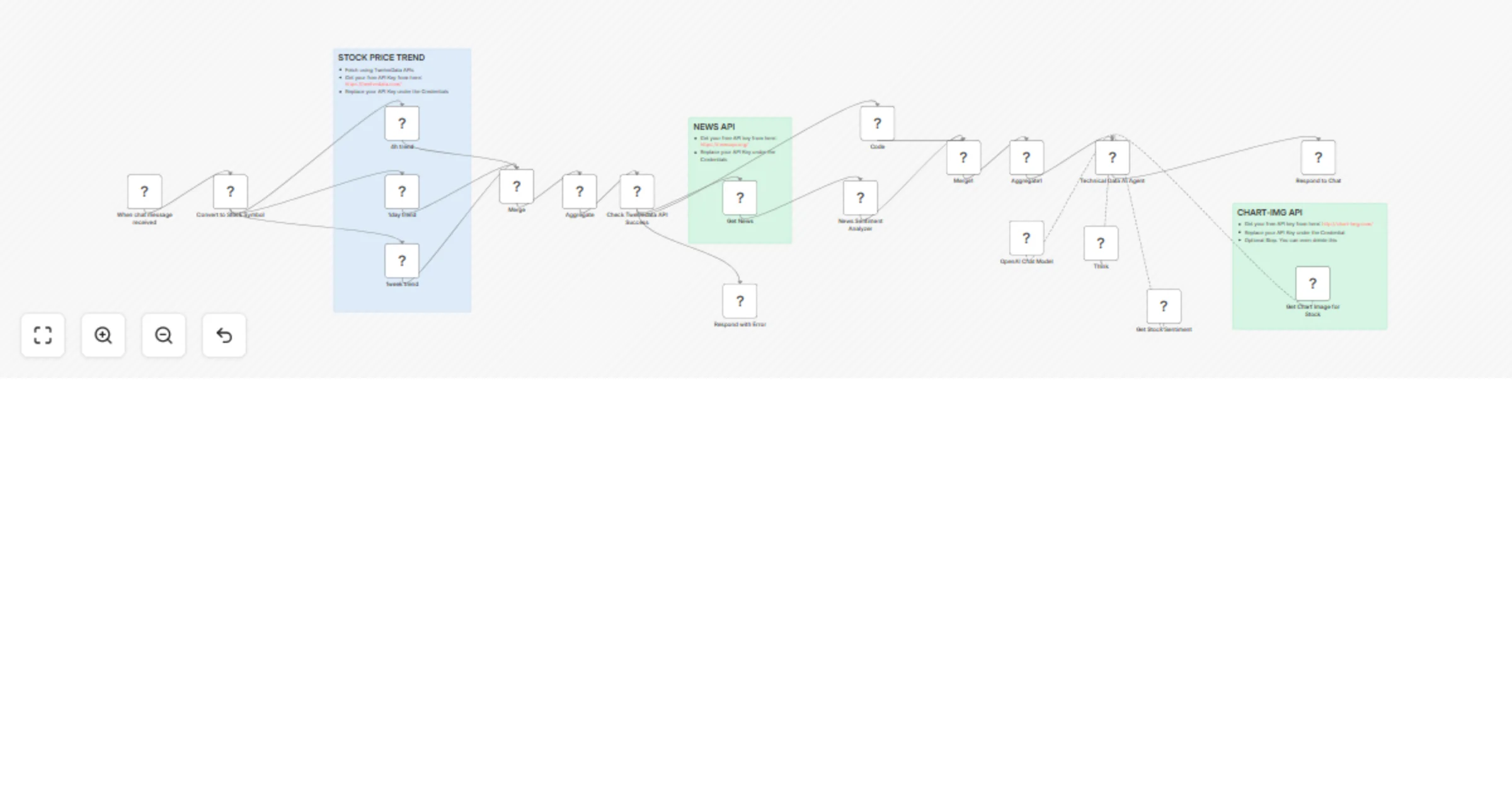
Workflow preview

Workflow preview
100%
Smart stock trading recommendations with GPT-4, TwelveData & NewsAPI analysis preview
Open on n8n.io

Important notice

This workflow is provided as-is. Please review and test before using in production.

1. Workflow Overview

Advanced AI powered stock analysis workflow that combines multi timeframe technical analysis with real time news sentiment to generate actionable BUY/SELL/HOLD recommendations. Uses sophisticated a...

Best for

  • Crypto Trading automation workflows
  • AI Summarization automation workflows
  • advanced n8n builders looking for reusable templates

Tools used

@n8n/n8n-nodes-langchain.chattrigger, n8n-nodes-base.httprequest, @n8n/n8n-nodes-langchain.openai, n8n-nodes-base.aggregate, n8n-nodes-base.merge, @n8n/n8n-nodes-langchain.agent, @n8n/n8n-nodes-langchain.lmchatopenai, n8n-nodes-base.code

Source and attribution

This workflow is cataloged by N8N Workflows and links back to its original n8n.io source page by Jitesh Dugar.

Original n8n.io source

1.1 Workflow description

Title
Smart stock trading recommendations with GPT-4, TwelveData & NewsAPI analysis
Workflow name
Smart stock trading recommendations with GPT-4, TwelveData & NewsAPI analysis

Overview

Advanced AI-powered stock analysis workflow that combines multi-timeframe technical analysis with real-time news sentiment to generate actionable BUY/SELL/HOLD recommendations. Uses sophisticated algorithms to process price data, news sentiment, and market context for informed trading decisions.

Core Features

Multi-Timeframe Technical Analysis

  • 4-Hour Charts - Intraday trend analysis and entry timing
  • Daily Charts - Primary trend identification and key levels
  • Weekly Charts - Long-term context and major trend direction
  • Moving Average Analysis - 5, 10, and 20-period trend indicators
  • Support/Resistance Levels - Dynamic price level identification
  • Volume Analysis - Trading activity and momentum confirmation

AI-Powered News Sentiment Analysis

  • Real-Time News Processing - Latest market-moving headlines
  • Sentiment Scoring - Numerical sentiment rating (-1 to +1 scale)
  • Impact Assessment - News relevance to stock performance
  • Multi-Source Analysis - Comprehensive news coverage evaluation
  • Context-Aware Processing - Financial market-specific sentiment analysis

Intelligent Recommendation Engine

  • Professional Trading Logic - Multi-timeframe alignment analysis
  • Risk/Reward Calculations - Minimum 1:2 ratio requirements
  • Entry/Exit Price Targets - Specific actionable price levels
  • Stop-Loss Recommendations - Risk management guidelines
  • Confidence Scoring - Recommendation strength assessment

Technical Capabilities

Data Sources & APIs

  • TwelveData API - Professional-grade price and volume data
  • NewsAPI Integration - Comprehensive news coverage
  • Perplexity AI - Additional sentiment context and analysis
  • Chart-Img API - Visual chart generation for analysis
  • Real-Time Processing - Live market data integration

AI Models & Analysis

  • GPT-4 Integration - Advanced natural language processing
  • Custom Sentiment Engine - Financial market-tuned sentiment analysis
  • Multi-Model Approach - Cross-validation of recommendations
  • Algorithmic Trading Logic - Professional-grade decision frameworks

Visual Analysis Tools

  • Interactive Charts - TradingView-style chart generation
  • Technical Indicators - Visual representation of analysis
  • Dark Theme Support - Professional trading interface
  • Multiple Timeframes - Comprehensive visual analysis

Use Cases & Applications

Individual Traders

  • Day Trading Signals - Short-term entry/exit recommendations
  • Swing Trading Analysis - Multi-day position guidance
  • Risk Management - Stop-loss and position sizing advice
  • Market Timing - Optimal entry point identification

Investment Research

  • Due Diligence - Comprehensive stock analysis
  • Sentiment Monitoring - News impact assessment
  • Technical Screening - Multi-criteria stock evaluation
  • Portfolio Optimization - Individual stock recommendations

Automated Trading Systems

  • Signal Generation - Systematic buy/sell/hold alerts
  • Risk Controls - Automated stop-loss calculations
  • Multi-Asset Analysis - Scalable across stock universe
  • Backtesting Support - Historical recommendation validation

Financial Advisors & Analysts

  • Client Reporting - Professional analysis documentation
  • Research Automation - Streamlined analysis workflow
  • Decision Support - Data-driven recommendation framework
  • Market Commentary - AI-generated insights and rationale

Key Benefits

Professional-Grade Analysis

  • Institutional Quality - Bank-level analytical frameworks
  • Multi-Dimensional - Technical + fundamental + sentiment analysis
  • Real-Time Processing - Live market data integration
  • Objective Decision Making - Removes emotional bias from analysis

Time Efficiency

  • Instant Analysis - Seconds vs hours of manual research
  • Automated Processing - Continuous market monitoring
  • Scalable Operations - Analyze multiple stocks simultaneously
  • 24/7 Availability - Round-the-clock market analysis

Risk Management

  • Built-in Stop Losses - Automatic risk level calculation
  • Position Sizing - Risk-appropriate recommendation sizing
  • Multi-Timeframe Validation - Reduces false signals
  • Conservative Approach - Defaults to HOLD when uncertain

Setup Requirements

API Keys Needed

  1. TwelveData API - Free tier available at twelvedata.com
  2. NewsAPI Key - Free tier available at newsapi.org
  3. OpenAI API - For GPT-4 analysis capabilities
  4. Perplexity API - Additional sentiment analysis
  5. Chart-Img API - Optional chart visualization (chart-img.com)

Configuration Steps

  1. API Integration - Add your API keys to respective nodes
  2. Symbol Format - Supports company names or stock symbols
  3. Risk Parameters - Customize stop-loss and target calculations
  4. Notification Setup - Configure alert delivery methods
  5. Testing & Validation - Verify API connections and data flow

Advanced Features

Natural Language Processing

  • Company Name Recognition - Automatic symbol conversion
  • Context Understanding - Market-aware news interpretation
  • Multi-Language Support - Global news source analysis
  • Entity Extraction - Key information identification

Error Handling & Reliability

  • API Failure Recovery - Graceful degradation strategies
  • Data Validation - Input/output quality checks
  • Rate Limit Management - Automatic throttling controls
  • Backup Data Sources - Redundant information feeds

Customization Options

  • Timeframe Selection - Adjustable analysis periods
  • Risk Tolerance - Configurable risk/reward ratios
  • Sentiment Weighting - Balance technical vs fundamental analysis
  • Alert Thresholds - Custom trigger conditions

Important Disclaimers

This tool provides educational and informational analysis only. All trading decisions should:

  • Consider your personal risk tolerance and financial situation
  • Be validated with additional research and professional advice
  • Account for market volatility and potential losses
  • Follow proper risk management principles

Performance Optimization

Speed Enhancements

  • Parallel Processing - Simultaneous data retrieval
  • Caching Strategies - Reduced API call frequency
  • Efficient Algorithms - Optimized calculation methods
  • Memory Management - Scalable resource usage

Accuracy Improvements

  • Multi-Source Validation - Cross-reference data points
  • Historical Backtesting - Performance validation
  • Continuous Learning - Algorithm refinement
  • Market Adaptation - Evolving analysis criteria

Transform your investment research with AI-powered analysis that combines the speed of automation with the depth of professional-grade financial analysis.

1.2 Logical Blocks

This catalog entry is organized from the workflow JSON. The node-level section below shows the executable blocks available for review before importing the template.

2. Block-by-Block Analysis

Block 1 - When chat message received

Type / Role
@n8n/n8n-nodes-langchain.chatTrigger - chatTrigger
Config choices
Version 1.3

Block 2 - 4h trend

Type / Role
n8n-nodes-base.httpRequest - httpRequest
Config choices
Version 4.2

Block 3 - 1day trend

Type / Role
n8n-nodes-base.httpRequest - httpRequest
Config choices
Version 4.2

Block 4 - 1week trend

Type / Role
n8n-nodes-base.httpRequest - httpRequest
Config choices
Version 4.2

Block 5 - Get News

Type / Role
n8n-nodes-base.httpRequest - httpRequest
Config choices
Version 4.2

Block 6 - News Sentiment Analyzer

Type / Role
@n8n/n8n-nodes-langchain.openAi - openAi
Config choices
Version 1.8

Block 7 - Aggregate

Type / Role
n8n-nodes-base.aggregate - aggregate
Config choices
Version 1

Block 8 - Merge

Type / Role
n8n-nodes-base.merge - merge
Config choices
Version 3.2

Block 9 - Merge1

Type / Role
n8n-nodes-base.merge - merge
Config choices
Version 3.2

Block 10 - Aggregate1

Type / Role
n8n-nodes-base.aggregate - aggregate
Config choices
Version 1

Block 11 - Technical Data AI Agent

Type / Role
@n8n/n8n-nodes-langchain.agent - agent
Config choices
Version 2.2

Block 12 - OpenAI Chat Model

Type / Role
@n8n/n8n-nodes-langchain.lmChatOpenAi - lmChatOpenAi
Config choices
Version 1.2

Block 13 - Code

Type / Role
n8n-nodes-base.code - code
Config choices
Version 2

Block 14 - Think

Type / Role
@n8n/n8n-nodes-langchain.toolThink - toolThink
Config choices
Version 1.1

Block 15 - Get Stock Sentiment

Type / Role
n8n-nodes-base.perplexityTool - perplexityTool
Config choices
Version 1

Block 16 - Check Twelvedata API Success

Type / Role
n8n-nodes-base.switch - switch
Config choices
Version 3.2

Block 17 - Get Chart Image for Stock

Type / Role
n8n-nodes-base.httpRequestTool - httpRequestTool
Config choices
Version 4.2

Block 18 - Respond with Error

Type / Role
@n8n/n8n-nodes-langchain.chat - chat
Config choices
Version 1

Block 19 - Respond to Chat

Type / Role
@n8n/n8n-nodes-langchain.chat - chat
Config choices
Version 1

Block 20 - Convert to Stock Symbol

Type / Role
@n8n/n8n-nodes-langchain.openAi - openAi
Config choices
Version 1.8

Block 21 - Sticky Note

Type / Role
n8n-nodes-base.stickyNote - stickyNote
Config choices
Version 1

Block 22 - Sticky Note1

Type / Role
n8n-nodes-base.stickyNote - stickyNote
Config choices
Version 1

Block 23 - Sticky Note2

Type / Role
n8n-nodes-base.stickyNote - stickyNote
Config choices
Version 1

3. Summary Table

Workflow Smart stock trading recommendations with GPT-4, TwelveData & NewsAPI analysis
Complexity advanced
Nodes 23
Categories Crypto Trading, AI Summarization
Author Jitesh Dugar
Published 15 Sept 2025

4. Reproducing the Workflow from Scratch

  1. 1. Download the workflow JSON

    Use the JSON export at /data/workflows/8594/8594.json as the source template for this automation.

  2. 2. Import the template into n8n

    Open n8n, import the downloaded JSON, and review each node before activating the workflow.

  3. 3. Configure credentials and variables

    Replace placeholder credentials, API keys, webhook URLs, account IDs, and environment-specific values with your own settings.

  4. 4. Test with sample data

    Run the workflow manually or in a staging workspace, inspect node output, and confirm downstream systems receive the expected data.

  5. 5. Activate and monitor

    Enable the workflow only after testing, then monitor executions, errors, and rate limits during the first production runs.

5. General Notes & Resources

Review imported nodes carefully before activation. This catalog entry is intended to help you inspect the workflow structure, understand required services, and find related templates faster.

Node names, credentials, schedules, webhook paths, and external service limits may need adjustment for your workspace.

Frequently asked questions

What does Smart stock trading recommendations with GPT-4, TwelveData & NewsAPI analysis do?

Advanced AI powered stock analysis workflow that combines multi timeframe technical analysis with real time news sentiment to generate actionable BUY/SELL/HOLD recommendations. Uses sophisticated a...

What do I need before importing this workflow?

Review the workflow JSON, configure any required credentials in n8n, and test the automation in a safe workspace before using it in production.

Can I customize this workflow?

Yes. Use the block-by-block analysis and the downloadable JSON to inspect each node, then adjust credentials, prompts, schedules, filters, or destinations for your Crypto Trading, AI Summarization use case.