Block 1 - Trigger
- Type / Role
- n8n-nodes-base.scheduleTrigger - scheduleTrigger
- Config choices
- Version 1


 Early Deal
Chasing vendors for overdue Purchase Orders (POs) is a manual, repetitive task that eats up hours of procurement time. This workflow automates that entire process—intelligently. It doesn't just sen...
n8n-nodes-base.scheduletrigger, n8n-nodes-base.googlesheets, n8n-nodes-base.code, n8n-nodes-base.gmail, n8n-nodes-base.merge, n8n-nodes-base.stickynote
This workflow is cataloged by N8N Workflows and links back to its original n8n.io source page by Bhautik Trambadia.
Original n8n.io sourceChasing vendors for overdue Purchase Orders (POs) is a manual, repetitive task that eats up hours of procurement time. This workflow automates that entire process—intelligently.
It doesn't just send emails; it batches multiple overdue orders into a single message per vendor and includes a 7-day "anti-spam" cooldown to ensure you aren't nagging your suppliers every single day.
🎯 The Problem Manually checking spreadsheets for overdue dates is slow.
Sending individual emails for every single PO is annoying for vendors.
It’s hard to track when you last asked for an update.
🚀 The Solution This workflow:
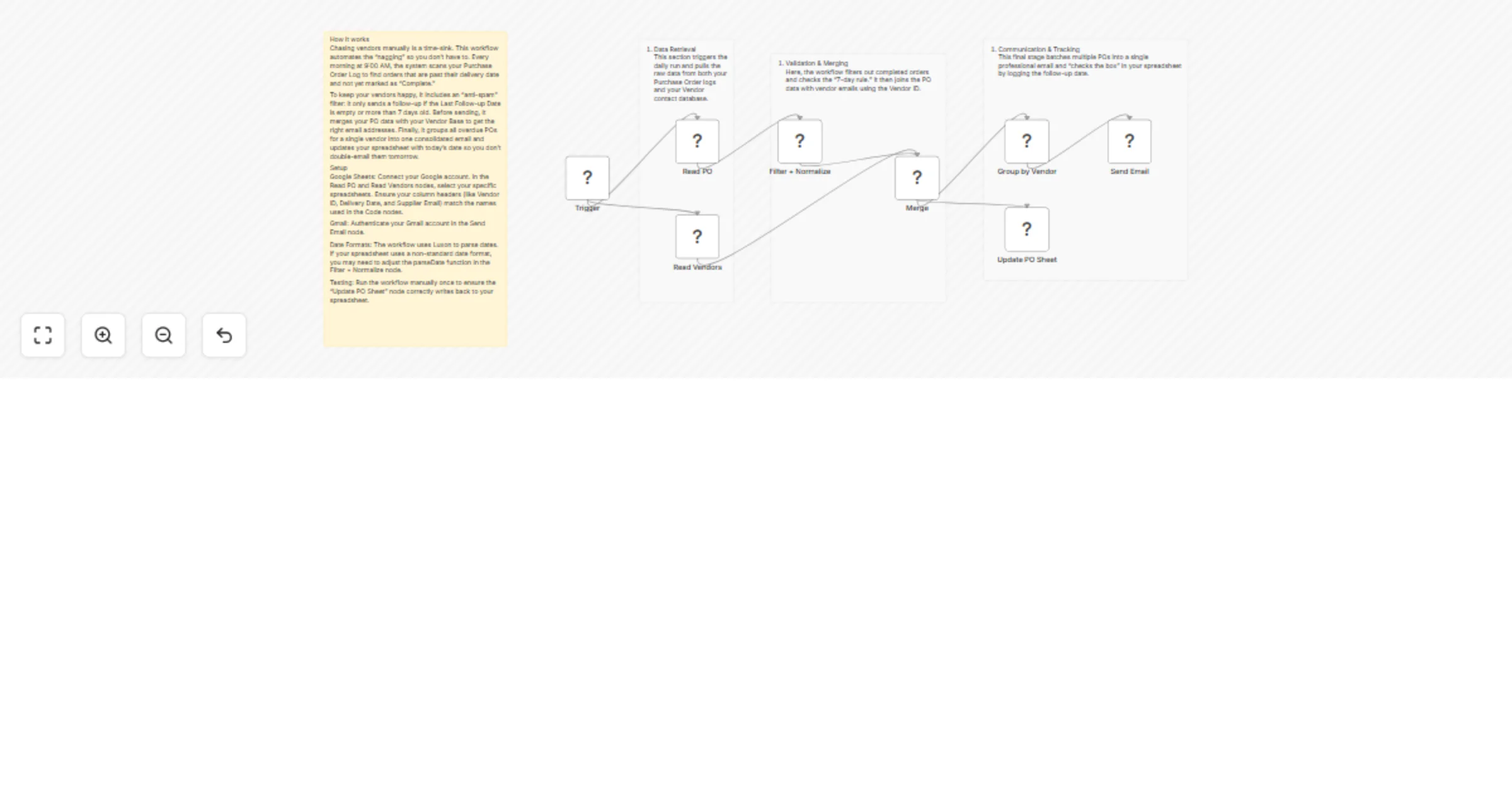
Syncs your PO Log with your Vendor Contact database.
Filters for orders that are past due, incomplete, and haven't been followed up on in the last week.
Aggregates all overdue items for one vendor into a single, professional email.
Logs the follow-up date back to your Google Sheet automatically.
🛠️ How to Set Up
PO Log: Must contain columns for PO Number, Vendor ID, Delivery Date, Delivery Status, and Last Follow-up Date.
Vendor Base: Must contain Vendor ID, Supplier Name, and Supplier Email.
Filter + Normalize: This Javascript node handles different date formats. If your sheet uses a specific format (e.g., DD/MM/YYYY), ensure it matches the logic in this node.
Send Email: Connect your Gmail account. You can customize the Subject and Body in the Group by Vendor node logic.
Update PO Sheet: Ensure the "Matching Column" is set to PO Number so the workflow knows which row to update after the email is sent.
💡 Customization Tips Cooldown Period: Change the 7 in the Filter + Normalize code to 3 or 14 if you want more or less frequent follow-ups.
Email Branding: Add your company signature or a CC to your own procurement inbox in the Send Email node.
Slack Integration: Instead of Gmail, you could easily swap the final node for a Slack or Microsoft Teams message if you communicate with vendors via shared channels.
📦 Requirements Google Sheets account.
Gmail account (or any SMTP/Email provider).
Columns in your sheets must match the names used in the Merge and Code nodes.
This catalog entry is organized from the workflow JSON. The node-level section below shows the executable blocks available for review before importing the template.
| Workflow | Send vendor follow-up emails for overdue POs with Google Sheets and Gmail |
|---|---|
| Complexity | intermediate |
| Nodes | 12 |
| Categories | Document Extraction |
| Author | Bhautik Trambadia |
| Published | 29 Mar 2026 |
Use the JSON export at /data/workflows/14440/14440.json as the source template for this automation.
Open n8n, import the downloaded JSON, and review each node before activating the workflow.
Replace placeholder credentials, API keys, webhook URLs, account IDs, and environment-specific values with your own settings.
Run the workflow manually or in a staging workspace, inspect node output, and confirm downstream systems receive the expected data.
Enable the workflow only after testing, then monitor executions, errors, and rate limits during the first production runs.
Review imported nodes carefully before activation. This catalog entry is intended to help you inspect the workflow structure, understand required services, and find related templates faster.
Node names, credentials, schedules, webhook paths, and external service limits may need adjustment for your workspace.
Chasing vendors for overdue Purchase Orders (POs) is a manual, repetitive task that eats up hours of procurement time. This workflow automates that entire process—intelligently. It doesn't just sen...
Review the workflow JSON, configure any required credentials in n8n, and test the automation in a safe workspace before using it in production.
Yes. Use the block-by-block analysis and the downloadable JSON to inspect each node, then adjust credentials, prompts, schedules, filters, or destinations for your Document Extraction use case.