Block 1 - Wait
- Type / Role
- n8n-nodes-base.wait - wait
- Config choices
- Version 1.1


 Early Deal
What Is This? This workflow is an automated system that tracks End of Life (EOL) dates for software and technologies used across your projects. It eliminates the need to manually monitor EOL dates ...
n8n-nodes-base.wait, n8n-nodes-base.httprequest, n8n-nodes-base.merge, n8n-nodes-base.renamekeys, n8n-nodes-base.nocodb, n8n-nodes-base.splitinbatches, n8n-nodes-base.set, n8n-nodes-base.if
This workflow is cataloged by N8N Workflows and links back to its original n8n.io source page by Łukasz.
Original n8n.io sourceThis workflow is an automated system that tracks End-of-Life (EOL) dates for software and technologies used across your projects. It eliminates the need to manually monitor EOL dates in spreadsheets or calendars by automatically fetching the latest EOL information and sending Slack notifications when software versions are approaching their end of support, end of life, or when new subversions are released.
Designed for DevOps teams, IT managers, project managers, CTOs, and technical leads responsible for maintaining software infrastructure. This workflow empowers anyone who needs to ensure their projects stay secure and compliant by using supported software versions.
Development agencies managing multiple client projects, internal IT teams overseeing infrastructure maintenance, and compliance officers tracking software support lifecycles will all find this solution invaluable. By automatically monitoring EOL dates from endoflife.date and cross-referencing them with your project inventory, the workflow ensures you never miss critical upgrade windows.
Whether you manage a handful of internal applications or oversee dozens of client projects with varied technology stacks, this automated pipeline delivers timely, actionable alerts without manual date tracking.
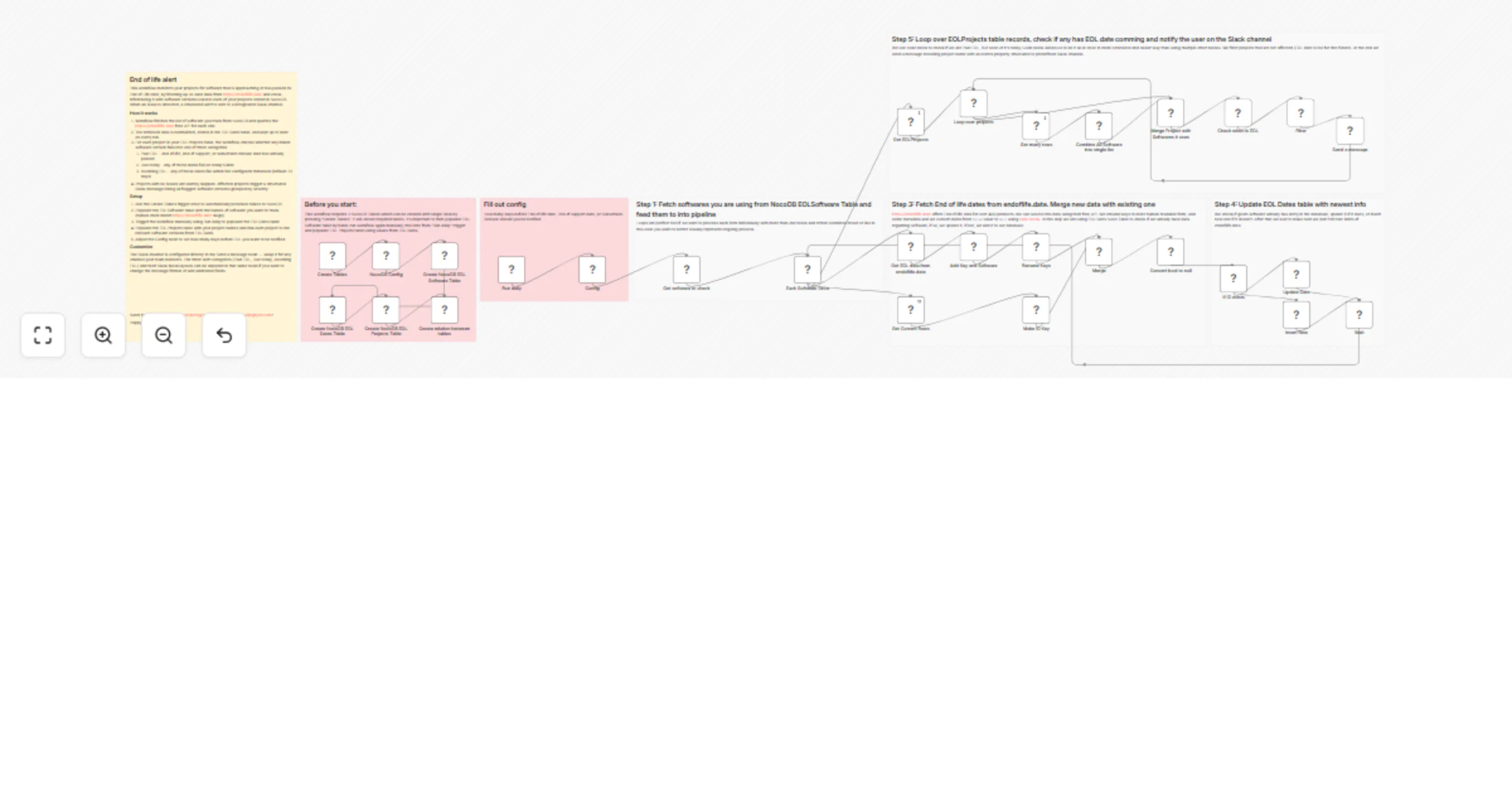
This end-to-end EOL monitoring automation consists of five main stages:
1. Software Inventory Collection Retrieves your list of software to monitor from the NocoDB EOL Software table, then processes each software individually through the pipeline.
2. EOL Data Fetching Connects to the free endoflife.date API to fetch comprehensive EOL information for each software, including version cycles, latest subversions, release dates, support end dates, and EOL dates for over 400 products.
3. Data Normalization & Storage Renames API fields to human-readable formats, converts boolean values to proper nulls, and intelligently updates or creates records in the EOL Dates table based on existing data.
4. Project Analysis Uses JavaScript to analyze all projects and their associated software versions, categorizing them into three priority groups: Past EOL (already end-of-life), EOL Today (ending today), and EOL in X days (approaching within configured threshold).
5. Intelligent Notifications Filters out projects without EOL concerns and sends beautifully formatted Slack messages to your designated channel, clearly organizing alerts by severity with complete version and date information.
Prerequisites:
Required NocoDB Tables: You need to create three tables with specific schemas. Luckily, our workflow automates the set up as much as possible to provide better experience.
EOL Software Table (manually populated):
Title: Single line text - must use valid software identifiers from endoflife.dateEOL Dates Table (automatically populated):
key: Single line textSoftware: Single line textVersion: Single line textLatest Subversion: Single line textSubversion Release: Date fieldEnd Of Life: Date fieldEnd Of Support: Date fieldLong Term Support: CheckboxEOL Projects Table (manually populated):
Project Name: Single line textEOLDates: Link field - Many-to-Many relationship to EOL Dates tableConfiguration:
In the "Config" node, set Days before EOL to your desired notification threshold (default: 31 days).
Credentials Setup:
Scheduling: The workflow runs automatically daily at 7:00 AM via the Schedule Trigger node. For initial setup, run it manually by pressing "Execute workflow" to populate the EOL Dates table.
Initial Data Entry:
Rate Limiting Protection: The workflow includes a Wait node between API calls to respect endoflife.date's rate limits, ensuring reliable long-term operation.
Smart Update Logic: The workflow intelligently checks if EOL data already exists before deciding whether to update existing records or insert new ones, preventing duplicates and maintaining data integrity.
Flexible Alerting: Configure your notification window from 1 to any number of days before EOL events, adapting to your team's upgrade planning cycles.
Visit my profile for other free business automations. And if you're looking for dedicated software development or custom n8n workflow solutions, don't hesitate to reach out at [email protected] or on sailingbyte.com!
This catalog entry is organized from the workflow JSON. The node-level section below shows the executable blocks available for review before importing the template.
Showing the first 24 of 36 workflow blocks. Download the JSON for the full node graph.
| Workflow | Send end-of-life software alerts using NocoDB, endoflife.date, and Slack |
|---|---|
| Complexity | advanced |
| Nodes | 36 |
| Categories | DevOps |
| Author | Łukasz |
| Published | 25 Mar 2026 |
Use the JSON export at /data/workflows/14309/14309.json as the source template for this automation.
Open n8n, import the downloaded JSON, and review each node before activating the workflow.
Replace placeholder credentials, API keys, webhook URLs, account IDs, and environment-specific values with your own settings.
Run the workflow manually or in a staging workspace, inspect node output, and confirm downstream systems receive the expected data.
Enable the workflow only after testing, then monitor executions, errors, and rate limits during the first production runs.
Review imported nodes carefully before activation. This catalog entry is intended to help you inspect the workflow structure, understand required services, and find related templates faster.
Node names, credentials, schedules, webhook paths, and external service limits may need adjustment for your workspace.
What Is This? This workflow is an automated system that tracks End of Life (EOL) dates for software and technologies used across your projects. It eliminates the need to manually monitor EOL dates ...
Review the workflow JSON, configure any required credentials in n8n, and test the automation in a safe workspace before using it in production.
Yes. Use the block-by-block analysis and the downloadable JSON to inspect each node, then adjust credentials, prompts, schedules, filters, or destinations for your DevOps use case.